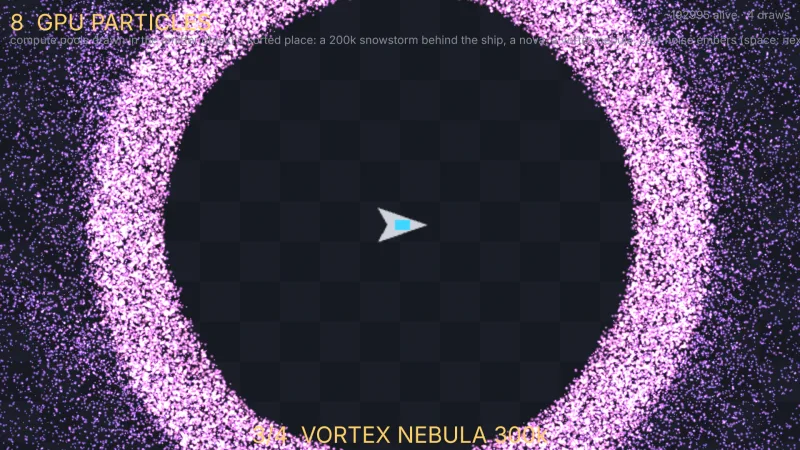

What it does
A field runs in one of two modes, and the difference is one option. With no rate, the whole pool is alive at once
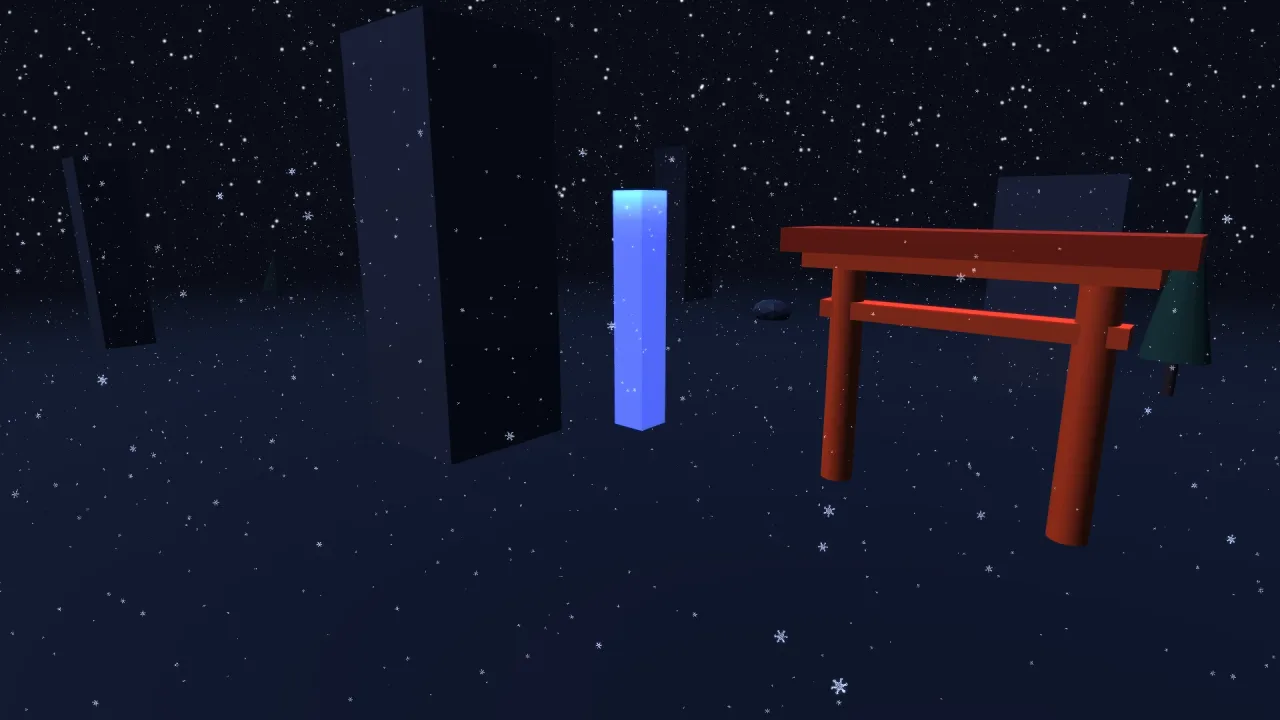
and a particle that dies is reborn from the spawn shape in the same step: that is what a field of rain, snow, ash or
stars is. With a rate, the pool becomes a ring an emitter feeds at so many particles a second, so the field fills
rather than arriving whole on the first frame, and rate: 0 with burst() is a firework.
The reason the pack exists is wrap. Positions fold into a box centred on the emitter; size the box a little past
the fog, set follow: 'camera', and particles recycle across the trailing edge while fallers wrap back to the top.
You never simulate the world, only the box round the eye, so the player can fly a thousand units and the weather is
still there at the same cost.
Fields join the 3D renderer's depth and camera, so the world hides them and the scene's fog covers them. Soft
particles fade a quad as it nears the geometry behind it, so a field has no hard line where it meets a wall. With
collide, particles meet the scene itself through the depth buffer: a spark skitters down a staircase and rain
lands on a roof, with no colliders to set up anywhere.
Features
- Fields of up to a million — one instanced draw for the whole field, with no per-particle CPU work.
- Two modes — a pool that recycles for ever, or a ring fed at a
ratewithburst(n)on top. - Wrap round the camera — a bounded box that follows the eye covers an unlimited world.
- Depth collision —
bounce,kill,restorrespawnagainst whatever is on screen, following the actual slope;respawnmakes one pool of rain fall for ever. - Petals that read as petals —
flutterrocks a falling leaf from side to side andtumbleturns each quad over, andrestPoselays a settled particle flat on the ground. - Colour by life or by particle —
colorwalks a ramp over life;palettepicks one colour per particle and keeps it, for confetti and fireworks; up to eight stops either way. - Soft and near fades —
softFaderemoves hard edges against geometry, andnearFadestops a star or a raindrop filling the screen as it passes the eye. - Forces as data — up to eight: acceleration, drag, curl noise, attract with a softening radius, vortex about any axis, orbit with a shell radius and spring, and wind.
- Spawn shapes — box, sphere, shell, disc and ring, launched outward, in every direction, or in a cone.
- Presets —
game.gpuParticles.presetstarts a registered field and overrides any part of it.
Good for
- Open-world and flying games — weather that follows the camera across a world of any size.
- Atmospheric scenes — falling cherry blossom, autumn leaves, ash, dust motes and fireflies.
- Space games — starfields and dust you fly through, faded before they reach the eye.
- Rain and snow that land — particles that hit roofs and floors through the depth buffer and rest or respawn.
- Fireworks and showers — a field with
rate: 0, aburst()on a timer, and a palette of distinct colours. - 3D shooters with dense effects — sparks that bounce down the scenery without a collider in sight.
Make it yours
A field is one GpuField3dConfig: its pool count, an optional rate, where particles are born and how they
launch, their life, speed and size, gravity, drag and forces, and how they look and fade. The handle keeps x, y,
z, rate, timeScale, forces, gravity, collide, life, speed and size live, so moving the emitter
between bursts is three assignments, and spawn settings changed between bursts let one pool play a short hot crack
and then a long shard storm. Ready-made fields come from vfx3d-fields, and a pack or game can register its own
with registerGpuField3d.
Two very different uses: a rain field of over a hundred thousand drops that follows the camera, wraps round it and
respawns at the top of its box wherever a drop meets the scene; and a firework, a pool with rate: 0 fired by
burst() from a new position each time, its sparks picking colours from a six-colour palette.
A quick look
A preset with depth collision, and a field of your own that feeds at a rate:
game.gpuParticles.preset('rain', { count: 120_000, collide: 'respawn' });
const sparks = game.gpuParticles.field({ count: 4000, rate: 0, life: [0.6, 1.2], speed: [4, 9],
    direction: 'omni', gravity: { y: -9.8 }, collide: 'bounce', palette: ['#ffd166', '#ff6b6b', '#4cc9f0'] });
sparks.x = 3; sparks.y = 6; sparks.z = -4;
sparks.burst(600);
Works with
render-3d— required; the fields share its depth, camera and fog.particle-textures— required; the particle pictures the fields draw with.vfx3d-fields— twelve ready-made fields: blossom, leaves, rain, snow, sandstorm, ash, fireflies, dust, bubbles and deep space.particles-3d— for effects with a beginning and an end: explosions, bursts, spell hits, sub-emitters.particles-gpu— GPU particles for 2D games.
Good to know
- Nothing on the GPU can call back into your code, so there are no sub-emitters or per-particle events; a spark that
must leave smoke where it died belongs in
particles-3d. - Collision sees only what the depth buffer holds: geometry on screen, and only its front-most surface. For a particle you must not lose, use a real collider.
- Particles are not sorted against each other, so additive is the natural blend and dense normal-blend fields can composite in any order.
- The pool is fixed when the field starts: a new
countmeans a new field, and arateabove what the pool holds recycles the oldest. sizeis a half-size, a radius, where the CPU particle packs use full sizes.