
What it does
Every generator is a function that takes an options bag and returns an OffscreenCanvas. You hand that canvas to
game.assets.addStrip, which registers it as frames, and from then on a sprite, an animation or a tilemap uses those
frames exactly as it would use frames from an image file. Nothing is loaded and nothing is requested, so a game runs
before anyone has drawn a thing.
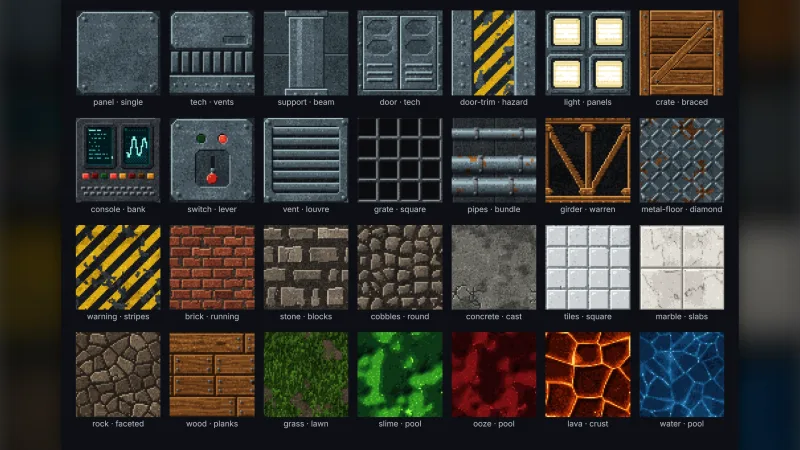
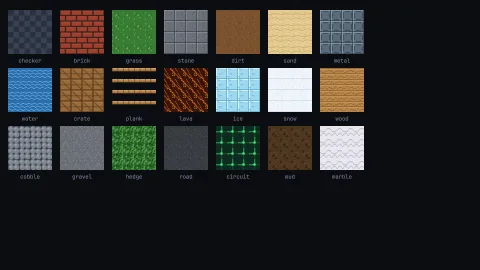
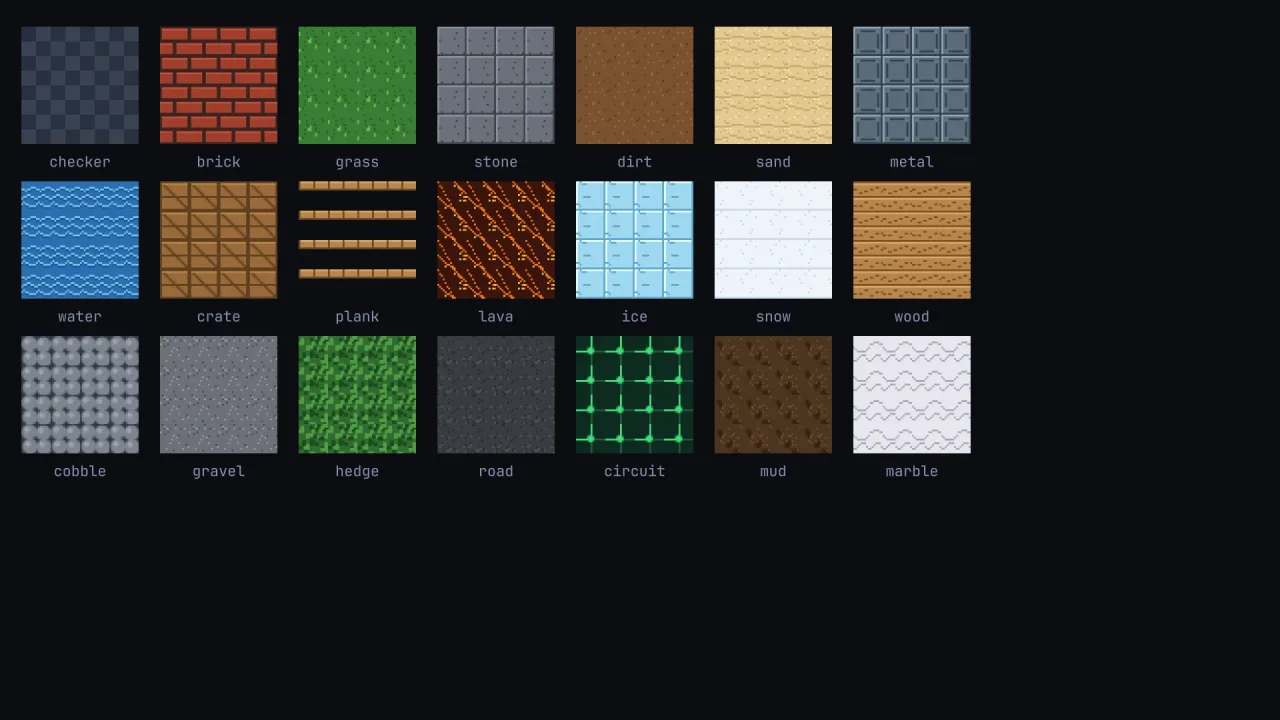
Tiles repeat without a visible join (all but the plank), and tileset packs a list of them into one strip for a
tilemap, so a level made of grass, stone and water is three calls and a pack. Four generators return animation
strips: a four-frame walker, a six-frame person with idle, run and jump frames, a spinning coin and a flickering torch,
ready to drop into a sprite's animations. The rest are single sprites at whatever square size you ask for.
Every generator takes its colours as options, and the ones with a random element take a seed, so the same call always draws the same picture. That makes a recoloured enemy per wave or a different stone tile per level a change of arguments. Randomness comes from the kernel's seeded stream, so a seed draws the same picture on every machine. The pack touches no page and needs no backend, so it works in a worker or a build step as well as in a game.
Features
- Twenty-one repeating tiles — checker, brick, grass, stone, dirt, water, sand, metal, plank, crate, lava, ice, snow, wood, cobble, gravel, hedge, road, circuit, mud and marble.
- Four animation strips —
characterSheet(a four-frame walker),personSheet(idle, a four-frame run and a jump),coinSheet(a spinning coin) andtorchSheet(a swaying flame). - Seventy-seven sprites — pickups, characters, creatures, vehicles, eleven fruit, gems and treasure, fantasy props, planets and satellites, shoot-'em-up enemies, street furniture, trees, plants and clouds.
- Three texture maps —
envMap, a reflection of sky, horizon and ground, andnoiseNormalMapandbrickNormalMap, bump normals that line up with the brick tile. - Colours as options — a body, highlight and shadow colour for sprites, and a base, detail and accent for tiles, each with its own default palette.
- Seeds where it matters — the generators with a random element, such as grass, lava or an asteroid's outline, take a seed; the rest draw the same picture every time.
- Tilesets in one call —
tilesetpacks tiles into a strip whose frames a tilemap reads in order. - Safe canvas sizes — every canvas side is clamped between 1 and 4096 pixels with
clampCanvasDim, rather than throwing.
Good for
- Prototypes and game jams, where the rules need testing long before the art is ready.
- Platformers, with grass, stone and plank tiles, a running and jumping hero, coins and torches.
- Top-down and maze games, with hedge, road, cobble and dirt tiles and a cast of slimes, ghosts and wizards.
- Space and invader shooters, with ships, interceptors, bombers, invaders, mines, planets and asteroids.
- Puzzle and collecting games, with fruit, gems and treasure in recolourable sets.
- Tests and demos, which need recognisable pictures without shipping image files.
Make it yours
Each generator's options set its size in pixels, its colours and, where it has one, its seed. Sprites take a
color for the body, an accent for the highlight and a detail for the shadow or outline; tiles take a base,
detail and accent; the walker takes body, outline and leg. The maps take sky, horizon, ground and sun
colours, or a bump scale and strength.
Two different looks from the same generators: draw small, at 16 pixels, and show the sprites three times larger with the screen's pixel-art setting on for a chunky retro look; or draw at the size you show them, say 64 pixels, for crisp shapes. Recolour a slime blue for one wave and red for the next, or give each level its own seeded stone and grass so no two floors look quite the same.
A quick look
Three tiles packed into a tilemap, and a running hero from the person sheet:
import { grassTile, stoneTile, waterTile, personSheet, tileset } from '@phaser-ae/art-2d';
const strip = tileset([grassTile({ size: 16 }), stoneTile({ size: 16, seed: 4 }), waterTile({ size: 16 })]);
const first = game.assets.addStrip('tiles', strip, 16, 16);
game.tiles.map({ tile: 16, layers: [{ layer: 'world', data: LEVEL, firstFrame: first }] });
const hero = game.assets.addStrip('hero', personSheet({ size: 16 }), 16, 16);   // six frames
Works with
particle-textures— soft, star and spark pictures for particles.vector-art— line art on the vector layer instead of raster sprites.procgen— tileable noise textures for terrain and clouds.ui-texture-wood,ui-texture-paperandui-texture-stone— textured panels for the interface.
Good to know
- It is placeholder art and looks it: clear at small sizes, never finished. Shapes, poses and frame counts are fixed;
for a picture of your own, draw it with the kernel's
game.paint, or pixel art from rows of characters withgame.pixels. - Frames are always square, and
tilesetsizes every cell by the first tile, so give all the tiles one size. - A whole strip is clamped to 4096 pixels too, so the frames of a very large sheet past that width are cut off.
- No material in the engine uses the environment or normal maps yet; they are correct maps for your own renderer.
- A plain Node script has no
OffscreenCanvas, so a generator called there throws.