
The pack
art2d
function art2d(): Pack<{ art2d: Art2dApi }>The art-2d pack: procedural placeholder art, a hundred-odd generators drawing into an OffscreenCanvas
the kernel's atlas takes directly. Needs no backend and no DOM.
Helpers
alien
function alien(opts: SpriteOptions = {}): OffscreenCanvasGreen alien — rounded head with large almond eyes, antennae with bulb tips. Use for space / sci-fi enemy characters.
amethyst
function amethyst(opts: SpriteOptions = {}): OffscreenCanvasPointed-cut amethyst — purple pentagon shape with a bright crown facet. Use for purple gem pickups, magic items.
apple
function apple(opts: SpriteOptions = {}): OffscreenCanvasRed apple with a brown stem and green leaf. Use for food pickups, health items, orchard collectibles.
asteroid
function asteroid(opts: SpriteOptions = {}): OffscreenCanvasSeeded irregular asteroid with two craters — shape varies per seed. Use for space obstacle sprites.
axe
function axe(opts: SpriteOptions = {}): OffscreenCanvasBattle axe — wooden handle with a wedge blade head and edge highlight. Use for melee weapon pickups in RPG or action games.
banana
function banana(opts: SpriteOptions = {}): OffscreenCanvasYellow banana — thick crescent arc with brown tip dots. Use for food pickups, jungle-themed collectibles.
bat
function bat(opts: SpriteOptions = {}): OffscreenCanvasBat — dark body with pointed ears, scalloped wings, and glowing eyes. Use for cave enemies, Halloween-themed sprites.
bomb
function bomb(opts: SpriteOptions = {}): OffscreenCanvasRound bomb with a curved lit fuse and glinting body. Use for throwable weapons, hazards, countdown objects.
bomber
function bomber(opts: SpriteOptions = {}): OffscreenCanvasBulky enemy bomber — wide oval hull with engine pods and glowing exhausts. Use for heavy shoot-em-up enemies.
brickNormalMap
function brickNormalMap(opts: NormalMapOptions = {}): OffscreenCanvasA brick-relief normal map matching brickTile's layout (two offset courses per tile), packed as
noiseNormalMap is: the mortar joints read as grooves under a moving light, and at any size it lines up
with a brickTile stretched over the same UVs. scale is not read. As with noiseNormalMap, no v3 material
samples a normal map yet.
brickTile
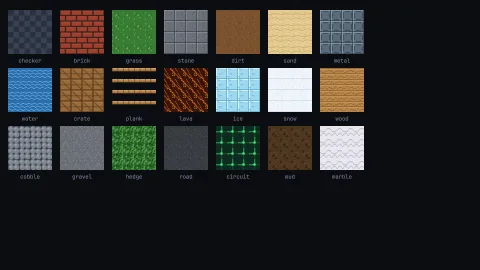
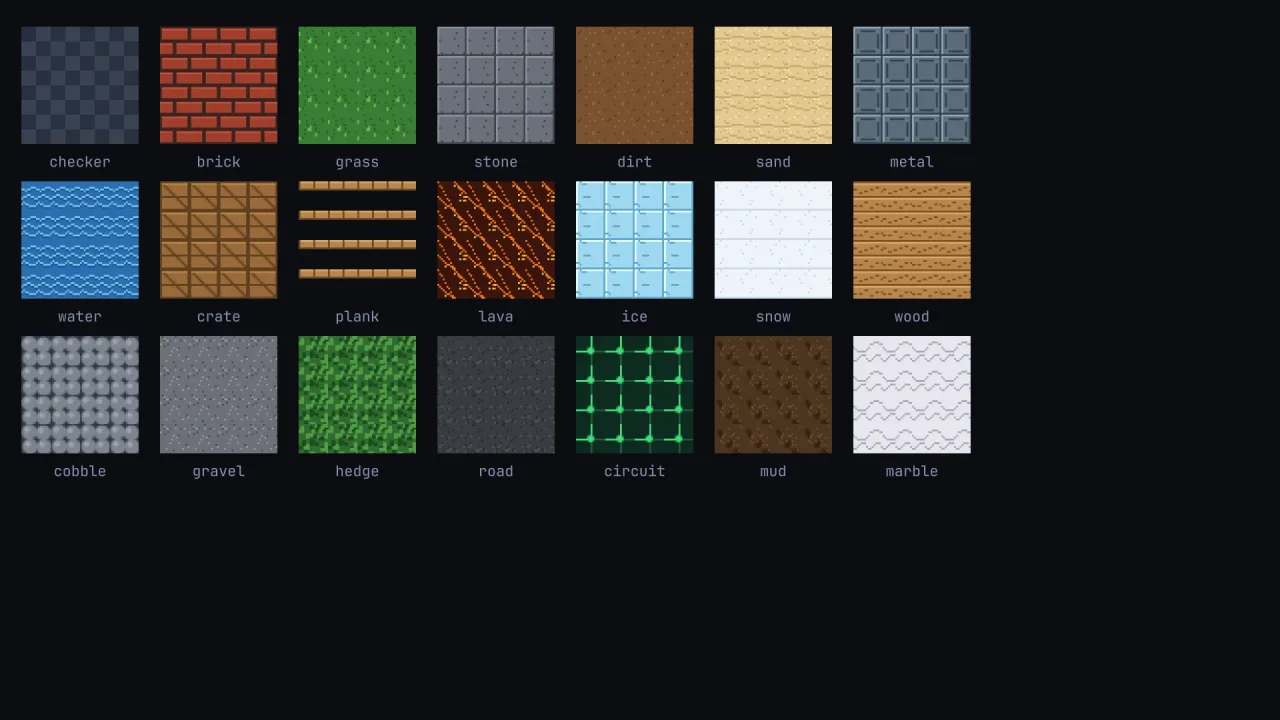
function brickTile(opts: TileOptions = {}): OffscreenCanvasTileable brick wall — offset courses with mortar joints. Use for walls, platforms, dungeon floors.
building
function building(opts: SpriteOptions = {}): OffscreenCanvasCity skyscraper / office building — tall block with a seeded random lit/unlit window grid. Use for urban backgrounds.
bush
function bush(opts: SpriteOptions = {}): OffscreenCanvasRounded bush — four overlapping green circles with a sheen highlight and shadow base. Use for outdoor scenery, platformer decoration.
cactus
function cactus(opts: SpriteOptions = {}): OffscreenCanvasGreen cactus — round-capped body with two upward arms and spine flecks. Use for desert / western scenery or obstacles.
car
function car(opts: SpriteOptions = {}): OffscreenCanvasSide-view car — body, windscreen, headlight, two wheels with hub caps. Use for racing or driving games.
characterSheet
function characterSheet(opts: CharacterOptions = {}): OffscreenCanvas4-frame walking character sprite sheet — round-headed figure with swinging legs.
The figure faces right (a snout pokes past the head's leading edge and the eyes
sit on the front of the face), so mirroring it with flip.x visibly turns it to face left.
Returns a (4 × size) × size horizontal strip: game.assets.addStrip(key, sheet, size, size) registers the
four frames, and an anim { strip: key, fps } walks through them. For idle, run and jump poses use personSheet.
checkerTile
function checkerTile(opts: TileOptions = {}): OffscreenCanvasTileable two-tone checkerboard — THE classic retro-3D scrolling floor (and a fine 2D tile). base/detail set the two squares.
cherry
function cherry(opts: SpriteOptions = {}): OffscreenCanvasPair of red cherries on a forked green stem. Use for bonus pickups, fruit collectibles.
chest
function chest(opts: SpriteOptions = {}): OffscreenCanvasTreasure chest — wooden body with gold bands and a lock. Use for loot containers, level-end rewards.
circuitTile
function circuitTile(opts: TileOptions = {}): OffscreenCanvasTileable circuit board — dark PCB substrate with crossing green traces and a solder pad. Use for sci-fi / cyber levels.
clampCanvasDim
function clampCanvasDim(n: number): numberClamp to a safe canvas dimension: a finite integer in [1, MAX_CANVAS_DIM]. NaN collapses to 1.
claude
function claude(opts: SpriteOptions = {}): OffscreenCanvasThe Anthropic Claude mascot — clay-orange sunburst disc with a friendly face.
cloud
function cloud(opts: SpriteOptions = {}): OffscreenCanvasFluffy white cloud — three overlapping circular puffs. Use for sky backgrounds, parallax layers, weather sprites.
cobbleTile
function cobbleTile(opts: TileOptions = {}): OffscreenCanvasTileable cobblestone — four rounded stones with highlighted tops over dark mortar. Use for medieval roads, town squares.
coinSheet
function coinSheet(opts: SpriteOptions = {}): OffscreenCanvasSpinning gold coin — 4-frame animation strip (face → edge-on → face), (4 × size) × size.
Register it with game.assets.addStrip and loop it for collectible coins and currency pickups.
crabAlien
function crabAlien(opts: SpriteOptions = {}): OffscreenCanvasCrab-style space invader — oval body with side claws, three bottom legs, and dot eyes. Use for shoot-em-up enemy sprites.
crateTile
function crateTile(opts: TileOptions = {}): OffscreenCanvasTileable wooden crate — plank border with a diagonal brace and highlight. Use for breakable blocks, storage areas.
crown
function crown(opts: SpriteOptions = {}): OffscreenCanvasGold crown with three points and gem jewels — use for royalty, boss loot, leaderboard trophies.
diamond
function diamond(opts: SpriteOptions = {}): OffscreenCanvasBrilliant-cut diamond — blue-white faceted gem. Use for rare collectibles, shop currency, puzzle gems.
dirtTile
function dirtTile(opts: TileOptions = {}): OffscreenCanvasTileable dirt / earth — brown base with randomised darker and lighter clods. Use for underground or farmland layers.
emerald
function emerald(opts: SpriteOptions = {}): OffscreenCanvasRectangular step-cut emerald with chamfered corners and inner facet lines. Use for green gem pickups, RPG loot.
envMap
function envMap(opts: EnvMapOptions = {}): OffscreenCanvasA spherical environment map — "the world reflected in a chrome ball": sky above, ground below, a bright sun hotspot and horizontal streaks (the streaks are what sells fake chrome when they sweep across a surface). Colour the world to match your scene (night: dark sky, fire-orange sun).
NO v3 MATERIAL SPHERE-MAPS IT. Registered with game.assets.addStrip(key, envMap(), 64, 64) it is an ordinary
texture, a fixed chrome-like gradient on whatever wears it; a real view-dependent reflection needs a material
that samples it, which no pack has yet.
eyeball
function eyeball(opts: SpriteOptions = {}): OffscreenCanvasFloating eyeball — sclera with vein lines, iris, pupil, and glint. Use for horror enemy, floating eye monster.
flower
function flower(opts: SpriteOptions = {}): OffscreenCanvasSix-petal flower on a stem with a leaf. Use for garden, meadow, or pickup-collectible decoration.
frog
function frog(opts: SpriteOptions = {}): OffscreenCanvasGreen frog — oval body, bulging eye bumps, wide grin. Use for swamp / pond enemy or animal sprites.
gem
function gem(opts: SpriteOptions = {}): OffscreenCanvasFaceted green gem — a single-frame collectible jewel with facet lines. Use for score pickups, RPG loot.
ghost
function ghost(opts: SpriteOptions = {}): OffscreenCanvasPac-Man-style ghost — rounded top with a scalloped skirt and dot eyes. Use for enemy characters in maze or horror games.
goldBar
function goldBar(opts: SpriteOptions = {}): OffscreenCanvasGold ingot / gold bar — isometric parallelogram top face and trapezoid front. Use for treasure, currency, reward items.
grapes
function grapes(opts: SpriteOptions = {}): OffscreenCanvasPurple bunch of grapes — three rows of berries narrowing to a point, stem and leaf. Use for fruit pickups, vineyard-themed games.
grassTile
function grassTile(opts: TileOptions = {}): OffscreenCanvasTileable grass — green base with scattered darker flecks and bright blade accents. Use for outdoor ground layers.
gravelTile
function gravelTile(opts: TileOptions = {}): OffscreenCanvasTileable gravel — grey base with randomised light and dark grain speckles. Use for paths, riverbanks.
heart
function heart(opts: SpriteOptions = {}): OffscreenCanvasRed heart — use for lives / health pickups, health HUD icons.
hedgeTile
function hedgeTile(opts: TileOptions = {}): OffscreenCanvasTileable hedge / dense foliage — dark-green base with randomised light and dark leafy clumps. Use for maze walls, garden borders.
house
function house(opts: SpriteOptions = {}): OffscreenCanvasSimple house — rectangular wall, triangular roof, door, and window. Use for town scenery, village-building games.
hydrant
function hydrant(opts: SpriteOptions = {}): OffscreenCanvasRed fire hydrant — dome top, side nozzles, base plate. Use for city / street scenery, obstacle sprites.
iceTile
function iceTile(opts: TileOptions = {}): OffscreenCanvasTileable ice — pale blue with a corner sheen and seeded hairline cracks. Use for frozen / slippery surfaces.
interceptor
function interceptor(opts: SpriteOptions = {}): OffscreenCanvasEnemy interceptor fighter pointing down — swept wings, narrow fuselage, red cockpit. Use for shoot-em-up diving enemy ships.
key
function key(opts: SpriteOptions = {}): OffscreenCanvasGold key — bow + shaft + teeth. Use for door / chest unlock collectibles.
lamppost
function lamppost(opts: SpriteOptions = {}): OffscreenCanvasStreet lamppost — curved arm with a glowing lamp head and hood. Use for city / street scenery in side-scrollers.
lavaTile
function lavaTile(opts: TileOptions = {}): OffscreenCanvasTileable lava — dark crust with glowing diagonal crack veins and bright ember speckles. Use for hazard / damage zones.
lemon
function lemon(opts: SpriteOptions = {}): OffscreenCanvasYellow lemon with pointed nubs and a highlight. Use for food pickups, sour-themed collectibles.
marbleTile
function marbleTile(opts: TileOptions = {}): OffscreenCanvasTileable marble — pale stone with two sine-wave grey vein lines that wrap seamlessly. Use for palace, temple, luxury interiors.
MAX_CANVAS_DIM
const MAX_CANVAS_DIM: 4096The largest canvas this module will make. Every dimension is clamped to [1, MAX]: a 0 or NaN throws on
some browsers, and iOS Safari runs out of memory past about 4096².
metalTile
function metalTile(opts: TileOptions = {}): OffscreenCanvasTileable sci-fi metal panel — bevelled edges, inset panel recess, and corner bolts. Use for space stations, mechs, industrial levels.
mine
function mine(opts: SpriteOptions = {}): OffscreenCanvasSpiky space mine — eight spike protrusions around a dark body with a red blink light. Use for hazard / obstacle sprites in space games.
moon
function moon(opts: SpriteOptions = {}): OffscreenCanvasGrey moon disc with four fixed craters (detail). Use for space backgrounds, night-scene decoration.
mudTile
function mudTile(opts: TileOptions = {}): OffscreenCanvasTileable mud — dark wet earth with elliptical puddle blobs and light grain speckles. Use for swamp, rain-soaked terrain.
mushroom
function mushroom(opts: SpriteOptions = {}): OffscreenCanvasRed mushroom with white spots and a pale stem. Use for forest scenery, Mario-style powerup or hazard sprites.
noiseNormalMap
function noiseNormalMap(opts: NormalMapOptions = {}): OffscreenCanvasA tileable NOISE normal map — bumpy stone, hammered metal, rough plaster — as tangent-space normals packed into
RGB ((n + 1) / 2, z out of the surface). Two octaves of wrapped value noise turned into surface slopes; scale
sets bump frequency, strength how deep the relief reads.
NO v3 MATERIAL SAMPLES A NORMAL MAP yet, in world-3d, lighting-3d or mesh-shaders. The canvas is a correct normal map for a renderer or exporter of your own; given to an object as a texture it shows as colour.
nose
function nose(opts: SpriteOptions = {}): OffscreenCanvasHuman nose with nostrils and a tip shade. Use for face-builder UIs, character customisation.
orange
function orange(opts: SpriteOptions = {}): OffscreenCanvasOrange citrus fruit with a highlight and green leaf. Use for food pickups, collectible items.
peach
function peach(opts: SpriteOptions = {}): OffscreenCanvasPeach / apricot with a vertical crease arc, highlight, and green leaf. Use for food pickups in orchard or farm games.
pear
function pear(opts: SpriteOptions = {}): OffscreenCanvasGreen pear — bulb body with narrow neck, brown stem, highlight. Use for food pickups, orchard collectibles.
pearl
function pearl(opts: SpriteOptions = {}): OffscreenCanvasLustrous pearl — iridescent white sphere with a soft highlight. Use for rare collectibles, jewellery, ocean-themed loot.
personSheet
function personSheet(opts: SpriteOptions = {}): OffscreenCanvasSide-view running person (player character) — 6-frame (6 × size) × size strip: frame 0 idle, frames 1–4 run
cycle, frame 5 jump. With first = game.assets.addStrip('hero', personSheet(), 16, 16), the anims are
{ idle: { frames: [first], fps: 1 }, run: { frames: [first + 1, first + 2, first + 3, first + 4], fps: 10 }, jump: { frames: [first + 5], fps: 1 } }. color is the shirt and cap (default red), accent the skin, detail
the trousers (default blue).
pineTree
function pineTree(opts: SpriteOptions = {}): OffscreenCanvasPine / fir tree — three stacked triangular tiers over a brown trunk. Use for forest, mountain, or Christmas scenery.
planet
function planet(opts: SpriteOptions = {}): OffscreenCanvasPlanet with two equatorial band stripes and a polar highlight. Use for space backgrounds, level-select screens.
plankTile
function plankTile(opts: TileOptions = {}): OffscreenCanvasThin wooden plank for one-way platforms — visible surface occupies the top ~30 % of the cell, transparent below.
The drawn surface aligns with a northward one-way collision line so the player stands exactly on the plank.
2D platforms ONLY: the transparent 70 % makes 3D faces see-through — texture 3D wood with woodTile instead.
plum
function plum(opts: SpriteOptions = {}): OffscreenCanvasPurple plum — oval body with a crease arc and highlight. Use for food pickups, orchard collectibles.
potion
function potion(opts: SpriteOptions = {}): OffscreenCanvasRound potion flask with a corked neck and shine dot. Use for health / mana / buff pickups in RPG or adventure games.
pumpkin
function pumpkin(opts: SpriteOptions = {}): OffscreenCanvasCarved Halloween pumpkin — orange body with rib arcs, green stem, and triangle eyes + jagged mouth. Use for Halloween themes, seasonal decoration.
ring
function ring(opts: SpriteOptions = {}): OffscreenCanvasGold ring with a set diamond-shaped gem — use for RPG equippable accessories, loot, engagement / magic ring items.
ringedPlanet
function ringedPlanet(opts: SpriteOptions = {}): OffscreenCanvasSaturn-style ringed planet — planet disc with a tilted elliptical ring drawn front and back. Use for space scenery, level-select worlds.
roadTile
function roadTile(opts: TileOptions = {}): OffscreenCanvasTileable asphalt road / tarmac — dark grey with randomised grit speckles. Use for city streets, racing tracks.
robot
function robot(opts: SpriteOptions = {}): OffscreenCanvasBlocky robot — rectangular head and body with glowing blue eyes and a centre antenna. Use for sci-fi enemies or NPCs.
rock
function rock(opts: SpriteOptions = {}): OffscreenCanvasGrey rock / boulder — irregular polygon with a light top facet. Use for outdoor obstacles, cave scenery, breakable blocks.
rocket
function rocket(opts: SpriteOptions = {}): OffscreenCanvasSide-view rocket pointing up — tapered body, delta fins, porthole, flame plume. Use for launch sequences, missile sprites.
ruby
function ruby(opts: SpriteOptions = {}): OffscreenCanvasGlossy oval ruby cabochon — red with a soft highlight. Use for rare gem pickups, RPG loot, score bonuses.
sandTile
function sandTile(opts: TileOptions = {}): OffscreenCanvasTileable sand / desert floor — warm beige with random grain speckles and faint dune ripple lines.
sapphire
function sapphire(opts: SpriteOptions = {}): OffscreenCanvasRound brilliant-cut sapphire — blue disc with 8 radiating facet spokes and a light table. Use for blue gem pickups, RPG loot.
satellite
function satellite(opts: SpriteOptions = {}): OffscreenCanvasSpace satellite — rectangular body flanked by two solar panels with grid lines and a dish antenna. Use for sci-fi / space scenery.
scroll
function scroll(opts: SpriteOptions = {}): OffscreenCanvasParchment scroll with rolled ends and ink text lines. Use for quest items, spell tomes, note pickups.
shield
function shield(opts: SpriteOptions = {}): OffscreenCanvasHeater shield with a gold rim and cross emblem — use for defensive item pickups, knight / warrior characters.
signpost
function signpost(opts: SpriteOptions = {}): OffscreenCanvasArrow signpost on a pole pointing right. Use for navigation markers, level direction hints, town decorations.
skull
function skull(opts: SpriteOptions = {}): OffscreenCanvasSkull and teeth — cranium, jaw, eye sockets, nose triangle, and tooth marks. Use for death / game-over icons, enemy indicators, horror themes.
slime
function slime(opts: SpriteOptions = {}): OffscreenCanvasSlime blob enemy — rounded teardrop body with dot eyes. Use for basic enemy sprites in platformers or RPGs.
snail
function snail(opts: SpriteOptions = {}): OffscreenCanvasSnail — coiled shell with swirl arcs, green body / foot, eye stalks. Use for garden / slow enemy sprites.
snowTile
function snowTile(opts: TileOptions = {}): OffscreenCanvasTileable snow — near-white with faint blue-grey flecks and a soft bottom shadow. Use for winter / arctic ground.
spaceship
function spaceship(opts: SpriteOptions = {}): OffscreenCanvasTop-down arcade spaceship pointing up — swept hull, swept wings, cockpit dome, engine exhaust. Use for shoot-em-up player ships.
squidAlien
function squidAlien(opts: SpriteOptions = {}): OffscreenCanvasSquid / octopus alien — domed head, four tentacle pairs, round eyes. Use for shoot-em-up invader enemies.
staff
function staff(opts: SpriteOptions = {}): OffscreenCanvasMage staff — wooden rod topped with a glowing orb. Use for magic weapon pickups, wizard character equipment.
star
function star(opts: SpriteOptions = {}): OffscreenCanvasFive-point gold star — use for score pickups, ratings, achievement icons.
stoneTile
function stoneTile(opts: TileOptions = {}): OffscreenCanvasTileable stone block — grey base with bevel edges and dark speckle cracks. Use for dungeon floors, cave walls.
strawberry
function strawberry(opts: SpriteOptions = {}): OffscreenCanvasRed strawberry with a star-shaped calyx and seed dots. Use for food pickups, garden or farming game collectibles.
sun
function sun(opts: SpriteOptions = {}): OffscreenCanvasSun with 8 radiating rays and a smiling face. Use for sky decoration, weather indicators.
sunflower
function sunflower(opts: SpriteOptions = {}): OffscreenCanvasSunflower — 10 yellow petals around a dark brown seed head, on a stem. Use for field / garden scenery or collectibles.
sword
function sword(opts: SpriteOptions = {}): OffscreenCanvasVertical sword pointing up — tapered blade, cross-guard, leather grip, round pommel. Use for melee weapon pickups.
tileset
function tileset(tiles: OffscreenCanvas[]): OffscreenCanvasPack tile canvases into a single horizontal strip, left to right from 0, for game.assets.addStrip(key, strip, w, h): frame first + i is tiles[i], which is what a tiles-2d layer's firstFrame and data numbers index.
Every cell takes the FIRST tile's size: give all the tiles one size, since a larger one spills into the next cell and a
smaller one leaves the rest of its cell clear. An empty list gives a 1×1 clear canvas.
-
tiles Same-size tile canvases (from
grassTile,stoneTile, any generator, or your own). -
returns: A
(tileWidth × count) × tileHeightcanvas.
torchSheet
function torchSheet(opts: SpriteOptions = {}): OffscreenCanvasAnimated wall torch — 3-frame flicker strip (flame sways left / centre / right).
(3 × size) × size; register it with game.assets.addStrip and loop it for dungeon, cave or castle wall lights.
trafficLight
function trafficLight(opts: SpriteOptions = {}): OffscreenCanvasTraffic light — dark box on a pole with red, amber, and green signal lenses. Use for city / road-crossing games.
tree
function tree(opts: SpriteOptions = {}): OffscreenCanvasRound deciduous tree — brown trunk, dark green foliage cluster. Use for forest / outdoor scenery.
truck
function truck(opts: SpriteOptions = {}): OffscreenCanvasSide-view lorry / truck — trailer box, cab with window, three wheels. Use for delivery or road obstacle sprites.
tulip
function tulip(opts: SpriteOptions = {}): OffscreenCanvasTulip flower on a stem with a side leaf — cup of three petals. Use for spring / garden scenery.
ufo
function ufo(opts: SpriteOptions = {}): OffscreenCanvasFlying saucer / UFO — metallic disc body with a glass dome and three under-lights. Use for alien invader, escort, or backdrop sprites.
watermelon
function watermelon(opts: SpriteOptions = {}): OffscreenCanvasGreen watermelon with dark stripe arcs and a flesh-coloured sheen. Use for summer / tropical food pickups.
waterTile
function waterTile(opts: TileOptions = {}): OffscreenCanvasTileable water — blue base with sine-wave ripple rows that tile seamlessly. Use for lakes, rivers, ocean backgrounds.
wizard
function wizard(opts: SpriteOptions = {}): OffscreenCanvasWizard — pointed hat with a star, long beard, and eyes. Use for mage NPC, player class sprite.
woodTile
function woodTile(opts: TileOptions = {}): OffscreenCanvasTileable wood — horizontal plank seams with grain marks. Use for floors, bridges, cabin interiors.
Types
Art2dApi
type Art2dApi = typeof kitgame.art2d — every generator this pack carries, as one namespace.
CharacterOptions
interface CharacterOptionsOptions for characterSheet.
size?: number— Frame size in pixels (square). Default16.body?: string— Head and body fill colour. Default'#ffd166'(warm yellow).outline?: string— Eye and outline colour. Default'#26233a'(near-black).leg?: string— Leg stroke colour. Default'#c98aab'(mauve).
EnvMapOptions
interface EnvMapOptionsOptions for envMap.
size?: number— Canvas edge length in pixels (square). Default64.sky?: string— Sky colour at the top of the reflection. Default'#7ec8ff'.horizon?: string— Horizon band colour. Default'#f5e9d0'.ground?: string— Ground colour at the bottom. Default'#4a3b2a'.sun?: string | null— Sun / key-light hotspot colour.nullremoves it. Default'#ffffff'.seed?: number— Integer seed for the horizontal cloud/highlight streaks. Default7.
NormalMapOptions
interface NormalMapOptionsOptions for noiseNormalMap and brickNormalMap.
size?: number— Canvas edge length in pixels (square). Default64.scale?: number— Bump frequency for the noise map — lattice cells per tile edge. Default5.strength?: number— Relief strength — slope steepness.1reads clearly;2is heavy relief. Default1.seed?: number— Integer seed for deterministic patterns. Default7.
SpriteOptions
interface SpriteOptionsOptions shared by all sprite generators. Single-frame sprites return a size × size canvas; the sheets
(coinSheet, personSheet, torchSheet) return a horizontal strip of size × size frames. Every colour is a
CSS colour string, and each sprite has its own default palette; a sprite that has no use for a colour ignores it.
size?: number— Frame edge length in pixels (square), clamped to[1, MAX_CANVAS_DIM]. Default16.color?: string— Primary / body colour. Default: the sprite's own (a red heart, a gold star).accent?: string— Highlight / secondary colour. Default: the sprite's own.detail?: string— Shadow / outline / detail colour. Default: the sprite's own.seed?: number— Integer seed for the sprites with randomised elements,asteroid(its outline) andbuilding(its lit windows); the rest ignore it.
TileOptions
interface TileOptionsOptions shared by all tile generators. Every colour is a CSS colour string, and each tile has its own default palette (grass green, brick red, water blue); a tile that has no use for a colour ignores it.
size?: number— Tile edge length in pixels (square), clamped to[1, MAX_CANVAS_DIM]. Default16.base?: string— Primary fill colour: the brick, the grass, the water. Default: the tile's own.detail?: string— Shadow / mortar / grain colour. Default: the tile's own.accent?: string— Highlight / accent colour. Default: the tile's own.seed?: number— Integer seed for the random speckle, cracks or grain, so one call always draws the same tile and two seeds draw two variants. Read only by the tiles with a random element (grass, stone, dirt, sand, lava, ice, snow, wood, gravel, hedge, road, mud); each has its own default seed.