We shipped three things to the Game Agent this week. Two of them are new AI models. The third is the one you've all been asking for.
Download your source code
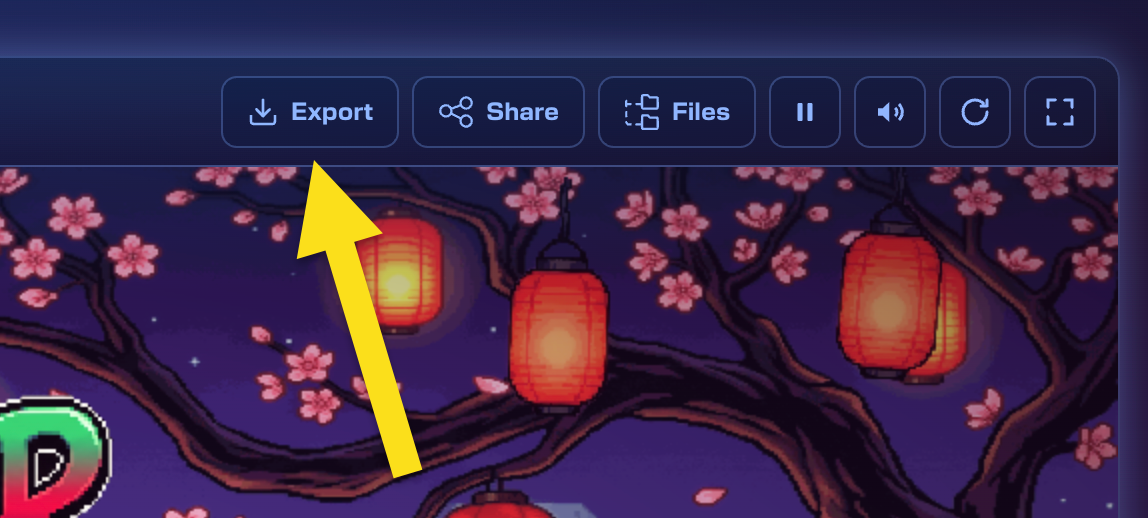
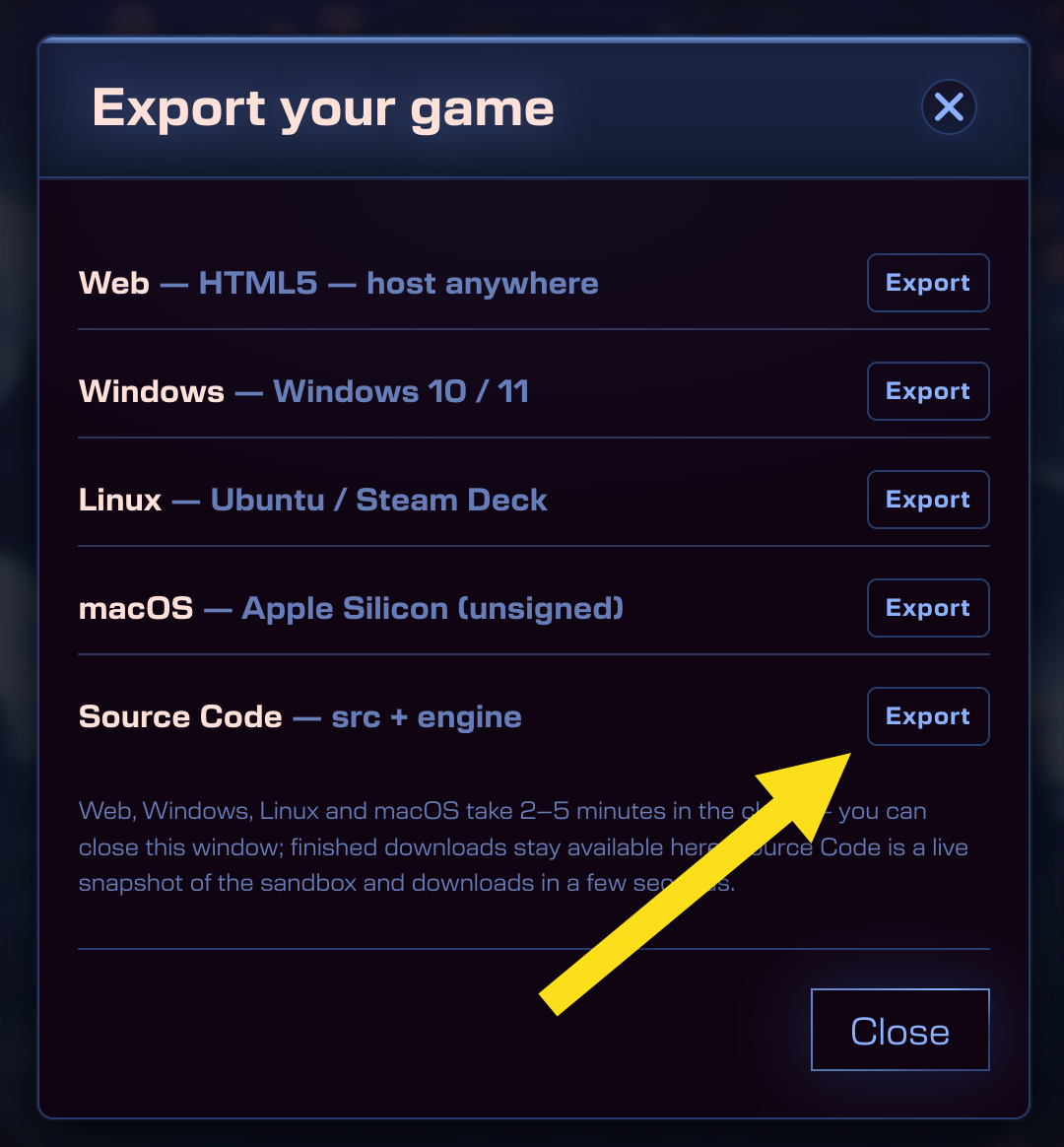
Build a game with the agent, then click Export on the toolbar above your game and pick Source Code.
You get a download containing the TypeScript files for your game, the type definitions, and the exact version of Phaser AE it was built against. Everything the agent wrote, sat on your own disk.
There's a catch. What we hand over is the code, so setting up a local dev environment around it (your bundler, your dev server, your editor of choice) is your job. If you've ever set up a TypeScript project before, you'll be fine. If you haven't, get your friendly local LLM to do it for you.
Grok 4.6
Grok 4.6 is on the model picker, and it's quick. Genuinely quick. It's also the cheapest model we offer, so if you're iterating on an idea and want to burn through five versions before lunch, this is the one to pick.
Muse Spark 1.2
Meta's coding model, and it has a real knack for space. Ask it for anything where objects need to relate to each other in 3D and it keeps the geometry straight in a way that surprised us during testing. Isometric levels, orbital mechanics, anything with a camera that moves in more than two dimensions — give Muse a go.
Phaser AE v3
Keep an eye on this blog. Phaser AE v3 is nearly ready, and there's a brand new Game Design Agent coming with it. We'll say more soon.
Go and build something
All three are live now. Open the Phaser Game Agent, describe a game, pick a model, and see what comes back. Or use it locally via our own AI tools with our MCP server.