
What it does
generateTube builds the web once and hands back a Tube: the two rims, the spokes between them, and the functions
that place and move things on it, so a game puts a player, an enemy or a shot at a lane and a depth without doing the
perspective itself. laneAt(lane, t) gives a lane's centre at a depth, facing out of the tube, with the scale to draw
it at there.
There are five silhouettes, circle, square, plus, vee and star, or any authored path. Lanes are shared out
among the silhouette's edges so that every corner falls on a lane boundary, which keeps a plus a plus rather than a
rounded blob. Lanes can therefore differ in length, which is why there are two ways to move: by lanes, and by distance.
advance, glide and steer move at a constant speed in world units on any profile; stepLane and wrapLane work
in lanes.
Open webs change the game. vee is open and the rest close into a loop: on a closed web, crawling past the last lane
wraps round to the first, and on an open one it stops. Every lane helper takes that into account, so the game never
has to branch on it. Lane numbers are continuous, whole numbers at lane centres and fractions gliding between them,
and depth runs from 0 at the near rim to 1 at the far one.
Features
- Five profiles and authored webs —
circle,square,plus,veeandstar, or anypathin unit space, with every corner on a lane boundary. - Placement —
laneAtfor a lane's centre, angle and scale at any depth, andrimAtandrimPointAtfor drawing edges and spikes. - Closed and open webs —
wrapLanewraps on a closed web and clamps on an open one;laneDeltaandarcDeltameasure the short way round. - Constant-speed movement —
advance,glideandsteermove by world units, so the player crawls at one speed on every profile. - Angle steering —
angleOf,laneAtAngleandturnabout the web's centre, for a spinner or a dial. - Mouse picking —
laneOffinds the lane whose rim is nearest a point. - Leaning and turning — offset the vanishing point and the tube leans away;
rotspins the whole web.
Good for
- Tube shooters — the classic web of lanes, in the style of Tempest and Tempest 2000.
- Ring shooters — lanes round a ring with enemies coming out of the centre, in the style of Gyruss.
- Open-well shooters — a vee-shaped web whose ends stop rather than wrap.
- Spinner and mouse control — a dial or a pointer mapped straight to a lane.
Make it yours
generateTube takes the lanes (16 by default), the profile or a path, whether it is closed, the near rim's
centre and radius (x, y, near), the far rim's radius (far, smaller for a deeper tube), the vanishing point
(vanishX, vanishY) and a rot. A path with as many edges as lanes gives exactly one lane per edge, which is how an
authored web becomes a tube.
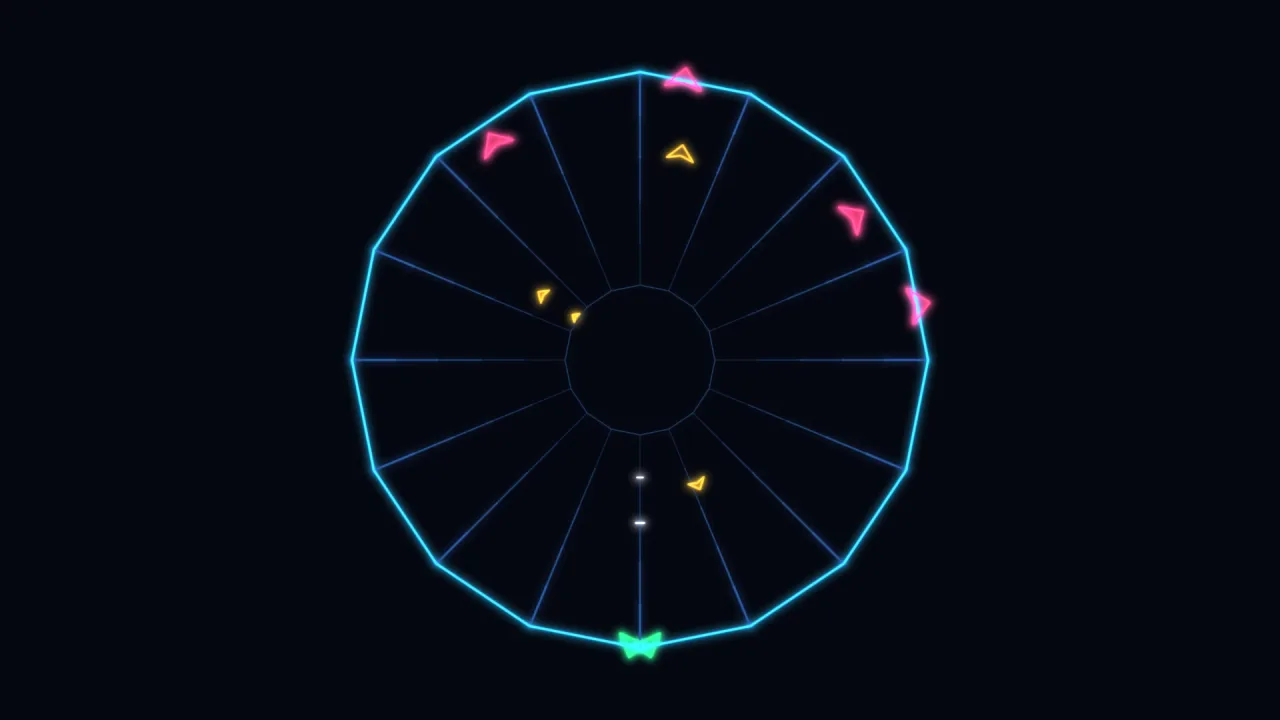
Two quite different playfields from the same call: a sixteen-lane star with a deep far rim, where the player's claw
moves at one speed on the arrow keys and glides to the lane under the mouse; and an eight-lane open vee leaning to
one side, where the claw stops dead at each end of the well. For the full rules of the genre, rim-shooter hands this
pack its webs directly.
A quick look
A star web, drawn, with the player's claw steered at one speed and placed on the near rim:
const web = game.vecTube.generateTube({ x: 640, y: 380, near: 320, far: 90, lanes: 16, profile: 'star' });
game.vector.poly(web.nearRim, { color: '#41d6ff', width: 2.6, closed: web.closed });
for (const [a, b] of web.spokes) game.vector.seg(a.x, a.y, b.x, b.y, { color: '#1d3a63' });
let claw = web.bottom;
claw = web.steer(claw, dir * 880 * dt);                    // dir -1 left, +1 right
const p = web.laneAt(claw, 0);                             // where to draw it, its facing and scale
Works with
vector-2d— draws the rims, the spokes and everything on them.rim-shooter— the rules of the genre (enemies, spikes, power-ups, levels and a library of webs), whose web view feeds this pack directly.world-3dandrender-3d— for a real 3D tunnel rather than a 2D perspective.
Good to know
- The tube is built once: to change its shape or its lane count, build another.
- Depth is linear between the rims, not a perspective projection; map it through
1 / zyourself, or throughrim-shooter's perspective helper, for true spacing. - Angle steering assumes each ray from the centre meets the rim once, which every built-in profile does; a custom path that doubles back steers erratically by angle, so move it by distance instead.
- It gives you where things are, not what they do: collision, waves and enemy behaviour are the game's, or
rim-shooter's.