
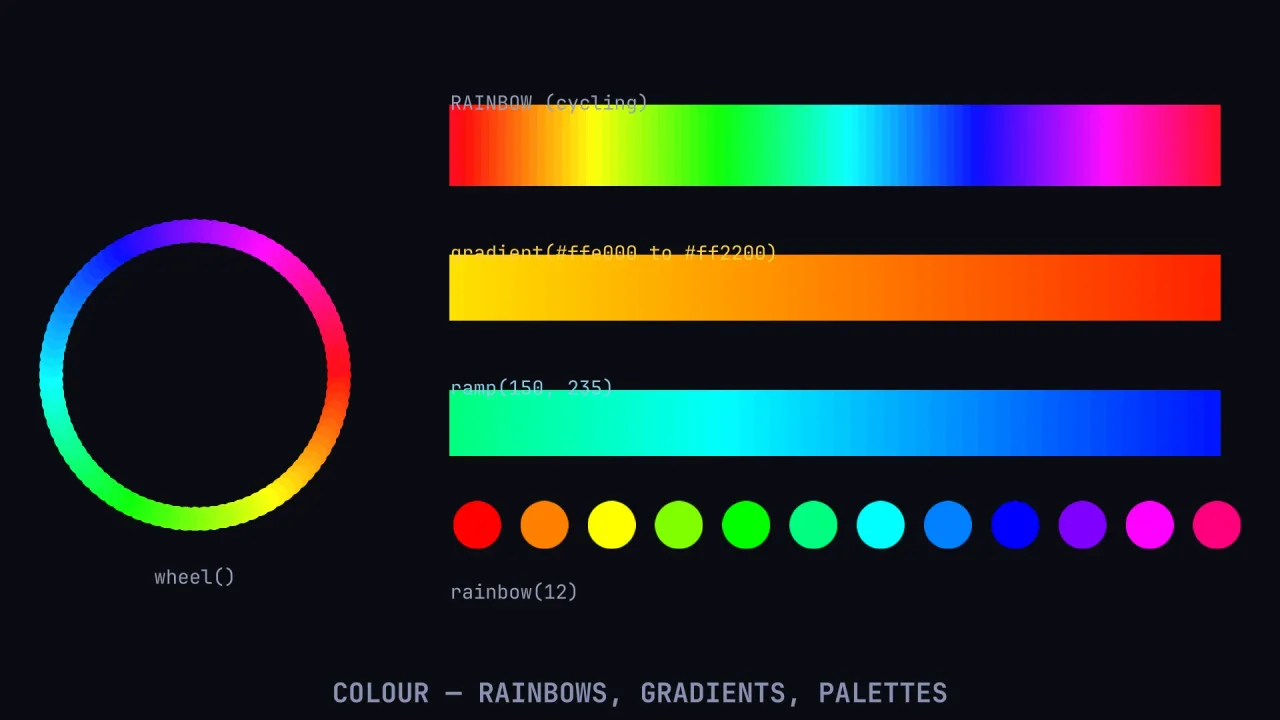
What it does
Everything works on the hex strings the engine already uses for tints, in #rgb, #rgba, #rrggbb or #rrggbbaa
form, so a result can be assigned straight to an object. hsv builds a colour from a hue in degrees and a saturation
and value; shift rotates a hue, brighten lightens or darkens, withAlpha adds transparency, and lerp and
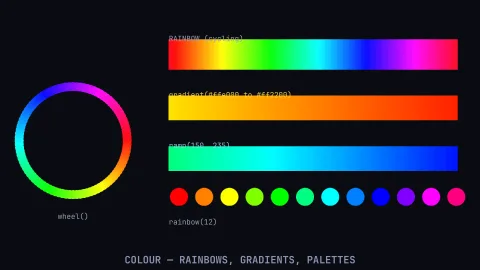
sample blend between two colours or along a gradient of many. For whole palettes, rainbow spaces hues evenly so
they loop, ramp walks from one hue to another, gradient blends between two colours, and wheel gives a colour
wheel at a fixed saturation and value.
It also settles which colour to write on which. luminance is the relative brightness an eye perceives, not the
average of the channels, so pure green correctly reads far brighter than pure blue; contrast is the standard
accessibility ratio from 1 to 21, and readableOn picks whichever ink contrasts best with a background, black or
white by default or a pair you supply. Choosing that by eye is how a palette ships with one unreadable tile.
A malformed hex throws rather than quietly becoming white, so a typo shows up at once. There is no state, no renderer and nothing to configure, and 2D and 3D games use it alike.
Features
- Hex in, hex out —
parseto components,rgbback to hex, andpackfor the engine's packed integer. - HSV —
hsv,toHsv,shiftfor hue rotation andbrightenfor lighter or darker. - Blending —
lerpbetween two colours andsamplealong a multi-stop gradient. - Palettes —
rainbow,ramp,gradientandwheel, at a saturation and value you choose. - Named life ramps — eight bright-to-dark ramps,
fire,spark,ember,smoke,ice,magic,toxicandrainbow, for particles, trails and anything that cools or fades. - Legibility —
luminance,contrastandreadableOnfor labels written on colour. - Loud errors — a mistyped colour throws instead of hiding.
Good for
- Team and player colours —
rainbow(4)gives four evenly spaced hues, softened with a lower saturation. - Damage flashes and health tints —
lerpfrom white to red by how hurt a character is. - Day and night skies —
samplea gradient of night, dawn and day by the time of day. - Puzzle tiles and badges — numbers on coloured tiles in the ink that reads best on each.
- Rainbow trails and colour cycling — hues that come back round to the first without a jump.
- Generated palettes — complementary colours with
shift, shadows withbrighten.
Make it yours
There are no options; the choices are in the calls. Palettes take a saturation and value, so the same rainbow can
give vivid arcade colours or soft pastels. readableOn takes your own pair of inks, so a game with a warm palette
can choose between a warm dark and a warm light and still have the more readable one picked for it. A puzzle game
might generate a tile palette with gradient and label it with readableOn; an action game might flash lerp tints
on hits and drive trails from the fire ramp.
A quick look
A palette, a tint, a blend and a readable label:
const { hsv, rainbow, gradient, lerp, shift, sample, readableOn } = game.color;
h.tint = hsv(200, 0.8, 1);                              // hue degrees, saturation, value
const team = rainbow(4, { saturation: 0.7 });
const fire = gradient('#ffffc0', '#ff2000', 12);
h.tint = lerp('#ffffff', '#ff4040', hurt);
const sky = sample(['#0a0a2a', '#ff8040', '#ffe080'], timeOfDay);
const ink = readableOn(tile.tint);                      // black or white, whichever reads
Works with
core-2d,core-3dandcore-vector— all include it, so most games have it already.tween— requires it, so a tint can tween in RGB.lighting-2dand thebackdrop-*packs — take the same hex strings.
Good to know
- Every call parses its inputs, so cache palettes rather than rebuilding them per object per frame.
- Blends are in RGB, not a perceptual space, so a grey appears midway between complementary colours.
lerpdrops alpha; add it back withwithAlpha. Contrast judges colours as given, so blend a translucent ink first.- Named CSS colours such as
redare not accepted. readableOnreturns the best of the inks it is given, which may still be too faint; checkcontrastagainst 3 or 4.5 when it matters.