
What it does
A sound is a SoundSpec: a sine, square, sawtooth or triangle wave, or white, pink or brown noise, with a frequency
sweep, an envelope, a pulse width, vibrato, tremolo, a filter that can sweep, distortion, bit-crush, echo and pan.
Specs layer into one compound sound. Notes can be written in a compact jingle notation at a tempo, and an array of
voices in that notation is a tune that loop plays back to back, joined sample-exactly, as background music. A whole
arcade soundscape can be a page of data, with no audio files to make or load.
The name is the contract. You define shoot once and call game.sound.play('shoot') from a collision, a state's
enter hook or a game-feel moment. An unknown name throws while you develop, listing the names the pack has, so a typo
shows at once rather than as silence. Recorded effects load with the rest of the game's files and are decoded under
the loading screen, so their first play sounds at once. Music is kept as a file and streamed on its own bus.
The engine owns the timing. Sound unlocks on the player's first key, click or touch, and music asked for before that
starts on that gesture, so a title screen can ask for its music as it opens. Audio suspends when the game pauses and,
by default, when the page is hidden. musicTime gives the seconds into the track as heard, with the output latency
the browser reports taken off, for visuals timed to the beat. Headless, every method is a no-op and musicTime counts
game time, so a beat-timed title behaves the same in a test.
Features
- Sounds by name —
define,defineAllor thesoundsoption;playreturns a function that stops the sound early. - A synth in a spec — sweeps, a full ADSR envelope, pulse width for classic chip timbres, vibrato, tremolo, swept filters, distortion, bit-crush, echo, pan and per-play pitch jitter.
- Jingle notation and tunes — notes, chords, hits, rests, stretched steps, accents and ghost notes, and voices looped together as background music; a token the parser does not recognise costs a note, not the rhythm.
- Recorded samples — preloaded and decoded with the game's assets, played with
sampleat a volume, rate and pan, or on a loop. - Sound in a 3D world — play a sound at a place and it pans and fades with distance from the listener; voices follow what makes them.
- Streamed music — one track at a time, from a loaded file or a URL, with
fadeIn,fadeOutandcrossfade. - Three buses —
master,musicandsfx, each with its own volume, andmuteandunmutecommands. - Beat timing —
musicTimeandmusicDuration, for landing a logo on the downbeat or pulsing a light. - A mix other packs can use — video sound routed into a bus, a live track of the mix for recording clips, and its waveform for audio-driven visuals.
Good for
- Arcade and chiptune games — shots, zaps, explosions, pickups and jingles made from specs, with no audio files.
- Prototypes and game jams — a sound is a line of data, so a game has sound from its first hour.
- Games with recorded sound — effects that play at once on first use, and a soundtrack that cross-fades between levels.
- Title screens timed to music — a logo that lands on the downbeat and lights that pulse with the beat.
- Music-reactive visuals — light shows and backgrounds that read the mix's waveform.
Make it yours
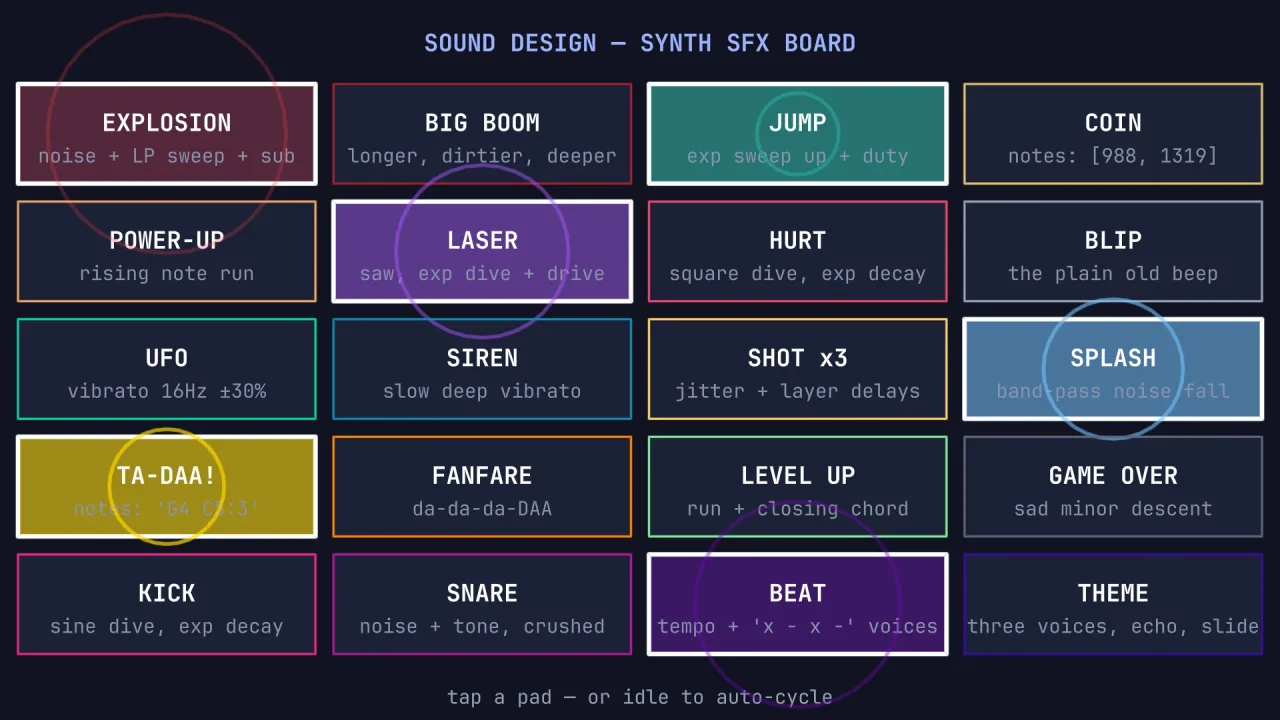
Every sound is data: a square wave with a falling sweep for a laser, a swept lowpass over noise for an explosion, a
chord with an accent for a fanfare. The pack's options set the
master volume (masterVolume, 0.25 by default), define sounds at start-up (sounds) and decide whether audio
suspends while the page is hidden (suspendWhenHidden). In play, volume sets each bus, which is all a settings
screen needs.
Two very different uses: a chiptune arcade game in which every effect is a spec and the music is a three-voice tune in notation, looped, with nothing to download; and a game with recorded effects loaded as files and a streamed soundtrack that fades in on the title and cross-fades to a boss track, with separate music and effects sliders.
A quick look
Synthesised effects, a jingle, and music with a cross-fade:
game.sound.defineAll({
    shoot:   { type: 'square', freq: 880, freqEnd: 220, sweep: 'exponential', duration: 0.12, duty: 0.25 },
    boom:    { type: 'noise', duration: 0.4, filter: { type: 'lowpass', freq: 1800, freqEnd: 200 }, curve: 'exponential', volume: 0.8 },
    fanfare: { notes: 'C5 E5 G5 C6:2', step: 0.1, type: 'square' },
});
game.sound.play('shoot');
game.sound.music('music/dusk.mp3', { loop: true, fadeIn: 2 });
game.sound.music('music-boss', { crossfade: 1.5 });   // the dusk track fades out as this fades in
game.sound.volume('sfx', 0.6);                        // buses: master · music · sfx
Works with
core-2d,core-3dandcore-vector— include this pack, so most games have it already.video— sends its clips' sound through the mix, so the bus volumes and mute cover it.title-screen— starts its music and plays its Start sound through this pack.trippatron— follows the master mix for light shows that pulse to the music.fsmandfeel— the state enter hooks and game-feel moments where a game usually plays its sounds.
Good to know
- Browsers allow sound only after the first key, click or touch: an effect played before that is dropped and music waits for it, so do not put the title jingle on boot.
- Positional sound pans and fades with distance, with no occlusion, echo by room or Doppler; music is one track at a time with an optional cross-fade from the last.
- An unknown name is an error only in development; in a shipped game it is silent.
volumechanges a bus at once, with no fade, and a looped tune is scheduled on a timer, so a tab left in the background may leave a gap when it wakes.- A long track loaded without
streamis decoded into memory; mark music asstream.
Changes
3.0.0-6 (2026-10-24)
- Added positional sound:
play,loopandsampletake{ at: { x, y, z } }to play a sound at a place in a 3D world, panned and fading with distance from thelistener, which you move with the camera. A voice canmoveto follow what makes it, andvolumescales any sound.