
The model picker in the Phaser Game Agent has been updated. There are four agents to choose from, three of them running brand-new models, and every game you start from today is built in an updated sandbox on Phaser AE v2.8.
Nothing to install or switch on. Pick an agent, describe your game, and it uses the new stuff. Games you've already made keep the model and engine version they were built with.
The lineup
| Agent | Model | Credits to launch |
|---|---|---|
| GROK | Grok 4.7 | 4,000 |
| MUSE | Muse Spark 1.3 | 5,000 |
| SONNET | Claude Sonnet 5 | 5,000 |
| OPUS | Claude Opus 5.5 | 10,000 |
The number on each card is the minimum balance you need to start a build. You're charged for what the agent actually uses, the same as before.
Claude Opus 5.5
Anthropic released Opus 5.5 this week, and it replaces Opus 4.8 as our top agent. It's the one to pick when the game is ambitious, the brief is long and specific, or you care more about getting exactly what you asked for than about credits.
It has a million-token context window, so it can keep the whole game, the engine docs and your conversation in view at once. Anthropic also priced it below Opus 4.8.
In our first test it built a finished, playable game in about five minutes.
Grok 4.7
xAI's latest, replacing Grok 4.6. GROK is the cheapest agent to launch and tends to take the most inventive route through a brief, which is either exactly what you wanted or a pleasant surprise. It runs in xAI's own Grok Build CLI, which the sandbox now runs at version 1.0.
Muse Spark 1.3
Meta's coding model moves from 1.2 to 1.3, at the same price. MUSE sticks closely to what you asked for and reliably ships a game that plays, which makes it a good pick when you've already got the design pinned down and want it built as described.
Claude Sonnet 5
Unchanged, and still the default. If you're not sure which agent to use, use this one. It's the best balance of quality and cost we have.
Goodbye, Kimi
Kimi K3 has left the picker. Games built with it are unaffected: they still open, still play, and you can still ask the agent to change them.
A new sandbox
Every build runs in its own sandbox: a small cloud machine with the engine, a ready-made project and the agent's tools already installed. That's been rebuilt from scratch, so every agent is now on the newest version of its tooling, including the release of Claude Code that Opus 5.5 needs.
It also bakes in Phaser AE v2.8.1. Until today new games were being built on v2.6, so everything below is new to you even though some of it landed a few weeks ago.
What's new in Phaser AE since v2.6
Cards, in 3D
The biggest addition is a full set of tools for card games, and they're 3D.
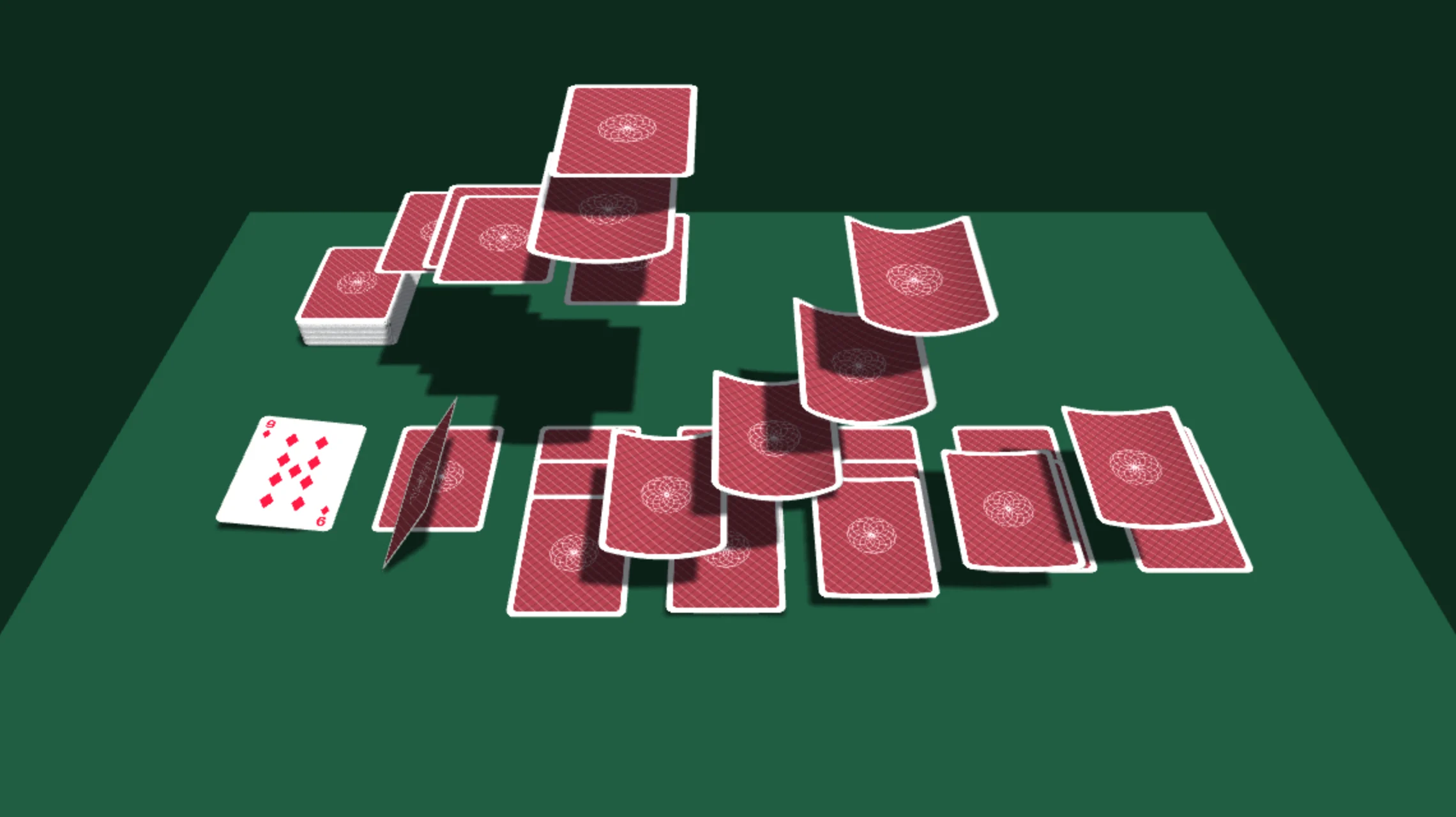
A card is a real bendable sheet. It curls as you lift it, bows as it lands, and casts a curled shadow while it does. The front and back are one object, so turning a card over is a single flip rather than two sprites swapped halfway through.
There are nine ways to deal. Arc, slide, flick, cascade, swirl and snap send each card from the deck to its place. Pyramid builds a hanging triangle in mid-air first, scatter throws every card on its own wonky line, and explode lifts the whole deck as one slab, holds it there shuddering, then slams every card down at once. Cards in flight don't pass through each other or through the deck.
Prompt: "Make me a 3D card game where the dealer throws the cards across a green felt table, and they curl slightly as they land."
A whole game of solitaire
There's also a complete solitaire game the agent can build on rather than write from scratch: Klondike (draw one or draw three), FreeCell, and Spider with one, two or four suits. It comes with drag and drop, click to auto-move, highlights on legal moves, undo, redo, hints, auto-collect at the end, and a camera you can still orbit around the table.
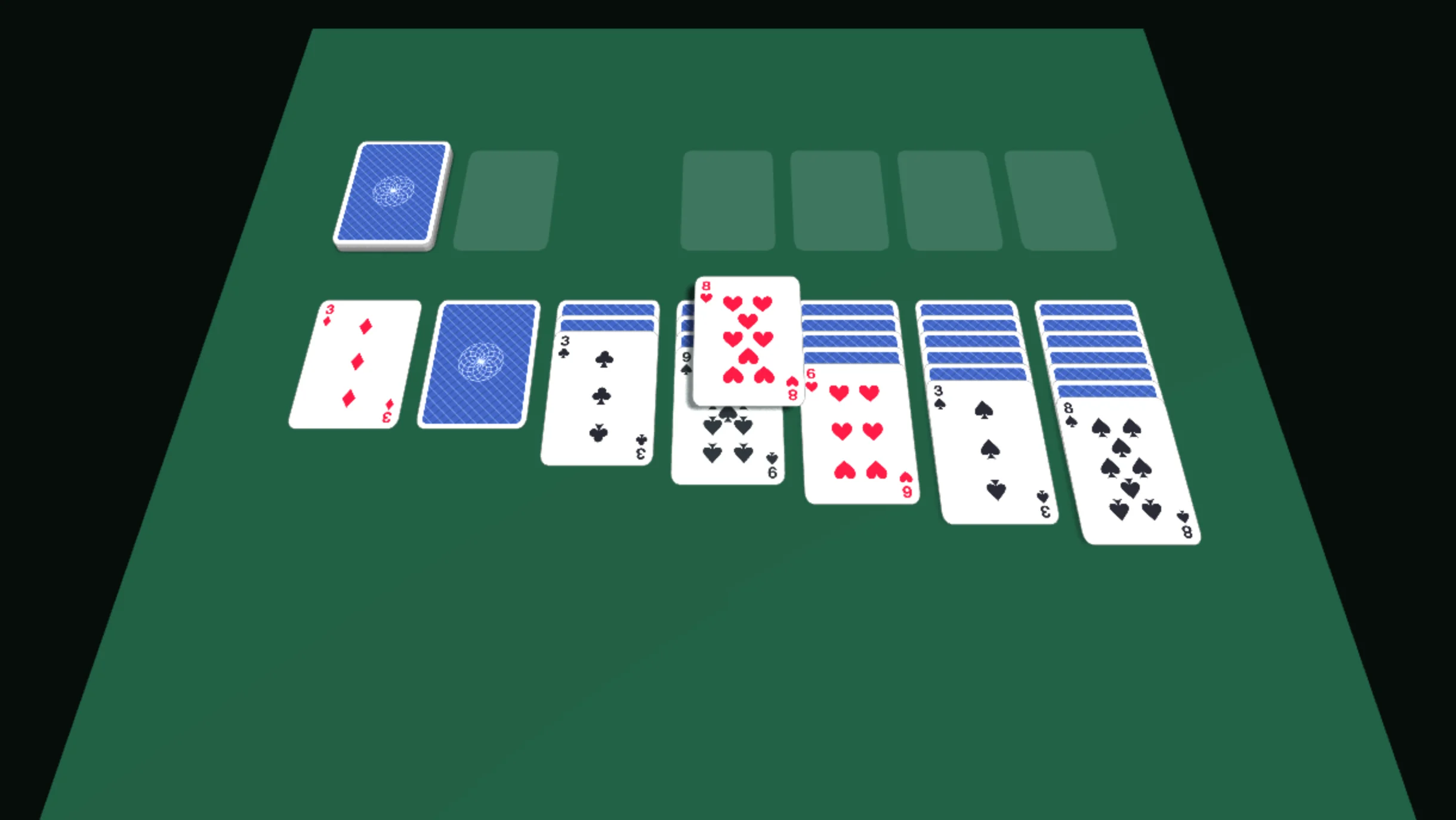
That means the agent can spend its effort on the parts that make your version yours, like the theme, the art and the extra rules, instead of re-deriving which card may go on which.
Prompt: "Build a spooky Halloween Spider solitaire with two suits, cards that look like old tarot cards, and a haunted graveyard behind the table."
Surface effects for anything
Eight live shader effects can go on any 3D mesh. We built them for cards, but nothing about them is card-specific:
- holo: an iridescent foil that shifts as the camera moves and the card bends
- glow: a pulsing rim light, used by solitaire to show where a card can go
- dissolve: the mesh burns away with a hot, charring edge
- fire: flames climbing the face, scorching it as they go
- shine: a bar of light sweeping across
- gild: the artwork turns to metal leaf under a raking light
- ripple: the artwork bends under traveling waves
- frost: cracked ice with facets that glint as it turns
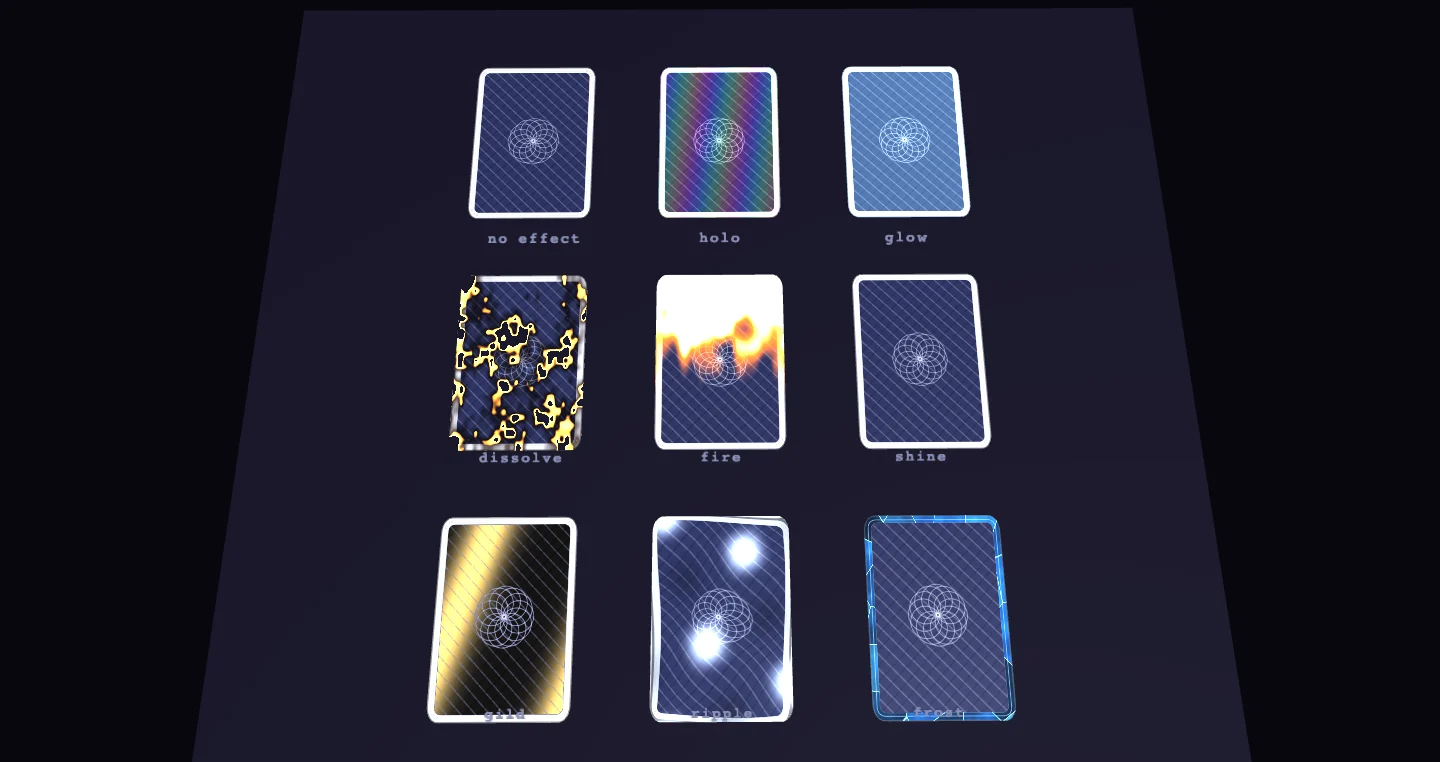
The card bends and all eight effects need WebGPU. On the WebGL2 fallback the cards draw flat and the effects are skipped, and the game still works.
Prompt: "Make a collectible card battler where rare cards have a holographic foil, and a defeated card burns away."
3D games that steer the right way
Two small additions fix the kind of bug that doesn't show up in a screenshot.
Moving sideways in 3D means working out which direction "right" is, and there are two answers that differ only by a sign. Pick the wrong one and your left and right controls swap. It happened in three generated games in a row. The engine now names all six directions (forward, backward, left, right, up and down) so nobody has to work them out.
Mouse look had the same problem. A camera that tilts up when you pull the mouse down looks completely fine in a screenshot and is unplayable. First-person games now get a built-in mouse look that handles pointer lock, sensitivity and the up-down limits, and gets the signs right.
Smaller fixes
- Vector shapes now clear away when a scene changes, so a title screen no longer leaves its artwork behind in the game.
- Vector trails are visible by default. Previously a trail with no options set was too thin to notice.
- The voxel editor's options are fully documented, including the fact that
breakRateis seconds per block. One generated mining game read it as blocks per second and mined one block every four seconds.
The agent's engine docs were also rewritten last month: shorter, in tables, and with every option and default listed. You won't see that directly, but it's what the agents read before they write a line of your game.
Try it
Head to the Phaser Game Agent, pick an agent, and describe the game you want. Or bring your own AI tooling over MCP, which gets all of the engine changes above too.