
Phaser 4 draws closer to release with RC7. This release contains several cool new features. Originally planned for other projects, we didn't want to waste that work, so we adapted anything that made sense into Phaser itself. It also contains several fixes, thanks to community feedback.
Tint Overhaul
Tint on sprites was overhauled. In Phaser 3, tint and tintFill were different modes, and you could accidentally swap between them with color-setting commands. In Phaser 4, color and mode are separated, and there are 6 possible modes: MULTIPLY, FILL, ADD, SCREEN, OVERLAY and HARD_LIGHT. The setTint() method is now solely responsible for colors. The setTintFill() method now does nothing. The new setTintMode() method sets the tint mode.
Phaser 4 doesn't like breaking changes, but this one was necessary. It reminds the developer that this code behaves differently, and, we hope, more reliably.
There is no loss in capabilities with this change. In fact, we fixed FILL mode to work better with partially transparent pixels.
Conversion tip:
foo.setTintFill(color)becomesfoo.setTint(color).setTintMode(Phaser.TintModes.FILL).
Return of the Lost FX
When we unified FX and Masks into the new Filters system, we made the decision to cut a few. They were generally too specialized or limited in their use, and we figured our limited time was better spent elsewhere. Then a lot of time passed and we reconsidered.
As a result, all the lost FX have now been re-implemented. Some are Filters; others found better homes elsewhere.
Bloomis now available asPhaser.Actions.AddEffectBloom(). It creates a Bloom effect using a mix of other filters, so everything works the same way.Circleis now available asPhaser.Actions.AddMaskShape(), with extra options.Gradientis now a game object - see below.Shineis now available asPhaser.Actions.AddEffectShine(). It uses a Gradient to create a texture, giving you all the power of gradients, and lets you control the highlight effect with a tween.Vignetteis now a Filter, and you can now set the border color. In Phaser 3, it just erased the border.Wipeis now a Filter, and you can set it to wipe between two textures. It also offers helper methods to set various directions and modes.
New Game Objects
We created several new game objects. These all extend the Shader game object, so you can use methods such as setRenderToTexture to use them as resources.
Gradient: Create gradients using highly configurable bands of color, in a variety of shapes and patterns.- To support this,
Display.ColorBandandDisplay.ColorRampwere added. You can use these on their own to manage ranges of colors, from straightforward blends between two colors in your chosen color space, to million-color insanity.
- To support this,
Noise: Create random static.NoiseCell2D,NoiseCell3D, andNoiseCell4D: Create and animate cellular noise (aka Worley Noise or Voronoi Cells). Great for naturalistic patterns with strong divisions.NoiseSimplex2DandNoiseSimplex3D: Create and animate simplex noise. Great for naturalistic patterns with smooth transitions.
The noise objects also have counterparts in Phaser.Math: Hash, HashCell, and HashSimplex, designed to support deterministic pseudo-random generation in games. (Don't use them for encryption!)
New Texture Source Management
We made it easier to manage textures after game load.
TextureManager.addFlatColor()creates a texture with a given size and color. You can use this as a proxy while loading images elsewhere.Texture.setSource()replaces a texture source. For example, you could replace a proxy with an image once the image loads.TextureSource.updateSource()is the deeper function which controls this.
Note that changing a texture source doesn't change any derivatives that might already exist, e.g. object width and height. If you want to use proxies while textures load in the background, it's best to make the proxies match the final size.
New Filters
There's a whole list of new filters. The shiniest is ImageLight, a way to apply environment maps or image-based lighting to objects. Many of the new features interact well with ImageLight, e.g. using gradients to quickly sketch light coming from sky and ground, or using cellular noise to generate a normal map to simulate reflections in water.
CombineColorMatrixlets you remix alpha and other channels between textures.- Transform grayscale into transparency, or other combinations.
GradientMapuses aColorRamp, just like Gradient, to recolor an image based on pixel value.- Because ColorRamp supports so many divisions, you could use this as a kind of palette swap. This is most straightforward if you have less than 256 colors, because that's how many grayscale brightness values there are.
Keyremoves or isolates specific colors.- I checked the latest research, and there's no universal solution for chroma key. This will work fine for sprites which use a single color, e.g.
#ff00ff, as code for transparency, but for more complex chroma key operations you'll need to use your own judgement. In general you should already have alpha in your sprites.
- I checked the latest research, and there's no universal solution for chroma key. This will work fine for sprites which use a single color, e.g.
ImageLightdoes environmental mapping via a normal map.- I started using this everywhere after it was finished. It's so cool.
- It supports sphere mapped panoramas, and you can even rotate the perspective to change lighting angles.
- But simpler gradients or photos can also look great. The point is to provide light from all angles at once.
PanoramaBlurhelps you convert a sharp image into a diffuse image-based lighting texture, allowing you to useImageLightfor natural lighting effects.NormalToolsadjusts normal maps in various ways.Quantizeapplies quantization and dithering to reduce the number of colors in an image.- Use this to get a retro palette style effect. It doesn't emulate any specific hardware, so if you have a specific target in mind, authoring your sprites to that standard will be more efficient.
- We use high quality Interleaved Gradient Noise to dither the Quantize filter and Gradients.
New Color Operations
We updated many color functions with an option to write their output to an existing Color object. This improves efficiency when doing many color operations; creating a new Color every time takes a lot of resources!
We also added the option for HSV mode to Color.Interpolate. HSV interpolation preserves brightness and saturation during blends, avoiding the muddy tones you can get when blending RGB values directly.
Other Features and Fixes
There are plenty of other cool things in RC7 that don't fit one of these themes.
Actions.FitToRegion() is a quick way to scale an object to a space. By default it just matches the screen, which is great for quickly setting up a background. It also has applications in masks and other areas.
GameObject.isDestroyed is a useful flag. For many years, a common class of error has been 'trying to do something with an object that was destroyed'. This flag helps you avoid that.
NineSlice now has tileX and tileY properties, allowing you to repeat the slice between corners with minimal stretching. Thanks to @skhoroshavin for this contribution!
The FPS limit code was updated to run more smoothly. In general, you shouldn't need to set a frame limit, because Phaser matches the current display refresh rate; this is for emulating low refresh rates, e.g. 30fps updates on specific consoles. There were issues that would cause it to persistently underperform, though. Those have been fixed, thanks to community discussion.
Several other issues were fixed, including blend modes leaking within Containers in the new render system, DynamicTexture turning black if resized away from a power-of-two resolution, Shape not using lighting, ParseXMLBitmapFont not handling offsets correctly, and some edge cases with internal methods.
Gallery
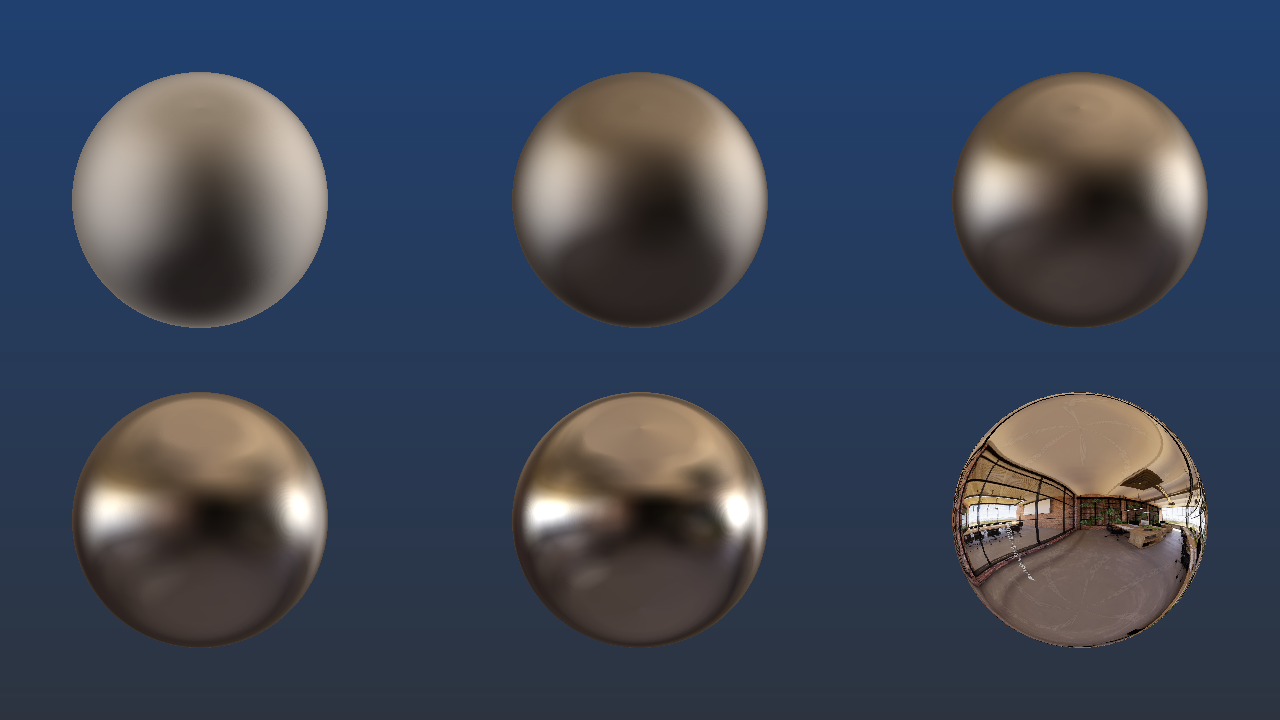
Above: ImageLight demonstrates various levels of smoothness in lighting/reflection. The top left shows full hemispherical light diffusion; the bottom right shows full reflectivity.
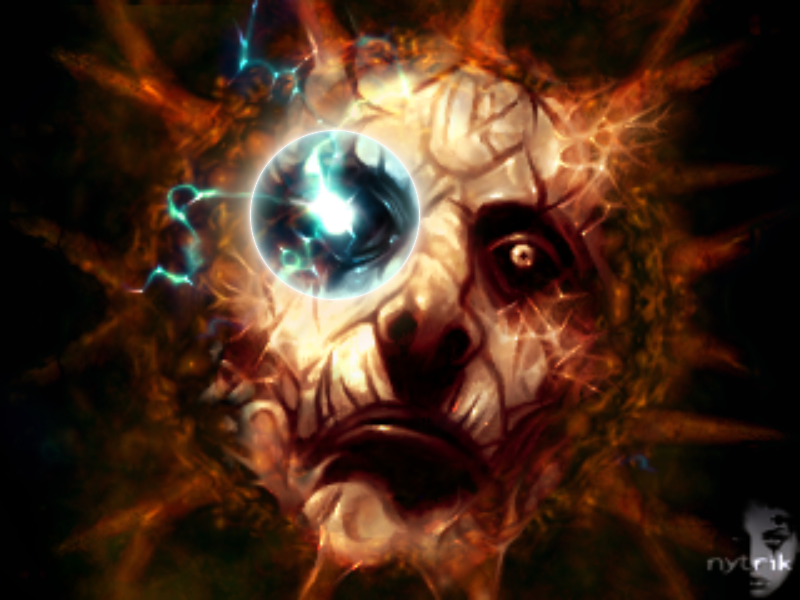
Above: Gradient used to create a lens flare (it's the ring around the glowing eye).
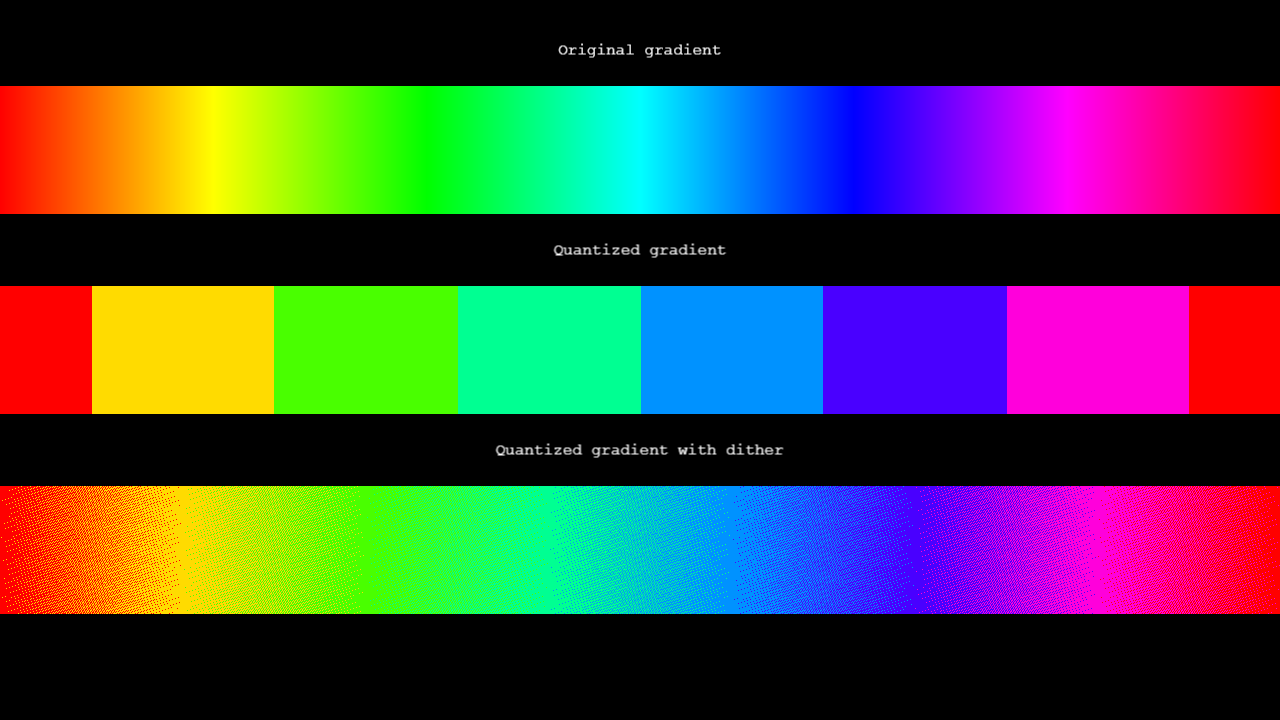
Above: Gradient smoothly covering the rainbow, using HSV blending. It's quantized into 8 colors. The first quantization is discrete. The second uses dithering; it's using the same 8 colors, but by mixing the pixels up a bit, the effect is much smoother. (Dithering may create distortion patterns if not viewed at the original resolution, but hopefully you see some kind of smoothness!)
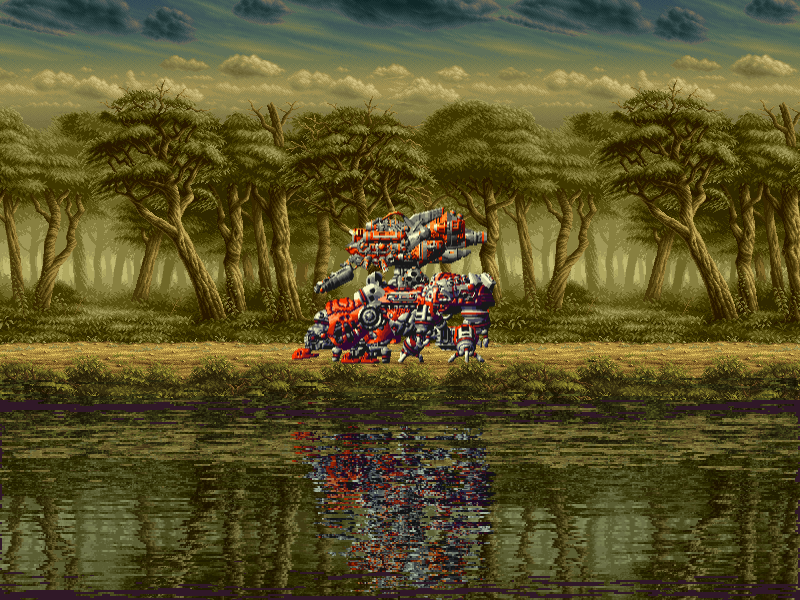
Above: Reflections generated with cellular noise. This example uses CaptureFrame to copy the render buffer, NoiseCell4D to generate an animated normal map, and Displacement to warp the reflection by the normal map. Simple and very effective!
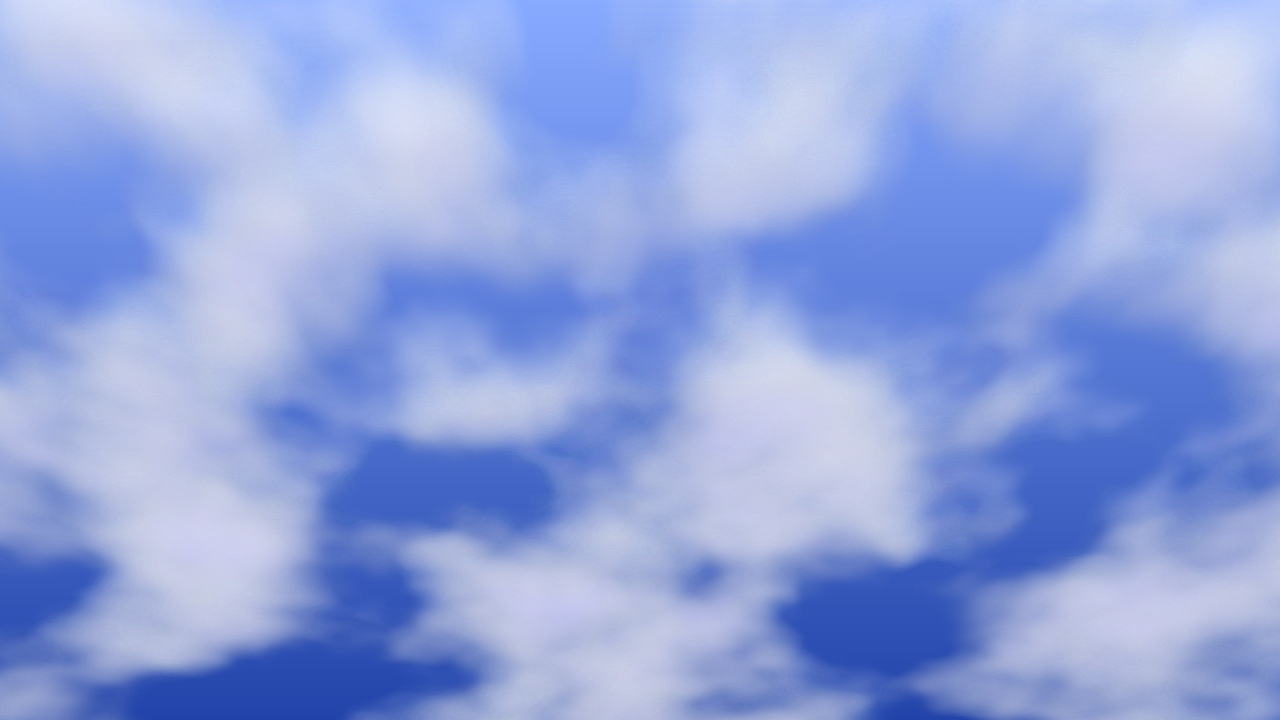
Above: Clouds rendered with simplex noise. Phaser is a 2D engine and it's not meant to render 3D volumetric effects - but I did it anyway. (And the sky is a Gradient.)
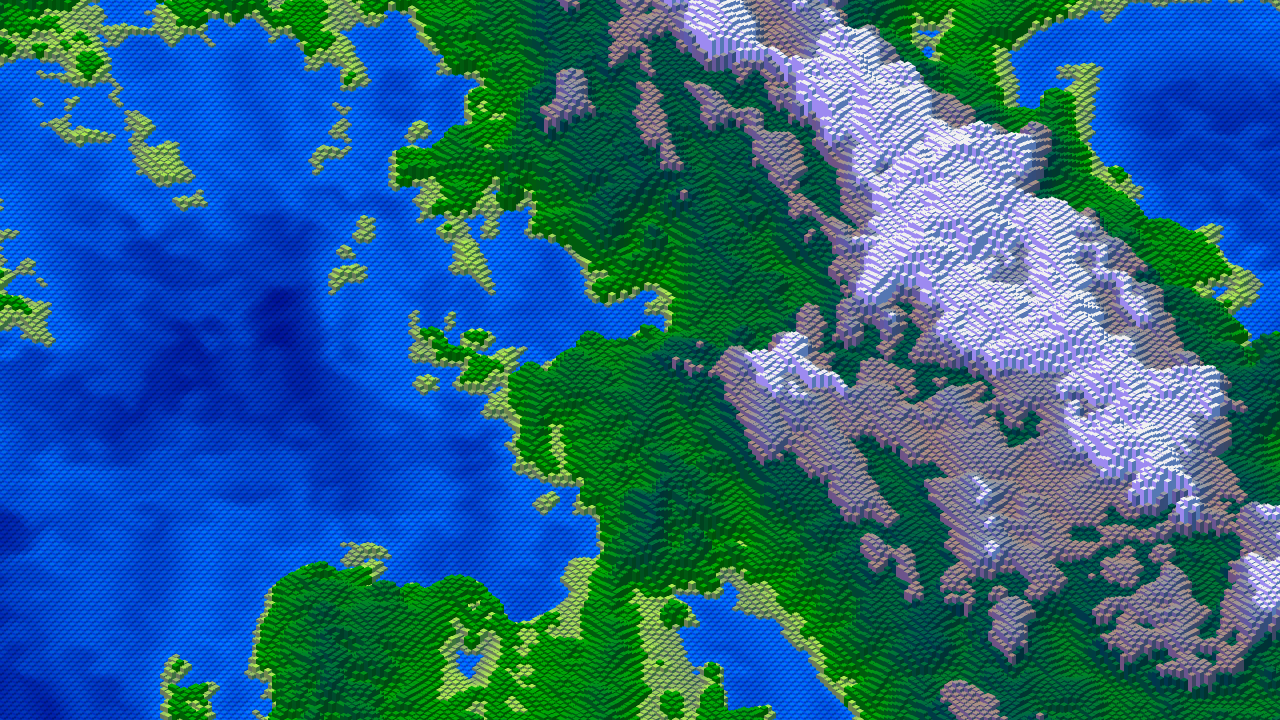
Above: A landscape generated using Phaser.Math.HashSimplex to create an infinite landscape using Isobox shapes and a ColorRamp to tint them. It's not a practical rendering technique (it'll slow even the latest machine down, due to all the little boxes constantly updating), but it shows just how powerful these new features can be. I'm getting flashbacks to setting sail for the Isle of Dread.
Download Now
You can download Phaser 4 RC7 from npm and GitHub, or try it out immediately in the Phaser Sandbox!
What's Next
Phaser 4 is already more powerful and more reliable than Phaser 3 ever was. Honestly, we should have given it a formal release ages ago - but things have been super busy. Maybe one day we'll tell that story. And with RC7, we've brought Phaser up to date with tools we found useful in our own development.
We encourage community feedback - it's been super valuable at every step of the process.
Fingers crossed this is it - we're keen to get this beast formally released! But I have every confidence that it already works better than ever.