




In today's instalment of Tales from the Pixel Mines: Noise! Bring some predictable randomness to your textures with Noise and NoiseCellular game objects. But noise goes far beyond textures, and these techniques can also be used in game math to create stable detail for your game worlds.
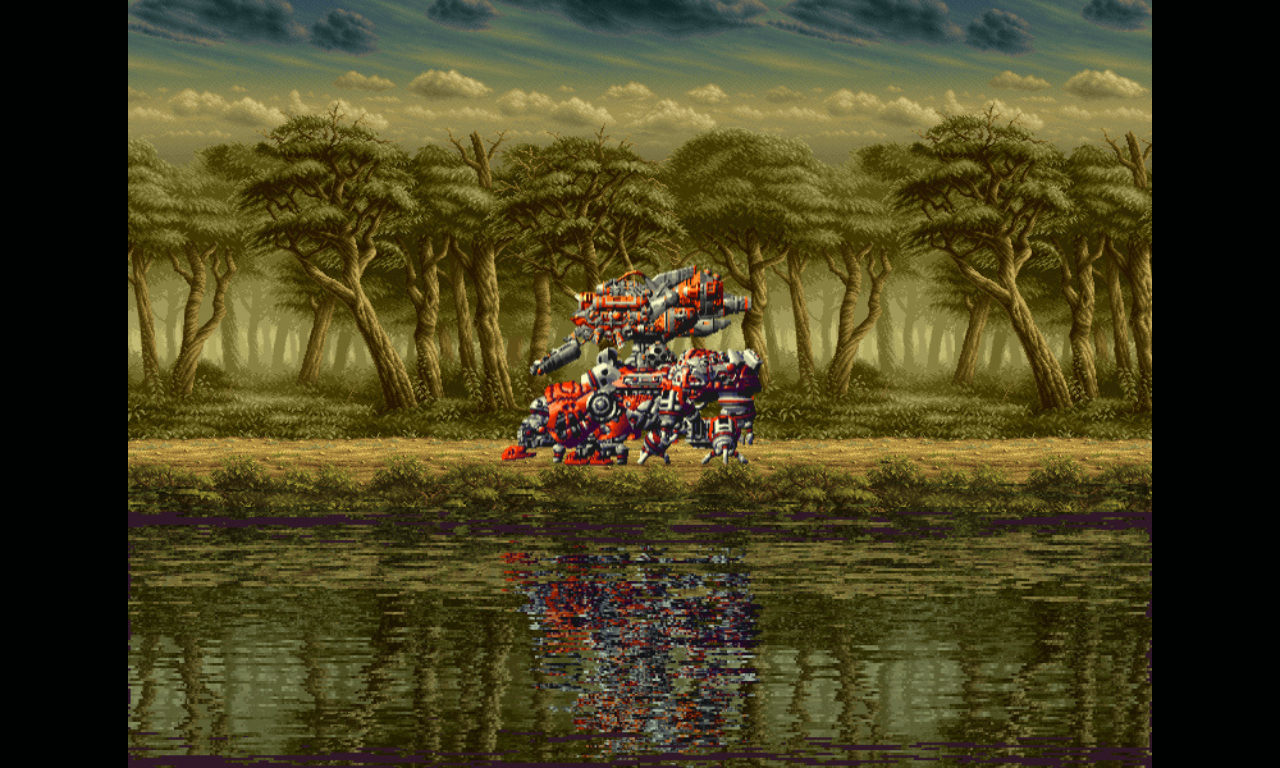 Pictured: Cellular noise creates a beautiful reflection texture. This is animated at runtime.
What Is Randomness in Game Development?
Randomness is a common technique in games. You can use it to set parameters to introduce naturalistic variation.
Of course, computers can't do randomness. Well, some machines have special inputs from quantum decay sources or lava lamps or other sources of randomness, and while there are arguments about whether physical reality is truly deterministic, we think it's genuinely impossible to predict. But most computers generate randomness through PRNGs: pseudo-random number generators. These take an input or "seed", such as the current system time, and put it through a computational process to produce something effectively unpredictable.
The typical approach is to do mathematical operations that produce many significant figures of output. PRNGs usually multiply by some large prime, then use bitshifting to throw away the digits in the bigger places, giving you just the loose end of the result. This "loose end" tends to flail around unpredictably, because most of the meaning was in those big digits.
In JavaScript, your standard random method is Math.random(). This produces a number between 0 and 1. It has no control of the seed, so it really is pretty random.
It's not perfectly random, though. As truly unpredictable data is vital for encryption, you should avoid using
Math.random()or any methods provided by Phaser for these purposes. Use only cryptographically secure solutions!
Phaser gives you more control, with Phaser.Math.RandomDataGenerator, instantiated as Phaser.Math.RND on game boot. The RandomDataGenerator is seeded: you can initialize its state with a seed. Every subsequent value you generate advances the internal state, in the process of generating the next value. This is predictable: given the same seed or state, you will always get the same sequence of values.
Predictability might seem like the opposite of randomness, but they actually work great together. Predictability lets you generate the same outcomes over and over. If you're using randomness to generate a world, predictability means the same seed gives you the same world. If you're using randomness during gameplay, predictability means you can record a demo and the randomness will always play out the same way. If randomness wasn't predictable, you could have a demo where the player walks off a cliff that wasn't there originally!
But there's a problem: RandomDataGenerator only produces a sequence of predictable values. What if there's some way to break that sequence? For example, suppose I'm using randomness to generate a game world as I get to different locations. If I go to points A, B, and C in that order, I'll get a different sequence of random values than if I go to points C, B, and A! That could be disastrous.
Hash Functions: Stateless Predictable Randomness
A 'hash' is an algorithm for transforming some input into some jumbled output. Common hashing protocols take large files and produce small hashes; this is valuable because you can quickly hash a file after sending it, and check if the hashes line up. If they do, congratulations — the file is probably uncorrupted, and you didn't have to send it twice!
But that sounds a lot like a PRNG, doesn't it? An algorithm for jumbling up an input into an unpredictable output.
It's also the solution to our problems with sequence-based random values. A good hash algorithm can produce predictable randomness from any input, and it doesn't have state: it doesn't care what you may have hashed beforehand.
That's perfect. We can just use our current state as a seed, somehow, and it will always create the same values. In the example of traveling between points, A B C now works exactly like C B A: whenever we hash C, it gives the same result, no matter how we got there.
How GPU Noise Works in WebGL
Hashes are also perfect for use on the GPU, if we want to create some kind of randomness. We don't have to maintain state, or wait for values to pop out of a queue; we can just hash the current fragment coordinate, or some other predictable value, and get predictable randomness.
But this has far-reaching consequences for our hash design.
WebGL Computation Limitations
PRNGs and hash algorithms depend on doing computations to get the "loose end" of unimportant, high-entropy data. However, the shader language used in WebGL doesn't support bitshifting, a common tool in getting that data. These operations are available in WebGL 2, but we use the original WebGL for wider device support.
As a consequence, we were limited in our options for good hashing algorithms. Most modern options use bitshifting, and this isn't something you can just invent before breakfast. A good hash needs to be designed to work well.
We wound up using a time-honoured "dot-sine" technique, going all the way back to the 1990s: we take the dot product of the input against a vector of prime-derived numbers, take the sine of the result, multiply by some large fractional number, and discard the integer part, obtaining a reasonably random number between 0 and 1.
Unexpected Setbacks: Flickering Noise in Chrome
So I set out to implement this technique. It's very simple: write a shader that runs the hash algorithm over the coordinates of each fragment.
Problem: the algorithm is very sensitive. Tiny differences in the output are magnified to huge levels. We do it on purpose! That's how we generate randomness! This means that different rendering devices might produce different outputs from the same inputs. This is OK if you're not using the noise for critical components.
But what about when the same device produces different outputs from the same inputs?
That doesn't seem right. Surely, if you put the same numbers in, you should get the same numbers out.
But when I tested in Chrome, sure enough, a static pattern of random noise would occasionally flicker between different states. No variables changed; no data was updated; no state was kept. Some pixels just decided they would have different outputs on different frames.
My best guess is that Chrome is swapping rendering engines or devices to optimize for current focus. Certainly, the problem tended to peak when I clicked on other fields in the page; and it went away when I started updating the noise pattern, e.g. scrolling it. This suggests that Chrome (and Chromium-based browsers) are attempting to optimize something, and the substitute rendering context has slightly different mathematical outputs. Perhaps it's the fact that I use a desktop with a dedicated graphics card and a default GPU on the motherboard — is the default GPU just crappy? I don't know.
I came up with a fix: dithering. I talked about dithering last week, as a method for smoothing out gradient transitions. This kind of dithering is closer to the word's origins in avionic engineering — just shake the thing a bit and it'll work properly. The noise shader injects a tiny sine wave deviation into the coordinates every frame, just enough to make the browser think that something is changing. The output doesn't change; I dropped the dither to a level below the hash sensitivity, but the browser doesn't care. I'm essentially adding randomness to the randomness to make it less random.
This is not a problem in Firefox, to my knowledge.
Syncing GPU and CPU Hash Algorithms
The limitations on the GPU are not present on the CPU. It's much easier to run modern hashing algorithms there.
But should we? What if we want to align our CPU hashes with textures generated on the GPU?
Well, sometimes that's what you want, and sometimes it isn't. So I did both. I copied the shader code into JavaScript, so you can run the same techniques. Or you can opt for a modern algorithm.
Basic Noise and Hash: Phaser 4 Game Objects
So we come to the first new additions: the Noise game object, and Phaser.Math.Hash.
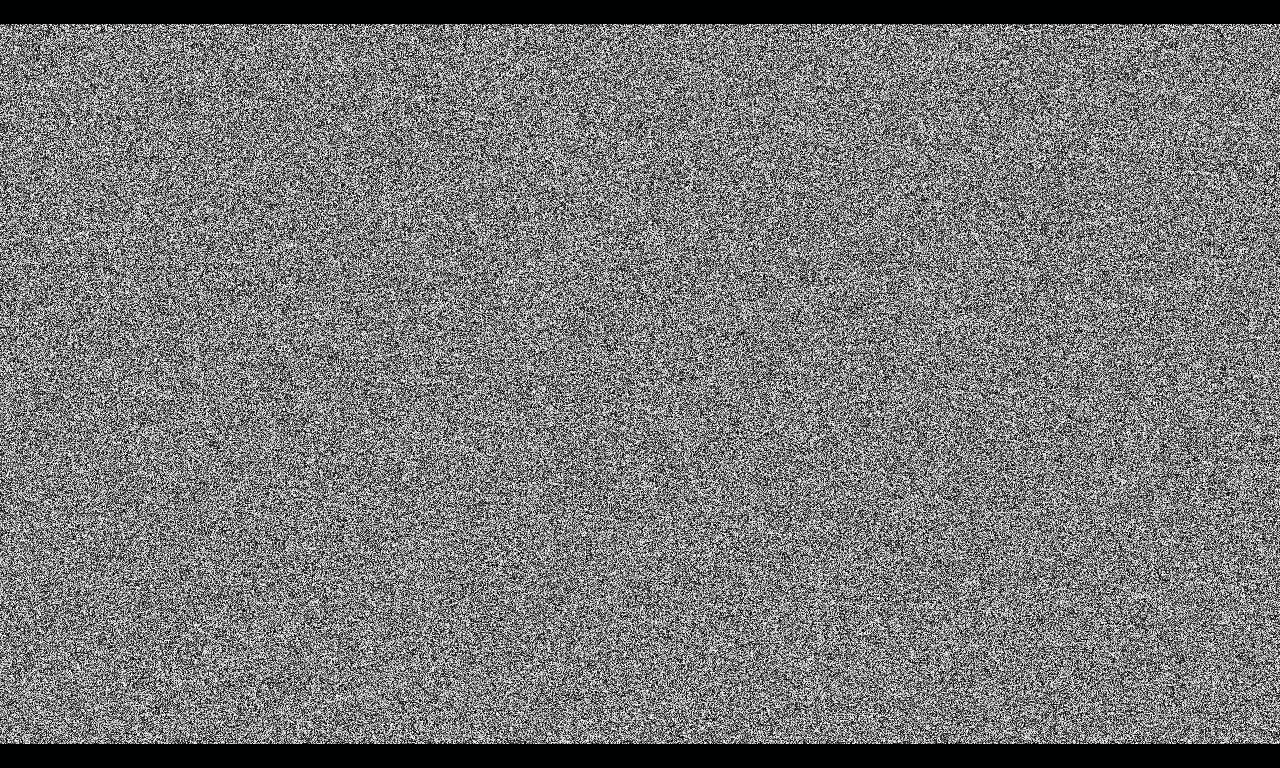 Pictured: Noise game object.
Noise Game Object
The Noise game object renders noise. It's pretty simple: each pixel has a different value between 0 and 1. You could use this for static, or as a source for dirt on surfaces, or other applications.
Noise extends Shader, and supports Shader methods such as setRenderToTexture().
Noise supports several configuration options. You can set the colors, which are black and white by default. You can change the power term, which biases results towards the first or second color. You can set it to randomize each channel independently for even more chaos. You can set it to output a normal map of random visible surface vectors.
You can also set a scroll offset. This is how you would define a "seed" for this type of noise. Be careful: scroll values larger than a few orders of magnitude can push the calculation into regions where the "loose end" of the PRNG is too small to fit in the available storage, and the noise starts to exhibit unwanted patterns. Keep your scroll values small.
It might seem impractical to use scroll as seed. However, this noise is very sensitive, and a very small change (e.g. 0.00001) will completely scramble the output. The real challenge is actually in stable scrolling! The best solution is to render the noise to a texture, and scroll that texture on a TileSprite. You don't need to worry about texture seams, because the detail is all single pixels with no smoothness. The second-best solution is to scroll only by whole pixels; this is not perfect, because unavoidable rounding issues will still cause some pixels to flicker.
Math.Hash
The Phaser.Math.Hash method is the counterpart to Noise. It takes 1 to 4 numbers as input (e.g. position, time, object ID etc), and outputs a number between 0 and 1. You can use this to generate predictable randomness that you can work with, without consulting the GPU.
Unlike Noise, Hash has the option to use a modern hashing algorithm, in this case PCG. PCG algorithms have been implemented in engines such as Unreal.
Why 1-4 Inputs?
Note that the hashing algorithms lose precision and usefulness outside a certain range. What if you want to generate a constant stream of hashes, though, e.g. in a scrolling background? Might you not eventually run out of precision?
You could move your samples in a big circle, but that could create obvious directional movement on the screen.
By going up to 4 dimensions, we can instead move in circles in hyperspace. Keep the X and Y coordinates locked to the screen, and only move the Z and W coordinates. This shifts the noise into new regions of randomness, eventually looping back to the beginning, without any obvious circular movement on the screen.
This hyperspace technique will be a common feature of noise techniques going forward.
PCG Noise and Good Hash Inputs
PCG means Permuted Congruential Generator. It's a modern family of hashing techniques.
Should you use it? Yes, I recommend it. It's fast and modern and designed by people who know what they're doing.
Just be aware of some quirks when handling multiple dimensions of input. I've implemented the code to scale the dimensions by different prime factors, but they're not very large, so as to preserve a safe range of values. (The factors are 19, 47, 101, and 173.) And we output a single value by adding the dimensions together. This means you can get repeats fairly quickly if you feed in a large grid of inputs. For example, if you feed in 2D coordinates, the values at 19,47 and 47,19 might be the same.
You can overcome this by preprocessing your inputs into a guaranteed unique sequence. For example, if you know the size of the grid, you can multiply x by the grid width. This avoids accidentally creating the same input — because the same input always creates the same output; that's the point.
Cellular Noise
OK, noise is great, but does it have to be so... noisy? Raw noise is pure randomness. This has its uses, but you usually want some kind of order to go with it.
Enter cellular noise. This has its roots in Voronoi diagrams, more recently adapted to computer graphics by Worley. We'll call it cellular noise for maximum descriptiveness.
Cellular noise creates smooth areas by limiting randomness. Here's how it works:
- Split the space into a grid of points.
- Apply noise to each point's position.
- The value at any location in the space is equal to the distance to the nearest point.
Simple! Note how the points are on a regular grid. This makes it easy to generate the noise for each point in a reproducible fashion. So long as the position doesn't vary by more than one grid cell, we still know that some set of cells are closest to the current location. That means we don't have to store point values, we can just generate them for points close to the current location.
All we need is a hashing algorithm to produce the point noise — and we already covered that.
Cellular noise is used in the new NoiseCellular game objects and Phaser.Math.HashCell method.
NoiseCellular
The NoiseCellular family consists of three Game Objects: NoiseCellular2D, NoiseCellular3D, and NoiseCellular4D. They all extend Shader and inherit its methods.
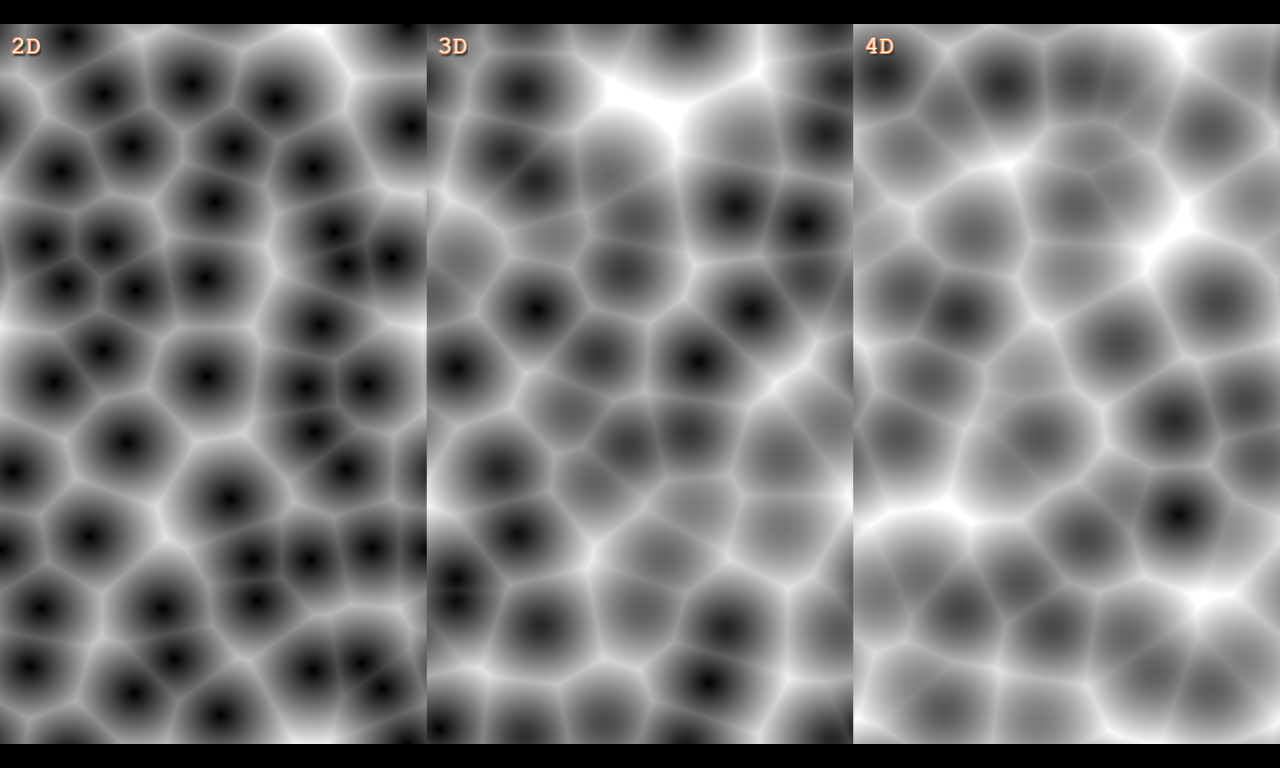
Note that the different dimensions look different. In 2D, the cells are restricted to the texture plane, so the center of each cell is always displayed. In 3D and 4D, the centers may lie outside the texture plane on the Z and W axes, so the centers are not often so close.
You can scroll cellular noise in all available dimensions. In X and Y, this just scrolls the texture. By default the texture is tiled, although you can adjust the tiling range to avoid repetition.
What happens when you scroll in Z or W? Something special happens: evolution. You're moving the 2-dimensional slice of the texture through the cell space, bringing different cells into view. This creates a roiling, bubbling effect. You might use it to render water caustics, rolling clouds, or biological growth.
This dimensionality also has a practical aspect. Like all noise, there is a range of inputs beyond which the computer's precision starts to break down. To avoid this, you can scroll 4D cellular noise in a circle in the ZW axes. This causes constant evolution, without any XY motion, and without leaving the safe zone.
Cellular noise supports several options, including colors, number of cells, normal map output, etc. It also has two special features: mode and iterations.
Noise Mode
The cellular pattern is just one possible way to display Voronoi metrics. We support 3 modes:
- Sharp-edged cells (see above)
- Flat colored cells
- Soft-edged cells
To generate flat colored cells, we don't use the distance to the nearest point. Instead, we use the position of the nearest point to generate a random value from 0-1, and use that as the basis of the output color.
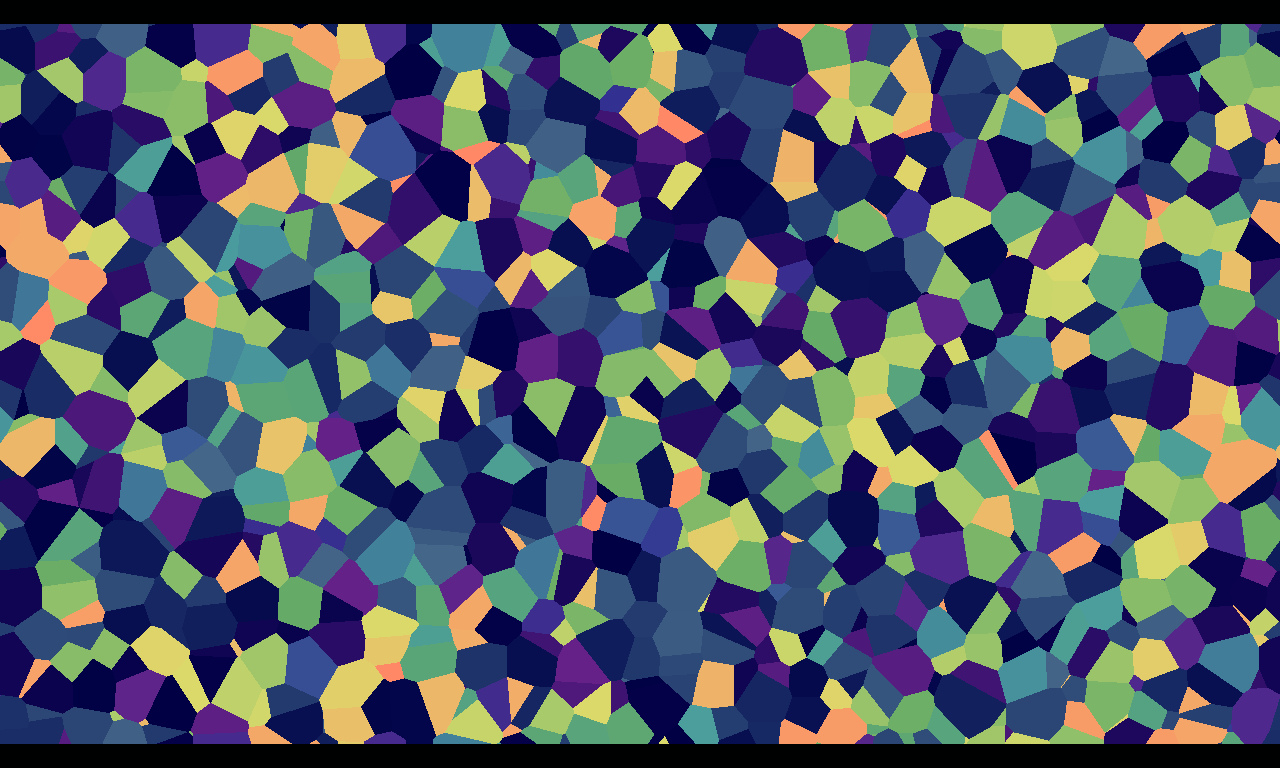 Pictured: Flat cellular noise driving a GradientMap filter.
To generate soft-edged cells, we turn to the inimitable Íñigo Quílez, "painter with math", who created Shadertoy and is generally amazing. I've adapted one of his recipes for smooth Voronoi cells. He has way more amazing tricks, of course, far too many to implement in Phaser if we want to keep the library at a reasonable size. Our noise functions are selected to give good general capabilities; the possibilities are boundless, as Íñigo continuously demonstrates, but you'll have to use our code as a starting point on your journey.
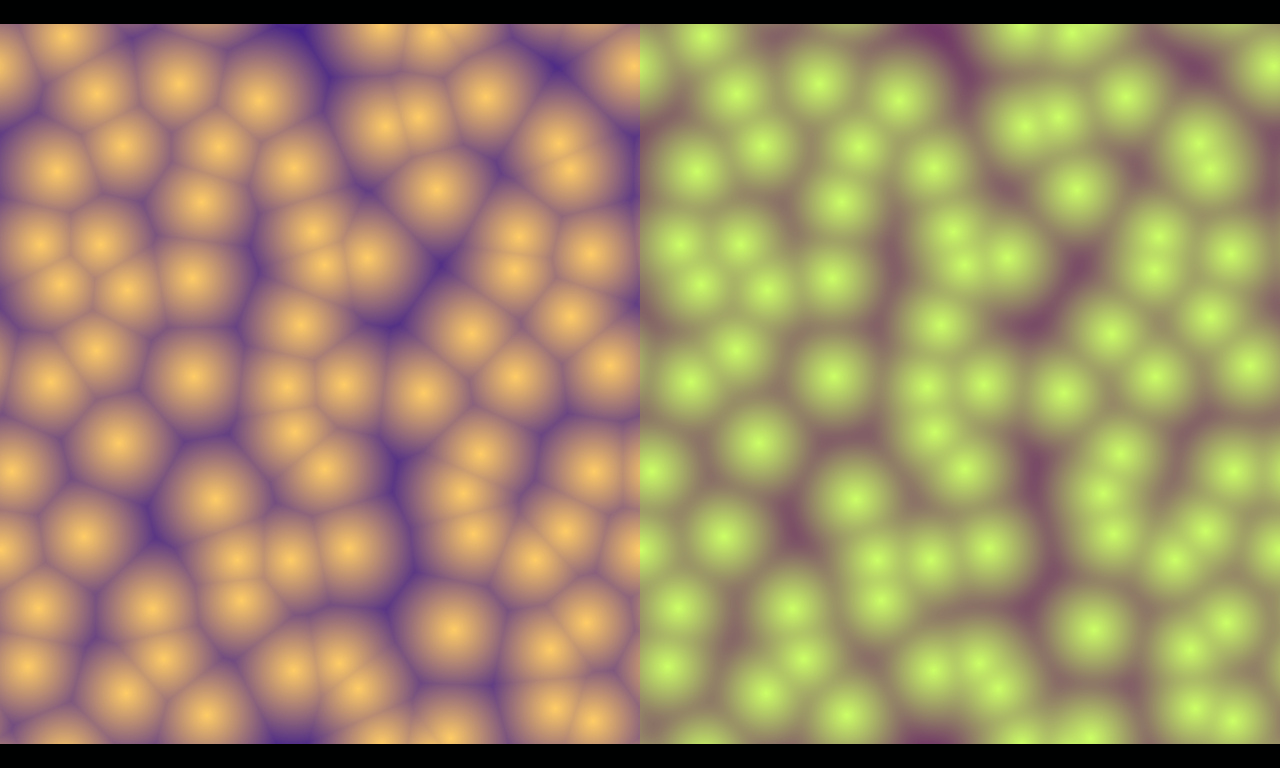 Pictured: Sharp (left) and smooth (right) sided cells.
Cellular Noise Iterations
Because it has smooth structure, cellular noise is compatible with an "octave" based approach. It can render several times, halving the size of the pattern each time, combining the results into an increasingly organic output.
This approach can create organic clouds very quickly. Each iteration makes the shader more expensive, but this cost is minor compared to other rendering costs. You shouldn't need to go much over 5 iterations, as you quickly hit diminishing returns.
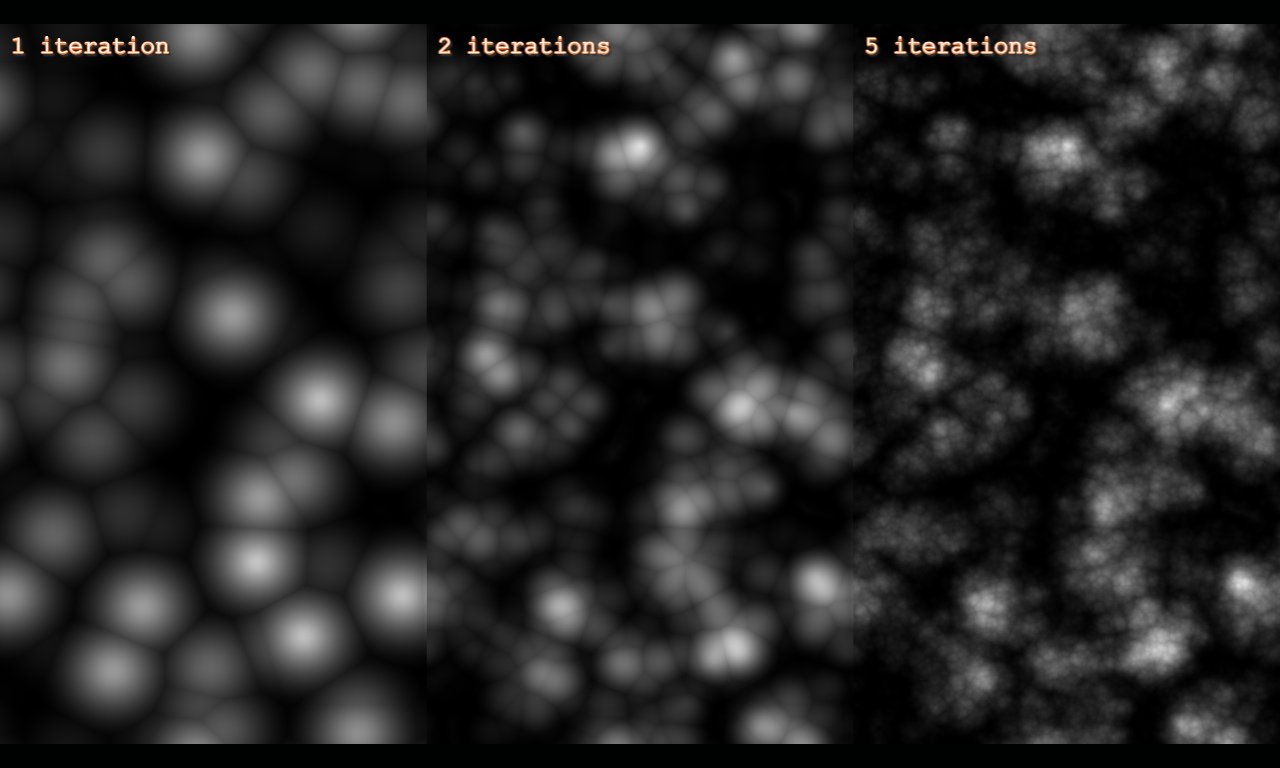 Pictured: Cellular noise gaining detail with multiple iterations.
Math.HashCell
This function is the counterpart to the cellular noise shader. Like Math.Hash, it smartly selects a dimensional mode based on input, from 1 to 4 values; supports the same kind of configuration as the shader; and supports the shader-derived or PCG hashing algorithm.
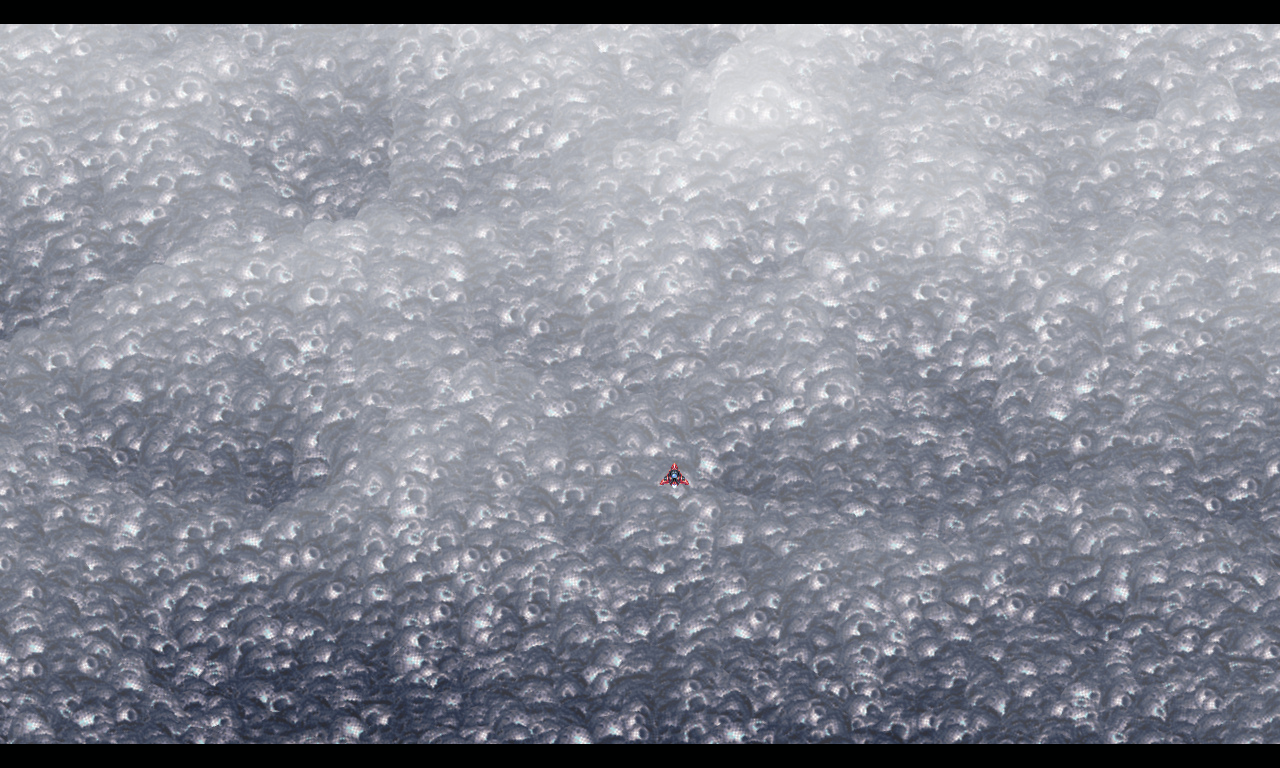
Because HashCell allows you to sample points from a smooth noise field, you can use it for more sophisticated effects. Here's an example: a landscape built out of tiny rock sprites arranged in rows. The height of each sprite is controlled by a HashCell call, so they vary but still relate to their neighbors. I then calculate some other values such as darkness in hollows from this height information, and the result is an astonishingly convincing terrain. (If perhaps a very expensive one.) I generate new rows as the terrain scrolls, creating an endless and continuous landscape.
Wrapping Up
Noise and hash functions allow you to generate random but predictable content. Cellular noise provides smooth, naturalistic features. These give you the ability to quickly add naturalistic features to your games.
For example, the first image in this article shows animated, reflective water. This is accomplished by copying the scene as it renders with a CaptureFrame object, generating a normal map with a NoiseCellular object with a large number of vertical divisions, and drawing the scene capture upside-down with a Displacement filter using the noise normal map to distort the image. You can see the whole example here.
This technology also has applications in clouds and smoke, wood grain, water caustics, and all sorts of other effects. We really encourage you to go wild with experimentation.
Also, you might find yourself thinking in hyperspace. Don't panic; these symptoms are normal.
But that's not all, because we made one more type of noise: simplex noise. More about that in the next Tales from the Pixel Mines.
Ben Richards, Senior WebGL Developer, Phaser Studios Inc