
Phaser 4 launched in April 2026 and it's the biggest release in the framework's history. New renderer, unified filters, GPU-powered sprites, simplified lighting and more — all built to make your games faster, more visual, and easier to develop. This article breaks down the key differences so you can decide what Phaser 4 means for your project.
The short version: if you use standard Phaser objects like sprites, text, and tilemaps, most of your code will work with minimal changes. If you've built custom WebGL pipelines or shaders, you'll have more to update. Either way, what's on the other side is worth it.
Renderer: A Complete Rebuild
The biggest change under the hood. The entire WebGL rendering pipeline from Phaser 3 has been replaced. In v3, pipelines handled multiple responsibilities at once and had to manage their own WebGL state, which made them hard to extend and prone to conflicts. Phaser 4 replaces this with a render node architecture where each node does exactly one thing.
- Phaser 3 Pipeline-based system. Custom rendering meant writing full pipelines that managed their own state. Easy to create conflicts between pipelines. Complex to maintain.
- Phaser 4 Render node architecture. Each node handles a single task. More predictable, more maintainable, and supports context restoration out of the box. Custom nodes are easier to write and less likely to break each other.
For most developers this change is completely invisible. If your game uses standard game objects, the new renderer just works. You only notice it when you need to go deeper — and when you do, it's a much better system.

Filters: One System to Rule Them All
FX and Masks are now unified. In Phaser 3, visual effects (FX) and masks were two separate systems with their own rules about which objects could use them. Some objects supported preFX, others postFX, and masks had their own compatibility quirks. In Phaser 4, all of this is replaced by a single unified Filter system.
- Phaser 3 FX and Masks were separate systems. Restrictions on which objects supported which effects. BitmapMask was WebGL-only. Complex to combine multiple effects.
- Phaser 4 Filters work on any game object or camera, no exceptions. Stack as many as you want. Bloom, glow, blur, shadow, color grading, wipe transitions, image-based lighting — all compatible with each other.
The new filter library is also significantly larger. Phaser 4 ships with new filters including ImageLight (image-based lighting with 360-degree panoramas), Blend (all Canvas blend modes in WebGL), GradientMap, Quantize, and more.
Lighting: From Complicated to One Line
The most obvious quality-of-life improvement. This one is simple and it says a lot about the philosophy behind Phaser 4. In v3, enabling lighting on a sprite meant assigning a new pipeline manually. It was possible, but it felt like a workaround. In v4, it's a single method call.
- Phaser 3
// Assign a pipeline to enable lighting
sprite.setPipeline('Light2D');
// Light height was implicit,
// based on game resolution- Phaser 4
// One line
sprite.setLighting(true);
// Control height explicitly
light.z = 100;
Lighting in v4 also works on a much wider range of objects: BitmapText, Blitter, Graphics, Shapes, Particles, Text, Video, and Tilemaps. Sprites can now cast self-shadows based on their own texture, giving depth without extra geometry.

Performance: GPU-Powered at Scale
For games that push a lot of objects.
Standard Phaser rendering was already fast. Phaser 4 adds two new game objects specifically designed for scenarios where you need to go much further.
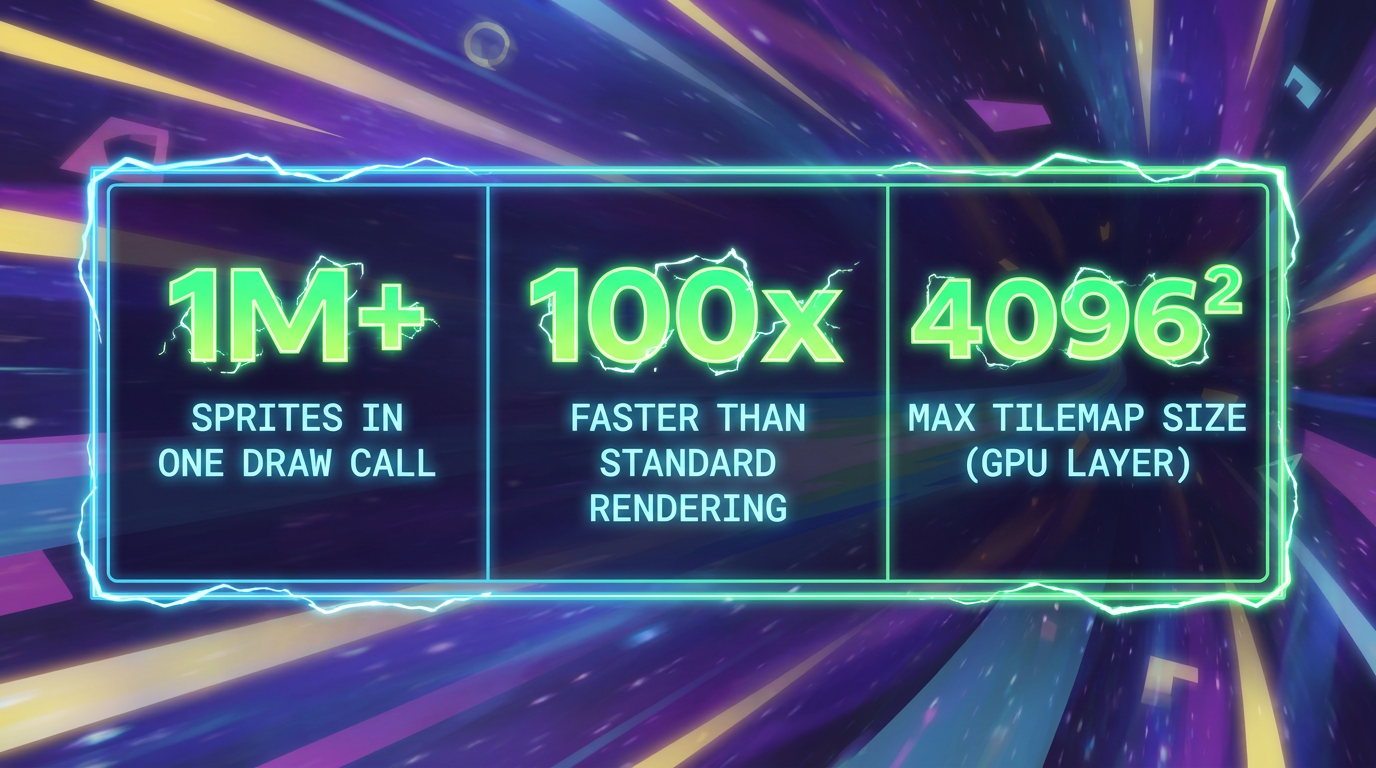
- SpriteGPULayer stores all rendering data directly in a GPU buffer and renders everything in a single draw call. It supports position, rotation, scale, alpha, frame animation, tinting, and parallax — all driven by the GPU. Good for particle-like effects, complex backgrounds, or any scene with massive numbers of moving objects.
- TilemapGPULayer renders an entire tilemap layer as a single quad via a specialized shader. The rendering cost is fixed per pixel on screen regardless of how many tiles are visible — zoom out to see 16 million tiles and it renders just as fast as when you're looking at 100. A major win for open-world or large-map games, especially on mobile.

New Game Objects and Visual Tools
Things you simply couldn't do in Phaser 3.
Phaser 4 adds several new game objects that were not possible before. Gradient renders linear, radial, conic, and bilinear gradients natively. Noise renders noise patterns (Simplex, Cellular, Worley) directly on the GPU, useful for procedural backgrounds, normal maps, and texture generation without leaving the engine.
The Phaser Compact Texture (PCT) Atlas is a new atlas format that replaces verbose JSON files with a lightweight text descriptor. PCT files are typically 90-95% smaller than equivalent JSON atlases, which matters for load times, especially on mobile.
AI-Ready by Design
One of the quieter but genuinely useful aspects of Phaser 4 is how well it works with AI-assisted development. Every major model already knows the Phaser API well, and the v4 design was careful to preserve that knowledge. If you use Cursor, Claude Code, or similar tools, they can work with Phaser 4 without needing to be retrained on a completely foreign API.
There's also a growing set of AI skills files you can feed directly to your agents — structured context that helps them generate better, more idiomatic Phaser code. Install Phaser into your project and point your agent at them. It's a small thing that makes a noticeable difference in day-to-day development.

Breaking Changes: What You Actually Need to Update
Phaser 4 has breaking changes, but most of them are predictable and mechanical. Here's what to expect:
- Will need updating Custom WebGL pipelines (rewrite as render nodes). Bloom, Shine, Circle FX (replaced by Actions). BitmapMask (replaced by Mask filter). setTintFill() (replaced by setTint + setTintMode). Geom.Point (replaced by Vector2). Math.TAU (now correctly PI × 2). Mesh and Plane game objects (removed).
- Likely unchanged Sprites, images, text, groups. Standard camera properties (scroll, zoom, rotation). Tilemaps (unless using GPU layer). Input handling. Physics (Arcade and Matter). Scene management. Audio. Tweens and Timelines.
Most games using the standard Phaser API are looking at a few hours of work. Run your game on Phaser 4 and let the errors guide you — the list is shorter than you think.
Ready to upgrade? Make the Jump to Phaser 4
The migration guide walks through every breaking change. Most projects clear it in an afternoon.
If you're starting a new project, there's no reason to start on Phaser 3. One codebase runs on desktop, mobile, Steam, Discord, YouTube Playables and more. And if you want a visual editor, Phaser Editor is built specifically for v4 with drag-and-drop scene editing and AI chat support built in.