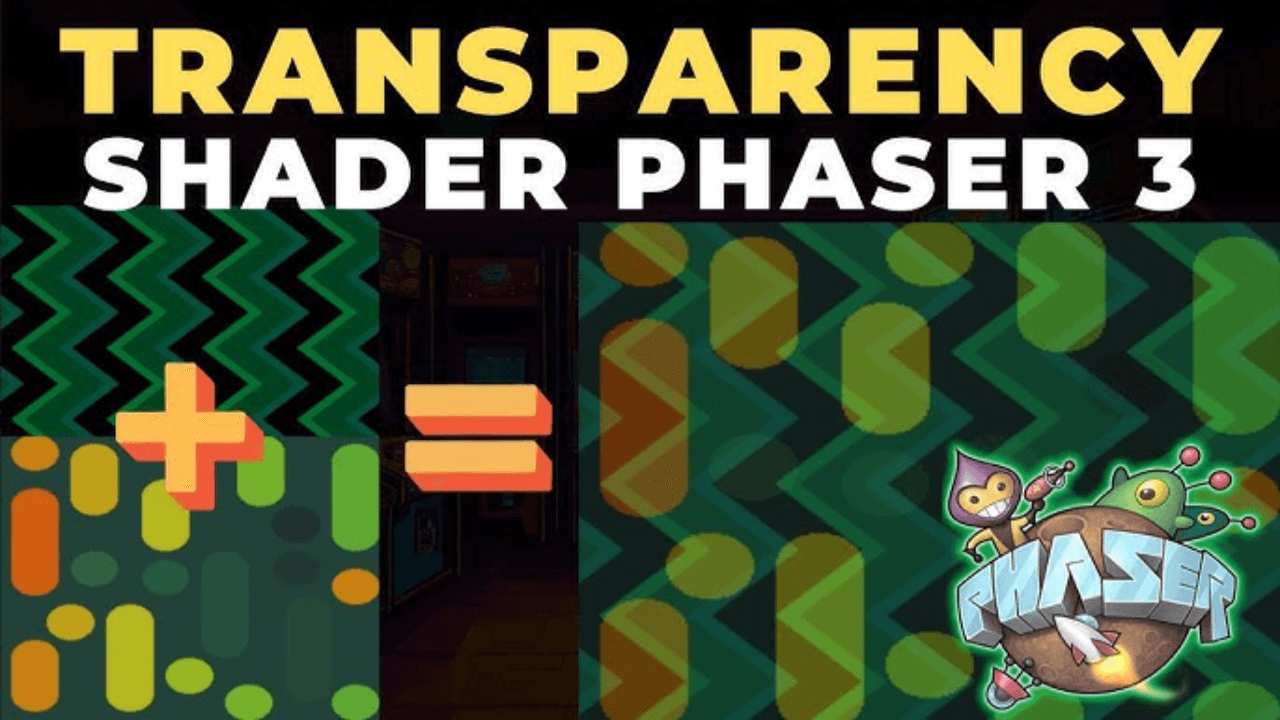

The transparency effect blends two textures together using an alpha value to create the dreamy layered look seen in Earthbound's battle backgrounds. Here's how to bring that effect into Phaser 3.
How It Works
The transparency shader works as a post-processing effect in Phaser 3. All the blending happens on the GPU, so it's lightning fast.
The setup requires:
- A custom post-processing pipeline
- Two textures to blend together
- An alpha uniform to control transparency
Implementation
The custom pipeline extends Phaser's rendering to blend two textures. The alpha value ranges from zero to one, controlling how much of each texture appears in the final output.
When alpha is zero, only the first texture shows. When it's one, only the second texture appears. Any value between creates a smooth blend.
Combining Effects
This transparency shader can combine with other effects like palette cycling or horizontal oscillation to create complex layered backgrounds that feel just like Earthbound's original battle scenes.
It's a simple technique, but it's the glue that ties all the other shader effects together.