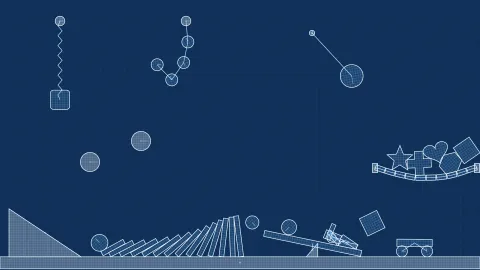

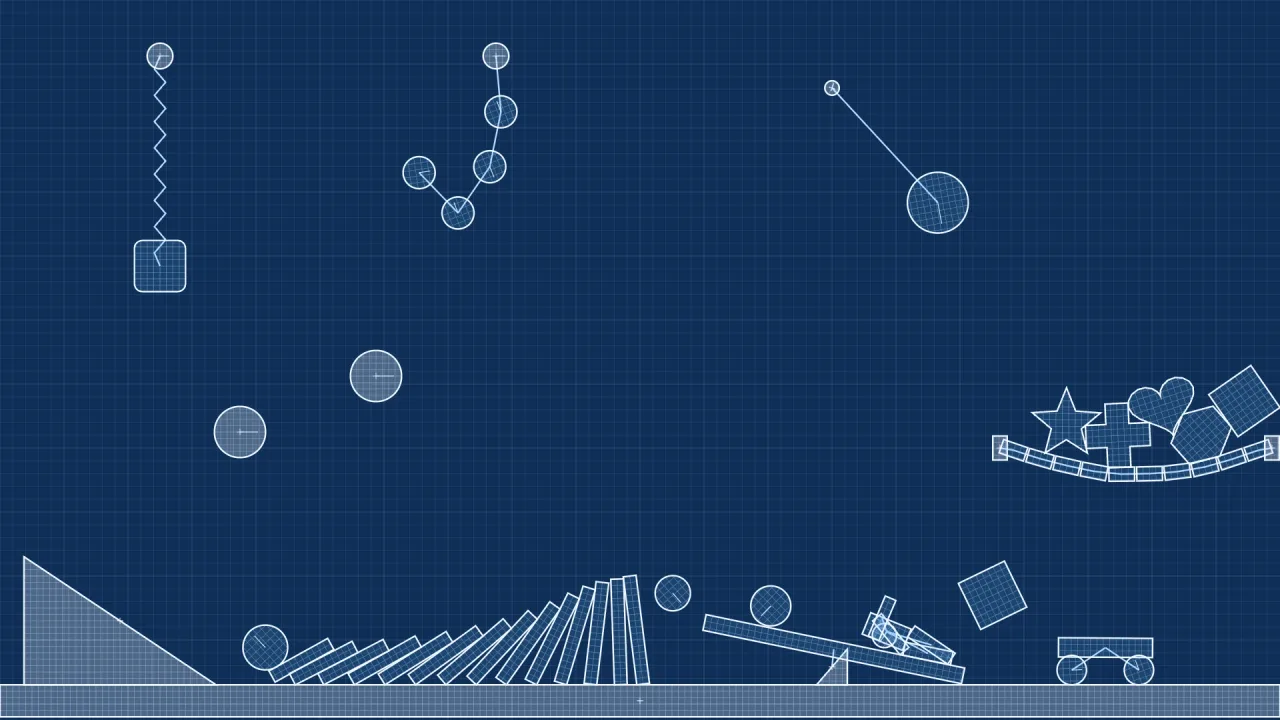
The pack
physicsWorkshop
function physicsWorkshop(): Pack<{ physicsWorkshop: PhysicsWorkshopApi }>The physics-workshop pack: physics levels as JSON (the Design Desk's workshop format), loaded into their own Box2D
world and painted as blueprints.
Helpers
cleanPhysicsLevel
function cleanPhysicsLevel(value: unknown): PhysicsLevelTotal, bounded and idempotent. Deterministic IDs on migration, never random IDs on read.
createPhysicsLevel
async function createPhysicsLevel(input: unknown, module?: string): Promise<PhysicsLevelRuntime>Load JSON into Phaser AE' Box2D, with prefabs, joints and materials. No generated game code.
expandPhysicsLevel
function expandPhysicsLevel(input: unknown): PhysicsAssemblyExpand prefabs before simulation. The editor and games use exactly this expansion.
paintPhysicsAssembly
function paintPhysicsAssembly(ctx: CanvasRenderingContext2D, assembly: PhysicsAssembly, selected?: string): voidBlueprint outlines shared by the editor, thumbnails and host games.
paintPhysicsPiece
function paintPhysicsPiece(ctx:CanvasRenderingContext2D,p:PhysicsPiecePose,selected=false):voidOutline one piece in blueprint style at its pose, with an inner mesh, a fixed-piece cross and its label; selected highlights it.
PART_SIZE
const PART_SIZE: Record<PhysicsPart, [number, number]>Default [width, height] in world pixels for each part kind.
PHYSICS_MATERIALS
const PHYSICS_MATERIALS: readonly ["wood", "rubber", "ice", "steel"]Material presets; each sets a piece's default density, friction and restitution.
PHYSICS_PARTS
const PHYSICS_PARTS: readonly ["box", "rectangle", "circle", "triangle", "capsule", "polygon", "l-section", "t-section", "oval", "star", "heart", "cross", "custom", "crate", "plank", "ball", "ramp", "domino", "bumper", "anchor", "buggy", "pendulum", "seesaw", "bridge", "ragdoll"]Physics workshop format. Pure JSON, world pixels, clockwise degrees, +y down. This file is also copied verbatim into the Design Desk. No browser dependencies.
physicsPiece
function physicsPiece(kind: PhysicsPart, id: string, x: number, y: number, grid = 16): PhysicsItemMake a palette piece; callers supply the ID at the moment of creation.
physicsPolygon
function physicsPolygon(width:number,height:number,sides:number):{x:number;y:number}[]Convex polygon vertices normalized to the exact requested footprint.
physicsShapePoints
function physicsShapePoints(kind:PhysicsPart,sides=6):PhysicsPoint[]Ready-made concave silhouettes and normalized regular shapes.
physicsStarter
function physicsStarter(kind: 'dominoes' | 'buggy' | 'playground' | 'blank' = 'playground'): PhysicsLevelAuthored starter levels, all in the same format as an export.
simplifyPhysicsPoints
function simplifyPhysicsPoints(input:readonly PhysicsPoint[],max=64,tolerance=.006):PhysicsPoint[]Ramer-Douglas-Peucker reduction plus an even cap for authored/traced outlines.
Constants
physicsNumber
const physicsNumber = (v: unknown, fallback: number, low: number, high: number): number=> …Coerce v to a number clamped to [low, high]; fallback when it is not a finite number (null and the empty string count as missing). Never throws.
Types
PhysicsAssembly
interface PhysicsAssemblyA level expanded into simulation pieces and the joints between them.
pieces: PhysicsPiecePose[]— Every piece, in item order; a prefab such as a buggy or ragdoll contributes several.joints: { a: string; b: string; kind: 'rope' | 'spring' | 'hinge' | 'wheel'; }[]— Joints by piece id;wheelis the suspended wheel joint a buggy uses, the others are the level's link kinds.
PhysicsBounds
interface PhysicsBoundsWhich edges of the level rectangle get an invisible wall; all false by default.
left: boolean— Wall along the left edge (x = 0).right: boolean— Wall along the right edge (x = level width).top: boolean— Wall along the top edge (y = 0).bottom: boolean— Wall along the bottom edge (y = level height).
PhysicsItem
interface PhysicsItemOne authored item of a level: a part with a pose, a material and its physics tuning.
id: string— Unique id within the level, at most 80 characters; links refer to it. A missing id becomespiece-<index>.name: string— Label painted above the item, at most 80 characters; empty for none.kind: PhysicsPart— Which part this is; an unknown kind becomesbox.x: number— Centre x in world pixels, within +/-1,000,000; default 400.y: number— Centre y in world pixels (+y down), within +/-1,000,000; default 200.width: number— Width in world pixels, 1 to 100000; default the kind's width inPART_SIZE.height: number— Height in world pixels, 1 to 100000; default the kind's height inPART_SIZE.angle: number— Rotation in degrees, clockwise on screen, -360 to 360; default 0.material: PhysicsMaterial— Material preset that supplies the default density, friction and restitution; defaultwood.fixed: boolean— Whether the item is static (never moves). Default true for ramp, anchor and bumper, false otherwise.flipX: boolean— Mirror a ramp left to right; default false.cornerRadius: number— Rounding of a box's corners in world pixels, 0 to just under half the smaller side; default 0.sides: number— Sides of a regularpolygon, 3 to 8; default 6.points: PhysicsPoint[]— Outline as fractions of width and height from the centre; three or more make a custom (possibly concave) shape, at most 64 kept. Preset kinds such as star and heart fill it in.mass: number— Exact total mass in kilograms, shared across a prefab's pieces by area; 0 (default) takes the mass fromdensity. Up to 100000.density: number— Mass per unit area, 0.001 to 1000; default from the material.friction: number— Surface friction, 0 to 10; default from the material.restitution: number— Bounciness, 0 (a beanbag) to 2; default from the material.linearDamping: number— Linear damping (air resistance), 0 to 100; default 0.angularDamping: number— Angular damping, 0 to 100; default 0.05.gravityScale: number— Multiplier on the level's gravity for this item, -10 to 10; default 1.fixedRotation: boolean— Lock the item's rotation; default false.sensor: boolean— Report overlaps without stopping anything; default false.bullet: boolean— Continuous collision, so a fast item cannot tunnel through a thin wall; default true.
PhysicsLevel
interface PhysicsLevelA whole authored physics level: the JSON the workshop exports and createPhysicsLevel loads.
format: 'phaser-ae.physics2d'— File format tag; alwaysphaser-ae.physics2d.version: 1— File format version; always 1.name: string— Title, at most 100 characters; defaultUntitled experiment.width: number— Level width in world pixels, 16 to 1,000,000; default 1600.height: number— Level height in world pixels, 16 to 1,000,000; default 896.gravity: number— Gravity in world pixels per second squared, +y down, -1800 to 1800; default 900.grid: number— Editor snap size in world pixels, 1 to 512; default 16.bounds: PhysicsBounds— Which edges of the level rectangle are walled.items: PhysicsItem[]— The items, at most 250.links: PhysicsLink[]— The joints between items, at most 250; a link to an unknown item is dropped.
PhysicsLevelRuntime
interface PhysicsLevelRuntime extends PhysicsAssemblyA loaded configuration. Call step at 1/120s, draw the pieces, and dispose on exit.
world: Box2dWorld— The live Box2D world; destroyed bydispose.bodies: Map<string, Body2d>— The body of each piece, by piece id.step(dt: number, drive?: number): void— Advance the simulation bydtseconds (clamped to 0 to 1/30);drive, -1 to 1 (default 0), spins every wheel piece. Does nothing afterdispose.dispose(): void— Destroy the world and clearbodies; safe to call twice.
PhysicsLink
interface PhysicsLinkA joint between two items of a level.
id: string— Unique link id, at most 80 characters; a missing id becomeslink-<index>.kind: 'rope' | 'spring' | 'hinge'—ropekeeps the items a fixed distance apart,springis a soft rope,hingepins them at their midpoint.a: string— Id of the first item (or prefab piece) joined.b: string— Id of the second item (or prefab piece) joined; must differ froma.
PhysicsMaterial
type PhysicsMaterial = typeof PHYSICS_MATERIALS[number]The name of a material preset: wood, rubber, ice or steel.
PhysicsPart
type PhysicsPart = typeof PHYSICS_PARTS[number]One kind of part: a primitive shape, a ready-made outline, or a prefab such as buggy that expands into several pieces.
PhysicsPiecePose
interface PhysicsPiecePose extends PoseTargetA drawable piece of a prefab, posed by the engine's actual Box2D world.
id: string— Unique piece id: the item's id for its first piece,<item id>/<n>for the others of a prefab.owner: string— Id of the level item this piece was expanded from.label?: string— The item's name; set on its first piece only.shape: 'box' | 'circle' | 'ramp' | 'capsule' | 'polygon' | 'custom'— Collision and paint shape;rampis a right triangle,customusespoints.material: PhysicsMaterial— Material preset that supplies the default density, friction and bounce.fixed: boolean— Whether the piece is static.flipX?: boolean— Mirror a ramp left to right.accent?: string— Role of the piece:wheel,buggy,dollorfaceinside a prefab, else the item's kind; it selects extra tuning such as wheel grip and bumper bounce.cornerRadius?: number— Rounding of a box's corners in world pixels.sides?: number— Sides of a regular polygon, 3 to 8.points?: PhysicsPoint[]— Outline of acustomshape as fractions of width and height from the centre.mass?: number— This piece's share of the item's exact mass in kilograms; unset to take the mass from density.
PhysicsPoint
interface PhysicsPointOne point of a custom outline, as fractions of the item's size from its centre.
x: number— Fraction of the item's width from its centre: -0.5 is the left edge, 0.5 the right.y: number— Fraction of the item's height from its centre: -0.5 is the top edge, 0.5 the bottom.
PhysicsWorkshopApi
type PhysicsWorkshopApi = typeof level & typeof paintgame.physicsWorkshop: the level format, its loader and its painter.