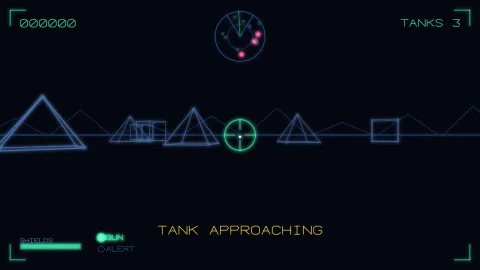

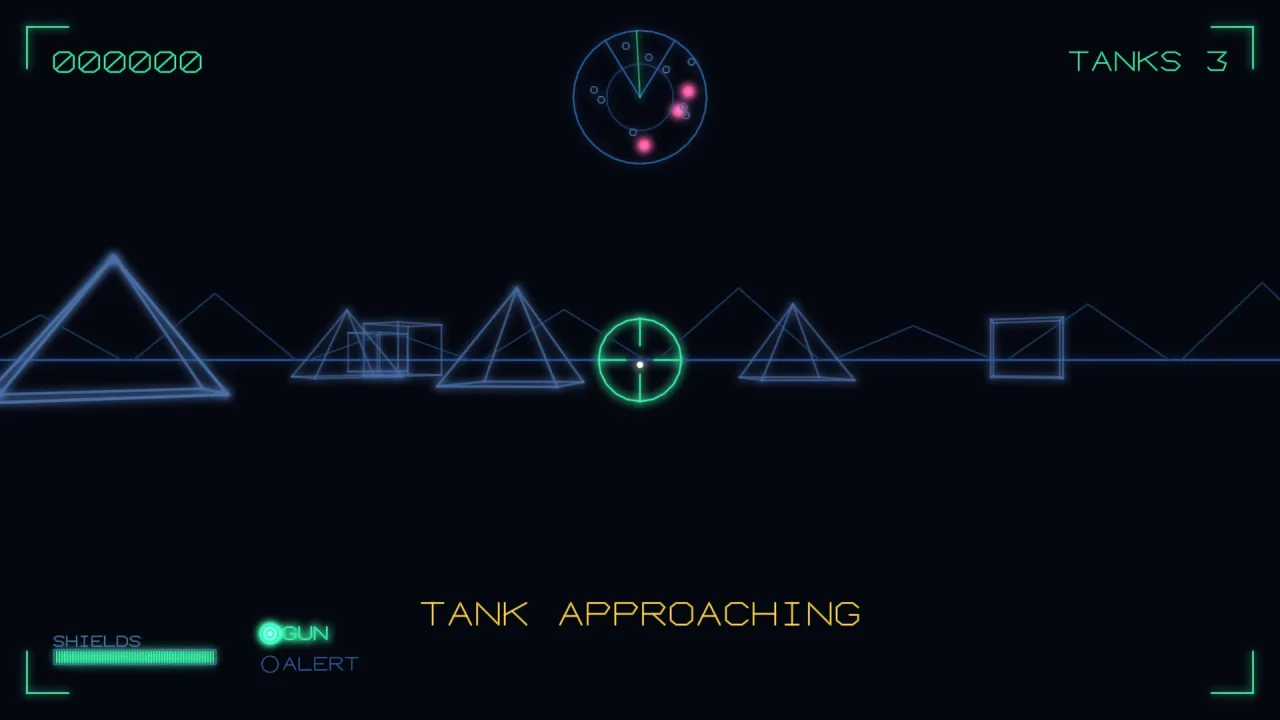
The pack
instruments
function instruments(): Pack<{ instruments: InstrumentsApi }>The instruments pack. Pure logic, so it needs no backend and runs headless.
Helpers
bar
function bar(t: InstrumentTarget, o: BarOptions): voidA bar gauge: an outline, a fill and optional divisions. The fill is drawn as horizontal (or vertical) strokes rather than a solid, because that is what a beam can do and what the panels of the era actually looked like.
createPanel
function createPanel(items: PanelItem[]): PanelCreates a Panel from a list of items. The same as new Panel(items).
crosshair
function crosshair(t: InstrumentTarget, o: CrosshairOptions): voidThe gunsight: Star Wars, Tail Gunner, Starhawk, Red Baron.
dial
function dial(t: InstrumentTarget, o: DialOptions): voidA round gauge with a needle — speedo, rev counter, shield strength.
formatScore
function formatScore(value: number, digits = 6): string4200 → '004200'. Leading zeros are the look.
formatTime
function formatTime(seconds: number, showTenths = false): string95.4 → '1:35'; over an hour it grows a field rather than wrapping.
frame
function frame(t: InstrumentTarget, o: FrameOptions): voidA viewport frame with corner ticks — the cockpit surround, a scope bezel — or, with box, a plain outline.
lamp
function lamp(t: InstrumentTarget, o: LampOptions): voidA warning lamp. Pair with flash() from scoreboard, or a Panel lamp with flashing, for a blinking one.
mapView
function mapView(t: InstrumentTarget, o: MapOptions): voidA room graph as a map screen, scaled to fit the box. Takes the plain shapes
RoomGraph hands out (graph.all, graph.doors), so the map is a VIEW of
the live topology rather than a second copy of the level that can drift.
radar
function radar(t: InstrumentTarget, o: RadarOptions): voidThe Battlezone scope. Everything is drawn in the owner's frame: rotate a contact by the owner's heading and the blip sits where the thing IS relative to where you are pointing, which is the only reason the display works.
scanner
function scanner(t: InstrumentTarget, o: ScannerOptions): voidAztarac's scanner: the whole world shrunk into a box, with the visible window marked. Where a radar answers "what is near me", this answers "what is happening somewhere else" — the difference matters in a game about defending outposts you cannot see.
tally
function tally(t: InstrumentTarget, o: TallyOptions): voidA row of ship/life/ball icons drawn as small closed outlines, left to right.
Classes
Panel
class PanelA panel is a list of widgets bound to READERS, so the HUD is declared once and never touched again — the gauge follows the meter rather than the game remembering to push a number at it every frame.
const panel = createPanel([
  { kind: 'bar', x: 20, y: 40, w: 140, h: 14, label: 'OXYGEN',
    read: () => res.oxygen.frac, warn: 0.25, warnStyle: { color: '#ff5fa2' } },
  { kind: 'lamp', x: 200, y: 47, label: 'SONAR', flashing: true,
    read: () => sub.sonarDamaged },
]);
panel.draw(game.vector, time);
readonly items: PanelItem[]— The widgets the panel draws, in order.flashHz: number— Flash rate for lamps withflashing. Default 4 Hz.constructor(items: PanelItem[])add(item: PanelItem): this— Adds one item to the panel. Returns the panel, so calls can chain.draw(t: InstrumentTarget, time = 0): void— Calls each item'sread()and draws every widget. Pass the current time in seconds so flashing lamps blink.
Types
BarOptions
interface BarOptionsOptions for bar(): the box, the fill fraction and the styles.
x: number— The left edge of the bar, in world units.y: number— The top edge of the bar, in world units.w: number— The width of the bar, in world units.h: number— The height of the bar, in world units.frac: number— 0..1.warn?: number— Fill below this fraction useswarnStyle. Default 0 (never).ticks?: number— Divisions drawn across the track. Default 0.vertical?: boolean— Fill bottom-up instead of left-to-right. Default false.label?: string— Text drawn above the bar.labelSize?: number— The text size of the label, in world units. Default 11.style?: Style— The style of the outline, the ticks and the label.fillStyle?: Style— The style of the fill strokes. Default:style.warnStyle?: Style— The fill style whilefracis at or belowwarn. Default:fillStyle.
Contact
interface Contact extends XYOne thing a radar or scanner shows. Its x/y are a world position.
kind?: string— Picks a style out ofblipStyles.
CrosshairOptions
interface CrosshairOptionsOptions for crosshair(): the position, the size and the style of the gunsight.
x: number— The x position of the centre, in world units.y: number— The y position of the centre, in world units.size: number— Arm length.gap?: number— Empty space at the centre. Default a third ofsize.ring?: boolean— Draw a ring atsize. Default false.lock?: number— Pull the arms in to show a lock. 0..1, default 0.style?: Style— The line style of the crosshair.
DialOptions
interface DialOptionsOptions for dial(): the face, the needle value and the styles.
x: number— The x position of the dial's centre, in world units.y: number— The y position of the dial's centre, in world units.r: number— The radius of the face, in world units.frac: number— 0..1 round the sweep.from?: number— Start of the sweep, radians. Default 0.75π (bottom left).to?: number— End of the sweep. Default 2.25π (bottom right) — a 270° face.ticks?: number— Marks round the face. Default 8.label?: string— Text drawn inside the lower half of the face.style?: Style— The style of the face, the ticks and the label.needleStyle?: Style— The style of the needle. Default:style.
FrameOptions
interface FrameOptionsOptions for frame(): the box to surround and its style.
x: number— The left edge of the frame, in world units.y: number— The top edge of the frame, in world units.w: number— The width of the frame, in world units.h: number— The height of the frame, in world units.tick?: number— Corner tick length. Default: a tenth of the short side.box?: boolean— Draw the whole box outline instead of the corner ticks. Default false (corner ticks only).style?: Style— The line style of the frame.
InstrumentsApi
type InstrumentsApi = typeof kitgame.instruments — every function and type this pack carries, as one namespace.
InstrumentTarget
interface InstrumentTargetgame.vector is one of these. So is any object with the same four verbs.
seg(x0: number, y0: number, x1: number, y1: number, style?: Style): void— Draws one line segment from (x0, y0) to (x1, y1).poly(points: readonly XY[], style?: Style & { closed?: boolean }): void— Draws a polyline through the points.closedjoins the last point to the first, and it lives IN THE STYLE — v2 took it as a third argument, andgame.vector.polydoes not, so a call that passed it positionally type-checked (a narrower function is assignable to a wider one) and had the argument silently dropped. Every closed instrument shape drew as an open path: the lives tally lost the base of its ship and read as a chevron.arc(cx: number, cy: number, r: number, from: number, to: number, style?: Style, steps?: number): void— Draws an arc round (cx, cy) with radius r, from anglefromtotoin radians.text?(str: string, x: number, y: number, opts?: TextOptions): void— Draws a line of text. Optional: an instrument skips its labels when this is absent.
LampOptions
interface LampOptionsOptions for lamp(): the position, the state and the styles.
x: number— The x position of the lamp's centre, in world units.y: number— The y position of the lamp's centre, in world units.r?: number— The radius of the lamp, in world units. Default 7.on: boolean— True lights the lamp: an inner ring is added. False draws it withoffStyle.label?: string— Text drawn to the right of the lamp.style?: Style— The style of the lit lamp, and of the label.offStyle?: Style— The style of the unlit lamp. Default:style.
MapDoor
interface MapDoorOne connection between two rooms, drawn by mapView() as a line.
a: string— The id of the room at one end.b: string— The id of the room at the other end.locked?: boolean— Draw the door withlockedStyle. Default false.hidden?: boolean— Do not draw the door at all. Default false.
MapOptions
interface MapOptionsOptions for mapView(): the box, the room graph and the styles.
x: number— The left edge of the map box, in world units.y: number— The top edge of the map box, in world units.w: number— The width of the map box, in world units.h: number— The height of the map box, in world units.rooms: readonly MapRoom[]— The rooms to draw.graph.allfrom aRoomGraphfits as-is.doors: readonly MapDoor[]— The doors to draw as lines between rooms.graph.doorsfits as-is.current?: string | null— The room the player is in — drawn ringed.route?: readonly string[]— Highlight this run of room ids (a planned or escape route).fogged?: boolean— Hide rooms not yet visited. Default true.node?: number— Half-size of a room marker. Default 7.style?: Style— The base line style for rooms and doors.visitedStyle?: Style— The style for rooms withvisitedset. Default:style.currentStyle?: Style— The style of the ring round thecurrentroom. Default: the room's own style.routeStyle?: Style— The style for doors with both rooms on theroute. Default:style.lockedStyle?: Style— The style for locked doors. Default:stylewithdash: 6.tagStyles?: Record<string, Style>— Room ids by tag get their own style:{ reactor: {...} }.
MapRoom
interface MapRoom extends XYOne room on the map screen, for mapView(). Its x/y place it in the graph.
id: string— The unique id of the room. Doors refer to rooms by id.visited?: boolean— True once the player has entered the room. A fogged map hides unvisited rooms.cleared?: boolean— True once the room is cleared. Game data —mapView()does not read it.tags?: string[]— Tags that pick a style out oftagStyles.
PanelItem
type PanelItem = /** A `bar()` whose `frac` is `read()` each draw. */ | ({ kind: 'bar'; read(): number } & Omit<BarOptions, 'frac'>) /** A `dial()` whose `frac` is `read()` each draw. */ | ({ kind: 'dial'; read(): number } & Omit<DialOptions, 'frac'>) /** A `lamp()` lit while `read()` is true; `flashing` blinks it at the panel's `flashHz`. */ | ({ kind: 'lamp'; read(): boolean; flashing?: boolean } & Omit<LampOptions, 'on'>) /** A line of text from `read()`; skipped when the target has no `text`. */ | { kind: 'text'; x: number; y: number; read(): string; size?: number; align?: 'left' | 'center' | 'right'; style?: Style } /** Anything else: `draw` is called with the target and the time in seconds. */ | { kind: 'custom'; draw(t: InstrumentTarget, time: number): void }One widget in a Panel: an instrument's options plus a read() function.
The panel calls read() on each draw to get the live value.
RadarOptions
interface RadarOptionsOptions for radar(): the scope, what it is centred on and the contacts.
x: number— The x position of the scope's centre, in world units.y: number— The y position of the scope's centre, in world units.r: number— The radius of the scope, in world units.centre: XY— What the scope is centred on.range: number— World units the scope's radius covers.heading?: number— Which way the owner is facing, radians. Contacts are rotated by -heading so FORWARD IS UP, which is what makes a radar readable at a glance; leave it out for a north-up map scope.contacts: readonly Contact[]— The contacts to draw as blips, at world positions.blip?: number— Radius of a blip. Default 3.clampEdge?: boolean— Show contacts beyondrangepinned to the rim instead of dropping them.sweep?: number— Angle of a rotating sweep line, radians. Omit for none.fov?: number— Half-angle of the "in front of me" wedge to outline. Omit for none.style?: Style— The line style of the scope rings. Also the last-resort blip style.blipStyle?: Style— The style of a blip. Default:style.blipStyles?: Record<string, Style>— Styles by contactkind. A contact without a match usesblipStyle.sweepStyle?: Style— The style of thesweepline. Default:style.
ScannerOptions
interface ScannerOptionsOptions for scanner(): the box, the world it shrinks and the contacts.
x: number— The left edge of the scanner box, in world units.y: number— The top edge of the scanner box, in world units.w: number— The width of the scanner box, in world units.h: number— The height of the scanner box, in world units.world: { x: number; y: number; w: number; h: number }— The whole playfield the scanner covers.view?: { x: number; y: number; w: number; h: number }— The part of it currently on screen — drawn as a box inside the scanner.contacts: readonly Contact[]— The contacts to draw as dots, at world positions.style?: Style— The line style of the scanner outline. Also the last-resort blip style.viewStyle?: Style— The style of theviewbox. Default:style.blipStyle?: Style— The style of a contact dot. Default:style.blipStyles?: Record<string, Style>— Styles by contactkind. A contact without a match usesblipStyle.
Style
interface StyleStructurally a subset of the vector layer's LineStyle.
color?: string— The stroke color, as a CSS color string.color2?: string— The color at the far end of each stroke — a gradient along the line.width?: number— The stroke width, in world units.glow?: number— The intensity of the phosphor halo. 0 gives a clean line.alpha?: number— The opacity of the stroke, 0..1.dash?: number— The dash period, in world units. 0 gives a solid line.dwell?: number— Beam dwell 0..1: how much the ends of each stroke brighten and fatten.z?: number— The depth of the stroke in the vector pass. Bigger is in front.
TallyOptions
interface TallyOptionsOptions for tally(): where the row starts, how many icons and their shape.
x: number— The x position of the first icon's centre, in world units.y: number— The y position of the icons' centres, in world units.count: number— How many icons to draw (lives, bombs, ammo).size?: number— Half the icon's height, in world units: the shape is scaled by it. Default 10.gap?: number— Distance between icon centres, in world units. Default 1.8 ×size.shape?: readonly XY[]— The icon as a closed outline in units ofsize, centred on (0, 0), y down. Default a ship chevron.style?: Style— The line style of the icons.
TextOptions
interface TextOptionsOptions for InstrumentTarget.text(). A subset of the vector layer's text options.
size?: number— Cap height of the text, in world units.align?: 'left' | 'center' | 'right'— Horizontal anchor of the text at its x position.spacing?: number— Gap between glyphs, as a fraction ofsize.style?: Style— The line style of the text strokes.
XY
interface XYA 2D point: x across, y down. Contacts and map rooms extend it; poly() takes a list of them.
x: number— The x position, across.y: number— The y position, down.