
The pack
vectorWire
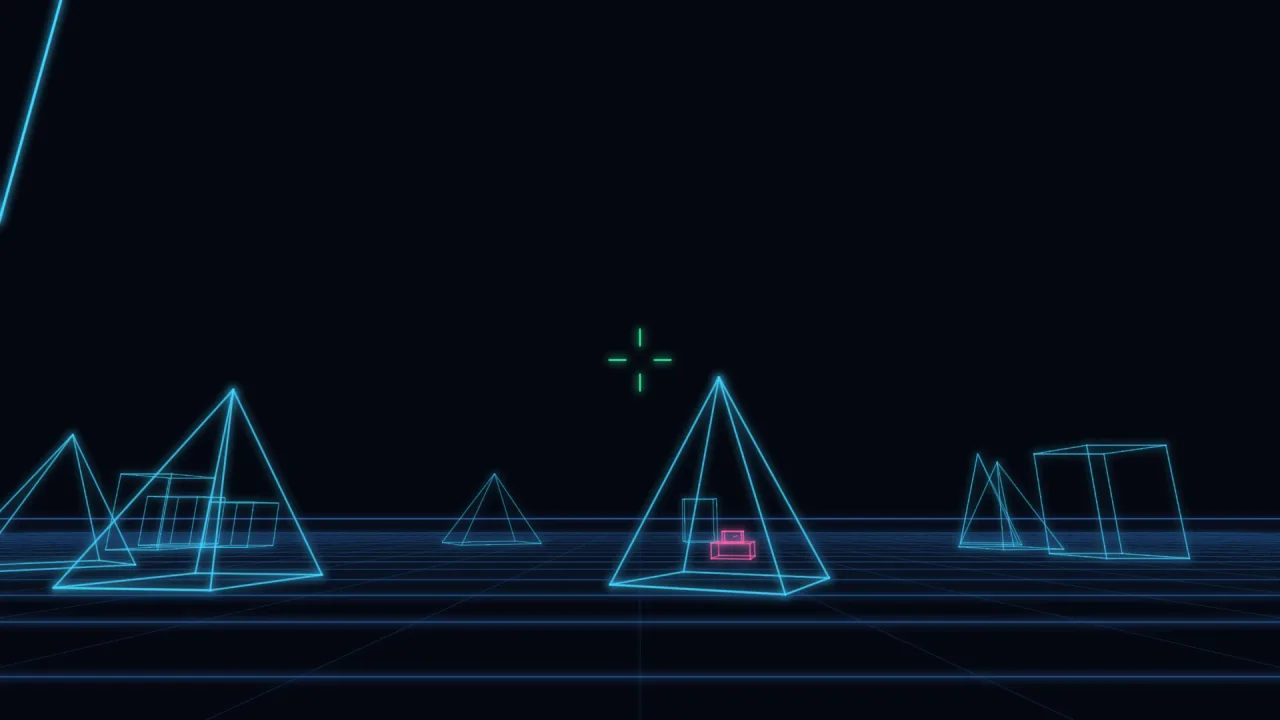
function vectorWire(): Pack<{ vecWire: VecWireApi }>The vector-wire pack. Pure maths, so it needs no backend and runs headless.
Helpers
focalLength
function focalLength(view: WireView, fov = 1.05): numberPixels per world unit at one unit of depth. Divide by an edge's za/zb for
the scale at that end — the whole of perspective in one number.
const f = vecWire.focalLength(view);
layer.seg(e.a.x, e.a.y, e.b.x, e.b.y, { width: Math.max(0.4, 3 * f / e.za / 40) });
horizon
function horizon(cam: WireCamera, view: WireView): [{ x: number; y: number }, { x: number; y: number }]The ground line — where a flat plane at infinite distance lands on screen.
It depends only on pitch (yaw slides along it, and there is no roll), so it
is a horizontal line at h/2 + f·tan(pitch). Draw it first and everything
else sits in a world.
placeModel
function placeModel(model: WireModel, x: number, y: number, z: number, yaw = 0): WireModelMove and turn a model without touching the original — the way you place many
copies of one shape, or drive a tank around. yaw turns it about its own
vertical axis first, then it is offset to (x, y, z).
y positions the model's OWN ORIGIN, wherever the model happens to keep it.
If what you want is for the thing to stand on the floor, reach for
placeModelOnGround and give it no y at all.
placeModelOnGround
function placeModelOnGround( model: WireModel, x: number, z: number, yaw = 0, groundY = 0, ): WireModelStand a model on the ground at (x, z) — the placement a first-person
wireframe scene actually wants.
const block = vecWire.placeModelOnGround(vecWire.wireBox(120, 280, 90), 900, -1400);
const tank  = vecWire.placeModelOnGround(TANK, tx, tz, heading);
No height to work out and none to get wrong. Models keep their origin
wherever suits them — wireBox about its centre, a hand-built pyramid at its
base — so "put it at y = 0" means different things for different models and
silently buries the ones built about their middle. This asks each model where
its own floor is and drops it exactly there, so a box, a pyramid and a
multi-part tank all land flush without the caller knowing how any of them
were built.
groundY moves the floor; yaw turns the model about its vertical axis,
which cannot change how tall it is, so it stays flush at any heading.
project
function project(model: WireModel, cam: WireCamera, view: WireView): WireEdge[]Project a wireframe model to 2D segments, near-plane clipped.
for (const e of vecWire.project(tank, cam, view)) {
  game.vector.seg(e.a.x, e.a.y, e.b.x, e.b.y, { color: '#41d6ff', width: 3 * f / e.za });
}
An edge straddling the near plane is CUT at it rather than dropped, so geometry doesn't pop out of existence as you walk into it — the one thing a naive projector always gets wrong (divide by a negative z and the edge whips across the screen backwards).
projectPoint
function projectPoint( p: Vec3, cam: WireCamera, view: WireView, ): { x: number; y: number; z: number } | nullProject ONE world point to the screen, or null if it is behind the near
plane. Handy for placing 2D things (labels, a targeting box, a sprite) on a
3D position without projecting a whole model.
wireBounds
function wireBounds(model: WireModel): WireBoundsMeasure a model: the corners of its axis-aligned box, and the size and centre they imply. For a cheap distance cull, or for scaling something to fit.
To stand a model on the ground use placeModelOnGround, which does the sum
for you.
wireBox
function wireBox(w: number, h: number, d: number, cx = 0, cy = 0, cz = 0): WireModelA wireframe box centred on (cx, cy, cz) — eight points and twelve edges of
pure boilerplate, and the staple obstacle of every first-person vector game.
wireGrid
function wireGrid(n: number, step: number, y = 0, cx = 0, cz = 0): WireModelA ground grid as a wireframe model — n lines each way at step apart,
centred on (cx, cz) at height y. The cheapest way to make a first-person
scene feel like it has a floor.
Types
Vec3
interface Vec3A point in 3D world space (x right, y up, z forward: yaw 0 looks along +z).
x: number— The X component, in world units. X is right.y: number— The Y component, in world units. Y is up.z: number— The Z component, in world units. Z is forward.
VecWireApi
type VecWireApi = typeof kitgame.vecWire — every function this pack carries, as one namespace.
WireBounds
interface WireBoundsA model's axis-aligned extent, and the size and centre it implies.
min: Vec3— The minimum corner of the axis-aligned box, in world units.max: Vec3— The maximum corner of the axis-aligned box, in world units.size: Vec3— The size of the box on each axis, in world units.center: Vec3— The centre of the box, in world units.
WireCamera
interface WireCameraWhere the camera is and which way it is looking.
x: number— The camera X position, in world units.y: number— The camera Y position, in world units.z: number— The camera Z position, in world units.yaw?: number— Heading in radians — 0 looks along +z, increasing turns RIGHT.pitch?: number— Tilt in radians — increasing looks UP.fov?: number— Vertical field of view in radians (default 1.05, about 60°).
WireEdge
interface WireEdgeOne projected edge, with the depth at each end so width can taper.
a: { x: number; y: number }— The projected 2D start point of the edge, in world units, y down.b: { x: number; y: number }— The projected 2D end point of the edge, in world units, y down.za: number— Distance in front of the camera at each end, AFTER near-plane clipping.zb: number— The distance of endbin front of the camera, after near-plane clipping.
WireModel
interface WireModelA wireframe model: shared points, plus the index pairs that join them.
points: Vec3[]— The shared 3D points of the model, in world units.edges: Array<[number, number]>— The edges, as pairs of indexes intopoints.
WireView
interface WireViewThe screen rect to project into (world units — usually game.view).
w: number— The width of the screen rect, in world units.h: number— The height of the screen rect, in world units.near?: number— Nothing closer than this is drawn (default 1). Keeps the divide sane.