
The pack
typography
function typography(options: TypographyOptions = {}): Pack<{ typography: TypographyApi }>Complex-script text with rich spans, font fallback, paragraph flow and native GPU rendering.
Types
TypographyApi
interface TypographyApiTypography services, shared by WebGPU and WebGL2.
prepare(fonts?: readonly string[]): Promise<void>— Load the named shared UI fonts and wait for them:sans,sans-bold,serif,serif-bold,mono,mono-bold, a registered family, or a CSS font such as'bold 24px serif'. With nothing named, wait for shaping and for every font already asked for. Counts in the loading screen during the preload.registerFamily(name: string, font: TypographyFonts): void— Register a loaded font selection under a family name for UI styles.face(options?: { font?: string; size?: number; family?: string }): TypographyFace— Resolve a family and logical size. A shared UI font loads on first use; text in it appears when it arrives.label(spec: TypographyLabelSpec): TypographyLabel— Create a mutable HUD label in a supplied face, or sans at 14 units. It shows once the face's font has arrived.snapshot(text: TypographyText, options: { key: string; scale?: number; padding?: number }): TypographySnapshot— Freeze local paragraph pixels into a reusable atlas frame. Bake each distinct string once.readonly stats: TypographyStats— Current frame rendering counters; zero before the first native frame.ready(wasm?: BufferSource | WebAssembly.Module): Promise<void>— Initialize the SIMD shaping engine; a supplied Wasm module supports custom asset pipelines.load( source: string | URL | ArrayBuffer, format?: "msdf" | "bitmap" | "vector" | TypographyFontOptions, ): Promise<TypographyFont>— Load a baked GLB font. Source-font baking is available in development only.stack(primary: TypographyFont, ...fallback: TypographyFont[]): TypographyFonts— Construct an ordered, immutable fallback selection from loaded fonts.write(spec: TypographySpec): TypographyText— Create a retained paragraph after ready() and font loading.projectFlow( options: TypographyProjection, ): import("../../../../vendor/typography/src/text-properties.js").TextFlowExclusion | undefined— Project a 3D object's bounds or ordered silhouette into a text-flow exclusion. Call after the camera has a rendered view.flush(): void— Publish pending changes immediately; rendering also does this once per frame.
TypographyDetached
interface TypographyDetachedA fixed snapshot whose roster transform can be animated independently.
readonly object: Handle— Scene-owned roster transform.dispose(): void— Release the snapshot and its scene object.
TypographyFace
interface TypographyFaceA font selection and logical em size, reusable across labels and measurements.
readonly font: TypographyFonts— Loaded font or ordered fallback stack; while a shared UI font loads, a stand-in that write() accepts.readonly size: number— Logical em size.readonly lineHeight: number— Baseline spacing in logical units.readonly loaded: boolean— True once the font has arrived. Before that, text in this face is drawn when it arrives and measures 0.readonly ready: Promise<void>— Resolves when the font has arrived.measure(text: string, scale?: number, spacing?: number): number— Shaped advance width, including optional extra spacing; 0 until the font has arrived.
TypographyFont
type TypographyFont = Font<RasterFormatMetadata>Loaded face, including its shaping tables and rendering data.
TypographyFontOptions
type TypographyFontOptions = | { format: "bitmap"; strikes?: readonly [number, ...number[]]; coverage?: import("../../../../vendor/typography/src/raster-coverage.js").RasterCoverage; } | { format: "msdf"; emSize?: number; pixelRange?: number; coverage?: import("../../../../vendor/typography/src/raster-coverage.js").RasterCoverage; } | { format: "vector"; cubicSubdivisions?: number }Rendering data selection and source-font baking quality.
TypographyFonts
type TypographyFonts = FontSelection<RasterFormatMetadata>An ordered font fallback stack or one loaded font.
TypographyGradient
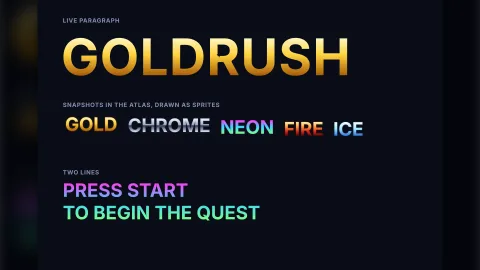
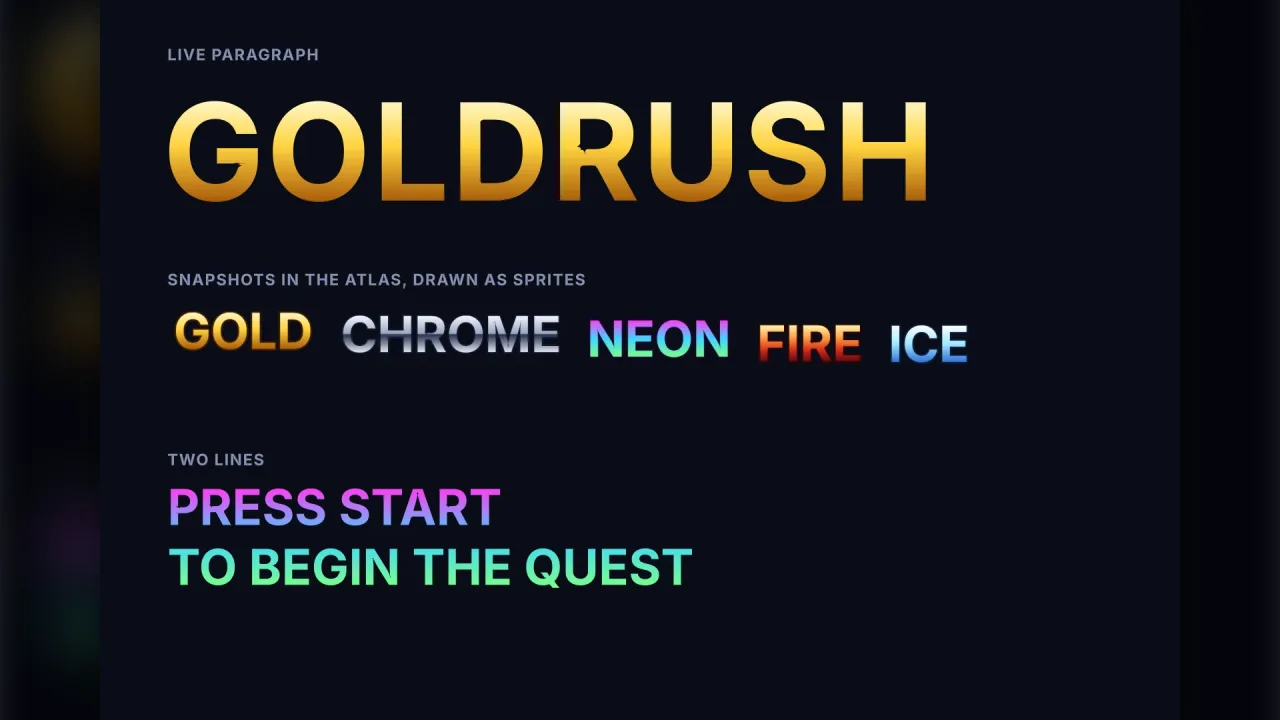
interface TypographyGradientA gradient fill for a paragraph's letters: two to four colours across the text at an angle — chrome, gold, neon.
It replaces the fill colour of every glyph; outlines, shadows and decorations keep their own colours, and the
style's opacity still applies.
colors: readonly string[]— Two to four CSS colours (#rgb,#rrggbb,#rrggbbaa,rgb(),hsl()or a named colour), first to last.stops?: readonly number[]— Where each colour sits along the gradient, 0..1, one per colour, ascending. Default: evenly spaced from 0 to 1.angle?: number— The direction the colours run, degrees on screen: 90 (the default) top to bottom, 0 left to right, 180 right to left.box?: "ink" | "line"— What the gradient spans.'ink'(the default): the paragraph's ink, the tops of its tallest letters to the bottoms of its lowest, edge to edge.'line': every line from the font's ascent to its descent, so each line of a subtitle, and each word or letter drawn on its own in the same font and size, gets the same colours at the same heights.
TypographyLabel
interface TypographyLabelMutable label backed by a single retained Typography paragraph.
readonly paragraph: TypographyText— Underlying retained paragraph for rich layout and detached animation.readonly object: Handle— Scene-owned roster object.text: string— Unicode content.x: number— Horizontal anchor position.y: number— Vertical anchor position.tint: string— Text color.color: string— Text color: the same astint.outline: { color: string; width: number } | null— The outline, or null for none.shadow: { color: string; x: number; y: number } | null— The shadow, or null for none.alpha: number— Opacity.scale: number— Font-size multiplier.visible: boolean— Visibility.readonly width: number— Shaped advance width.readonly height: number— Paragraph height.readonly alive: boolean— Whether the scene-owned paragraph is alive.kill(): void— Dispose the paragraph and roster object.destroy(): void— The same askill().
TypographyLabelSpec
interface TypographyLabelSpecA short, mutable label. Its position anchors the edges align and valign name: the top-left by default.
text: string— Unicode content; an empty string shows nothing.x: number— Horizontal anchor position.y: number— Vertical anchor position: the top edge, or the middle or bottom withvalign.font?: TypographyFace— Font selection and base em size; defaults to the sans face at 14 units.scale?: number— Size multiplier. Default 1.tint?: string— Text color. Default white.alpha?: number— Opacity. Default 1.align?: 'left' | 'center' | 'right'— Horizontal anchor edge. Default left.valign?: 'top' | 'middle' | 'bottom'— Vertical anchor edge. Default top.outline?: { color: string; width: number }— An outline around the letters, in font units.shadow?: { color: string; x: number; y: number }— A hard shadow behind the letters, offset in font units.spacing?: number— Additional spacing in font units.layer?: string— Roster layer.z?: number— Roster depth.
TypographyOptions
interface TypographyOptionsRuntime configuration for development builds. Standalone builds embed the shaper.
assets?: string— Shaping Wasm directory with trailing slash in development; default /typography/.
TypographyProjection
interface TypographyProjectionProject a world object's bounds or silhouette into a paragraph flow exclusion.
key: string— Stable exclusion key.text: TypographyText— Paragraph whose local plane receives the projection.object: Handle— Scene object owning the local geometry.flowBounds: readonly [ number, number, number, number, ]— Paragraph-local clipping rectangle [left, top, right, bottom].bounds?: readonly [ number, number, number, number, number, number, ]— Object-local bounds [minX,minY,minZ,maxX,maxY,maxZ], default unit cube.silhouette?: readonly (readonly [ number, number, number, ])[]— Ordered object-local silhouette; replaces bounds when supplied.projectionError?: number— Conservative inflation in paragraph units.wrapSide?: import("../../../../vendor/typography/src/text-properties.js").TextFlowExclusion["wrapSide"]— Allowed wrapping side.marginInline?: number— Horizontal exclusion margin.marginBlock?: number— Vertical exclusion margin.
TypographySnapshot
interface TypographySnapshotLocal-space bounds and atlas dimensions of a frozen paragraph.
frame: number— Atlas frame containing the rendered paragraph.x: number— Local top-left including transparent padding.y: number— Local top-left including transparent padding.width: number— Logical width.height: number— Logical height.
TypographySpan
interface TypographySpanA UTF-16 range with independent font selection and style.
start: number— Inclusive UTF-16 offset.end: number— Exclusive UTF-16 offset.font?: TypographyFonts— Optional font or fallback stack for this range.style?: TextStyle— Style overrides inherited over the paragraph style.
TypographySpec
interface TypographySpecA text paragraph at a roster position. Sizes and layout use logical units.
font: TypographyFonts— Font or ordered fallback stack. A face's font may still be loading: the text appears when it arrives.text: string— Unicode paragraph content.spans?: readonly TypographySpan[]— Styled UTF-16 ranges within the text.clip?: readonly [number, number, number, number] | undefined— Paragraph-local clip rectangle [left, top, right, bottom].style?: TypographyStyle— Shaping, size, color, spacing and effects;gradientfills the letters with colours at an angle.layout?: ParagraphLayout— Wrapping, alignment, overflow and column controls.constraints?: Constraints— Width and height constraints in logical units.flow?: TextFlow— Ordered regions and polygon exclusions.x?: number— Horizontal roster position.y?: number— Vertical roster position; positive up in a 3D world.z?: number— Depth in a 3D world, sort position in 2D.rot?: number— Rotation in radians; yaw in a 3D world.layer?: string— World or screen layer.billboard?: boolean— In a 3D world, face the camera instead of using object orientation.rasterPixelRatio?: number— Physical pixels per logical text unit for selecting bitmap strikes; defaults to 1.pixelSnapping?: boolean— Snap size-specific bitmap strikes to physical pixel boundaries.
TypographyStats
interface TypographyStatsNative typography work submitted in the current rendered frame.
readonly drawCalls: number— Instanced draws after adjacent compatible paragraphs are combined.readonly instances: number— Rendered characters and decoration rectangles.readonly geometryBytes: number— Character geometry uploaded this frame; zero for transform-only animation.readonly transformBytes: number— Compact per-paragraph transform data uploaded this frame.
TypographyStyle
type TypographyStyle = TextStyle & { /** Fill the letters with 2–4 colours at an angle instead of the solid `color` (chrome, gold, neon); also in `snapshot()`. */ gradient?: TypographyGradient; }A paragraph's style: the shaping and colour TextStyle, plus an optional gradient fill for its letters.
TypographyText
interface TypographyTextRetained paragraph: content edits invalidate shaping; transforms remain independent.
readonly object: Handle— Scene-owned roster transform.readonly disposed: boolean— True after disposal.set(update: Partial<TypographySpec>): void— Atomically update content, fonts, styles, constraints or flow.measure(): ParagraphLayoutSummary— Advance, ink, line and baseline metrics for the current layout.glyphs(): TypographyLayoutInspection— Caller-owned per-character-shape arrays, including clusters and bidi levels.placements(): TypographyPlacements— Cluster-aware caret, line and word inspection.detach(indices?: readonly number[]): TypographyDetached— Detached render copies of selected shape indices, or all when omitted.detachDecorations(): TypographyDetached— Detached copies of the paragraph's decoration rectangles.dispose(): void— Release layout and remove the roster object.