
The pack
titleScreen
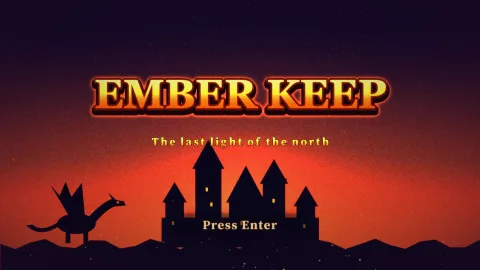
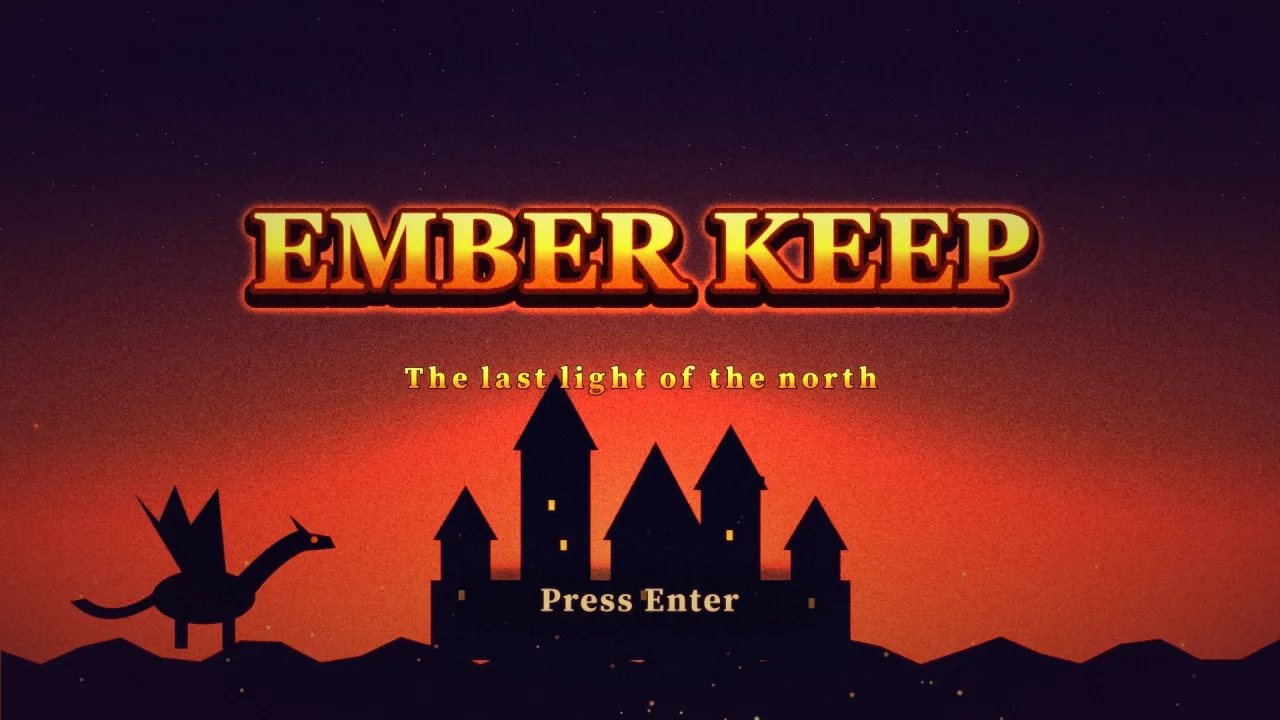
function titleScreen(opts: TitleScreenOptions = {}): Pack<{ titleScreen: TitleScreenApi }>The title-screen pack: game.titleScreen.play(file, { next: 'play' }) plays a phaser-ae-title-screen file in the
current scene — key art, shaders, layers, particles, the logo's entrance and shine, the small events that keep
the idle alive — and on Start runs the layers' exits and the transition into next. Requires a 2D world to draw
on (world-side); every other part is drawn by the pack that owns it, when composed.
Functions
atlasKeys
function atlasKeys(def: Pick<TitleScreenDef, 'layers' | 'events'>): Set<string>The pictures that must be loaded INTO THE ATLAS (atlas: true): the ones drawn through sprite effects (which read
only the atlas) and the scrolling strips. A build that preloads a file's pictures loads these with atlas: true.
attractAt
function attractAt(t: number, c: AttractClock): AttractNowAttract at t, as a pure function of the clock: runs start after seconds after the later of the last press and
the reveal's end, last total seconds, and repeat with after seconds of title between; one asked for starts
when asked; a press cuts the one playing. The title fades out as a run starts and back in when it ends.
attractPlan
function attractPlan(def: TitleScreenDef, opts: { flags?: ReadonlySet<string> | readonly string[]; rows?: readonly TitleScore[]; aspect?: (key: string) => number } = {}): AttractPlanLay the run out: every card the flags let in, in order, each drawn as layers (a panel, a heading, pictures and
words) with entrances timed on the run's clock. rows fills the scores cards; aspect(key) is a picture's
height over its width (default from the file's assets, else square).
attractStyle
function attractStyle(def: Pick<TitleScreenDef, 'attract' | 'layers' | 'palette'>): AttractStyleThe style the cards are drawn in: the file's attract choices, else the prompt's font and colour and the palette.
beatClock
function beatClock(t: number, audio: { bpm?: number; beat?: number }, lock: BeatLock = FREE_BEAT): BeatClock | nullThe beat clock at screen time t for a file's audio, or null when it has no bpm. With no lock (a tool seeking,
or no music) it is the screen's own clock from audio.beat; with one, it follows the music.
beatCycles
function beatCycles(c: BeatClock, beats: number): numberCycles of an idle that turns once every beats beats, at this beat: a whole number on each of its beats. While
the lock eases, each cycle slides the shorter way round onto the music's, so nothing runs more than half a cycle
fast or slow.
cardAt
function cardAt(plan: AttractPlan, u: number): PlannedCard | nullThe card playing u seconds into a run, or null.
ease
function ease(name: TitleEase, x: number): numberThe eased value of x (0..1) along a named curve.
eventSchedule
function eventSchedule(count: number, every: [number, number], from: number, until: number, seed: number, durations: (i: number) => number): Array<{ at: number; item: number }>The idle loop's schedule: the surprises at and after from seconds, up to until, as [start, item index] pairs.
Pure: the gaps come from the seed, so the same file shows the same surprises at the same moments.
flagsAllow
function flagsAllow(item: TitleFlagged, flags: ReadonlySet<string> | readonly string[]): booleanIs something shown with these flags on? (when must be on, unless must be off; neither means always.)
followMusic
function followMusic(lock: BeatLock, t: number, music: number): BeatLockThe lock one step on: t is the screen's time and music the track's (game.sound.musicTime, 0 while nothing
plays). When the music starts, restarts or goes round (its time went back), or jumps, the beat eases from where it
is onto the music's over BEAT_EASE; between, it follows the music's small drift; while nothing plays it keeps
the lead it had. Held (after a seek), only a start or a loop takes it back.
hash1
function hash1(n: number): numberA repeatable hash of a number to 0..1 (no state; the same input always gives the same output).
holdBeat
function holdBeat(lock: BeatLock): BeatLockWhat a seek does to the lock: the screen's clock rules, so the same moment shows the same beat.
idleBeats
function idleBeats(m: Pick<TitleIdle, 'kind' | 'beats'>, bpm: number | undefined): number | nullThe beats an idle really keeps (m.beats, doubled until the kind's top rate allows it: three a second for anything
that flashes), or null when it keeps none: no beats, no tempo, or a kind with no rate.
idleCycles
function idleCycles(m: TitleIdle, t: number, beat?: BeatClock | null): { cycles: number; hz: number; locked: boolean }Where an idle's rhythm is at t: cycles so far (its phase included), and how many a second; locked when on the beat.
keptInAttract
function keptInAttract(l: Pick<TitleLayer, 'role' | 'kind'>): booleanDoes a layer stay up during attract? The scenery (role scenery or fx, and particle fields and strips with no
role) stays, as the cards' backdrop; the logo, words, prompt, characters and props make way for the cards.
layerWantsFx
function layerWantsFx(l: TitleLayer, def: Pick<TitleScreenDef, 'events'>): booleanIs this layer's picture drawn through sprite effects: a glow, outline or shine of its own, a shine surprise, or an entrance or exit the effects draw (a wipe, iris, dissolve, glitch, a slam's flash, or one from behind a line)?
letterPose
function letterPose(layer: TitleLayer, index: number, t: number, reduced: boolean): { scale: number; alpha: number; dy: number }One letter's pose in a letters enter: each letter pops in stagger seconds after the last.
parseTitleScreen
function parseTitleScreen(input: unknown, warnings?: string[]): TitleScreenDefRead a title screen file leniently. warnings collects what was dropped or changed. Throws only when input is
not an object, names another format, or holds nothing to show.
poseAt
function poseAt(layer: TitleLayer, t: number, ctx: PoseContext, seed = 0): LayerPoseThe pose of layer at t seconds after the screen started. Before its enter begins a layer is hidden (alpha 0)
unless its enter is none; idle motions ease in over 0.4 s once it has arrived; after Start (ctx.exitAt) its
exit plays. Hidden layers (shown only by events) are posed by their events, not here.
postParamKind
function postParamKind(p: TitlePostParam): 'number' | 'color' | 'rgb'What kind of value a post param holds: 'number', 'color' or 'rgb'.
scoreRows
function scoreRows(given: ReadonlyArray<{ name?: unknown; score?: unknown }> | null | undefined, rows: number): TitleScore[]The rows a scores card shows: the game's, cleaned (names trimmed to 16 characters) and best first, else the stand-in.
serializeTitleScreen
function serializeTitleScreen(def: TitleScreenDef | unknown): stringThe canonical file: parsed (so it is valid), numbers rounded, pretty-printed.
settleTime
function settleTime(def: Pick<TitleScreenDef, 'layers'>, flags: ReadonlySet<string> | readonly string[] = []): numberWhen the reveal is over: the last arrival among the layers shown with these flags on (none on, by default). The idle loop's events start after it.
Constants
ATTRACT_AFTER
const ATTRACT_AFTER: TitleKnobSeconds of no press before attract mode, when the file does not say. 0 is allowed too: only when asked.
ATTRACT_FADE
const ATTRACT_FADE: 0.35Seconds the title takes to fade out as attract starts, and back in as it ends.
BEAT_EASE
const BEAT_EASE: 0.5Seconds the beat takes to slide onto the music when it starts or restarts: the phase eases there, never jumps.
BEAT_IDLE_KINDS
const BEAT_IDLE_KINDS: readonly ["bob", "breathe", "sway", "pulse", "blink", "flicker", "hum", "cycle", "twinkle", "orbit"]The idle motions with a rate, which can keep time with the music instead (beats).
BEHIND_KINDS
const BEHIND_KINDS: readonly ["rise", "drop", "slide"]The entrances that can come from BEHIND a line at the layer's resting edge (enter.behind).
BLENDS
const BLENDS: readonly ["normal", "add", "screen", "multiply"]How a layer's pixels combine with what is beneath.
CARD_ENTER_KINDS
const CARD_ENTER_KINDS: ("none" | "fade" | "drop" | "slide" | "pop" | "zoom" | "spin" | "slam" | "rise" | "glitch" | "wipe" | "iris" | "dissolve")[]The entrances a roll call's pictures may use: the catalogue without the flicker (attract never flashes) or letters.
CARD_EXIT_LEAD
const CARD_EXIT_LEAD: 0.4Seconds before its end a card item starts to fade out.
CARD_KINDS
const CARD_KINDS: readonly ["rollcall", "howto", "scores", "logo"]What an attract card shows.
CARD_SECONDS
const CARD_SECONDS: Record<TitleCardKind, TitleKnob>How long each kind of card shows, seconds (a roll call: each character's turn).
CUT_FADE
const CUT_FADE: 0.2Seconds a card takes to vanish when a press cuts attract short.
EASE_FAMILIES
const EASE_FAMILIES: readonly ["sine", "quad", "cubic", "quart", "quint", "expo", "circ", "back", "elastic", "bounce"]Easing curves: linear, or a family with In, Out or InOut.
EASES
const EASES: TitleEase[]Every easing name: linear, then each family's In, Out and InOut.
ENTER_DEFAULTS
const ENTER_DEFAULTS: Record<TitleEnterKind, { duration: number; ease: TitleEase }>Each enter kind's default duration and ease.
ENTER_KINDS
const ENTER_KINDS: readonly ["none", "fade", "drop", "slide", "pop", "zoom", "spin", "slam", "rise", "flicker", "glitch", "wipe", "iris", "dissolve", "letters"]How a layer arrives. wipe is a straight soft-edged wipe from its from side; iris a circle opening from the
centre.
EVENT_KINDS
const EVENT_KINDS: readonly ["shine", "peek", "cross", "burst", "shooting-star", "wiggle"]The idle loop's surprises, one at a time.
EXIT_CELLS
const EXIT_CELLS: TitleKnobThe exit's cells: its range and the transition's default.
EXIT_DEFAULTS
const EXIT_DEFAULTS: Record<TitleExitKind, { duration: number; ease: TitleEase }>Each layer exit kind's default duration in seconds and ease.
EXIT_KINDS
const EXIT_KINDS: readonly ["none", "fade", "fly", "zoom", "shrink", "drop", "dissolve"]How a layer leaves when Start is pressed.
FRAME_TRANSITIONS
const FRAME_TRANSITIONS: readonly ["crossfade", "zoom", "shatter"]The exit transitions that cover with the title's own last frame (the transition pack's FRAME_KINDS).
FREE_BEAT
const FREE_BEAT: BeatLockThe beat on the screen's own clock: no music heard yet.
IDLE_BEATS
const IDLE_BEATS: readonly [0.5, 1, 2, 4, 8]An idle's beats: one cycle every this many beats of the music (half a beat to two bars of four).
IDLE_KINDS
const IDLE_KINDS: readonly ["bob", "breathe", "sway", "pulse", "blink", "drift", "scroll", "spin", "flicker", "hum", "cycle", "twinkle", "orbit"]How a layer stays alive once it has arrived. Any number may run together (up to TITLE_LIMITS.idle).
IDLE_KNOBS
const IDLE_KNOBS: Record<TitleIdleKind, { amount: TitleKnob; hz: TitleKnob }>Each idle kind's knobs: amount and hz ranges and defaults. Rates that flash are capped at 3 a second.
LAYER_KINDS
const LAYER_KINDS: readonly ["image", "text", "particles", "strip", "shape"]What a layer is.
LAYER_ROLES
const LAYER_ROLES: readonly ["logo", "subtitle", "prompt", "hero", "prop", "scenery", "fx"]What a layer is FOR: the tool and the events read it (the logo is shined; the prompt pulses; a hero peeks).
NO_ATTRACT
const NO_ATTRACT: AttractPlanNo attract at all.
PARTICLE_COUNTS
const PARTICLE_COUNTS: Record<TitleParticlePreset, { def: number; max: number }>Each preset's particles alive at once by default, and the ceiling.
PARTICLE_PRESETS
const PARTICLE_PRESETS: readonly ["embers", "dust", "fireflies", "snow", "rain", "petals", "leaves", "bubbles", "sparkles", "stars", "confetti", "smoke", "ash"]Particle presets: each a tuned emitter the pack builds.
PLACEHOLDER_SCORES
const PLACEHOLDER_SCORES: readonly TitleScore[]The table a scores card shows when the game gives none: obviously a stand-in, so nobody mistakes it for theirs.
POST_KINDS
const POST_KINDS: ("grain" | "bloom" | "vignette" | "crt" | "scanlines" | "chroma" | "pixelate" | "grade")[]Every post effect name, in POST_PARAMS order.
POST_PARAMS
const POST_PARAMS: { readonly bloom: { readonly threshold: { readonly min: 0; readonly max: 1; readonly def: 0.55; }; readonly strength: { readonly min: 0; readonly max: 2; readonly def: 0.8; }; readonly radius: { readonly min: 0.5; readonly max: 6; readonly def: 2.5; }; }; ... 6 more ...; readonly grade: { ...; }; } …Post effects (each a post-* pack) and the params each takes, with ranges. The ranges are narrower than the
packs allow, so that every value a file can hold still looks like a title screen.
SCORE_ROWS
const SCORE_ROWS: TitleKnobHow many rows a scores card shows.
SHAPES
const SHAPES: readonly ["glow", "ray", "scrim", "bar", "spark"]Shapes the pack paints itself, white, so tint colours them.
TITLE_LIMITS
const TITLE_LIMITS: { readonly layers: 48; readonly shaders: 4; readonly assets: 64; readonly fonts: 4; readonly palette: 8; readonly idle: 4; readonly events: 12; readonly post: 6; readonly text: 120; readonly code: 8000; ... 9 more ...; readonly castName: 32; } …Caps, so a file can never ask for more than a title screen needs.
TITLE_SCREEN_FORMAT
const TITLE_SCREEN_FORMAT: "phaser-ae-title-screen"The format every title screen file carries.
TITLE_SCREEN_VERSION
const TITLE_SCREEN_VERSION: 1The newest version this module reads and writes. A newer file is read for what is understood, with a warning.
TRANSITION_KINDS
const TRANSITION_KINDS: readonly ["cut", "fade", "iris", "wipe", "diamonds", "blinds", "dissolve", "pixels", "radial", "crossfade", "zoom", "shatter"]How the whole screen goes into play (the transition pack's kinds). crossfade, zoom and shatter cover with
the title's last frame instead of a colour: it fades, flies into exit.at, or breaks from it.
WIPE_ANGLES
const WIPE_ANGLES: Record<TitleSide, number>A wipe's angle for the side it comes in from (effects-2d's reveal convention: the direction the edge travels).
WIPE_SOFT
const WIPE_SOFT: TitleKnobA wipe's soft edge: its range and default, as a fraction of the layer's diagonal.
Types
AttractClock
interface AttractClockWhere attract stands: the inputs of attractAt, each a moment in seconds since the screen started.
after: number— Seconds of no press before attract starts by itself; 0 = never by itself.total: number— The run's length (0: no attract).settleAt: number— The reveal's end: the idle count never starts before it.pressAt: number— The last press.forcedAt: number | null— When attract was asked for (handle.attract()), or null.cut: { from: number; to: number } | null— The last run a press cut short: its start and the press.exitAt: number | null— When Start was pressed, or null: no run starts after it.
AttractNow
interface AttractNowAttract at one moment.
on: boolean— A run is playing.u: number— Seconds into the latest run (playing or over), 0 when there has been none.from: number | null— The latest run's start and end (its natural end, or where a press or Start cut it), or null.to: number | null— The latest run's end in seconds (its natural end, or where a press or Start cut it), or null when there has been none.stage: number— 0..1: how much of the title shows (1: all of it; 0: the run has the screen).
AttractPlan
interface AttractPlanThe whole run: its cards, their length, what each draws, the title layers it brings back.
cards: PlannedCard[]— The cards that play with these flags, in order.total: number— Seconds the run lasts (0: there is no attract).items: CardItem[]— Everything the cards draw.replays: CardReplay[]— Title layers shown again.
AttractStyle
interface AttractStyleThe cards' look, with the file's gaps filled from its layers and palette.
font: string— The font family.color: string— The words' colour.accent: string— Headings, names and the top score.gradient?: TitleGradient— Headings and names filled with this instead ofaccent, when the file gives one.shade: string— Outlines and the panel.panel: number— 0..1: how solid the panel is.
BeatClock
interface BeatClockThe music's beat at one moment, as poseAt reads it: the tempo, the screen's beat time and the lock's lead.
bpm: number— Beats a minute.time: number— Seconds since the first downbeat on the screen's clock: screen time −audio.beat.lead: number— Seconds the music runs ahead oftime.from: number— The lead it is easing from.since: number— Seconds since the ease began (Infinity: none).
BeatLock
interface BeatLockThe pack's hold on the music's beat, between steps: how far the music runs ahead of the screen's clock (lead,
seconds), the lead it is easing from and since when, and what the music did last step. followMusic moves it on.
lead: number— Seconds the music's beat is ahead of the screen's clock: music time − screen time while it plays.from: number— The lead the phase is easing from.at: number— Screen seconds the ease began (−Infinity: none, the lead holds).music: number— The music's time at the last step (0: not playing).playing: boolean— It was playing at the last step.held: boolean— A seek let go of the music: the screen's clock rules until the music starts or goes round again.
CardItem
interface CardItemOne thing a card draws: an ordinary layer, posed on the attract run's clock.
layer: TitleLayer— What it draws, where (design px) and how it moves, with times in seconds from the start of the run.card: number— The card it belongs to (its index in the file'sattract.cards).from: number— Seconds into the run it shows from and until (it fades out over the lastCARD_EXIT_LEAD).to: number— Seconds into the run it shows until; it fades out over the lastCARD_EXIT_LEAD.maxW?: number— Text only: the widest it may be, design px; wider is drawn smaller.align?: 'left' | 'right'— Text only:layer.xis this edge rather than the centre (a table's columns).panel?: boolean— The soft panel behind a card.
CardReplay
interface CardReplayA layer of the title shown again during the run (the logo card).
layer: string— The layer's id.at: number— When its entrance plays again, and when it leaves, in seconds into the run.from: number— Seconds into the run the logo card starts; the layer shows from here.to: number— Seconds into the run the logo card ends; the layer leaves here.
LayerPose
interface LayerPoseWhere a layer is, relative to its resting place, and how it looks, at one moment.
dx: number— Offset from the layer's x, y, design px.dy: number— Vertical offset from the layer's y, design px; positive is down.sx: number— Scale on top of the layer's size (sx, sy apart for squash).sy: number— Vertical scale; differs fromsxfor a squash.rot: number— Degrees added to the layer's rotation.alpha: number— Opacity multiplier.reveal?: number— Sprite effects this moment wants: a reveal (0 hidden → 1 shown, effects-2d's revealt), a dissolve (0 whole → 1 gone), a glitch amount. Present only while the entrance runs.revealShape?: 'circle' | 'wipe'— The reveal's shape:'circle'(an iris) or'wipe'(a straight edge). Default the circle.revealAngle?: number— A wipe's direction, degrees, effects-2d's reveal convention: 0 in from the left, 90 from the top, 180 the right, 270 the bottom.revealSoft?: number— A wipe's soft edge, a fraction of the layer's diagonal (0: hard).dissolve?: number— A dissolve amount for the sprite effect, 0 (whole) to 1 (gone); set only while a dissolve runs.glitch?: number— A glitch amount for the sprite effect, from 14 down to 0 as the entrance settles; set only while a glitch runs.
PlannedCard
interface PlannedCardA card in the run.
index: number— Its index in the file'sattract.cards.kind: TitleCard['kind']— What it is.from: number— Seconds into the run it starts and ends.to: number— Seconds into the run it ends.
PoseContext
interface PoseContextWhat poseAt needs to know besides the layer and the time.
width: number— Design size.height: number— The design height, design px.w: number— The layer's drawn size, design px.h: number— The layer's drawn height, design px.exitAt: number | null— When Start was pressed (seconds), or null.reduced: boolean— Reduced motion: movement becomes fades, idle movement stops.beat?: BeatClock | null— The music's beat, for idles withbeats(beatClock); none: they run at theirhz.
TitleAsset
interface TitleAssetA picture or sound the file uses, by its key (the game's assets.json key); url loads it when the key is not loaded.
kind: 'image' | 'audio'— Whether the asset is a picture or a sound.url: string— Where it loads from when its key is not already loaded; at most 2048 characters.w?: number— Pixel size of the picture, so layouts never wait for it.h?: number— Pixel height of the picture, 1 to 16384.points?: [number, number][]— A picture's opaque points, 0..1 of its box: where atwinkleputs its sparkles (a tool measures them).
TitleAttract
interface TitleAttractATTRACT MODE: when the title has sat with no press for after seconds, the cards play in turn over the same shaders,
then the title comes back. Any press during them returns to the title (it does not start the game).
after: number— Seconds of no press before it starts; 0 = only when asked (handle.attract()).cards: TitleCard[]— The run, in order.font?: string— The cards' font: a family fromfontsor a shared one (default the prompt's font, else sans-bold).color?: string— Their words' colour (default the prompt's colour, else white).accent?: string— Headings, names and the top score (default the palette's brightest other colour).gradient?: TitleGradient— Headings and names filled with a gradient instead ofaccent.shade?: string— Outlines and the panel behind a card (default the palette's darkest colour, else black).panel: number— 0..1: how solid the panel behind a card is (0: none).
TitleAudio
interface TitleAudioThe music and sounds a title screen plays.
music?: string— Music by asset key; it starts with the screen (or on the first tap, where the browser waits for one).volume: number— Music volume, 0 to 1; default 0.8.fadeIn: number— Seconds the music takes to fade in, 0 to 10; default 1.start?: string— A sample played when Start is pressed.reveal?: string— A sample played as the logo lands.bpm?: number— The music's tempo, beats a minute (30..300): idles withbeatskeep time with it. To land the logo on a downbeat, end its entrance there:enter.at + enter.duration = beat + n * 60 / bpm.beat?: number— Seconds into the track of its first downbeat (0..60), where the beat count starts.
TitleBackground
interface TitleBackgroundThe key art, drawn full screen under the shaders (backdrop.background); a shader can read and move it.
image: string— The key of an image asset.fit: 'cover' | 'contain'—coverfills the screen, cropping the picture;containshows all of it. Defaultcover.
TitleBlend
type TitleBlend = (typeof BLENDS)[number]A blend mode: one of BLENDS.
TitleCamera
interface TitleCameraThe camera: a slow sway and push of the whole stage, and the pointer's parallax, each scaled by a layer's depth.
drift?: { x: number; y: number; hz: number }— A slow sway of the whole stage, design px, scaled by each layer's depth.zoom?: { amount: number; hz: number }— A slow push in and out: 1 + amount · sin.pointer: number— Design px each layer moves at depth 1 when the pointer is at the screen's edge.
TitleCard
type TitleCard = TitleRollcallCard | TitleHowtoCard | TitleScoresCard | TitleLogoCardOne card of the attract run.
TitleCardBase
interface TitleCardBase extends TitleFlaggedWhat every attract card has.
kind: TitleCardKind— What it shows.seconds: number— How long it shows, seconds; a roll call's is each character's turn.title?: string— A heading over it ('How to play').
TitleCardKind
type TitleCardKind = (typeof CARD_KINDS)[number]An attract card kind: one of CARD_KINDS.
TitleCastMember
interface TitleCastMember extends TitleFlaggedA character in a roll call: their picture enters, then their name, then their line.
image: string— Their picture: an image asset's key.name: string— Their name, drawn large in the accent colour.line?: string— One line about them ('the lounge cat with a plan').enter: TitleEnter— How the picture arrives;atcounts from the start of their turn. Default a slide, from alternate sides.
TitleEase
type TitleEase = 'linear' | `${(typeof EASE_FAMILIES)[number]}${'In' | 'Out' | 'InOut'}`An easing curve name: linear, or a family from EASE_FAMILIES with In, Out or InOut added ('cubicOut').
TitleEnter
interface TitleEnterHow a layer arrives. Times in seconds from the start of the screen.
kind: TitleEnterKind— Which entrance plays;noneshows the layer at once.at: number— Seconds after the screen starts.duration: number— Seconds it takes.ease: TitleEase— The easing curve applied acrossduration.from?: TitleSide— Where it comes from: slide, drop, rise, fly; the side a wipe starts from (default the left).distance?: number— Design pixels it travels (slide, drop, rise); 0 = from off screen (a rise: most of its own height).shake?: number— 0..1 camera shake when it lands (slam).flash?: boolean— A white flash on the layer when it lands (slam).stagger?: number— Seconds between letters (letters).soft?: number— wipe: the soft edge's width, 0..0.5 of the layer's diagonal (0: a hard edge). Default 0.04.behind?: boolean— rise, drop, slide: it comes out from BEHIND a line at its resting edge on the side it comes from, as if from behind the hills or a wall, rather than across the screen. With nodistance, a rise travels its own height, so it starts wholly hidden.
TitleEnterKind
type TitleEnterKind = (typeof ENTER_KINDS)[number]An entrance kind: one of ENTER_KINDS.
TitleEvent
interface TitleEvent extends TitleFlaggedOne kind of surprise in the idle loop.
kind: TitleEventKind— Which surprise this is.layer?: string— The layer it acts on (shine, peek, cross, wiggle).from?: TitleSide— peek and cross: the edge it comes from.hold?: number— peek: seconds it stays · shine: seconds the sweep takes.speed?: number— cross: design px a second.preset?: TitleParticlePreset— burst: the preset and where (design px).x?: number— burst: horizontal position, design px; default the middle of the screen.y?: number— burst: vertical position, design px; default the middle of the screen.count?: number— burst: particles let off, 1 to 200; default 24.colors?: string[]— burst: hex colours the particles are picked from (default the preset's). shooting-star: the first is the star's colour.
TitleEventKind
type TitleEventKind = (typeof EVENT_KINDS)[number]An idle surprise kind: one of EVENT_KINDS.
TitleEvents
interface TitleEventsThe idle loop's surprises and how often they come.
every: [number, number]— Seconds between surprises, at least and at most.items: TitleEvent[]— The surprises to choose from, up toTITLE_LIMITS.events; one at a time, never the same twice running.
TitleExit
interface TitleExitStart: the layers leave, then the transition covers, the next scene starts under it, and it uncovers.
kind: TitleTransitionKind— How the screen goes into play: the kind of transition.duration: number— Seconds the transition takes, 0 to 3; default 0.7.color: string— The cover colour (unused by crossfade, zoom and shatter, which cover with the title itself).at: 'logo' | 'center' | 'pointer'— Where an iris or a radial closes, a zoom flies into and a shatter breaks from: the logo, the centre, or where the player pressed.angle: number— wipe and blinds: degrees.lead: number— Seconds the layers' own exits run before the cover starts.in?: TitleTransitionKind— How the next scene is uncovered; default the same. Any kind: after a frame cover a mask takes the title away by that mask.cells?: number— Cells across the screen's short side: the shatter's shards nearat(bigger toward the edges), and the diamonds, blinds and pixels. 2..40; default the transition's (10).
TitleExitKind
type TitleExitKind = (typeof EXIT_KINDS)[number]A layer exit kind: one of EXIT_KINDS.
TitleFlag
interface TitleFlagA FLAG: a switch the title changes with, so it can evolve with the player's progress (the game beaten, a character
unlocked, a festive week). The file declares its flags; the game says which are on (play(file, { flags })).
id: string— The name the game passes andwhen/unlessuse.label: string— What it means, for the tool ('Game beaten').
TitleFlagged
interface TitleFlaggedA layer, shader, event or attract card that shows only with a flag on, or only with it off.
when?: string— Shown only while this flag is on.unless?: string— Hidden while this flag is on.
TitleFont
interface TitleFontA baked GLB font from the CDN, loaded and registered under family.
family: string— The name the font is registered under, whichTitleText.fontrefers to (up to 48 characters).url: string— Where the baked GLB font loads from (up to 2048 characters).
TitleGradient
interface TitleGradientA gradient fill for words: two to four colours at an angle (gold, chrome, neon). It replaces the text's color;
the outline and shadow keep theirs.
colors: string[]— Two to four hex colours, first to last.angle: number— The direction they run, degrees: 90 top to bottom (the default), 0 left to right, 180 right to left.stops?: number[]— Where each colour sits, 0..1, one per colour, ascending (default evenly spaced). Two equal stops make a hard band.
TitleHowtoCard
interface TitleHowtoCard extends TitleCardBaseHow to play: a few big lines, and a picture if it helps.
kind: 'howto'— A how-to card.lines: string[]— The lines ('Arrows to move', 'Space to jump').image?: string— A picture over the lines: an image asset's key.
TitleIdle
interface TitleIdleHow a layer stays alive. amount and hz mean what each kind says.
kind: TitleIdleKind— Which idle motion this is;amountandhzmean what that kind says.amount: number— bob/orbit: design px · breathe: scale fraction · sway: degrees · spin: degrees a second · pulse/flicker/hum: how deep the dip (0..1) · twinkle: sparkle size px.hz: number— Cycles (or, for flicker, hum and twinkle, events) a second.phase: number— 0..1 of a cycle, so neighbours don't move together.beats?: number— In time with the music: one cycle every this many beats (0.5, 1, 2, 4 or 8), locked to the beat ofaudio.bpmfromaudio.beat, instead ofhz. Ignored when the file has nobpm. A cycle starts on the beat: a pulse is brightest, a blink comes on, a flicker dips. Never faster than the kind'shzallows (three a second for anything that flashes): a fast tempo doubles the beats until it is not.x?: number— drift/scroll: design px a second.y?: number— drift/scroll: design px a second down the screen (negative goes up), -2000 to 2000.colors?: string[]— cycle: the colours it moves through (default the palette); twinkle: the sparkle colour.
TitleIdleKind
type TitleIdleKind = (typeof IDLE_KINDS)[number]An idle motion kind: one of IDLE_KINDS.
TitleKnob
interface TitleKnobA number knob: its range, default and what it means — one list drives the parser, the tool's controls and the docs.
min: number— The smallest accepted value.max: number— The largest accepted value.def: number— The value used when the file gives none.label: string— What the control is called in the tool, with its unit where it has one.
TitleLayer
interface TitleLayer extends TitleFlaggedOne layer of the stack. Back to front in file order.
id: string— The layer's name: a letter then letters, digits, - or _ (up to 48 characters), unique in the file. Events, logo cards and the tool refer to it.kind: TitleLayerKind— What the layer draws: an image, text, particles, a looping strip or a painted shape.role?: TitleRole— What the layer is FOR (logo, prompt, hero ...), which the tool and the events read. Default none.x: number— Centre, design px.y: number— Vertical centre, design px, 0 at the top.size: number— image, strip, shape: width in design px · text: font size in design px.height?: number— strip and shape: height in design px (an image keeps its aspect).rot: number— Rotation in degrees, -360 to 360; default 0.alpha: number— Opacity from 0 (invisible) to 1; default 1.tint: string— Hex colour multiplied into the layer; default white (no change).blend: TitleBlend— How its pixels combine with what is beneath; default normal.flip: boolean— Whether the picture is mirrored left to right; default false.depth: number— Parallax: 0 still (the prompt) … 1 moves with the camera … 1.5 nearer than the stage.hidden: boolean— Not shown until an event brings it on (a peeking hero).image?: string— The image asset's key (image and strip layers).text?: TitleText— The words and their style (text layers).particles?: TitleParticles— The emitter settings (particles layers).shape?: TitleShape— Which painted shape to draw (shape layers); default glow.fx?: TitleLayerFx— Sprite effects drawn on the picture: a glow, an outline, a shine.enter: TitleEnter— How it arrives.idle: TitleIdle[]— How it stays alive: up toTITLE_LIMITS.idlemotions, running together.exit: TitleLayerExit— How it leaves when Start is pressed.
TitleLayerExit
interface TitleLayerExitHow a layer leaves when Start is pressed.
kind: TitleExitKind— Which exit plays;noneleaves the layer as it is until the screen changes.duration: number— Seconds the exit takes, 0 to 3.ease: TitleEase— The easing curve applied acrossduration.to?: TitleSide— fly: the edge it leaves towards; default the nearer of top and bottom.delay: number— Seconds after Start is pressed before this layer begins to leave, 0 to 2.
TitleLayerFx
interface TitleLayerFxPer-layer sprite effects, drawn by effects-2d.
glow?: { color: string; size: number; pulse: number }— A halo round the picture (effects-2d's glow): hexcolor,sizein pixels (1 to 64) andpulse, swells a second (0 to 2; 0 holds it steady).outline?: { color: string; size: number }— A hard outline round the picture's pixels (effects-2d's outline): hexcolorandsizein pixels (1 to 16).shine?: { color: string; width: number; angle: number; period: number; sweep: number; intensity: number; phase: number }— A band of light sweeping across the picture (effects-2d's shine): hexcolor;widthas a fraction of the diagonal;anglein degrees;periodandsweepin seconds;intensity0 to 2;phasein seconds.
TitleLayerKind
type TitleLayerKind = (typeof LAYER_KINDS)[number]A layer kind: one of LAYER_KINDS.
TitleLogoCard
interface TitleLogoCard extends TitleCardBaseThe logo alone, arriving again.
kind: 'logo'— A logo reprise.layer: string— The layer shown: the file's logo unless it names another.
TitleParticlePreset
type TitleParticlePreset = (typeof PARTICLE_PRESETS)[number]A particle preset name: one of PARTICLE_PRESETS.
TitleParticles
interface TitleParticlesA particle layer: a preset tuned by a few numbers.
preset: TitleParticlePreset— Which tuned emitter to build.count: number— Particles alive at once, roughly.colors?: string[]— Colours, picked per particle (default the preset's).speed: number— Multiplies the preset's speed.size: number— Multiplies the preset's size.area?: { x: number; y: number; w: number; h: number }— Where they are born, in design px (default the preset's: the top edge for snow, the bottom for embers, the screen for dust).wind: number— Degrees the whole field leans (wind).
TitlePlayOptions
interface TitlePlayOptionsWhat a play is asked to do.
next?: string— The scene Start goes to. Leave it out to handle Start yourself inonStart.wait?: () => unknown— What must have landed before leaving (the game pack): called when Start is pressed, awaited before the transition. Anything awaitable:() => game.assets.load(assets, { pack: 'game' })(a load job) is the usual one.onStart?: () => void— Called the moment Start is pressed.input?: boolean— Read Space, Enter, a click or a tap as Start. Default true.motion?: 'full' | 'reduced' | 'auto'— 'reduced' turns movement into fades and stops idle movement; 'auto' (default) follows the player's system setting.layer?: string— The world layer the sprites draw on. Default the pack'slayeroption.grace?: number— Ignore presses for this long after the screen starts, seconds (a key still down from the last screen). Default 0.3.flags?: readonly string[]— The file's flags that are on (['beaten']): layers, shaders and events withwhen/unlessfollow them. The game decides them, usually from its save (localStorage). Default none on.scores?: () => ReadonlyArray<TitleScore> | null | undefined— The high-score table ascorescard shows, best first (it is sorted anyway), asked for each time attract starts. None, or an empty list, shows a stand-in table.attract?: boolean— Start attract mode by itself once the title has sat idle for the file'sattract.afterseconds. Default true; false leaves it tohandle.attract(). Off too wheninputis false: the pack cannot tell idle from busy.
TitlePost
interface TitlePostOne post effect. params holds every param of the kind (POST_PARAMS): a number, a hex colour (color, tint)
or an [r, g, b] triple (lift, gamma, gain).
kind: TitlePostKind— Which post effect this is.params: Record<string, number | string | number[]>— Every param of the kind by name: a number, a hex colour string or an[r, g, b]triple, asPOST_PARAMSsays.
TitlePostColor
interface TitlePostColorA colour param: a hex colour, black by default for a vignette (the post pack takes any CSS colour; a file takes hex).
kind: 'color'— Marks a colour param (a hex string).def: string— The hex colour used when the file gives none.
TitlePostKind
type TitlePostKind = keyof typeof POST_PARAMSA post effect name: a key of POST_PARAMS.
TitlePostNumber
interface TitlePostNumberA number param: its range and default.
min: number— The smallest accepted value; a lower one is clamped up to it.max: number— The largest accepted value; a higher one is clamped down to it.def: number— The value used when the file gives none.
TitlePostParam
type TitlePostParam = TitlePostNumber | TitlePostColor | TitlePostRgbOne param of a post effect: a number, a colour or an rgb triple.
TitlePostRgb
interface TitlePostRgbA red, green, blue triple, each in the range; a single number in a file fills all three.
kind: 'rgb'— Marks a red, green, blue triple param.min: number— The smallest accepted value of each channel.max: number— The largest accepted value of each channel.def: readonly [number, number, number]— The red, green and blue used when the file gives none.
TitleRole
type TitleRole = (typeof LAYER_ROLES)[number]A layer role: one of LAYER_ROLES.
TitleRollcallCard
interface TitleRollcallCard extends TitleCardBaseThe cast, one at a time: a picture, a name, a line.
kind: 'rollcall'— A roll call.cast: TitleCastMember[]— Who is in it, in order.
TitleScore
interface TitleScoreOne row of a high-score table.
name: string— Who.score: number— How many.
TitleScoresCard
interface TitleScoresCard extends TitleCardBaseThe high scores: the game's own (play(file, { scores })), or a stand-in table when it has none.
kind: 'scores'— A high-score table.rows: number— How many rows.
TitleScreenApi
interface TitleScreenApigame.titleScreen.
play(file: unknown, opts?: TitlePlayOptions): TitleScreenHandle— Play a title screen file (an object or JSON text) in the current scene. Missing pictures load by their url first.readonly current: TitleScreenHandle | null— The screen playing now, or null.readonly settled: boolean— True once the current screen's reveal is over (what a screenshot of the title waits for).parse(file: unknown, warnings?: string[]): TitleScreenDef— Read a file leniently (asplaydoes), collecting what was dropped.checkShader(shader: TitleShader): string | null— Would this shader draw on every renderer? The problem in one sentence, or null.checkSky(shader: TitleShader): string | null
TitleScreenDef
interface TitleScreenDefA whole title screen.
format: typeof TITLE_SCREEN_FORMAT— AlwaysTITLE_SCREEN_FORMAT.version: number— The file's version, read as at mostTITLE_SCREEN_VERSION.name: string— The screen's name, for the tool; up to 80 characters, default 'Title screen'.design: { width: number; height: number }— The size it was laid out at, logical px; the pack fits it to the game's screen.palette: string[]— The colours it is built from, for the tool and thecycleidle.seed: number— Seeds the file's random choices (event timings, glitches, scatter): a whole number, 0 to 2^31 - 1; default 1.flags: TitleFlag[]— The switches it changes with (none: it always looks the same).assets: Record<string, TitleAsset>— The pictures and sounds the file uses, by key (up toTITLE_LIMITS.assets).fonts: TitleFont[]— Baked GLB fonts to load, up toTITLE_LIMITS.fonts.background?: TitleBackground— The key art, when the file has any.shaders: TitleShader[]— The shaders, bottom up over the background. Read fromskyin a file that has noshaders.layers: TitleLayer[]— The layer stack, back to front (up toTITLE_LIMITS.layers).camera: TitleCamera— The camera's sway, push and pointer parallax.post: TitlePost[]— Post effects, applied in order (up toTITLE_LIMITS.post, one of each kind).events: TitleEvents— The idle loop's surprises.exit: TitleExit— The transition into play when Start is pressed.audio: TitleAudio— The music and sounds.attract?: TitleAttract— Attract mode, when the file has one.
TitleScreenHandle
interface TitleScreenHandleA playing title screen.
readonly def: TitleScreenDef— The file being played, as read.readonly warnings: ReadonlyArray<string>— What reading it dropped or changed.readonly time: number— Seconds since the screen started (moved byseek).readonly settled: boolean— The reveal is over: every layer has arrived.readonly started: boolean— Start has been pressed.readonly ready: Promise<void>— Resolves once its pictures, fonts and words are in and every layer is made.start(): void— Start, as if pressed: the layers leave, then the transition intonext.skip(): void— Jump to the settled screen.seek(t: number): void— Put the timeline attseconds (for tools; particles and shaders keep their own time).set(file: unknown): void— Replace the file live (for tools): what changed is rebuilt, the timeline keeps its place. Stopped: nothing happens.flags(next?: readonly string[]): string[]— Change which flags are on, live: what they bring on fades in, what they take away fades out, shaders swap. With no argument, only reads. Returns the flags on now.readonly attracting: boolean— Attract mode is playing.readonly card: number— The attract card playing (its index in the file'sattract.cards), or -1.attract(card?: number): void— Into attract mode now, from the first card or from cardcard(its index in the file'sattract.cards). For tools. Asked before the cards are made, the run starts once they are; nothing plays when the file has no attract cards the flags let in, or after Start.title(): void— Back to the title now: attract ends at once, and the idle count starts again.stop(): void— Remove everything it made. Leaving the scene does this too.
TitleScreenOptions
interface TitleScreenOptionsManifest options.
layer?: string— The world layer sprites draw on. Default 'world' (world-side's middle layer).
TitleShader
interface TitleShader extends TitleFlaggedA SHADER: a full-screen or overlay shader this file owns, drawn as a backdrop — the backdrops pack's definition
contract exactly (code is a WGSL snippet body that leaves premultiplied color; params ≤ 16 numbers; colors
≤ 4 hex, c0..c3 in order). Shaders stack bottom up over the background. The pack checks every one before
drawing it. (Files written before shaders had their name call them sky; the parser still reads that.)
name: string— Its name in the file (unique; one is made up when missing).code: string— The WGSL snippet body.params: Record<string, number>— Its params and their values, inp0..p15order.colors: Record<string, string>— Its colours as hex, inc0..c3order.from?: string— Where it came from (a library look's id), for the tool.
TitleShape
type TitleShape = (typeof SHAPES)[number]A painted shape: one of SHAPES.
TitleSide
type TitleSide = 'top' | 'bottom' | 'left' | 'right'An edge of the screen.
TitleSky
type TitleSky = TitleShader- deprecated: The old name of
TitleShader.
TitleText
interface TitleTextText drawn into a sprite: the subtitle, the tagline, the prompt.
text: string— The words to show, up toTITLE_LIMITS.textcharacters.touch?: string— On a touch device, said instead ('Tap to start'for'Press Enter').font: string— A family fromfonts, or a shared one: sans, sans-bold, serif, serif-bold, mono, mono-bold.color: string— The fill colour, hex.gradient?: TitleGradient— Fill the letters with a gradient instead ofcolor. With alettersentrance every letter gets the same colours at the same heights.outline?: { color: string; width: number }— An outline round the letters: hexcolorandwidthas a fraction of the font size (0 to 0.2).shadow?: { color: string; x: number; y: number }— A drop shadow: hexcolorand offsetx,yas fractions of the font size (-0.3 to 0.3; positive is right and down).letterSpacing: number— Extra space between letters as a fraction of the font size, -0.2 to 1.
TitleTransitionKind
type TitleTransitionKind = (typeof TRANSITION_KINDS)[number]A transition kind for going into play: one of TRANSITION_KINDS.