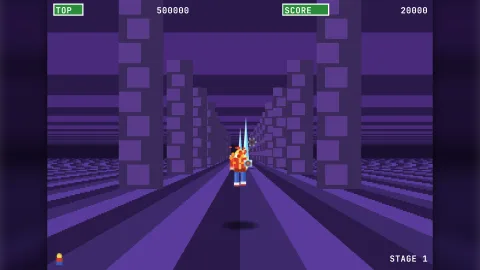

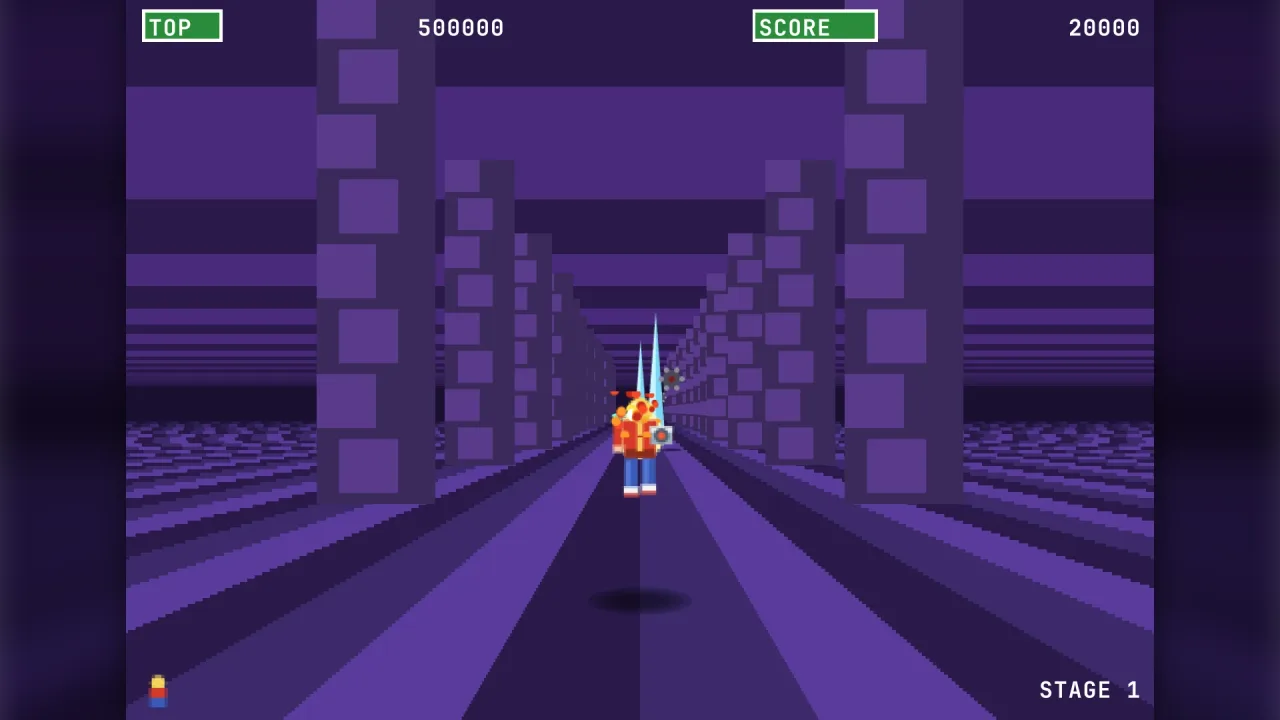
The pack
scaledDepth
function scaledDepth(): Pack<{ scaledDepth: typeof api }>Install the renderer-independent scaled-depth (Super Scaler world) API.
Helpers
aimVelocity
function aimVelocity(from: { x: number; y: number; z: number }, to: { x: number; y: number; z: number }, speed: number): { x: number; y: number; z: number }A velocity of speed from from straight at to.
checker
function checker(a: string, b: string, size: SurfaceSize): DepthSurfaceA two-colour checkerboard.
createDepthCamera
function createDepthCamera(o: DepthCameraOptions): DepthCameraCreate a Super Scaler camera.
createDepthField
function createDepthField(o: DepthFieldOptions = {}): DepthFieldCreate a field of objects at depth.
createDepthPath
function createDepthPath(spec: DepthPathSpec | PathKey[]): DepthPathBuild a sampled path from keys.
createSceneryStream
function createSceneryStream(o: SceneryOptions): SceneryStreamCreate a deterministic scenery stream.
matches
function matches(o: DepthObject, f: DepthFilter): booleanDoes an object pass a filter?
roadProjector
function roadProjector(road: RoadLike): DepthProjectorA projector that places world points on a segmented road: x is world units across the road (x / roadWidth is
the road offset), y the height above the road surface, z the distance along the road. Pass it as the camera's
projector and keep the camera's z equal to the z given to the road's view().
steerVelocity
function steerVelocity( v: { x: number; y: number; z: number }, from: { x: number; y: number; z: number }, to: { x: number; y: number; z: number }, speed: number, turnRate: number, dt: number, ): { x: number; y: number; z: number }Turn a velocity toward a target by at most turnRate radians per second (Infinity: at once) and set its
length to speed. Positions and velocity share one frame. Returns the new velocity.
stripes
function stripes(along: "rows" | "columns", colors: string[], size: SurfaceSize): DepthSurfaceStripes along depth (rows, alternating bands toward the horizon) or across x (columns).
surface
function surface(o: SurfaceSize & { cells: string[][] }): DepthSurfaceA surface from a colour table (see DepthSurface).
sweep
function sweep(a: DepthObject, b: DepthObject, scale = 1): number | nullSwept box test: the relative position of a to b moved from (p_a - p_b) to (a_a - a_b) during the step; the
first time in [0, 1] it lies inside the Minkowski box, or null.
Classes
DepthCamera
class DepthCameraA Super Scaler camera. Projects world points to screen positions and scales, inverts that for pointer and ground picks, and slices patterned surfaces into scanline bands for sprite renderers.
readonly view: DepthViewSettings— Resolved settings.readonly pose: DepthPose— The current pose; change it withset.constructor(o: DepthCameraOptions)set(p: Partial<DepthPose>): this— Change part of the pose. Non-finite values throw.configure(o: { horizon?: number; far?: number; projector?: DepthProjector | null; pivot?: ScreenPoint }): this— Change the horizon at pitch 0, the far depth, the projector or the roll pivot at run time. A moving pivot rolls the view about a point that moves with the player (After Burner rolls the world about the jet): put it at the player's un-rolled screen position each step and the player's own projection is unchanged by the roll.get horizonY(): number— Un-rolled screen y of the horizon now (above the screen when the camera looks steeply down).get axisY(): number— Un-rolled screen y of the optical axis now (the horizon when the camera is not tilted).scaleAt(depth: number): number— Pixels per world unit at a depth.project(x: number, y: number, z: number): DepthProjection | null— Project a world point; null when outside [near, far].projectDepth(x: number, y: number, depth: number): DepthProjection | null— Project a camera-frame point (depthahead of the camera along the course: world z minus camera z).fogAt(depth: number): number— 0..1 fog at a depth (0 without a fog range).rowAt(depth: number, height = 0): number— Un-rolled screen row of a horizontal plane atheightseendepthahead (world z minus camera z).depthAtRow(uy: number, height = 0): number— How far ahead (world z minus camera z) a horizontal plane atheightlies under un-rolled rowuy; Infinity where the plane is not seen. With a tilt it can be negative: an overhead camera sees the ground behind it too.rollPoint(ux: number, uy: number): ScreenPoint— Rotate an un-rolled screen point by the roll about the pivot.unrollPoint(sx: number, sy: number): ScreenPoint— Undo the roll of a screen point.screenToGround(sx: number, sy: number, height = 0): { x: number; z: number; depth: number } | null— The world point on the plane atheightunder a (rolled) screen pixel, or null beyond the horizon.unproject(sx: number, sy: number, depth: number): { x: number; y: number; z: number }— The world point at cameradepthunder a (rolled) screen pixel.backdropShift(depth: number): number— Horizontal shift in pixels of a backdrop standing atdepth(mountains, clouds) for the camera's x.cover(): CoverRect— The un-rolled rectangle covering the whole rolled screen.bands(surface: DepthSurface, o: { rows?: number; minTile?: number; maxBands?: number } = {}): SurfaceBand[]— Slice a surface into scanline bands covering the (rolled) screen.rowsis the band height in pixels (default 1); bands narrower thanminTilepx per tile are flaggedfine.skyBands(o: { rows?: number; maxBands?: number } = {}): SkyBand[]— Bands of sky between the top of the (rolled) screen and the horizon,rowspx each (default 2).sample(surface: DepthSurface, sx: number, sy: number): SurfaceSample | null— The cell of a surface under a (rolled) screen pixel, or null where the surface is not seen.surfaceTransform(surface: DepthSurface): SurfaceTransform— Per-pixel parameters for a shader renderer.
DepthField
class DepthFieldA field of objects at depth.
readonly far: number— Depth in world units at which objects count as entered.readonly behind: number— Units behind the camera before an object is removed.readonly recede: number— Extra depth beyondfarbefore a receding object is removed.readonly max: number— Most live objects; spawning beyond it throws.camZ: number— The camera z of the last step.constructor(o: DepthFieldOptions = {})definePath(id: string, spec: DepthPathSpec): DepthPath— Register (or replace) a path.pathOf(id: string): DepthPath | undefined— A registered path.get objects(): readonly DepthObject[]— Live objects in spawn order.get count(): number— Number of live objects.get(id: string): DepthObject | undefined— An object by id (live only).spawn(s: DepthSpawn): DepthObject— Spawn an object; it is placed at once (no sweep from the origin).remove(o: DepthObject | string, type: DepthEvent["type"] = "removed"): void— Remove an object (eventremoved).clear(filter?: DepthFilter): void— Remove every object matching a filter (all without one).place(o: DepthObject, x: number, y: number, z: number): void— Move an object in its frame without sweeping (a teleport, a respawn).follow(o: DepthObject, path: string, opts: { origin?: { x: number; y: number; z: number }; time?: number; end?: DepthObject["pathEnd"] } = {}): void— Put an object on a path from now (its current position becomes the origin unless given).steer(o: DepthObject, target: { x: number; y: number; z: number }, speed: number, turnRate: number, dt: number): void— Turn an object's velocity toward a point in its frame (missiles, homing fireballs).toWorld(frame: DepthFrame, x: number, y: number, z: number): { x: number; y: number; z: number }— Where an object's frame point lies in absolute world coordinates now.fromWorld(frame: DepthFrame, x: number, y: number, z: number): { x: number; y: number; z: number }— Convert an absolute world point into a frame.step(dt: number, camZ: number): void— Advance every object bydtseconds after the camera moved tocamZ.feed(stream: SceneryStream, uptoZ: number, extra: (p: SceneryPlacement) => Partial<DepthSpawn> = () => ({})): DepthObject[]— Spawn a stream's scenery between its cursor anduptoZ(world objects); returns what was spawned.setCursor(name: string, z: number): void— Set a stream's cursor (e.g. skip a course already passed).cursor(name: string): number | undefined— A stream's cursor (undefined before the first feed).collide(a: DepthObject, filter: DepthFilter & { scale?: number } = {}): DepthContact[]— Every object whose boxa's box met during the last step (relative motion swept), earliest first.overlaps(a: DepthObject, b: DepthObject, scale = 1): boolean— Do two boxes overlap now?query(filter: DepthFilter = {}): DepthObject[]— Live objects matching a filter.pick(cam: DepthCamera, sx: number, sy: number, o: { radius?: number; minDepth?: number; maxDepth?: number; filter?: DepthFilter } = {}): DepthSprite[]— Objects whose projected box lies withinradiuspx of a screen point, nearest first.view(cam: DepthCamera, o: { filter?: DepthFilter; shadows?: boolean | DepthFilter; order?: "depth" | "ground" } = {}): DepthSprite[]— Every visible object projected, sorted far to near (ties by spawn order).order: "ground"sorts by level distance from the camera's spot on the ground instead (farthest first): the painter's order for things standing up from the ground under a tilted camera, where a tall building's side must cover what stands beyond it and a low helicopter must cover the foot of a building it flies past.drain(): DepthEvent[]— Lifecycle events since the last drain.snapshot(): DepthFieldSnapshot— Plain copy of the whole field.restore(s: DepthFieldSnapshot): void— Restore a snapshot (paths included).
Types
CoverRect
interface CoverRectAn un-rolled rectangle.
left: number— Left edge in un-rolled screen pixels.top: number— Top edge in un-rolled screen pixels.right: number— Right edge in un-rolled screen pixels.bottom: number— Bottom edge in un-rolled screen pixels.
DepthCameraOptions
interface DepthCameraOptionsOptions for createDepthCamera.
width: number— Screen width in pixels.height: number— Screen height in pixels.focal?: number— Pixels per world unit at depth 1. Default fromfov.fov?: number— Horizontal field of view in radians, used whenfocalis not given. Default 1.6 (about 92 degrees).horizon?: number— Screen y of the horizon at pitch 0. Default height / 2. With atiltthis is the screen row of the optical axis (the vanishing point of depth), and the true horizon sitsfocal * tan(tilt)above it.tilt?: number— How far the camera looks down, in radians: 0 (default) is the level Super Scaler view; pi / 2 looks straight down (Thunder Blade's overhead sections), so buildings rise toward the camera and their sides open out around the vanishing point. Between -pi / 2 and pi / 2. Also a pose value (set({ tilt })) so a view can swing.centerX?: number— Screen x of the vanishing point. Default width / 2.near?: number— Nearest visible depth. Default 0.5.far?: number— Farthest visible depth. Default 400.pivot?: ScreenPoint— Roll pivot in screen pixels. Default the screen centre.fog?: { start: number; end: number }— Depths where the 0..1fogvalue of a projection starts and reaches 1. Default none (fog 0).projector?: DepthProjector— Optional replacement projection for world points (seeDepthProjector).
DepthContact
interface DepthContactA swept contact.
other: DepthObject— The other object.t: number— Time of first contact within the last step, 0..1.
DepthData
type DepthData = Record<string, number | string | boolean>Plain values the rules keep on an object.
DepthEvent
interface DepthEventA lifecycle notification.
type: "spawned" | "entered" | "behind" | "receded" | "expired" | "path-end" | "removed"— Which lifecycle moment this is.id: string— Id of the object concerned.kind: string— Kind of the object concerned.group: string— Group of the object concerned; empty when it has none.
DepthFieldOptions
interface DepthFieldOptionsOptions for createDepthField.
far?: number— Depth at which objects count asentered, and beyond which receding ones are removed (default 400).behind?: number— Units behind the camera before an object is removed (default 4).recede?: number— Extra depth beyondfarbefore a receding object is removed (default 20).max?: number— Most live objects (default 2048, at most 16384).paths?: Record<string, DepthPathSpec>— Registered paths by id.
DepthFieldSnapshot
interface DepthFieldSnapshotPlain field state for snapshots.
camZ: number— Camera z at the last step.nextSeq: number— The next spawn sequence number.objects: DepthObject[]— Every live object.cursors: Record<string, number>— Scenery stream cursors by stream name: the z each has been fed up to.events: DepthEvent[]— Lifecycle events not yet drained.paths: Record<string, DepthPathSpec>— Registered path specs by id.
DepthFilter
interface DepthFilterWhich objects a query considers.
kinds?: string[]— Kinds to accept; others are skipped. Default any.groups?: string[]— Groups to accept; others are skipped. Default any.frame?: DepthFrame— Only objects in this frame. Default either.solid?: boolean— Only objects whosesolidflag matches. Default either.test?: (o: DepthObject) => boolean— Extra predicate an object must pass.
DepthFrame
type DepthFrame = "world" | "camera"world: z is absolute. camera: z is a depth in front of the camera and the object travels with it.
DepthObject
interface DepthObjectA live object. Positions are in its frame; ax/ay/az and px/py/pz are absolute box centres now and one step ago.
id: string— Unique id,kind-nwithnthe spawn sequence number; never reused.seq: number— Spawn sequence number from 1; ties in the draw order break by it.kind: string— Object kind given at spawn.frame: DepthFrame— Frame the position is expressed in.x: number— Lateral position in the frame (world x).y: number— Height in the frame (world y); the bottom of the object whenanchorisbase.z: number— Distance in the frame (world z): absolute forworld, ahead of the camera forcamera.w: number— Width in world units (world x).h: number— Height in world units (world y).d: number— Depth extent in world units (world z).anchor: "centre" | "base"— Whetheryis the object's centre or its bottom.vx: number— Lateral velocity in units per second, in the frame; ignored while on a path.vy: number— Vertical velocity in units per second, in the frame; ignored while on a path.vz: number— Velocity along the course in units per second, in the frame; ignored while on a path.path: string | null— Id of the path being followed, or null when moving by velocity.pathTime: number— Seconds into the path, counted from its first key.pathEnd: "hold" | "remove" | "continue"— What happens when a non-looping path ends.ox: number— Path origin x: added to the path's x.oy: number— Path origin y: added to the path's y.oz: number— Path origin z: added to the path's z.age: number— Seconds since the object spawned.life: number | null— Seconds of life before it expires, or null for none.group: string— Free group name set at spawn; empty when none was given.solid: boolean— Whether the rules treat contact with it as harmful; a filter flag only.keep: boolean— Whether it stays when it passes behind the camera.entered: boolean— Whether it has been inside the camera's depth range (far) at any time since spawning.alive: boolean— False once the field has removed it.ax: number— Absolute x of the box centre now.ay: number— Absolute y of the box centre now.az: number— Absolute z of the box centre now.px: number— Absolute x of the box centre one step ago.py: number— Absolute y of the box centre one step ago.pz: number— Absolute z of the box centre one step ago.data: DepthData— Plain values for the rules, copied at spawn.
DepthPath
interface DepthPath extends Readonly<Required<DepthPathSpec>>A sampled depth path.
readonly duration: number— Seconds from the first key to the last.at(t: number): { x: number; y: number; z: number }— The position at timet(clamped to the ends unless looping).velocity(t: number): { x: number; y: number; z: number }— Approximate velocity (units per second) at timet.
DepthPathSpec
interface DepthPathSpecA path as plain data (what a field registers and snapshots).
keys: PathKey[]— Keys in increasing time; at least one. A looping path's last key should repeat its first.loop?: boolean— Repeat for ever (default false).smooth?: boolean— Catmull-Rom through the keys (default true); false interpolates linearly.
DepthPose
interface DepthPoseThe camera's pose.
x: number— Lateral position (world x).y: number— Eye height above the ground plane (world y).z: number— Distance along the course (world z).roll: number— Whole-view roll in radians, positive clockwise on screen, about the pivot.pitch: number— Horizon shift in pixels: positive moves the horizon down the screen (looking up).tilt: number— Look-down angle in radians (seeDepthCameraOptions.tilt): a true rotation about the x axis. Default 0.
DepthProjection
interface DepthProjectionA projected point.
x: number— Rolled screen x.y: number— Rolled screen y.ux: number— Un-rolled screen x.uy: number— Un-rolled screen y.scale: number— Pixels per world unit at this depth: a w-unit sprite is w * scale pixels wide.depth: number— Depth in front of the camera (along its view axis: the world z distance when the camera is not tilted).rot: number— Rotation a sprite drawn here takes: the view roll.fog: number— 0..1 by the camera's fog range (0 without one).
DepthProjector
type DepthProjector = (x: number, y: number, z: number, pose: Readonly<DepthPose>) => { x: number; y: number; scale: number; depth?: number } | nullReplaces the flat projection for world-frame points: returns the UN-ROLLED screen position and the scale
(pixels per world unit) of a world point, or null when it is not in view. roadProjector adapts a route road.
A projector that knows the point's true distance in front of the eye (a road laid in 3D, where a stretch far along
the course can pass close by) returns it as depth: the camera then culls, sorts and fogs by it instead of by
z - pose.z.
DepthSpawn
interface DepthSpawnWhat to spawn.
kind: string— Object kind, such astreeorshot; the spawned id iskind-n.frame?: DepthFrame— Defaultworld.x?: number— Position in the frame (with a path: added to the path as its origin). Default 0.y?: number— Height in the frame (world y); withanchor: "base"the bottom of the object. Default 0.z?: number— Distance in the frame (world z): absolute forworld, ahead of the camera forcamera. Default 0.w: number— Size in world units.h: number— Height in world units; must be above 0.d?: number— Depth extent (default min(w, h)).anchor?: "centre" | "base"—centre(default) orbase(y is the bottom: things standing on the ground).vx?: number— Velocity in units per second, in the frame.vy?: number— Vertical velocity in world units per second.vz?: number— Velocity along the course in world units per second, in the frame.path?: string— A registered path id: the object follows it frompathTime, offset by (x, y, z).pathTime?: number— Start time on the path (default 0).pathEnd?: "hold" | "remove" | "continue"— At the end of a non-looping path:holdthe last point (default),removeit, orcontinueat its last velocity.life?: number— Seconds before it expires (default none).group?: string— A free group name (a formation,shot,enemy-shot).solid?: boolean— A rules flag carried for filters (things that hurt on contact). Default false.keep?: boolean— Not removed when it passes behind the camera. Default false.data?: DepthData— Plain values for the rules.
DepthSprite
interface DepthSpriteOne projected object, ready to draw.
id: string— Id of the object.kind: string— Kind of the object.obj: DepthObject— The live object that was projected.x: number— Rolled screen centre of the sprite.y: number— Rolled screen y of the sprite centre, in pixels (down).w: number— Size in pixels.h: number— Height in pixels.scale: number— Pixels per world unit.depth: number— Depth in front of the camera, in world units.rot: number— Sprite rotation: the view roll.fog: number— 0..1 fog by the camera's fog range (0 without one).baseX: number— Rolled screen point of the object's bottom centre.baseY: number— Rolled screen y of the object's bottom centre, in pixels.shadow: { x: number; y: number; w: number; h: number; rot: number } | null— Ground footprint (rolled centre, size in px, rotation), or null.
DepthSurface
interface DepthSurfaceA horizontal patterned plane: the ground (height 0) or a ceiling (above the camera). Cell (col, row) =
(floor((x - originX) / tileWidth), floor((z - originZ) / tileDepth)) has colour cells[row mod R][col mod C].
height?: number— Height of the plane (world y). Default 0.tileWidth: number— Width of one cell (world x).tileDepth: number— Depth of one cell (world z).cells: string[][]— Colours by [row mod R][col mod C]. Every row needs the same length.originX?: number— World x where column 0 starts. Default 0.originZ?: number— World z where row 0 starts. Default 0.haze?: { color: string; depth: number; start?: number } | undefined— Haze towardcolorfrom depthstart(default 0) todepth: the band'shazevalue.
DepthViewSettings
interface DepthViewSettingsResolved camera options.
width: number— Screen width in pixels.height: number— Screen height in pixels.focal: number— Pixels per world unit at depth 1.horizon: number— Screen y of the horizon at pitch 0, in pixels (with a tilt, the row of the optical axis).centerX: number— Screen x of the vanishing point, in pixels.near: number— Nearest visible depth, in world units; always above 0.far: number— Farthest visible depth, in world units; always beyondnear.pivot: ScreenPoint— Roll pivot in screen pixels;configuremoves it.fog: { start: number; end: number } | null— Depths where fog starts and reaches 1, or null for no fog.
PathKey
interface PathKeyOne key of a depth path: a position at a time (seconds from the path start).
t: number— Time of the key in seconds from the path start; keys must increase.x: number— Lateral position at the key (world x).y: number— Height at the key (world y).z: number— Depth at the key: world z, or distance ahead of the camera for a camera-frame object.
RoadLike
interface RoadLikeWhat roadProjector needs from a road: route's PseudoRoad satisfies it. Call the road's view() first each frame.
readonly roadWidth: number— Half-width of the road in world units: world x / roadWidth is the road offset (-1 .. 1 edge to edge).place(z: number, offset: number, height?: number): { x: number; y: number; scale: number } | null— Screen position and pixels-per-unit scale of a point on the road at z, lateral offset, height; null off view.
SceneryKind
interface SceneryKindA kind of scenery a row can place.
kind: string— Object kind.weight?: number— Relative chance among the row's kinds (default 1).w: number— Width (world x).h: number— Height (world y).d?: number— Depth extent (default min(w, h)).y?: number— Height above the ground of the anchor point (default 0).anchor?: "base" | "centre"—base(default):yis the bottom;centre:yis the centre (floating rocks).data?: Record<string, number | string | boolean>— Copied onto the placement for the rules.
SceneryOptions
interface SceneryOptionsOptions for createSceneryStream.
seed: number— Seed.name?: string— Stream name (a field keeps one cursor per name). Default "scenery".sections: ScenerySection[]— Sections, in any order; overlapping sections both place.
SceneryPlacement
interface SceneryPlacementOne placed item.
sid: string— Stable id: section, slot, row and item.kind: string— Object kind copied from the chosenSceneryKind.x: number— Lateral position (world x), including the row'soffset; a mirrored item gets the negated x.y: number— Height above the ground (world y) of the anchor point.z: number— Distance along the course (world z), after jitter.w: number— Width (world x).h: number— Height (world y).d: number— Depth extent (world z).anchor: "base" | "centre"— Whetheryis the item's bottom (base) or its centre.data: Record<string, number | string | boolean>— Copy of the kind'sdata, for the rules.
SceneryRow
interface SceneryRowOne row rule, applied at every slot of a section.
kinds: SceneryKind[]— Kinds to choose from.count?: number | [number, number]— Items per slot: a number or an inclusive [min, max]. Default 1.x: [number, number]— Lateral range [min, max] (world x).chance?: number— Chance the row places anything at a slot (default 1).minGap?: number— Minimum lateral gap between items of the row at one slot (default 0).mirror?: boolean— Place each item twice, at x and -x (symmetric avenues). Default false.offset?: number— Lateral offset added to every item (a course that drifts sideways). Default 0.
ScenerySection
interface ScenerySectionA stretch of course with its own spacing and rows.
from: number— Start distance (world z, inclusive of slots after it).to: number— End distance.spacing: number— Distance between slots.jitter?: number— Random z jitter as a fraction of the spacing (default 0).rows: SceneryRow[]— The rows.
SceneryStream
interface SceneryStreamA scenery stream.
readonly name: string— Stream name; a field keeps one cursor per name.readonly options: Readonly<SceneryOptions>— The options the stream was created with.between(z0: number, z1: number): SceneryPlacement[]— Placements with z in (z0, z1], ordered by z then sid.
ScreenPoint
interface ScreenPointA screen-space point.
x: number— Screen x in pixels.y: number— Screen y in pixels (down).
SkyBand
interface SkyBandOne band of sky above the horizon.
key: number— Stable key: the un-rolled start row.y0: number— First un-rolled row.y1: number— One past the last un-rolled row.t: number— 0 at the horizon .. 1 one screen height above it.left: number— Un-rolled left edge to draw.right: number— Un-rolled right edge to draw.cx: number— Rolled centre x.cy: number— Rolled centre y.rot: number— Rotation: the view roll.
SurfaceBand
interface SurfaceBandOne band of scanlines of a surface (see the design doc's band contract).
key: number— Stable key: the un-rolled start row.y0: number— First un-rolled row.y1: number— One past the last un-rolled row.depth: number— Camera depth at the band centre.row: number— World tile row at the band centre.colors: string[]— Colours across x for this band, periodcolors.lengthtiles.tile: number— Tile width in pixels at the band centre.x0: number— Un-rolled x where columncol0starts (at or left ofleft).col0: number— Column index starting atx0; column k covers [x0 + (k - col0) * tile, x0 + (k - col0 + 1) * tile).left: number— Un-rolled left edge to draw.right: number— Un-rolled right edge to draw.mix: number— 0..1: share of the band's pixels that belong to a different row than the centre row.fine: boolean— True when tiles are narrower thanminTilepx: draw the average colour.haze: number— 0..1 toward the surface's haze colour.cx: number— Rolled centre x of the strip [left, right] x [y0, y1].cy: number— Rolled centre y of the strip.rot: number— Rotation of the strip: the view roll.
SurfaceSample
interface SurfaceSampleWhat sample finds under a screen pixel.
row: number— World tile row under the pixel (floor of z relative tooriginZ, divided bytileDepth).col: number— World tile column under the pixel (floor of x relative tooriginX, divided bytileWidth).color: string— Colour of the cell, as given in the surface'scells.depth: number— Camera depth of the point on the plane, in world units.x: number— World x of the point on the plane.z: number— World z of the point on the plane.
SurfaceSize
interface SurfaceSizeOptions shared by the surface helpers.
tileWidth: number— Width of one cell (world x); must be above 0.tileDepth: number— Depth of one cell (world z); must be above 0.height?: number— Height of the plane (world y). Default 0.originX?: number— World x where column 0 starts. Default 0.originZ?: number— World z where row 0 starts. Default 0.haze?: { color: string; depth: number; start?: number } | undefined— Haze towardcolorfrom depthstart(default 0) todepth: the band'shazevalue. Default none.
SurfaceTransform
interface SurfaceTransformThe parameters a shader needs to draw a surface per pixel (see the design doc's texture-transform contract).
centerX: number— Screen x of the vanishing point, in pixels.horizonY: number— Un-rolled screen y of the horizon, in pixels (above the screen when the camera looks steeply down).focal: number— Pixels per world unit at depth 1.camX: number— Camera lateral position (world x).camY: number— Camera eye height above the ground plane (world y).camZ: number— Camera distance along the course (world z).height: number— Height of the surface plane (world y); 0 is the ground.roll: number— Whole-view roll in radians, positive clockwise on screen, aboutpivot.pivot: ScreenPoint— Roll pivot in screen pixels.tileWidth: number— Width of one cell (world x).tileDepth: number— Depth of one cell (world z).originX: number— World x where column 0 starts.originZ: number— World z where row 0 starts.tilt: number— The camera's look-down angle (0: the level formulas apply; see the docs for the tilted ones).