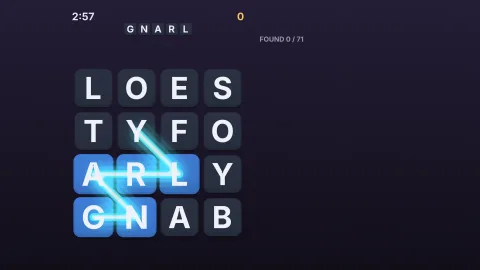

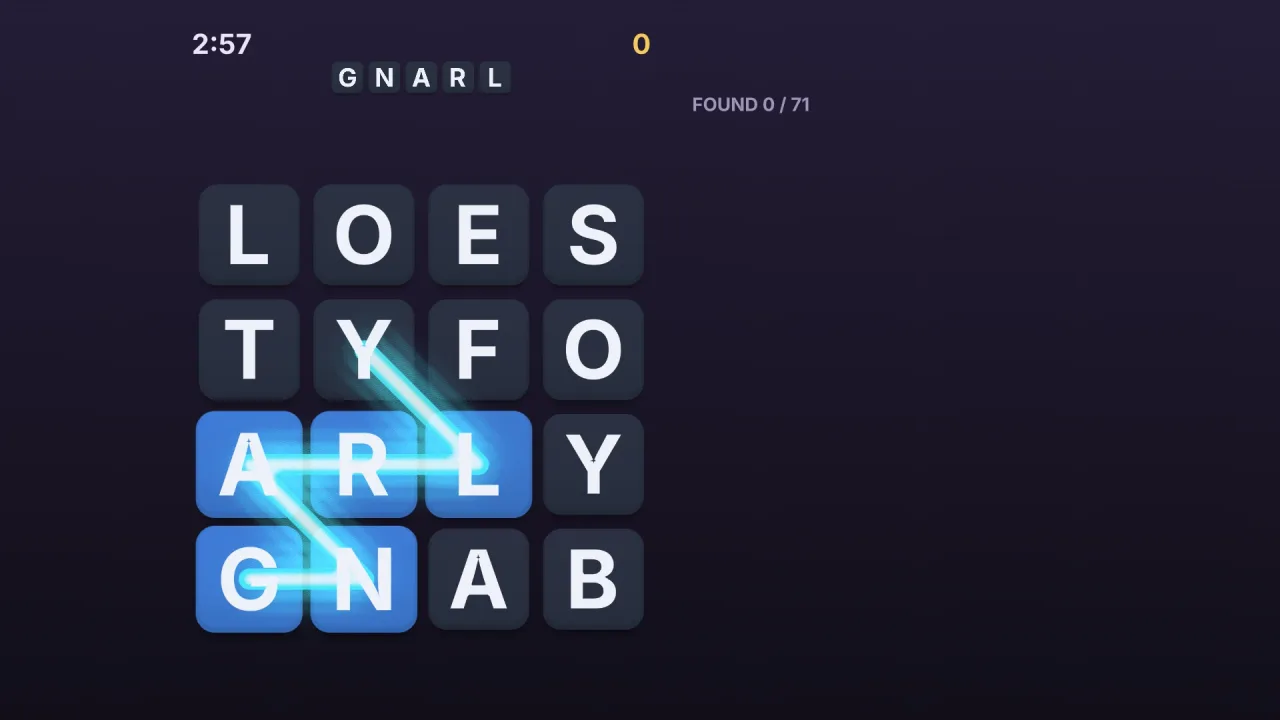
The pack
letterTiles
function letterTiles(): Pack<{ letterTiles: LetterTilesApi }>The letter-tiles pack. Composed after typography and sprite-shaders; particles-2d, when composed too, gives bursts.
Helpers
extendPath
function extendPath(path: ReadonlyArray<number>, tile: number, places: ReadonlyArray<TilePlace>, opts: { readonly mode: 'path' | 'free'; readonly diagonals?: boolean; readonly backtrack?: boolean; readonly max?: number; readonly canAdd?: (path: ReadonlyArray<number>, tile: number) => boolean; }): number[]The path after the pointer reaches tile: unchanged, one tile longer, or one shorter when it goes back onto the
tile before the last (with backtrack). canAdd has the last word on a new tile. path mode also needs the new tile
to touch the last one in the grid (sides and, with diagonals, corners); free mode takes any tile not used yet.
layoutTiles
function layoutTiles(layout: TileLayout): TilePlace[]The place of every tile a layout makes, in order. Throws a RangeError for a count or size that is not a number.
linePath
function linePath(from: number, x: number, y: number, places: ReadonlyArray<TilePlace>, diagonals = true): number[]The tiles of a straight line in a grid from tile from towards a point: the line snaps to the nearest of the eight
directions (four with diagonals false), as long as the drag reaches along it, and stops at the last tile that
exists. Returns the tiles from from to the end, in order.
STROKE_EFFECTS
const STROKE_EFFECTS: Readonly<Record<Exclude<StrokeEffectName, 'clean'>, StrokeEffect>>The shader effects behind the stroke names. Each reads the stroke's own shape (its alpha) and draws round and over it;
unit is one tile. Copy one to make your own: { ...STROKE_EFFECTS.neon, params: { ...STROKE_EFFECTS.neon.params, reach: 0.5 } }.
TILE_STYLES
const TILE_STYLES: Readonly<Record<'cream' | 'slate' | 'candy' | 'glass' | 'ink', TileStyle>>The built-in tile looks, by name. Copy one and change it, or pass its name.
tileAt
function tileAt(places: ReadonlyArray<TilePlace>, x: number, y: number, reach = 0.42): numberThe tile under a point, or -1: the nearest tile whose centre is within reach times its size. That is a circle, so
0.5 touches the tile's sides and leaves its corners out; the default 0.42 keeps well inside them, so a diagonal drag
does not catch a neighbour on its way past, and 0.71 takes in the whole square.
Types
BoardOptions
interface BoardOptionsA board's options. Only layout is required.
layout: TileLayout— Where the tiles go.letters?: ReadonlyArray<string> | string— The letters, one a tile, as an array or a string of single letters. A tile may hold more than one ('qu'). Default blank.style?: keyof typeof TILE_STYLES | TileStyle— A style by name (TILE_STYLES) or your own; a style of your own fills its gaps fromcream. Default'cream'.layer?: string— The layer the board draws on. Default the world's first.z?: number— The board's depth in its layer; its pieces take z to z + 4. Default 0.space?: 'world' | 'screen'—world(the default) maps pointers through the 2D world's camera;screentakes them as they are, for a HUD layer.select?: SelectOptions | false— The drag, or false for a board that only shows letters. Default false.stroke?: StrokeOptions— How the selection is drawn.enter?: 'pop' | 'fade' | 'drop' | 'none'— How the tiles arrive: popping up one after another, fading in, dropping in from above, or at once. Default'pop'.burst?: TileBurst | false— Throw particles from the tiles of an accepted selection, when particles-2d is composed: a preset, a recipe of your own, or false. Default'sparks'. Throws for an unknown preset.
CommitEvent
interface CommitEventA finished selection, as the commit event reports it.
readonly path: ReadonlyArray<number>— The tiles, in order.readonly word: string— Their letters together, lower case.readonly verdict: 'accept' | 'reject' | 'repeat' | 'none'— What the judge said, as a kind.
GlyphFrame
interface GlyphFrameOne letter (or a short string such as Qu), baked: its frame, its size and where to put it to centre its ink.
readonly key: string— What was baked, for telling frames apart.readonly frame: number— The atlas frame.readonly width: number— The frame's width at the baked size, logical units.readonly height: number— The frame's height at the baked size, logical units.readonly dx: number— From the ink's centre to the frame's centre, across, at the baked size: add it (scaled) to the tile's centre.readonly dy: number— From the capital height's centre to the frame's centre, down, at the baked size: letters share one baseline.readonly cap: number— The font's capital height at the baked size: a letterLunits tall is drawn atL / capof its baked size.
Highlight
interface HighlightA kept highlight.
readonly id: number— Its id, forunhighlight.readonly path: ReadonlyArray<number>— Its tiles.readonly color: string— Its colour.
LetterBoard
interface LetterBoardA board of letter tiles. Make one with game.letterTiles.board(options).
readonly tiles: ReadonlyArray<LetterTile>— The tiles, in layout order.readonly path: ReadonlyArray<number>— The tiles selected now, in order; empty when nothing is.readonly word: string— The letters ofpathtogether, lower case.readonly selecting: boolean— Is a drag or a trace selecting now?readonly highlights: ReadonlyArray<Highlight>— The highlights kept on the board.enabled: boolean— Pointer input on or off; a trace still runs. Default on.stroke: StrokeOptions— The stroke's look, live: setcolor,effect,widthand the rest, and the next frame draws it.setLetters(letters: ReadonlyArray<string> | string, opts?: { flip?: boolean; stagger?: number }): void— Change every letter at once, which a flip still to land a letter no longer does; withflip, each tile turns over to its new letter instead,staggerseconds apart (default 0.04).relayout(layout: TileLayout, opts?: { duration?: number; letters?: ReadonlyArray<string> | string; enter?: 'pop' | 'fade' | 'drop' | 'none'; stagger?: number }): void— Move the tiles to a new layout, gliding to their new places and sizes overdurationseconds (default 0.35; 0 moves them at once). A layout with more places adds tiles at the end, arriving asentersays (default a pop),staggerseconds apart (default 0.03, less when many arrive); fewer takes tiles off the end, shrinking out.letterssets every tile's letters at once: a word row that grows and shrinks as a player types. A highlight that names a tile taken off goes, a trace through one stops (unjudged, fading asclearfades it), and a drag keeps only its tiles before the first one taken off. Throws for a duration or stagger that is negative or not a number.alpha: number— The whole board's opacity, 0..1, over every tile's own and the stroke's: fade a board out as it scrolls away. Default 1.burst: TileBurst | false— The particles an accepted word throws, live: a preset, a recipe of your own, or false. Starts as the board option's. Throws for an unknown preset.arrange(order: ReadonlyArray<number>, opts?: { duration?: number }): void— Move tiles between places: afterwards placeiholds the tile that was atorder[i], gliding there. The tiles array is reordered to match, so indexiis still the tile at placei. A letter wheel's shuffle.durationdefaults to 0.4 seconds; 0 moves them at once. Throws for an order that is not every index once, or a duration that is negative or not a number.select(path: ReadonlyArray<number>): void— Showpathas the current selection, as a drag would. Throws for an index that is not a tile of the board.trace(path: ReadonlyArray<number>, opts?: { speed?: number; then?: 'judge' | 'hold' | 'clear' }): void— Tracepathtile by tile,speedtiles a second (default 7), then judge it (default) or just hold it. Throws for an index that is not a tile of the board.commit(): CommitEvent['verdict']— Judge the current selection now, as letting go would, and return the verdict.clear(): void— Drop the current selection, fading its stroke.accept(path?: ReadonlyArray<number>, opts?: { color?: string; keep?: boolean; burst?: boolean | TileBurst; stroke?: boolean }): number— Animate an accepted word onpath(default the current selection): bounce, burst, and keep it as a highlight if asked.burstis true for the board's (the default), false for none, or a preset or recipe for this word alone. A word not kept flashes its stroke as it fades, unlessstrokeis false (an answer row that was never dragged across). Returns the highlight's id, or -1. Throws for an index that is not a tile of the board, or an unknown burst preset.reject(path?: ReadonlyArray<number>, opts?: { stroke?: boolean }): void— Animate a rejected word onpath(default the current selection): shake, and flash its stroke red unlessstrokeis false. Throws for an index that is not a tile of the board.highlight(path: ReadonlyArray<number>, color?: string): number— Keeppathhighlighted incolor(default the next of the found palette). Returns its id. Throws for an index that is not a tile of the board.unhighlight(id: number): void— Remove one highlight.clearHighlights(): void— Remove every highlight.tileAt(x: number, y: number): number— The tile under a world point, or -1.on(event: 'change', fn: (path: ReadonlyArray<number>, word: string) => void): () => void— Listen:change(the selection changed),commit(a selection was judged) ortap(a tile intapmode). Returns the cancel. Listen for each judged selection, with its verdict. Returns the cancel. Listen for taps on tiles, intapmode. Returns the cancel.on(event: 'commit', fn: (e: CommitEvent) => void): () => void— Listen:change(the selection changed),commit(a selection was judged) ortap(a tile intapmode). Returns the cancel. Listen for each judged selection, with its verdict. Returns the cancel. Listen for taps on tiles, intapmode. Returns the cancel.on(event: 'tap', fn: (tile: number) => void): () => void— Listen:change(the selection changed),commit(a selection was judged) ortap(a tile intapmode). Returns the cancel. Listen for each judged selection, with its verdict. Returns the cancel. Listen for taps on tiles, intapmode. Returns the cancel.destroy(): void— Remove the board and everything it drew.readonly destroyed: boolean— Removed?
LetterTile
interface LetterTileOne tile. Its letter and state are live; its motion is the board's.
readonly index: number— Its place on the board, from 0.letter: string— Its letters, lower case. Setting it changes the letter at once, and a flip still to land a letter no longer does;flipchanges it with a turn.state: string— Its state:idle,selected,found,disabled,hidden, or a name of your own the style defines. Setting it wins over a flip still to land a state, as forletter.visible: boolean— Drawn at all.readonly x: number— Its centre now, world units, as it moves.readonly y: number— Its centre now, world units, as it moves.readonly size: number— Its layout size, world units. After a relayout to another size it is drawn easing to this over the glide.readonly flipping: boolean— Is a flip waiting for its delay or turning? True fromflipuntil the tile stands upright again.readonly col: number— Its place in a grid layout (column), or its index.readonly row: number— Its place in a grid layout (row), or 0.pop(strength?: number): void— A springy pop;strength1 is a normal one.shake(): void— A short shake, as for a wrong answer.flip(change?: { state?: string; letter?: string; delay?: number }): void— Turn over and change its state and letter at the half-way point, afterdelayseconds (default 0). It replaces a flip still pending. Settingletterorstatebefore the half-way point drops that part of the change, and a flip left with nothing to change that has not begun to turn is dropped, so a reused board never lands a stale letter.cancelFlip(): void— Drop a pending or turning flip: its change never lands and the tile stands upright at once.from(x: number, y: number, opts?: { duration?: number; delay?: number }): void— Jump to a world point and glide from there to its place overdurationseconds (default 0.35), afterdelay: a tile falling into a gap, or dealt from a deck.shader(def: StrokeEffect | null, opts?: { params?: Readonly<Record<string, number>>; colors?: Readonly<Record<string, string>> }): void— Run a sprite shader on the tile's shape (a burning tile, a golden one): a definition,SPRITE_SHADER_RECIPESentry, or null to take it off.paramsandcolorsoverride the definition's. A tile with no shape has none.
LetterTilesApi
interface LetterTilesApigame.letterTiles: boards of letter tiles, and the styles and effects they draw with.
board(options: BoardOptions): LetterBoard— Make a board: tiles laid out, lettered and styled, with a drag to select them ifselectis given. Scene-scoped.readonly boards: ReadonlyArray<LetterBoard>— The boards alive now.readonly styles: typeof TILE_STYLES— The built-in tile styles, by name.readonly effects: typeof STROKE_EFFECTS— The ready stroke effects, by name (andclean, which needs none).readonly layout: typeof layoutTiles— Where a layout puts its tiles, without making a board.
SelectMode
type SelectMode = 'path' | 'free' | 'line' | 'tap'How a drag chooses tiles.
SelectOptions
interface SelectOptionsHow a drag selects tiles, and what decides whether a selection counts.
mode: SelectMode—path: touching tiles, one after another (a letter grid).free: any tiles in any order (a letter wheel).line: a straight line across a grid in one of eight directions (a word search).tap: each tap is atapevent, nothing is dragged (a keyboard, a rack).diagonals?: boolean— Inpathandlinemodes, do corners count as touching and diagonals as lines? Default true.backtrack?: boolean— Going back onto the tile before the last takes the last one off. Default true.reach?: number— How near a tile's centre the pointer must come, as a fraction of its size (seetileAt). Default 0.42; 0.5 inlinemode, 0.62 intap.min?: number— Fewest tiles a selection needs to be judged; a shorter one just fades. Default 2.max?: number— Most tiles in a selection. Default no limit.canAdd?: (path: ReadonlyArray<number>, tile: number) => boolean— Maytilejoinpath? The rules' last word on each tile, and inpathmode the touching rule when given.judge?: (path: ReadonlyArray<number>, word: string) => Verdict | void— Judge a finished selection: the rules decide, the board animates the answer. Without it every selection fades.keep?: boolean— Keep accepted selections as highlights. Default true inlinemode, false otherwise.
StrokeEffect
type StrokeEffect = SpriteShaderDefA stroke effect: a sprite shader whose params include unit, which the board sets to its tile size in world units,
so every effect is scaled to the tiles and not to the board. Colours c0..c3 are set from the stroke's colour
where the definition's colour is named stroke.
StrokeEffectName
type StrokeEffectName = 'clean' | 'glow' | 'neon' | 'fire' | 'electric' | 'rainbow' | 'sparkle' | 'ink'The ready stroke effects, by name: clean draws the stroke in its colour; the others run a shader over it.
StrokeEffectSpec
type StrokeEffectSpec = StrokeEffectName | StrokeEffectA name or a definition of a stroke effect.
StrokeOptions
interface StrokeOptionsHow the selection is drawn.
width?: number— Its width as a fraction of a tile's size. Default 0.8 inlinemode (a band over the letters), else 0.2 (a cord).color?: string— Its colour while selecting. Default the effect's own colour, else the tile style'sstroke.effect?: StrokeEffectSpec— A ready effect by name or a shader definition. Default'glow'.params?: Readonly<Record<string, number>>— Values for the effect's params, over its own (neverunit, which the board sets to its tile size).colors?: Readonly<Record<string, string>>— Colours for the effect, over its own.alpha?: number— Its opacity. Default 0.9, or 0.6 inlinemode.elastic?: number— A tail from the last tile to the pointer, 0 for none and up to 1 for a soft, lagging elastic. Default 0.35.dots?: boolean— A dot on each selected tile's centre. Default false.reject?: string— The colour a rejected selection flashes. Default'#ff5d5d'.found?: { effect?: StrokeEffectSpec | 'none'; alpha?: number; palette?: ReadonlyArray<string> }— Kept highlights: their effect ('none'for plain), opacity and the colours they take in turn.
TileBurst
type TileBurst = 'sparks' | 'confetti' | 'stars' | Readonly<Record<string, unknown>>The particles thrown from each tile of an accepted word, when particles-2d is composed: a ready preset (sparks,
confetti, stars) or a particles-2d burst recipe of your own (its keys, count among them, but not x and y,
which are each tile's centre).
TileLayout
type TileLayout = | { readonly kind: 'grid'; readonly cols: number; readonly rows: number; readonly x?: number; readonly y?: number; readonly cell?: number; readonly gap?: number; readonly mask?: ReadonlyArray<string> } | { readonly kind: 'ring'; readonly count: number; readonly radius: number; readonly x?: number; readonly y?: number; readonly size?: number; readonly start?: number } | { readonly kind: 'row'; readonly count: number; readonly x?: number; readonly y?: number; readonly cell?: number; readonly gap?: number; readonly wrap?: number } | { readonly kind: 'points'; readonly points: ReadonlyArray<{ readonly x: number; readonly y: number; readonly col?: number; readonly row?: number }>; readonly size: number }How tiles are laid out. Every layout is centred on x, y (default 0, 0) in world units.
grid:cols×rowstiles ofcellunits withgapbetween, row by row; amask(one string a row,.or a space for no tile) leaves holes, and only the tiles it keeps are made, in reading order.ring:counttiles round a circle ofradius, the first atstartradians (default straight up, -π/2), clockwise; eachsizeunits (default a size that keeps neighbours apart).row:counttiles ofcellunits in a line, wrapping everywraptiles onto a new row (default never).points: tiles ofsizeunits at the points given: a crossword's cells, a keyboard, anything.
TilePlace
interface TilePlaceOne tile's place: its centre and size in world units, and its column and row when the layout is a grid.
readonly x: number— Centre x, world units.readonly y: number— Centre y, world units.readonly size: number— Width and height, world units.readonly col: number— Column, from 0 at the left; for a ring, row or point layout, the tile's index.readonly row: number— Row, from 0 at the top; 0 outside a grid.
TileShape
type TileShape = 'rounded' | 'circle' | 'square' | 'hexagon' | 'none'A tile's shape, painted once and tinted per state.
TileStateStyle
interface TileStateStyleHow a tile looks in one state. Every field is optional over the style's own.
fill?: string— The tile's colour, any CSS colour.text?: string— The letter's colour.scale?: number— Size on top of the tile's own, 1 for its layout size.alpha?: number— Opacity 0..1.
TileStyle
interface TileStyleHow a board's tiles look. fill, text, scale and alpha are the idle look; states overrides them per state:
the built-in hover, selected, found, disabled and hidden, and any name of your own (correct, absent).
shape?: TileShape— The shape. Default'rounded'.radius?: number— A rounded tile's corner radius as a fraction of its size. Default 0.18.bevel?: number— Light from above, baked into the shape: 0 flat, 1 strongly bevelled. Default 0.5.shadow?: string | null— A soft shadow under each tile, any CSS colour, or null for none. Default a translucent black.fill?: string— The idle colour.text?: string— The idle letter colour.scale?: number— The idle size on top of the layout's. Default 1.alpha?: number— The idle opacity. Default 1.letterSize?: number— The letter's height as a fraction of the tile's size. Default 0.56.letterCase?: 'title' | 'upper' | 'lower'—'title'(the default) shows a tile in capitals with any letters after the first small (A,Qu,Th);'upper'all capitals (QU,OK);'lower'small.font?: string— The typography family the letters are drawn in. Default'sans-bold'.states?: Readonly<Record<string, TileStateStyle>>— The look in each state, over the idle look.stroke?: string— The stroke's colour on these tiles when neither the board nor its effect names one: a colour the selected tiles do not drown.
Verdict
type Verdict = 'accept' | 'reject' | 'repeat' | 'none' | { /** `accept`: the tiles bounce and the stroke flashes; `reject`: they shake; `repeat`: they pulse; `none`: it fades. */ readonly kind: 'accept' | 'reject' | 'repeat' | 'none'; /** For an accept kept as a highlight: its colour. Default the next colour of the found palette. */ readonly color?: string; /** Keep an accepted selection on the board as a highlight. Default the select options' `keep`. */ readonly keep?: boolean; /** Particles from its tiles (needs the particles-2d pack): true for the board's `burst`, false for none, or a burst of its own. Default true. */ readonly burst?: boolean | TileBurst; }What a game says about a finished selection. A string is the kind alone.