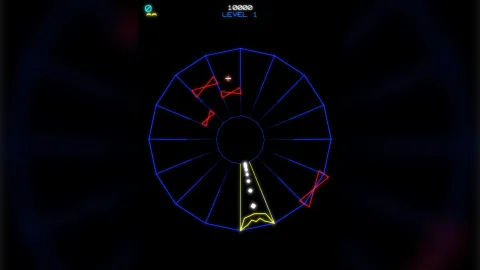

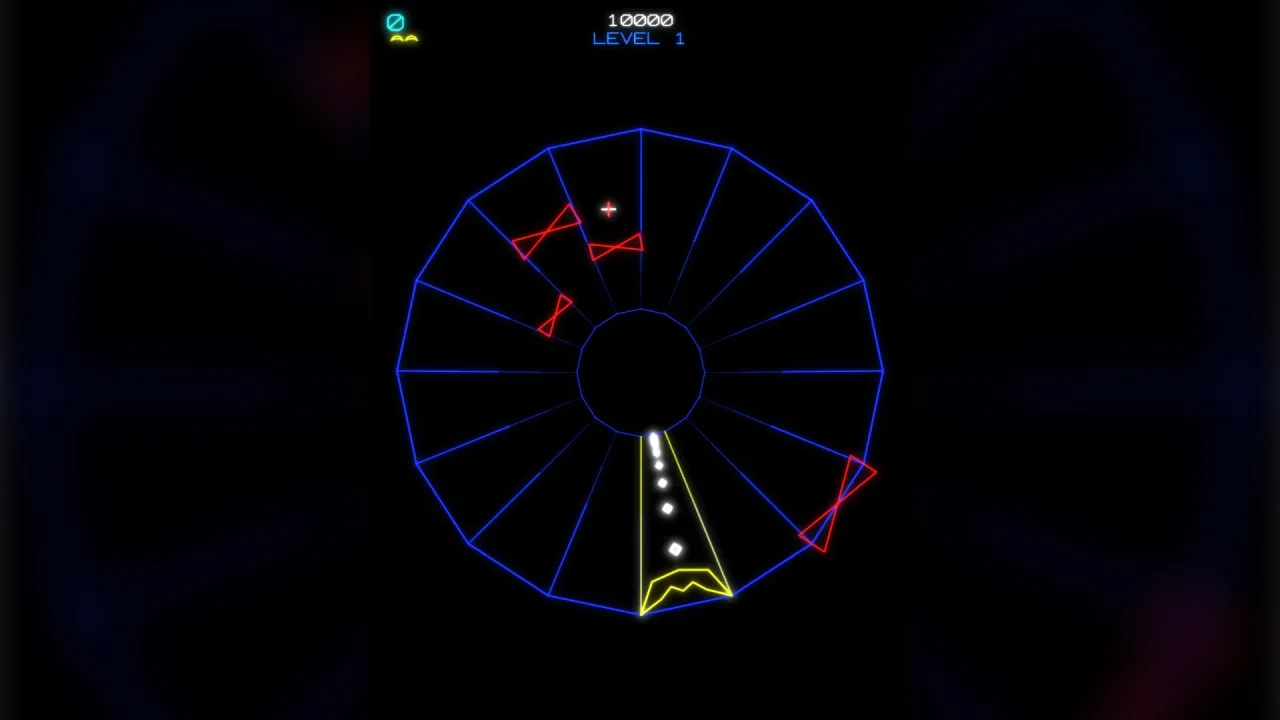
The pack
vector2d
function vector2d(opts: Vector2dOptions = {}): Pack<{ vector: Vector2dApi }>The vector-2d pack: retained and immediate line art with a phosphor halo, solid faces, trails,
starfields and line-art particles — one instanced draw for the lot. Supports the WebGPU and WebGL2 backends.
Helpers
resolveVecColor
function resolveVecColor(src: VecColorSource, i: number): stringResolve a colour source for item i. Pure.
Functions
buildFill
function buildFill(points: readonly VecPt[], fill: VecFillSource | undefined): number[]An outline turned into a triangle list: x, y, r, g, b, a per vertex, in the shape's own space.
Returns an empty list — not a white face — for anything that means "no fill". 'transparent', 'none',
a fully transparent colour and fewer than three points all take that path.
buildFillWgsl
function buildFillWgsl(): stringThe FILL shader — solid faces under the line art. A triangulated outline, one vertex at a time: a position in the shape's own space, its transform slot, a depth and a colour PER VERTEX, which is what gives the gradient with no extra uniform and no second pass. It shares the line pass's transform table, so a filled shape moves for the same eight floats.
DEPTH is the point of it. The fill pass WRITES depth where the line pass only tests it, so a nearer filled shape hides both the fills and the lines behind it — corridors, hulls, a web with solid lanes.
buildLineWgsl
function buildLineWgsl(stamp = false): stringAssemble the line shader. stamp picks the glow-stamp variant. Pure string work, so a test can read the
two variants without a GPU.
centroid
function centroid(points: readonly VecPt[]): VecPtThe centroid of a path — where a shatter flies away from.
chainJoins
function chainJoins(points: readonly VecPt[], closed = false): Float32ArraysegJoins for a path rather than a segment list.
clipToScissor
function clipToScissor( clip: VecClipRect, viewX: number, viewY: number, viewW: number, viewH: number, pxW: number, pxH: number, ): { x: number; y: number; w: number; h: number } | nullA world clip rect turned into an integer pixel SCISSOR on a pxW × pxH target, given the view rect the
layer drew with. null means none of the rect is on the target, so the whole draw can be skipped.
Pure, and that is the point: the HALF-RES glow target runs the same arithmetic against its own size. A halo clipped to a different rectangle than the line that cast it is the bug this exists to prevent.
fragmentAlpha
function fragmentAlpha(age: number, life: number): numberFragment alpha over age: hold, then fade the last 40%. A piece that fades from the instant it spawns reads as weak.
outlineSegs
function outlineSegs(shape: { parts?: ReadonlyArray<{ x: number; y: number; rot: number; scale: number; segs: ReadonlyArray<readonly [VecPt, VecPt]> }>; segs?: ReadonlyArray<readonly [VecPt, VecPt]>; }): Array<[VecPt, VecPt]>Every segment of a shape in the SHAPE's own space, each part's local transform already baked in. The one place anything outside the renderer should read a shape's geometry — physics binds to shapes in headless tests where there is no device to build a real one.
particleOutline
function particleOutline(kind: VecShapeKind, circleSides = 10): Array<[VecPt, VecPt]>The outline for one particle kind, centred on the origin at RADIUS 1 — the per-particle size is its scale.
partToShape
function partToShape(part: { x: number; y: number; rot: number; scale: number }, p: VecPt): VecPtA point in a PART's own space, lifted into its SHAPE's space.
polySegs
function polySegs(points: readonly VecPt[], closed = false): Array<[VecPt, VecPt]>Expand a polyline into segment endpoint pairs; closed joins the last point back to the first.
rampColor
function rampColor(ramp: VecRamp, t: number, cyclic: boolean): stringThe colour of a ramp at t along it, 0..1. A CYCLIC ramp — a closed outline's — wraps from its last stop back
to its first, so the join where the path closes has no seam; an open one runs first to last. t outside 0..1
wraps either way, which is what lets a shifted ramp run round a path for ever.
segJoins
function segJoins(segs: ReadonlyArray<readonly [VecPt, VecPt]>): Float32ArrayWhere each segment should be CUT so neighbours abut instead of overlapping — four floats a segment, in the
same order polySegs produced them.
Each segment end carries the inward normal of the plane it is cut on. The two segments meeting at a joint share ONE plane — the angle bisector — and take opposite sides of it. Between them they still tile the whole join, each contributing half of the round cap, so the picture is unchanged while every pixel is painted exactly once.
That is the difference between this and cutting each segment square across its own end, which is the obvious thing to try and NOTCHES every corner: two perpendicular cuts leave an uncovered wedge between them, where one shared plane has no space between its two sides.
Painting once is what makes ALPHA work on an outline. Overlapping caps blend twice, so at alpha 0.35 a joint reaches 1 − 0.65² = 0.58 while the rest of the line sits at 0.35, and every corner beads. Fully opaque lines never showed it, because drawing the same colour over itself changes nothing.
A free end — either end of an open chain — gets a zero normal, which the shader reads as "no cut" and leaves as a round cap.
shapeOrigin
function shapeOrigin(s: { x: number; y: number; rot: number; scale: number; pivot: VecPt | null }): VecPtWhere a shape's transform actually puts its origin, with pivot folded in.
The shader only knows world = R·S·local + T; there is no pivot in it. Turning about an arbitrary point is
that same transform with a different T, so the whole feature lives here and costs nothing per vertex:
world(p) = R·S·(p − pivot) + pivot + xy = R·S·p + (xy + pivot − R·S·pivot)The pivot itself therefore lands at exactly (x + pivot.x, y + pivot.y) — which is the point a shatter
should burst from.
shatter
function shatter(segs: ReadonlyArray<readonly [VecPt, VecPt]>, opts: { speed?: number; spin?: number; life?: number; rnd?: () => number } = {}): Shard[]Break an outline into shards, each flying away from the centroid with a spin. The speed is scaled by how far the piece already was from the middle, so a long shape comes apart lengthways rather than as a uniform puff.
spawnFragment
function spawnFragment( x: number, y: number, dirX: number, dirY: number, opts: { speed?: number; spin?: number; life?: number }, rand: () => number, ): VecFragmentSpawn kinematics for one shattered segment. The transform sits ON the segment's world MIDPOINT, so its
spin turns the piece about its own centre rather than orbiting the shape's origin, and it flies along the
outward unit direction with jitter and spin from rand.
stepFragment
function stepFragment(f: VecFragment, dt: number, drag = 0.4, gravity = 0): booleanAdvance one fragment. Returns false once it has expired.
stepShard
function stepShard(s: Shard, dt: number, drag = 0.6): booleanAdvance a shard. Returns false once it has lived its life.
vectorStampRadius
function vectorStampRadius(width: number, glow: number, glowWidth?: number): numberA segment's halo radius, world units: 0 when glow is 0 or less; width/2 + 1 + glow*2 with no glowWidth; else width/2 times glowWidth (at least 1).
worldToLocal
function worldToLocal( s: { x: number; y: number; rot: number; scale: number; pivot: VecPt | null }, wx: number, wy: number, ): VecPt | nullA WORLD point mapped into a shape's LOCAL space — the inverse of the transform the shader applies.
Doing it this way round is the whole performance story: transforming the OUTLINE is O(n) per shape per query, while inverting the POINT is O(1) and the outline is then tested exactly as it was authored.
With c = cos(rot)·scale and n = sin(rot)·scale, R·S is [[c, −n], [n, c]], whose determinant is
scale², so the inverse is [[c, n], [−n, c]] / scale². Null for a degenerate scale of 0 — the shape
occupies no area, so nothing can be inside it.
Classes
VecStarfield
class VecStarfieldA drifting or warping star field. Every public field is live.
mode: VecStarMode—'drift'scrolls a flat field;'warp'flies into the screen.bounds: { x: number; y: number; w: number; h: number } | null— The rectangle the field lives in, or null to follow the layer's view.speed: number— DRIFT: world units each second for the nearest layer. WARP: depth units each second.angle: number— DRIFT: the direction of travel, radians.origin: { x: number; y: number } | null— WARP: the vanishing point, or null for the centre of the rect.focal: number— WARP: the focal length.near: number— WARP: the nearest depth before a star recycles.far: number— WARP: the depth stars spawn at.bend: { x: number; y: number } | ((t: number, time: number) => { x: number; y: number }) | null— WARP: a constant lean, or a function for a curved tunnel.spin: number— WARP: the roll aboutorigin, radians each second.size: number— The star size at the nearest depth.streak: number— The tail length, in seconds of travel.color: string— The star colour.colors: VecColorSource | null— A colour source indexed per star, or null.glow: number— The halo intensity.z: number | undefined— The depth for the vector pass.dead: boolean— True afterkill(). The layer drops a dead field.readonly stars: VecStar[]— Every star, live. Move them, cull them, sort them — it is an array.each: ((s: VecStar, dt: number, field: VecStarfield) => void) | null— Run over every star each step, after the built-in motion and before the draw.get layers(): number— DRIFT parallax layers. Assign at any time; the field re-layers on the spot. Sets the layer count, rounded to a whole number and floored at 0; 0 or 1 gives one flat layer. Stars are re-dealt to layers immediately.set layers(n: number)— DRIFT parallax layers. Assign at any time; the field re-layers on the spot. Sets the layer count, rounded to a whole number and floored at 0; 0 or 1 gives one flat layer. Stars are re-dealt to layers immediately.constructor(private host: StarHost, o: VecStarfieldOptions = {})— Built throughgame.vector.starfield().get rect(): { x: number; y: number; w: number; h: number }— The rectangle in play — the explicitbounds, else the live view.resize(count: number): void— Grow or shrink the field, keeping the stars already placed.reset(): void— Re-scatter every star — a new level, a jump, a different sky.kill(): void— Remove the field from the layer.step(dt: number): void— Move every star on and recycle the ones that leave. The layer calls it each frame.emit(): void— Push the field's segments at the host. The layer calls it each frame.
VecTrail
class VecTrailA ribbon behind a moving thing. Every field is live: change any of them between frames.
length: number— Samples kept.minDist: number— Minimum world distance between samples.maxDist: number— The longest move one sample may span; 0 is off.life: number— Seconds a sample lives; 0 is length-bound only.width: number— Stroke width at the head.tailWidth: number— Stroke width at the tail.alpha: number— Alpha at the head.tailAlpha: number— Alpha at the tail.color: string— Colour at the head.tailColor: string | null— Colour to grade toward at the tail, or null for one colour.colors: VecColorSource | null— A colour source stepped along the ribbon, or null.glow: number— Halo intensity at the head.dwell: number— Beam dwell 0..1.z: number | undefined— Depth.dead: boolean— True afterkill(). The layer drops a dead trail.constructor(private host: TrailHost, o: VecTrailOptions = {})— Built throughgame.vector.trail().get count(): number— How many samples it is holding.get points(): readonly VecPt[]— The samples, oldest first.push(x: number, y: number): void— Feed it the mover's position — once a frame is right.clear(): void— Drop every sample — a teleport, so the ribbon does not smear across it.kill(): void— Stop drawing it and let the layer forget it.step(dt: number): void— Age the samples out. The layer calls it; call it yourself only off-layer.emit(): void— Push the ribbon's segments at the host. The layer calls it each frame.
Constants
FILL_FLOATS
const FILL_FLOATS: 8Floats one filled vertex packs to: position with depth and slot, then rgba.
FILL_WGSL
const FILL_WGSL: stringThe fill shader, built once and exported so a test can read it and a fill pass can share the transform table.
LINE_FLOATS
const LINE_FLOATS: 24Floats one segment instance packs to: six vec4s.
resolvePoints
const resolvePoints = (p: VecPoints): readonly VecPt[]=> …Resolve a point source to its array.
XFORM_FLOATS
const XFORM_FLOATS: 8Floats one transform slot packs to: two vec4s.
Types
Shard
interface ShardOne piece of a shattered outline: its own transform, drifting and spinning away.
x: number— Where the piece is now, relative to the shape's own origin.y: number— And its y.vx: number— Its drift, world units a second.vy: number— And its y drift.spin: number— Its turn, radians a second.rot: number— Its rotation now.age: number— Seconds lived.life: number— How long it lives.
StarHost
interface StarHostWhere a starfield pushes its segments, and the view it lays out against.
seg(x0: number, y0: number, x1: number, y1: number, style: VecStylePatch): void— Pushes one line segment from (x0, y0) to (x1, y1), in world units, drawn with the given style; a zero-length segment is a dot.readonly viewRect: { x: number; y: number; w: number; h: number }— The view being drawn, so an unbounded field follows a resize.
TrailHost
interface TrailHostWhere a trail pushes its segments — the layer, or a test double.
seg(x0: number, y0: number, x1: number, y1: number, style: VecStylePatch): void— Pushes one line segment from (x0, y0) to (x1, y1), in world units, drawn with the given style.
VecClipRect
interface VecClipRectA clip rectangle, in WORLD units.
x: number— The left edge.y: number— The top edge.w: number— The width.h: number— The height.
VecColorSource
type VecColorSource = | 'rainbow' | (string & {}) | readonly string[] | ((i: number) => string) | { hue: readonly [number, number]; step?: number; sat?: number; val?: number } | { from: string; to: string; step?: number }Where a per-item colour comes from.
'rainbow'— walk the hue wheel- any other string — one flat colour
string[]— cycle an explicit palette(i) => string— anything else;iis the item's index in the run{ hue: [from, to], step?, sat?, val? }— an arc of the wheel, walked and folded so it cycles{ from, to, step? }— ping-pong between two literal colours, so a run never jumps
step is DEGREES PER ITEM and defaults to 1, so a burst of count spans count × step degrees. Raise it
to fan one burst across the wheel; leave it at 1 for a stream that cycles gradually.
VecEmitOptions
interface VecEmitOptionsA burst of line-art particles.
x: number— The x centre of the burst. Required.y: number— The y centre of the burst. Required.count?: number— Particles in the burst. Default 12.shape?: VecShapeKind | readonly VecShapeKind[]— The outline to cut them from — one kind, or an array to mix per particle. Default'square'.size?: number— Radius in world units. Default 6.sizeVar?: number— Random size variation, ± world units. Default 2.speed?: number— Initial speed. Default 90.speedVar?: number— Random speed variation, ± world units each second. Default 40.angle?: number— Direction, radians. Default 0.spread?: number— The arc the directions spread across, radians. Default a full circle.even?: boolean— Space the angles EVENLY across the spread — a clean ring or fan rather than a scatter.spawnRadius?: number— Jitter the spawn point within this radius. Default 0.spin?: number— Random spin up to ±spin rad/s. Default 3.life?: number— Seconds. Default 1.2.lifeVar?: number— Random life variation, ± seconds. Default 0.4.drag?: number— Velocity damping each second. Default 0.4.gravity?: number— Downward acceleration. Default 0; negative rises.shrink?: number— Final size as a fraction of the start. Default 1; 0 shrinks to nothing.style?: VecStyle— The line look — the same style a shape takes.colors?: VecColorSource— A colour per particle. The cursor lives on the LAYER, so a per-frame stream keeps walking the wheel.circleSides?: number— Segments per circle. Default 10. Fewer is chunkier and cheaper.
VecFaceOptions
interface VecFaceOptionsWhat an immediate FACE takes. No width and no glow: a face has neither, and offering them would lie.
alpha?: number— Multiplies the face colour's own alpha, exactly as it does for a stroke. Default 1.z?: number— Depth within the layer, 0..1. Default 0.screen?: boolean— Draw in SCREEN space rather than world space. Default false.
VecFill
interface VecFillA solid face under an outline. A bare string is a flat colour; an array is a multi-stop ramp.
color?: string— The face colour, or the first stop of a ramp.'transparent'and'none'mean no face at all.to?: string— The far end of a two-stop ramp.stops?: readonly string[]— Three or more stops, evenly spaced along the ramp. Beatscolor/to.angle?: number— Ramp direction in SHAPE-LOCAL radians. Default 0, left to right.radial?: boolean— Ramp outward from the centre instead of along an axis.
VecFillSource
type VecFillSource = string | readonly string[] | VecFill | nullAnything a caller may pass where a fill is wanted.
VecFragment
interface VecFragmentOne drifting, spinning piece — a shard of a shattered outline, or a particle from a burst.
x: number— World x.y: number— World y.rot: number— Rotation, radians.scale: number— Scale factor.vx: number— World units each second, x.vy: number— World units each second, y.spin: number— Radians each second.age: number— Seconds lived so far.life: number— Total seconds it lives.
VecHitOptions
interface VecHitOptionsHow VecShape.contains decides a hit.
tolerance?: number— Slop in WORLD units, added around the stroke. Default 6 — about a fingertip at a normal world height. A 2-unit line is otherwise nearly impossible to click.mode?: 'auto' | 'fill' | 'stroke'—'auto'(default) — inside a CLOSED outline counts, and so does being withintoleranceof the stroke. An OPEN polyline has no interior, so it is stroke-only. This is what a drag handle wants.'fill'— interior only; a closed outline behaves like a solid face and the stroke is not separately grabbable. An open path never hits.'stroke'— proximity to the line only; the middle of a closed shape is a miss. This is the Star Castle case: a shot passes THROUGH the ring and kills only the section it actually crossed.
VecPartHandle
interface VecPartHandleOne live part of a shape.
x: number— Offset within the shape. Live.y: number— Offset within the shape. Live.rot: number— Turned on top of the shape's rotation. Live.scale: number— Multiplied with the shape's scale. Live.readonly name: string | null— Its handle, or null.setPoints(points: VecPoints, closed?: boolean): void— Replace this part's outline.readonly points: readonly VecPt[]— The points it holds.restyle(style: Partial<VecStyle> & { fill?: VecFillSource; ramp?: VecRamp | null; rampShift?: number }): void— Restyle just this part.slotFor(origin: VecPt, c: number, n: number): { x: number; y: number; rot: number; scale: number }— WHERE THIS PART ACTUALLY SITS, given the shape's world origin and its rotation folded with its scale asc = cos(rot) * scaleandn = sin(rot) * scale. The renderer's own slot maths, exposed — a debug overlay that recomputes it by hand is a second copy that will disagree.
VecPartOptions
interface VecPartOptions extends VecStyleOne outline inside a MULTI-PART shape.
A part carries its own geometry, its own style, its own fill and its own place within the shape. Anything it does not set falls back to the shape's, so parts that share a look say nothing. This is how a lander gets a hull, a flame and two legs that all turn together but recolour separately.
points: VecPoints— This part's outline — an array, or a factory that returns one.fill?: VecFillSource— This part's solid face. Falls back to the shape's.closed?: boolean— Does the outline close? Default true.x?: number— Offset within the shape, in the shape's own point space.y?: number— The y offset within the shape.rot?: number— Turned about the part's own origin, on top of the shape's rotation.scale?: number— Multiplied with the shape's scale.name?: string— A handle, soshape.part('leftLeg')beats an array index.ramp?: VecRamp | null— A colour run along this part's WHOLE outline. Falls back to the shape's. SeeVecShapeOptions.ramp.rampShift?: number— Turns the ramp along the outline, 0..1. Falls back to the shape's.
VecPoints
type VecPoints = readonly VecPt[] | (() => readonly VecPt[])Points, or something that makes them.
Every place that takes an outline takes this, so a shape factory goes straight in —
shape(() => star(5, 40, 18)) — with no array built first. It is called ONCE, when the outline is built;
it is not a per-frame hook.
VecPt
interface VecPtA point on a path.
x: number— Horizontal position in world units (pixels at the default view); grows rightward.y: number— Vertical position in world units (pixels at the default view); grows downward.
VecRamp
type VecRamp = readonly string[] | 'rainbow'A colour run along a whole outline: stops evenly spaced along it, or the hue wheel.
VecShape
interface VecShapeA retained shape: one or more outlines under one transform.
x: number— Position x. Live.y: number— Position y. Live.rot: number— Rotation, radians. Live.scale: number— Uniform scale. Live.alpha: number— A multiplier over every segment's alpha. Live.glow: number— A multiplier over every segment's glow. Live.visible: boolean— Whether it draws at all.pivot: VecPt | null— The point it turns and scales about, in point space, or null for the point origin. Live.wrap: { w: number; h: number } | null— The wrap size, or null. Live — set or clear it at any time.setPoints(points: VecPoints, closed?: boolean): void— Replace the outline — re-packs only this shape, so a crater can be blown in a terrain.readonly points: readonly VecPt[]— The points it currently holds — the FIRST part's, on a multi-part shape.readonly parts: readonly VecPartHandle[]— Its parts, in order. A single-outline shape has exactly one.part(name: string): VecPartHandle | null— One part by name, or null.restyle(style: Partial<VecStyle> & { fill?: VecFillSource; ramp?: VecRamp | null; rampShift?: number }): void— Change the look without rebuilding the geometry.contains(wx: number, wy: number, opts?: VecHitOptions): boolean— Is a world point on or inside it? Ghost copies count.bounds(): { x: number; y: number; w: number; h: number }— Its world-space bounding box, from the points themselves rather than a rotated local box.shatter(opts?: { speed?: number; spin?: number; life?: number; drag?: number }): void— BREAK IT APART. Every segment re-parents to its own drifting, spinning transform and fades overlife, then the shape removes itself. The death of every rock, ship and shield in the vector canon.drag(default 0.6) is how fast the pieces slow down: turn it up and the debris settles close in, turn it down and it keeps going.readonly shattering: boolean— True while it is shattering.kill(): void— Remove it.revive(): this— Put a killed shape back, un-shattered.readonly alive: boolean— True until killed.
VecShapeKind
type VecShapeKind = 'line' | 'triangle' | 'square' | 'diamond' | 'circle' | 'cross' | 'star'The outline a vector particle is cut from.
VecShapeOptions
interface VecShapeOptions extends VecStyleEverything shape() takes: the line style, plus the transform, the face, the pivot and the wrap.
x?: number— World x, measured from the pivot. Default 0.y?: number— World y, measured from the pivot. Default 0.rot?: number— Rotation about the pivot, radians. Default 0.scale?: number— Scale about the pivot. Default 1.closed?: boolean— Join the last point back to the first. Default true.fill?: VecFillSource— A solid face under the outline.pivot?: VecPt | null— The point the shape turns and scales about, in POINT space. Null (the default) is the point origin. It costs nothing per vertex — seeshapeOrigin.wrap?: { w: number; h: number } | null— Draw three GHOST copies at ±w, ±h — the Asteroids wrap, where a rock straddling the edge appears on both sides at once. Keep the position itself in range yourself; this only draws the copies.ramp?: VecRamp | null— A colour run along the WHOLE outline by arc length — stops evenly spaced from the first point round the path, or'rainbow'for the hue wheel.color2grades each SEGMENT on its own, so on a chain it repeats at every joint and reads as banding; a ramp grades the path once. A closed outline's ramp wraps back to its first stop, so there is no seam. Beatscolor/color2on the stroke.rampShift?: number— Turns the ramp along the outline, 0..1. Restyle it each frame for a running colour cycle. Default 0.
VecStar
interface VecStarOne star.
x: number— DRIFT: world x. WARP: lateral offset from the tunnel axis, before projection.y: number— DRIFT: world y. WARP: vertical offset from the tunnel axis, before projection.z: number— DRIFT: which layer, 0 (nearest, full speed) to 1 (farthest). WARP: depth in world units.
VecStarfieldOptions
interface VecStarfieldOptionsTuning for game.vector.starfield().
count?: number— How many stars. Default 240.mode?: VecStarMode— Default'drift'.bounds?: { x: number; y: number; w: number; h: number } | null— The rectangle the field lives in. Default: the layer's current view, so it follows a resize.speed?: number— DRIFT: world units each second for the nearest layer. WARP: depth units each second. Negative reverses. Default 60.angle?: number— DRIFT: direction of travel, radians. 0 is right, +y is down. Default 0.layers?: number— DRIFT: parallax layers. Default 4; 0 or 1 makes one flat layer.origin?: { x: number; y: number } | null— WARP: the vanishing point. Default the centre ofbounds.focal?: number— WARP: focal length in world units. Default 260; bigger is a narrower field.near?: number— WARP: nearest depth before a star recycles. Default 12.far?: number— WARP: the depth stars spawn at. Default 900.bend?: { x: number; y: number } | ((t: number, time: number) => { x: number; y: number }) | null— WARP: a constant sideways lean, or(t, time) => offsetfor a curved tunnel.spin?: number— WARP: roll the whole field aboutorigin, radians each second.size?: number— Star size at the nearest depth. Default 2.2.streak?: number— Tail length, in SECONDS of travel. 0 (the default) draws plain dots.color?: string— Star colour. Default white.colors?: VecColorSource | null— A colour source indexed per star, for a mixed-temperature sky. Resolved when a star spawns.glow?: number— Halo intensity. Default 0.5.z?: number— Depth for the vector pass. Default: behind everything else in the layer.rng?: () => number— Deterministic layouts — pass the game's seeded rng.
VecStarMode
type VecStarMode = 'drift' | 'warp''drift' scrolls a flat field; 'warp' flies into the screen.
VecStyle
interface VecStyleHow a shape or a segment is drawn.
color?: string— Colour, css. Default white.color2?: string— A second colour, so the line runs as a gradient fromcolorto this.alpha?: number— Opacity 0..1. Default 1.width?: number— Core width in world units. Under 1 it is a HAIRLINE and joins are cut square. Default 1.5.glow?: number— Phosphor halo brightness, 0 for a bare crisp line. Default 0.glowWidth?: number— Halo radius as a multiple of the core's half-width, at least 1. Omitted: the radius iswidth/2 + 1 + glow*2.dash?: number— Dash period in world units, 0 for solid. Default 0.dwell?: number— BEAM DWELL 0..1 — how much the ends of a stroke burn brighter and fatter, as a real display's beam decelerates into a turn. Scaled per end by how sharply the line actually turns. Default 0.z?: number— Depth 0..1; a larger number draws in front. Default 0.screen?: boolean— Draw in SCREEN pixels rather than world units — a HUD, a joystick, a hotbar. Immediate only (seg,poly,arc,text): a HUD is redrawn every frame anyway, and a retained screen shape would want its own transform table for no gain. Retained shapes, bursts, trails and star fields ignore it.
VecStylePatch
type VecStylePatch = { [K in keyof VecStyle]: VecStyle[K] | undefined }A style whose fields may be CLEARED as well as set.
Anything that reuses ONE style object across many segments — a trail's ribbon, a starfield's stars — needs
to unset a field between them (color2 on a graded trail is the case that forces it), and
exactOptionalPropertyTypes refuses undefined on a plain optional field. Reusing the object is the
point: a thousand stars then cost no allocation at all.
Vector2dApi
interface Vector2dApigame.vector.
shape(points: VecPoints | readonly VecPartOptions[], style?: VecShapeOptions): VecShape— A retained shape from a path, or from a list of PARTS.seg(x1: number, y1: number, x2: number, y2: number, style?: VecStyle): void— One segment, this frame only.poly(points: readonly VecPt[], style?: VecStyle & { closed?: boolean }): void— A path, this frame only.arc(cx: number, cy: number, r: number, from: number, to: number, style?: VecStyle, steps?: number): void— An arc, this frame only.fromandtoare RADIANS — a full circle is0, Math.PI * 2, and 360 here is fifty-seven turns.fill(points: readonly VecPt[], fill: VecFillSource, opts?: VecFaceOptions): void— A SOLID FACE, this frame only — the filled counterpart ofpoly. Flat colour, a two-stop ramp or a multi-stop one, exactly as a retained shape'sfilltakes. Reach for it whenever the face is TRANSLUCENT. The old idiom for a filled disc — an arc of radiusr/2strokedrwide — is a fan of segments that overlap heavily toward the centre, so a face asked for at 7% alpha composites with itself forty times over and comes out solid. It is exact at alpha 1 and wrong at every other alpha, with nothing said. This is one layer of triangles at the alpha asked for.disc(cx: number, cy: number, r: number, fill: VecFillSource, opts?: VecFaceOptions, steps?: number): void— A filled circle, this frame only —fill()over a circle ofstepssegments (default 48).text(str: string, x: number, y: number, opts?: VecTextOptions & { style?: VecStyle }): void— STROKED TEXT, this frame only — the vector font, drawn as line art like everything else.emit(opts: VecEmitOptions): void— A burst of line-art particles.trail(opts?: VecTrailOptions): VecTrail— A ribbon behind a moving thing.starfield(opts?: VecStarfieldOptions): VecStarfield— A drifting or warping star field.hit(wx: number, wy: number, opts?: VecHitOptions): VecShape | null— The topmost shape under a world point, or null.hitAll(wx: number, wy: number, opts?: VecHitOptions): VecShape[]— Every shape under a world point, topmost first.readonly all: readonly VecShape[]— Every live shape.clear(): void— Remove them all — shapes, trails, fields and live particles.clip: VecClipRect | null— Restrict the layer to a world rectangle, or null for none. Live.glow: number— A multiplier over every glow in the layer. Live.glowSize: number— How far the halo reaches, logical pixels. Live.enabled: boolean— Turn the layer off.readonly segments: number— Segments SUBMITTED last frame — retained, immediate and particle alike. What the game asked for, counted whether or not a backend was there to draw it.readonly shapes: number— Live retained shapes.readonly fragments: number— Pieces currently flying from ashatter(). Watch it spike and fall back to zero.readonly particles: number— Live particles fromemit.setRng(rng: () => number): void— Use a seeded generator for bursts and shatters, so a replay matches.readonly viewRect: { x: number; y: number; w: number; h: number }— The view rectangle the layer last drew with, in world units.
Vector2dOptions
interface Vector2dOptionsManifest options.
glow?: number— A multiplier over every glow in the layer. Default 1.glowSize?: number— How far the halo reaches, in logical pixels. Default 16.enabled?: boolean— Whether the layer draws. Default true.
VecTrailOptions
interface VecTrailOptionsTuning for game.vector.trail().
length?: number— Samples kept. Default 40. The oldest is the tail.minDist?: number— Minimum world distance between samples. Default 4. Below it a move folds into the head.maxDist?: number— The longest move one sample may span. 0 (the default) turns the split off.life?: number— Seconds a sample survives. 0 (the default) makes the trail length-bound only.width?: number— Stroke width at the head. Default 5.tailWidth?: number— Stroke width at the tail. Default 0.alpha?: number— Alpha at the head. Default 1.tailAlpha?: number— Alpha at the tail. Default 0.color?: string— Colour at the head. Default white.tailColor?: string— The colour to grade toward at the tail — a colour change, not a fade.colors?: VecColorSource— A colour source stepped along the ribbon. Beatscolor.glow?: number— Halo intensity at the head; it fades out with the alpha. Default 0.7.dwell?: number— Beam dwell 0..1. Default 0.z?: number— Depth, as on any line.