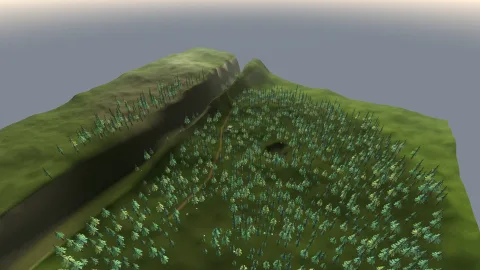

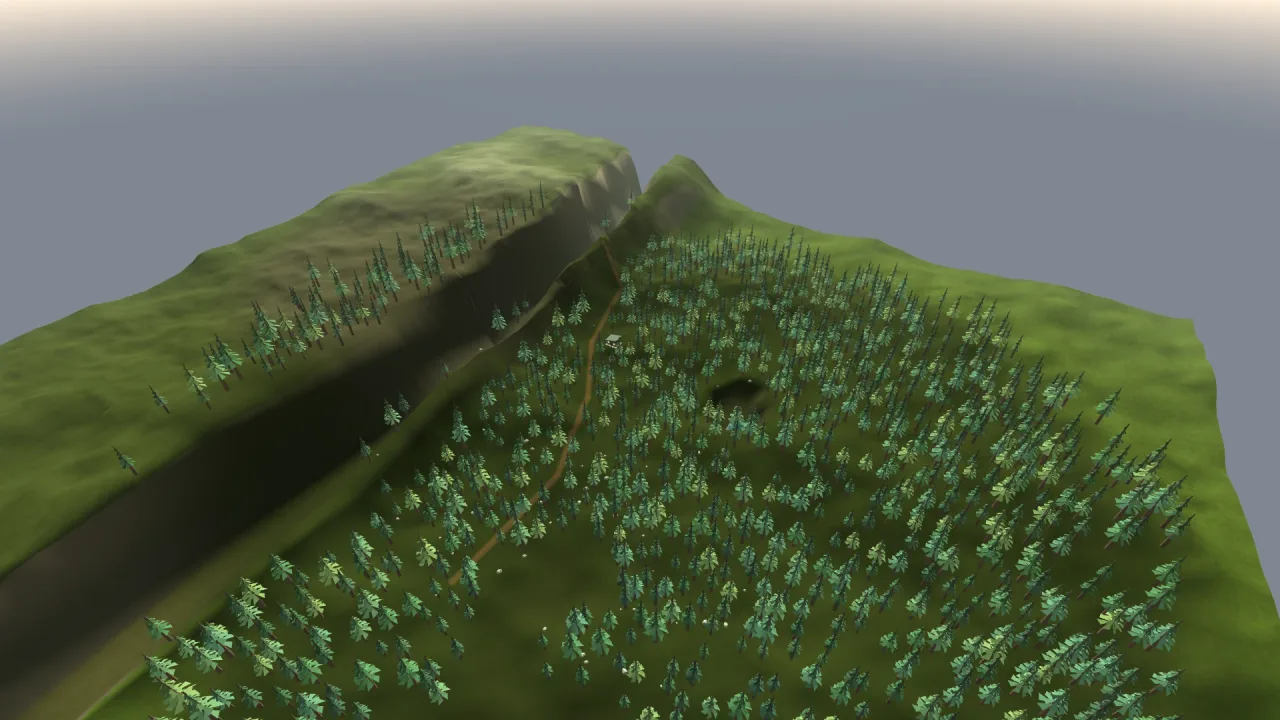
The pack
terrain3d
function terrain3d(opts: Terrain3dOptions = {}): Pack<{ terrain: Terrain3dApi }>The terrain-3d pack: a chunked heightfield mesh with a baked band colormap and a close-range ground
grain, and the ground queries a game needs. Requires a 3D world.
Helpers
editTerrain
function editTerrain(field: Heightfield, edits: readonly TerrainEdit[], patch?: TerrainPatch): numberA batch validates before touching the field. Returns the edited sample count.
regionWeight
function regionWeight(region: TerrainRegion, x: number, z: number): numberFeathered region weight at a world point.
restoreTerrain
function restoreTerrain(doc: TerrainDocument): RestoredTerrainValidate a JSON-safe document and read it back: the sampled field (wrapping if the document says so) and its biome
regions. Throws terrain: invalid document on a malformed document and terrain: invalid region on a bad region,
before building anything.
shapeFn
function shapeFn(shape: TerrainShape, seed: number, size: number, featureSize?: number, wrap = false): (x: number, z: number) => numberResolve a shape to a height function.
SCALE SENSE: the landform frequency is set by featureSize in WORLD UNITS, not by the terrain's size.
Otherwise a bigger terrain is just a ZOOMED-IN small one and nothing gains scale — grow the size and you
want MORE hills, not the same hills made larger. The default keeps about three features per side.
terrainFoundation
function terrainFoundation(field: Heightfield, x: number, z: number, width: number, depth: number, yaw = 0)Samples a rotated footprint at terrain-cell spacing, including its boundary and interior. Keeps buildings upright.
Functions
bakeColormapPixels
function bakeColormapPixels(hf: Heightfield, bands: TerrainBand[], res: number, seed = 1, detail = 0, target?: Uint8ClampedArray, rect = { x0: 0, z0: 0, x1: res - 1, z1: res - 1 }, tile?: { x: number; z: number }, paint?: TerrainPaint): Uint8ClampedArrayBake the band colormap: res × res rgba texels over the whole terrain.
detail is opt-in fine TURF MOTTLE, painted only where the ground is grassy, so bare earth between blades
reads as textured turf rather than flat green. It costs nothing at runtime, because it is baked into the
albedo the terrain already samples — unlike a per-pixel detail shader, it can never regress the frame rate.
bakeGrain
function bakeGrain(size = 256, source?: Float32Array): GrainLevel[]The grain with a full box-filtered mip chain — the deep mips ARE the distance fade, converging on 0.5.
bakeGrainField
function bakeGrainField(size = 256): Float32ArrayOne tileable grain field, size × size, around a 0.5 mean. Three DECORRELATED octaves of wrapped-lattice
value noise — the second axis-swapped, the third diagonally offset, because same-orientation lattices give
the ground a visible uniform grid with long stripes in it — plus a per-texel hash sparkle.
chunkVerts
function chunkVerts(hf: Heightfield, cx: number, cz: number, chunksPerSide: number, colormapRes = 1024, stride = 1, skirt = 0, sampleStride = stride): TerrainChunkBuild one chunk's mesh. Edge vertices sample the SHARED height grid, so adjacent chunks are seamless by construction rather than by a stitching pass.
pickChunks
function pickChunks(res: number, requested?: number): numberPick a chunks-per-side that divides the resolution, near res/16 and capped at 8 a side. Past 64 buckets the per-bucket draw calls cost more than the culling saves.
terrainEditBounds
function terrainEditBounds(edits: readonly TerrainEdit[])Conservative world-space bounds of an edit batch, including corridor falloff.
validateRegion
function validateRegion(r: TerrainRegion): voidReject malformed region data before authoring changes are committed.
Classes
Heightfield
class HeightfieldThe sampled height grid a terrain renders and every query reads.
readonly size: number— World units a side.readonly res: number— Grid quads a side.readonly height: number— The world height a shape value of 1 reaches.readonly baseY: number— The base elevation added to every sample.readonly seed: number— The seed the shape noise was built from.readonly heights: Float32Array—(res + 1)²world-y samples, row major, z-major rows.readonly wrap: boolean— Whether the field is a torus (seeHeightfieldOptions.wrap).constructor(opts: HeightfieldOptions = {})gridY(ix: number, iz: number): number— A grid sample, clamped at the edges (wrapped on a torus).index(ix: number, iz: number): number— The flat index of grid sample (ix, iz) inheights: clamped, or wrapped on a torus.seam(): void— On a torus, copy the first row and column onto the duplicate last ones, so the raw array agrees with every query after a direct write toheights. Nothing on a bounded field. Call it after writing.wrapCoord(v: number): number— Bring a world coordinate onto the field: wrapped into [−size/2, size/2) on a torus, unchanged otherwise.heightAt(x: number, z: number): number— The ground height at a world point — TRIANGLE-EXACT. It interpolates over the same two triangles per quad the mesh rasterises, splitting on the diagonal from (ix+1, iz) to (ix, iz+1), so anything placed here sits ON the render rather than a fraction above or below it. Clamps outside the terrain.vertexNormal(ix: number, iz: number): [number, number, number]— The SMOOTH vertex normal at a grid point — the world normal recovered from the mesh vertex after instance transformation.normalAt(x: number, z: number): { x: number; y: number; z: number }— The smooth surface normal at a world point, bilinear over the vertex normals.slopeAt(x: number, z: number): number— 0 is flat and 1 is vertical — it is just1 − normalAt().y.
Constants
TERRAIN_SURFACES
const TERRAIN_SURFACES: Record<string, TerrainSurface>The built-in surfaces.
Types
GrainLevel
interface GrainLevelOne level of the baked grain.
size: number— Texels a side.data: Uint8Array— r8, row major.
HeightfieldOptions
interface HeightfieldOptionsWhat a Heightfield is built from.
size?: number— World units a side; the terrain is centred on the origin. Default 400.res?: number— Grid quads a side. Default 128.height?: number— The world height a shape value of 1 reaches. Default 30.y?: number— A base elevation added to every sample. Default 0.seed?: number— The noise seed. The same seed makes the same terrain. Default 1.shape?: TerrainShape— The landform: a preset name or your own function. Default'island'.featureSize?: number— World units per large feature. Keep this ABSOLUTE assizegrows, or a bigger terrain is a zoomed-in small one.after?: (y: number, x: number, z: number) => number— RESHAPE the generated field: the world height in, the world height you want out. It runs after the shape and the amplitude, so it COMPOSES with a preset rather than replacing it — a continental shelf, a river valley cut through hills, a flattened building site.heightreplaces the shape; this bends it.wrap?: boolean— A TORUS: x and z wrap everysize, so flying off one edge arrives at the other (Magic Carpet's worlds). Grid indexresis index 0, every query and normal reads across the seam, and the preset shapes tile (their feature size is rounded to a whole number per side;dunescannot tile and is refused). A customshapeoraftermust itself repeat everysize. Default false.
HeightFn
type HeightFn = (x: number, z: number) => numberHow high the ground is at a point. Return world units.
RestoredTerrain
interface RestoredTerrainA document read back: the sampled field and the biome regions it carried.
field: Heightfield— The heightfield, with the document's size, resolution, height scale, base, seed, wrap and samples.regions: TerrainRegion[]— Copies of the document's biome regions, each validated.
Terrain3dApi
interface Terrain3dApigame.terrain.
setDetailTexture(rgba: Uint8ClampedArray, tile?: number): void— Supply a 256-square RGBA image as world-space luminance detail, with neutral averaged mips.edit(edits: TerrainEdit[]): void— Apply an offline edit batch and refresh meshes, normals and the colormap.refresh(minX: number, minZ: number, maxX: number, maxZ: number, opts?: TerrainRefreshOptions): void— LIVE ground: the heights inside this world rectangle were written directly (field.heights, thenfield.seam()on a torus), so rebuild the chunks it touches — meshes and normals — and repaint its colormap texels. No history. This is the runtime path for ground that changes in play (an earthquake, a volcano, a spell raising land); its cost is the touched chunks plus, with colour, one colormap upload. Coordinates may run past the edge of a torus; they wrap.undo(): boolean— Undo the last edit batch. History retains at most 32 batches / one million changed samples.redo(): boolean— Reapply the last undone batch. A new edit discards redo history.readonly editedChunks: number— Number of chunks refreshed by the last edit, undo or redo.save(): TerrainDocument— Serializable sampled terrain, biome masks and whether it wraps.load(document: TerrainDocument): void— Restore sampled elevations, their height scale, biome masks and wrap. Throws on a malformed document before changing anything.biomeAt(biome: TerrainBiome, x: number, z: number): number— Maximum feathered weight for a named biome, 0..1.foundation(x: number, z: number, width: number, depth: number, yaw?: number): ReturnType<typeof terrainFoundation>— Upright building base at the highest sampled footprint height; relief sizes a foundation.detail: 'fixed' | 'walk' | 'overview'— Switch camera detail policy without changing authoritative ground data.readonly triangles: number— Resident terrain triangles, including skirts, before frustum culling.build(opts?: Terrain3dOptions): Handle[]— Build or rebuild the terrain. Returns its chunk meshes.heightAt(x: number, z: number): number— The ground height at a world point — triangle-exact, so anything placed here sits ON the render.normalAt(x: number, z: number): { x: number; y: number; z: number }— The ground's normal there — what to align a vehicle or a tree to.slopeAt(x: number, z: number): number— How steep it is there: 0 is flat, 1 is vertical.raycast(ox: number, oy: number, oz: number, dx: number, dy: number, dz: number, maxDistance?: number): { x: number; y: number; z: number } | null— Where a ray meets the ground, or null. It marches the heightfield, so it handles the absence of overhangs honestly.place(x: number, z: number, offset?: number): { x: number; y: number; z: number }— Drop a point onto the ground, keeping x and z.readonly meshes: readonly Handle[]— The chunk meshes.readonly mesh: Handle | null— The first chunk, for a game that just wants a handle.readonly field: Heightfield | null— The heightfield itself, for anything that wants to read the grid directly.readonly size: number— The size it was built at.
Terrain3dOptions
interface Terrain3dOptionsWhat terrain.build takes.
detail?: 'fixed' | 'walk' | 'overview'— Opt-in distance LOD. Walk keeps a broad full-detail area; overview favours fewer triangles.edits?: TerrainEdit[]— Serializable authoring operations applied after generation.regions?: TerrainRegion[]— Feathered biome masks, queryable by foliage and editor tools.size?: number— World units a side; the terrain is centred on the origin. Default 400.resolution?: number— Grid quads a side. Default 128.shape?: TerrainShape— The landform: a preset name, or your own function from a world point to a height 0..1. Default'island'.amplitude?: number— The world height a shape value of 1 reaches. Default 30.baseY?: number— A base elevation added to every sample. Default 0.featureSize?: number— World units per large landform feature. Defaultsize / 3. KEEP THIS ABSOLUTE as you growsize, or a bigger terrain is just a zoomed-in small one — you want more hills, not the same hills made larger, and that difference is the whole sense of scale.seed?: number— The noise seed. The same seed makes the same terrain.surface?: string— The surface palette:'grass','sand','snow'or'rock'. Default'grass'.bands?: TerrainBand[]— Override the surface's colour bands.paint?: TerrainPaint— Paint the ground yourself: (x, z, height, slope) to sRGB rgb 0..1 (the space a CSS colour is in), or null for the band colour there. Baked into the sRGB colormap.colormapRes?: number— The baked colormap's resolution. Default 1024.groundDetail?: number— Fine turf mottle baked into the colormap's GRASS bands, 0..1. Default 0.35. It makes bare ground between blades read as turf rather than flat green, and costs nothing at runtime because it is baked into the albedo the terrain already samples. Only grass bands take it; sand, rock and snow are untouched.grain?: number— Close-range ground grain strength, 0..1. Default 1.chunks?: number— Chunks a side. Default a divisor of the resolution near res/16. More chunks means finer frustum culling.height?: HeightFn— Your own height function in world units, used instead ofshapeandamplitude.after?: (y: number, x: number, z: number) => number— RESHAPE the generated field: the world height in, the world height you want out. It runs after the shape and the amplitude, so it COMPOSES with a preset rather than replacing it — a continental shelf, a river valley cut through hills, a flattened building site.layer?: string— The layer to spawn into.wrap?: boolean— A TORUS: the terrain repeats everysizeon x and z and the world has no edge (Magic Carpet). Every query wraps, and each chunk is drawn at its copy nearest the camera, so a camera that keeps flying in one direction sees endless ground with no seam. Keep the far plane or the fog inside half ofsize. Preset shapes tile; a customheightmust repeat everysizeitself. Default false.field?: Heightfield— RENDER THIS HEIGHTFIELD instead of generating one. It is shared by reference, not copied: a game whose rules own the ground (spells that raise and sink it) writesfield.heightsand callsTerrain3dApi.refreshwith the region it changed. Its size, resolution, height and wrap win over the options of the same meaning.
TerrainBand
interface TerrainBandOne colour band of a surface, keyed by normalised height.
h: number— The normalised height 0..1 this colour is centred on.color: string— The colour on flat ground, css.steep?: string— The colour steep faces blend toward inside this band — the cliffs.
TerrainBiome
type TerrainBiome = 'forest' | 'lake' | 'mountain' | 'hills' | 'path'Named biome mask channels shared by authoring and placement.
TerrainChunk
interface TerrainChunkOne chunk of the terrain mesh: its vertices and where in the world it sits.
verts: Float32Array— UNIT-space triangle soup, eight floats a vertex: position, normal, uv. Positions run [−0.5, 0.5] of the placement below, and normals are pre-scaled into chunk-local space for the renderer inverse-scale transform.x: number— The chunk's centre x.y: number— Its centre y, the middle of its height range.z: number— Its centre z.w: number— Its width on x.h: number— Its height range.d: number— Its depth on z.
TerrainDocument
interface TerrainDocumentJSON snapshot of the sampled surface, its normalization metadata and authored regions.
version: 1— The document format; only 1 is accepted.size: number— Side of the square terrain, world units; greater than 0.resolution: number— Cells per side, a whole number from 2 to 4096. The field holdsresolution + 1samples a side.amplitude: number— The height scale the field was generated with, world units.baseY: number— The base elevation added to every sample, world units.seed: number— The seed the field was generated with.heights: number[]— Elevation of each sample, world units, row by row: exactly(resolution + 1) * (resolution + 1)long.regions: TerrainRegion[]— The authored biome regions; each is validated on restore.wrap?: boolean— Whether the terrain is a torus that wraps everysizein x and z. Default false; older documents have none.
TerrainEdit
type TerrainEdit = | { kind: 'raise' | 'flatten'; x: number; z: number; radius: number; value: number; feather?: number } | { kind: 'landform'; x: number; z: number; radius: number; feather?: number; shape: 'hills' | 'mountains' | 'plateau'; amplitude: number; baseY: number; featureSize: number; seed: number } | { kind: 'road' | 'valley'; points: TerrainPoint[]; width: number; feather?: number }Serializable operations, applied in order. Widths/radii and elevations are world units.
TerrainPaint
type TerrainPaint = (x: number, z: number, height: number, slope: number) => [number, number, number] | nullYour own ground colour: a world point, its height and its slope (0 flat .. 1 vertical) in; sRGB 0..1 rgb out (written into the same sRGB colormap the bands fill), or null to keep the band colour there. It runs once per colormap texel at bake time, so it may be as elaborate as a game's tile classes — sand, grass, dirt and rock by height, slope and noise — and costs nothing per frame.
TerrainPatch
interface TerrainPatchChanged samples for undo, redo and dirty chunk propagation.
indices: number[]— Index into the field'sheightsof each sample that changed.before: number[]— Each changed sample's elevation before the edit, world units, inindicesorder.after: number[]— Each changed sample's elevation after the edit, world units, inindicesorder.
TerrainPoint
interface TerrainPointWorld-space control point for a graded road or valley.
x: number— X position, world units.z: number— Z position, world units.y: number— Elevation the road or valley is graded to at this point, world units.
TerrainRefreshOptions
interface TerrainRefreshOptionsWhat Terrain3dApi.refresh repaints.
colour?: boolean— Repaint the colormap in the region too. Default true; pass false for in-between frames of a long animation and repaint once at its end.
TerrainRegion
interface TerrainRegionA circular density/paint region with a feathered outer edge. All distances are world units.
biome: TerrainBiome— Which biome mask channel the region paints.x: number— Centre X, world units.z: number— Centre Z, world units.radius: number— Radius of the full-weight disc, world units; greater than 0.feather?: number— Width of the soft edge, world units; not negative. Default 0.3 timesradius.density?: number— Peak weight, 0 to 1. Default 1.
TerrainShape
type TerrainShape = 'island' | 'hills' | 'mountains' | 'dunes' | 'plateau' | 'flat' | ((x: number, z: number) => number)The landform: a preset name, or your own function from a world point to a height 0..1.
TerrainSurface
interface TerrainSurfaceA surface preset: its colour bands and how rough the material is.
bands: TerrainBand[]— The colour bands, low to high.rough: number— Material roughness, 0..1.