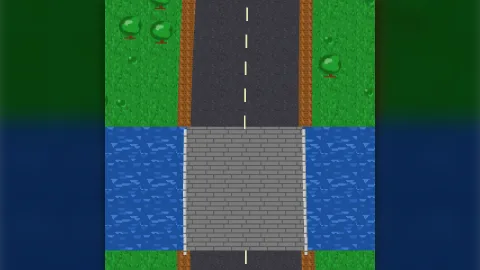

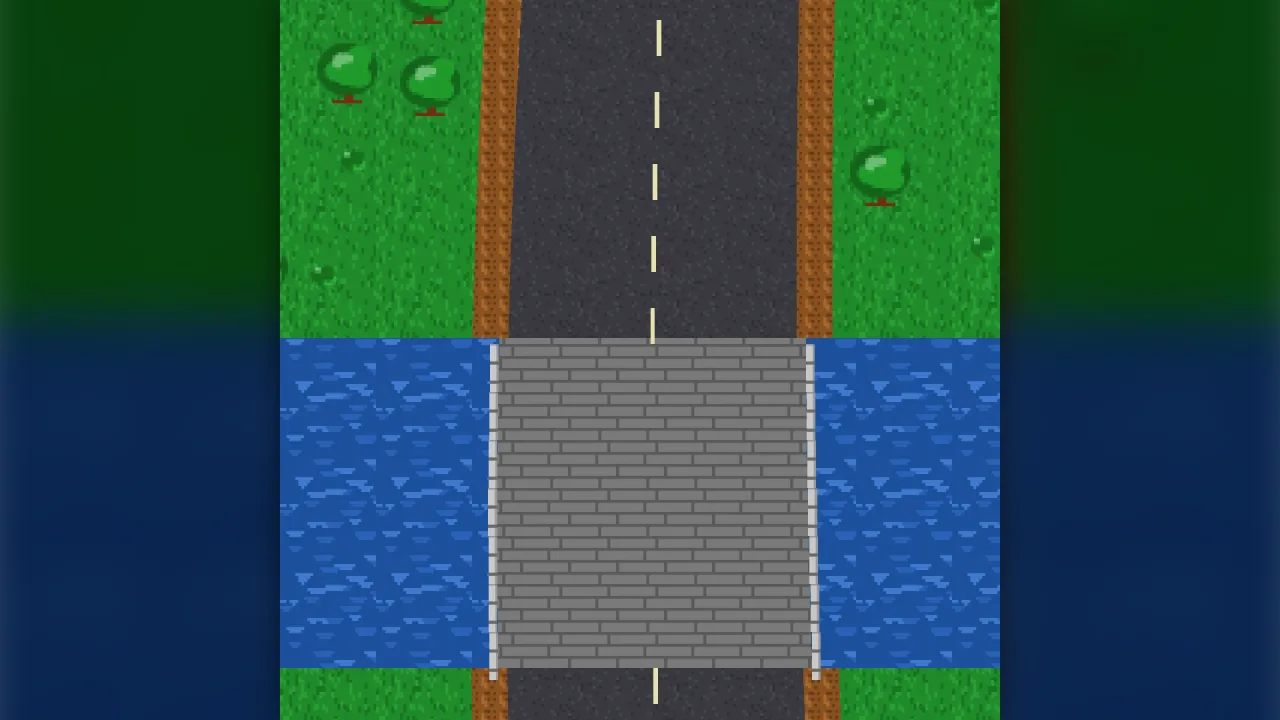
The pack
roadViewTopdown
function roadViewTopdown(): Pack<{ roadViewTopdown: RoadViewTopdownApi }>Install the top-down road view: draws scrolling roads and static top-down tracks from data.
Helpers
mapping
function mapping(axis: RoadAxis, scale: number, camera: RoadCamera, viewport: { width: number; height: number; x?: number; y?: number }, margin = 0): MappingThe mapping for an axis. up: u right, v up the screen (a vertical scroller driving up); down: u right,
v down the screen (a static top-down map, v = y); right: v to the right, u down; left: v to the left, u down.
paintArt
function paintArt(g: Paint, w: number, h: number, look: ArtLook, seed = 3): voidPaint a built-in roadside object into a w x h canvas (texels), seen from above.
paintSurface
function paintSurface(g: Paint, size: number, look: SurfaceLook, seed = 7): voidPaint one tile of a surface texture, size texels square, that repeats seamlessly.
polygonSource
function polygonSource(shapes: readonly SurfaceShape[], extras: { features?: readonly RoadFeature[]; markings?: readonly RoadMarking[] } = {}): RoadSourceA static source from polygons, painted in order (later shapes over earlier). Each row is the scanline crossing of every shape, so a circuit drawn as a track polygon with kerb and run-off polygons becomes ground the view can draw: the track-racer's static circuits, a car park, an arena floor.
sampleChunk
function sampleChunk(source: RoadSource, chunk: number, rowHeight: number, chunkRows: number, has?: (key: string) => boolean): RowRun[]Sample rows chunk * chunkRows .. (chunk + 1) * chunkRows - 1 (row r covers r * rowHeight to
(r + 1) * rowHeight and is sampled at its middle) and merge identical neighbours into runs.
scatterCell
function scatterCell(rule: SceneryRule, ruleIndex: number, seed: number, i: number, j: number, surfaceAt: (u: number, v: number) => string): SceneryItem | nullThe scatter for one grid cell of one rule: a candidate at a hashed position inside the cell, kept only when
its footprint (plus clearance) lies wholly on the rule's surfaces. surfaceAt must be the same ground the
view draws, so a tree never stands on a road edge.
surfaceIn
function surfaceIn(spans: readonly RoadSpan[], u: number, background = ""): stringThe surface showing at u in a cross-section (the last span covering it), or background.
tileUv
function tileUv(axis: RoadAxis, u0: number, u1: number, v0: number, v1: number, tile: number, drift = 0): { repeatX: number; repeatY: number; scrollX: number; scrollY: number }Texture coordinates that keep a tiled texture fixed to the world, whichever run or sprite a patch of ground lands in: adjacent sprites continue the pattern seamlessly and a sprite that moves never slides its texture.
Functions
hash01
function hash01(a: number, b: number, c: number, d = 0): numberA small integer hash (deterministic across platforms) mapped to 0..1.
hex
function hex(r: number, g: number, b: number): string#rrggbb from channels (clamped).
mix
function mix(a: string, b: string, t: number): stringLinear blend of two colours, t = 0 gives a.
rgb
function rgb(c: string): [number, number, number]Parse #rgb / #rrggbb to [r, g, b]. Other strings return grey.
sameSpans
function sameSpans(a: readonly RoadSpan[], b: readonly RoadSpan[]): booleanTrue when two cross-sections are the same (same spans, same order).
shade
function shade(c: string, k: number): stringLighten (k > 0) or darken (k < 0) a colour by a fraction.
Classes
RoadPlanner
class RoadPlannerTurns a camera into the frame's sprites. Rows are sampled once per chunk and cached until the source's
revision changes; chunks behind the view are evicted. Keys are anchored to the world (chunk, run, span;
scatter cell; feature id; dash index), so a sprite always shows the same piece of ground.
readonly axis: RoadAxis— The direction of increasingvon screen. Defaultup.readonly scale: number— Screen units per world unit. Default 1.readonly rowHeight: number— The row height in world units alongv. Default 2.readonly chunkRows: number— Rows per cached chunk. Default 32.sampled: number— Rows sampled since creation (for tests and the stats readout).constructor(readonly o: PlannerOptions)invalidate(): void— Drop every cached row and scatter cell (the source changed rows already drawn).runs(chunk: number): RowRun[]— The cached runs of one chunk.surfaceAt(u: number, v: number): string— The surface the view draws at a world point (sampled at the row's middle, like the ground itself).plan(camera: RoadCamera, time = 0): DrawItem[]— The sprites for one frame.timedrives flowing textures (seconds).
Constants
frac
const frac = (n: number): number=> …Positive fractional part, so a texture offset is always 0..1 whichever side of zero the world is.
Types
ArtLook
interface ArtLookHow a feature or scenery kind is drawn: a built-in painting or an atlas frame of the game's own.
paint?: ArtName— A built-in painting.frame?: number— Or an atlas frame added by the game.colour?: string— Main colour for built-in paintings (canopy, roof, rock).colour2?: string— Second colour (trunk, walls, shadow).tint?: string— Multiplicative tint at draw time. Default white.
ArtName
type ArtName = | "tree" | "bush" | "pine" | "snow-pine" | "rock" | "cactus" | "house" | "barn" | "boathouse" | "bridge-rail" | "post" | "sign" | "tuft" | "reeds" | "dune" | "buoy" | "lamp"Built-in art the view can paint for scenery and features.
DrawItem
interface DrawItemOne sprite the view wants this frame: pure data, produced by planFrame.
key: string— Stable key (same object, same key, every frame).look: string— What to draw:surface:<id>,art:<kind>, orsolid.x: number— Screen centre x.y: number— Screen centre y.w: number— Screen width.h: number— Screen height.rot: number— Rotation, radians.repeatX: number— Texture repeats across the quad (1 = once).repeatY: number— Texture repeats down the quad.scrollX: number— Texture offset in tile fractions.scrollY: number— Texture offset in tile fractions.tint: string— Tint (before the light).z: number— Draw order.
Mapping
interface MappingWorld-to-screen mapping for one frame.
toScreen(u: number, v: number): { x: number; y: number }— Screen position of a world point.toWorld(x: number, y: number): { u: number; v: number }— World point under a screen position.rect(u0: number, u1: number, v0: number, v1: number): { x: number; y: number; w: number; h: number }— Screen rectangle (centre and size) of a world box.readonly bounds: { u0: number; u1: number; v0: number; v1: number }— The world box the viewport shows.
Paint
type Paint = Pick<OffscreenCanvasRenderingContext2D, "fillStyle" | "fillRect" | "beginPath" | "arc" | "ellipse" | "fill" | "moveTo" | "lineTo" | "closePath" | "strokeStyle" | "lineWidth" | "stroke" | "globalAlpha">The drawing calls the paintings use (an OffscreenCanvas or a canvas 2D context).
PlannerOptions
interface PlannerOptionsThe planner's options (the view's options minus the kernel-only ones).
source: RoadSource— The road to draw.surfaces: Readonly<Record<string, SurfaceLook>>— Surface looks by id. Unknown ids draw magenta so a missing entry is obvious.background?: string— The surface id under everything, where no span covers. Default none (transparent).axis?: RoadAxis— Direction of increasingvon screen. Defaultup.scale?: number— Screen units per world unit. Default 1.viewport: { width: number; height: number; x?: number; y?: number }— The screen area to cover: width and height in screen units, and optionally its top-leftxandy.rowHeight?: number— The row height in world units alongv. Default 2; must be above 0.chunkRows?: number— Rows per cached chunk. Default 32; must be a whole number of 1 or more.scenery?: readonly SceneryRule[]— Roadside scatter rules, applied in order (an earlier rule's object blocks a later one's cell).seed?: number— Scatter seed. Default 1.z?: number— Base draw order; ground at base, markings +1, features +2, scenery +4. Default -100.margin?: number— Extra margin drawn beyond the viewport, in world units. Default 8.
RoadAxis
type RoadAxis = "up" | "down" | "left" | "right"Which way the road's v axis runs on screen.
RoadCamera
interface RoadCameraWhere the camera looks: the world point (u, v) drawn at screen (x, y).
u: number— Across, world units.v: number— Along, world units.x?: number— Screen x of that point. Default: viewport centre.y?: number— Screen y of that point. Default: viewport centre.
RoadFeature
interface RoadFeatureA placed piece of the road's own furniture: a boathouse, a bridge rail, a sign, a gantry.
id: string | number— Stable id: the same feature keeps the same sprite while it is on screen.kind: string— A key in the view'sarttable (or one of the built-in art names).u: number— Centre across, world units.v: number— Centre along, world units.width: number— Size across, world units.length: number— Size along, world units.rot?: number— Rotation in radians, clockwise on screen. Default 0.tint?: string— Multiplicative tint. Default white.z?: number— Draw order relative to the view's base z. Default 2 (over the ground, under the scenery's tall items).
RoadMarking
interface RoadMarkingA painted line along the road: a lane divider, an edge line, a dashed centre line.
id: string | number— Stable id. Dashes are keyed by this id plus their world dash index, so they never swap sprites.u: number— Centre of the line across, world units.from: number— Start along, world units.to: number— End along, world units (> from).width?: number— Line width, world units. Default 1.dash?: number— Dash length; omitted or 0 draws a solid line.gap?: number— Gap between dashes. Default equal todash.colour?: string— Line colour. Default white.
RoadSource
interface RoadSourceWhat the view draws from. Any object with spansAt is a source: a scrolling road generated as it is driven
(road-combat's course), a static circuit rasterised from polygons (polygonSource), or a hand-written function.
spansAt(v: number): readonly RoadSpan[]— The cross-section atv: spans in paint order. Must be a pure function ofvfor a givenrevision.featuresIn?(v0: number, v1: number): readonly RoadFeature[]— Furniture whose extent overlapsv0..v1(v0 < v1). Optional.markingsIn?(v0: number, v1: number): readonly RoadMarking[]— Markings overlappingv0..v1. Optional.lookAt?(v: number): string | null— The look (palette, region) atv, optional. When the view'ssurfaceshas a key<surface>@<look>, it is used for that surface there; otherwise the plain<surface>key. One road can then change colours by region.readonly revision?: number— Bump when spans that were already sampled change (a road generated further ahead does not count: rows the view has not reached are sampled fresh). The view drops its cached rows when this changes.
RoadSpan
interface RoadSpanOne stretch of surface across the road at one position along it. from < to, world units across.
from: number— Left edge in the across axisu, world units.to: number— Right edge in the across axisu, world units.surface: string— A surface id, looked up in the view'ssurfacestable.
RoadView
interface RoadViewA road being drawn. Call draw(camera) once per fixed step, from the game's step.
draw(camera: RoadCamera, o?: { snap?: boolean; time?: number }): void— Plan and draw the frame.snapcuts interpolation (a respawn, a camera jump);timedrives flowing water.setLight(amount: number, colour?: string): void— Day and night: blend every road sprite towardcolourbyamount(0 = day, 1 = full night tint).invalidate(): void— Forget cached rows (the source changed ground already drawn).toScreen(u: number, v: number): { x: number; y: number }— Screen position of a world point for the last drawn camera (to place the game's own sprites).toWorld(x: number, y: number): { u: number; v: number }— World point under a screen position for the last drawn camera.readonly bounds: { u0: number; u1: number; v0: number; v1: number }— The world box the last frame covered.readonly stats: { shown: number; pooled: number; rowsSampled: number }— Sprites shown last frame and the pool size.readonly planner: RoadPlanner— The planner (pure): for tests and for games that want the plan without the sprites.dispose(): void— Hide and release every sprite.
RoadViewOptions
interface RoadViewOptionsOptions for create().
source: RoadSource— The road to draw.surfaces: Readonly<Record<string, SurfaceLook>>— Surface looks by id. Unknown ids draw magenta so a missing entry is obvious.background?: string— The surface under everything, where no span covers. Default: none (transparent).axis?: RoadAxis— Direction of increasingvon screen.upfor a vertical scroller driving up the screen. Defaultup.scale?: number— Screen units per world unit. Default 1.viewport: { width: number; height: number; x?: number; y?: number }— Viewport in screen units (the area to cover).rowHeight?: number— Rows sampled per world unit alongv: the row height in world units. Default 2.chunkRows?: number— Rows per cached chunk. Default 32.scenery?: readonly SceneryRule[]— Roadside scatter rules, applied in order (an earlier rule's object blocks a later one's cell).art?: Readonly<Record<string, ArtLook>>— Art for features (and named overrides of built-ins), by kind.seed?: number— Scatter seed. Default 1.layer?: string— Render layer. Defaulthud(the world-screen layer games draw in).z?: number— Base draw order; ground at base, markings +1, features +2, scenery +4. Default -100.margin?: number— Extra margin drawn beyond the viewport, world units. Default 8.resolution?: number— Texels painted per world unit for the built-in textures and art. Default 1 (one texel per unit: crisp pixel art when units are pixels). A road in metres wants about 5.
RoadViewTopdownApi
interface RoadViewTopdownApiThe composed game.roadViewTopdown API.
create(options: RoadViewOptions): RoadView— Draw a road from a source: retained, world-anchored sprites (see the pack page).polygonSource: typeof polygonSource— A static source from filled polygons (a top-down circuit, an arena floor).RoadPlanner: typeof RoadPlanner— The pure planner, for headless use.mapping: typeof mapping— World-to-screen mapping for an axis, scale and camera.sampleChunk: typeof sampleChunk— Sample one chunk of rows into runs of identical cross-sections.scatterCell: typeof scatterCell— The deterministic scatter for one grid cell of a scenery rule.surfaceIn: typeof surfaceIn— The surface showing at a point of a cross-section.tileUv: typeof tileUv— World-anchored texture repeat and scroll for a rectangle of ground.paintSurface: typeof paintSurface— Paint a tiling surface texture into a canvas.paintArt: typeof paintArt— Paint a built-in roadside object into a canvas.mix: typeof mix— Blend two colours.shade: typeof shade— Lighten or darken a colour.
RowRun
interface RowRunA merged run of identical rows inside one chunk.
v0: number— First along-position covered.v1: number— Last along-position covered (exclusive).spans: readonly RoadSpan[]— The cross-section shared by every row of the run.
SceneryItem
interface SceneryItemOne roadside object chosen by the scatter.
key: string— Stable key: rule, cell across, cell along.rule: number— Index of the rule.kind: number— Index of the kind within the rule.u: number— Centre across.v: number— Centre along.width: number— Size across.length: number— Size along.
SceneryKind
interface SceneryKindOne kind of roadside object for the scatter.
art: ArtLook— Built-in art or a frame.width: number— Size across, world units.length: number— Size along, world units.weight?: number— Relative chance among the rule's kinds. Default 1.
SceneryRule
interface SceneryRuleRoadside scatter: objects placed deterministically on a world grid (so they never move or pop as the road
scrolls), kept only where their whole footprint, plus clearance, lies on one of the on surfaces.
on: string | readonly string[]— Surfaces the objects may stand on.kinds: readonly SceneryKind[]— Kinds to choose from.spacing?: number— Grid cell size in world units (one candidate per cell). Default 24.chance?: number— Chance that a cell holds an object, 0..1. Default 0.6.clearance?: number— Extra margin that must also be on an allowed surface, world units. Default 2.z?: number— Draw order relative to the base z. Default 4.
SurfaceLook
interface SurfaceLookHow one surface looks.
colour: string— Base colour (CSS).pattern?: SurfacePattern— Painted pattern. Defaultflat.detail?: readonly string[]— Detail colours for the pattern (speckles, ripples, blades). Default: shades of the base colour.density?: number— Detail density 0..1. Default 0.35.tile?: number— World units per texture tile. Default 32.flow?: number— Texture drift along the road, world units per second (a river's current). Default 0.frame?: number— Use this atlas frame (already added by the game) instead of painting one.
SurfacePattern
type SurfacePattern = | "flat" | "grain" | "speckle" | "grass" | "water" | "ice" | "snow" | "sand" | "gravel" | "planks" | "stripes" | "checker"Built-in surface patterns the view can paint without any art from the game.
SurfaceShape
interface SurfaceShapeA filled polygon for polygonSource.
surface: string— Surface id.points: ReadonlyArray<{ u: number; v: number }>— Outline, at least three points, in (u, v) world units. Any winding; self-crossings fill by even-odd.