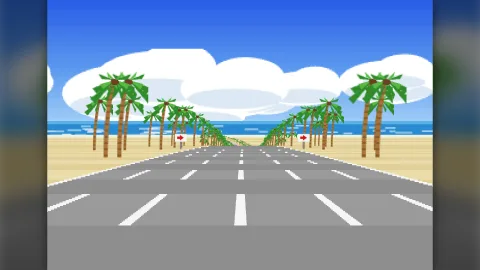

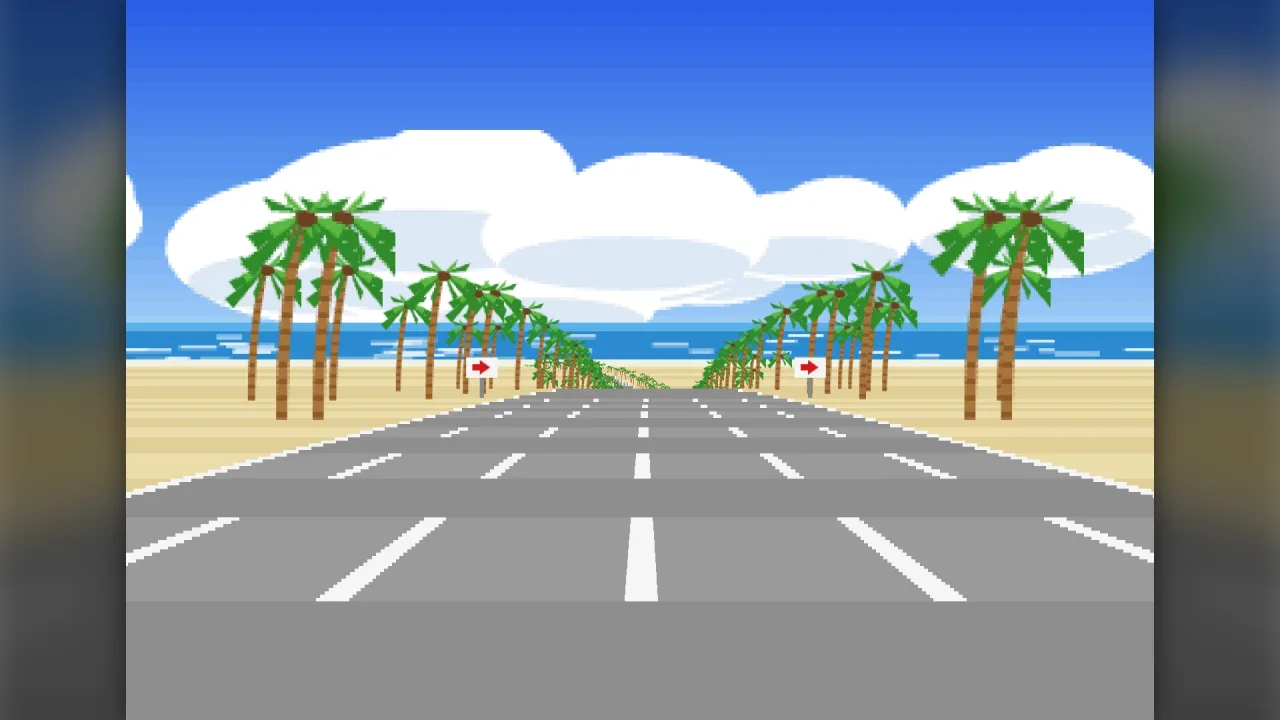
The pack
roadViewPseudo3d
function roadViewPseudo3d(): Pack<{ roadViewPseudo3d: RoadViewApi }>Install the pseudo-3D road view (draws a route road and its scaled-depth sprites). Draws in any composed 2D or screen world layer.
Helpers
buildRibbonFrame
function buildRibbonFrame(scene: RibbonScene, settings: RibbonSettings, style: RibbonStyle, sprites: SpriteTable = {}): RibbonFrameBuild one frame of a ribbon scene. sprites maps field kinds and backdrop art keys to atlas frames (the same table
as the scanline view). Pure: the same scene and settings give the same instances.
buildRoadFrame
function buildRoadFrame(scene: RoadScene, settings: RoadFrameSettings, style: RoadStyle, sprites: SpriteTable = {}): RoadFrameBuild one frame. styles resolves a scene's style key; sprites maps field kinds and backdrop art keys to
atlas frames. Pure: the same scene and settings give the same instances.
DEFAULT_TUNNEL
const DEFAULT_TUNNEL: TunnelStyleA plain concrete tunnel with a line of sodium lamps.
DEFAULT_WALL
const DEFAULT_WALL: WallStyleA plain grey concrete bank (Buggy Boy's embankments).
gradient
function gradient(stops: readonly string[], t: number): numberColour along a list of stops at t in 0..1 (packed).
hangOnStyles
const hangOnStyles: Readonly<Record<string, RoadStyle>>Hang-On (Sega 1985): one look per stage (the five stages' scenery: mountains, canyon, city at night, seaside, circuit).
mixPacked
function mixPacked(a: string, b: string, t: number): numberMix two CSS colours (t 0 = a), quantised to 1/32 so the cache stays small. Packed.
nightDriverStyle
const nightDriverStyle: RoadStyleNight Driver (Atari 1976): no road surface at all, only the edge posts (sprites) on black.
outRunStyles
const outRunStyles: Readonly<Record<string, RoadStyle>>Out Run (Sega 1986) looks, one per stage of the world course map, keyed by the stage ids of road-racer's Out Run preset. Colours read off the arcade screenshots; backdrops name sprite-table keys the game paints.
pack
function pack(css: string): numberPacked colour, cached.
plainStyle
const plainStyle: RoadStyleA plain generic style (grey road, green verges, red/white kerbs) for prototypes.
polePositionStyle
const polePositionStyle: RoadStylePole Position (Namco 1982) at Fuji: green grass, dark tarmac, red/white rumble blocks, white edges and a dashed centre.
presetStyles
function presetStyles(): Record<string, RoadStyle>Every preset style by a flat key (out-run/<stage>, hang-on/<stage>, super-hang-on/<course>, ...).
quadDepth
function quadDepth(road: PseudoRoad, q: RoadQuad, camZ: number): { near: number; far: number }The camera-depth range of a projected road quad (near edge, far edge), in world units ahead of the camera at road
z camZ. Exact on a one-way leg of any length (route's ahead() wraps the short way round a loop, which is only
right for circuits and puts the far half of a long leg BEHIND the camera).
RIBBON_CAMERAS
const RIBBON_CAMERAS: Readonly<Record<string, Readonly<RibbonChaseSpec>>>Chase cameras for ribbon roads, measured from the arcade frames (artifacts/release/arcade-pack-7/power-drift/
REFERENCES.md). power-drift: the Y Board's 320 x 224 picture. On level road (C1, B1, A3) the road converges on
row 123 and the kart (a 2 m buggy-kart, tyre to tyre) is 81 px wide with its tyres on row 204: the eye is 2 m up
(width per row below the horizon = 1) and, at fov 80, 4.7 m behind the kart's centre. The whole picture rolls
about the kart with the steering and the deck's bank, up to 20 degrees (the stills show 14; the deluxe cabinet's
seat rolls 20).
ribbonProjector
function ribbonProjector(source: RibbonSource, camera: RibbonCamera, width: number, near = 0.6): DepthProjectorA scaled-depth projector for objects in course coordinates on a ribbon: x metres right of the reference line, y above the road surface, z course distance. Returns un-rolled screen positions and the true depth from the eye.
spriteInstance
function spriteInstance(s: DepthSprite, sprites: SpriteTable, dy: number, W: number, H: number): RoadInstance | nullOne projected sprite as an instance: its art (pose, animation frame, mirror, variant, tint, alpha, rotation from
the object's data), drawn vw (or the object's) width times the art's scale, standing on its base point (or
centred), shifted down by dy, and turned with the view's roll (s.rot): a rolled view stands it along the rolled
up. Null when it has no art, is too small, or is far off a W x H screen.
superHangOnStyles
const superHangOnStyles: Readonly<Record<string, RoadStyle>>Super Hang-On (Sega 1987): one look per continent course.
validateRibbonStyle
function validateRibbonStyle(s: RibbonStyle): voidThrow with a clear message when a ribbon style cannot be drawn.
validateStyle
function validateStyle(s: RoadStyle): voidThrow with a clear message when a style cannot be drawn.
Functions
createRibbonView
function createRibbonView(k: Kernel, o: RibbonViewOptions): RibbonViewCreate a ribbon view drawn by one roster object in the composed 2D world.
createRoadView
function createRoadView(k: Kernel, o: RoadViewOptions): RoadViewCreate a road view drawn by one roster object in the composed 2D world.
validateCamera
function validateCamera(c: RoadCamera): voidThrow with a clear message when a camera cannot be used.
Classes
RibbonChase
class RibbonChaseA chase camera for a ribbon road.
spec: RibbonChaseSpec— The camera's geometry and dynamics: a copy of the spec given to the constructor, which may be changed between updates.state: RibbonChaseState— The smoothing state, as plain data that can be saved and restored.constructor(spec: RibbonChaseSpec)reset(): void— Forget the smoothing (a restart, a respawn): the next update snaps to the focus.update(road: RibbonFramer, focus: RibbonFocus, dt: number): RibbonCamera— The camera for this step.dtis the step in seconds (0 snaps).
Constants
ROAD_CAMERAS
const ROAD_CAMERAS: Readonly<Record<string, Readonly<RoadCamera>>>Per-game cameras (logical screens: Out Run, Hang-On 320 x 224, Pole Position 256 x 224, Night Driver 256 x 256, Chase H.Q. and S.C.I. 320 x 240).
- Out Run: Cannonball's setup_ferrari_sprite (0x9D30) draws the Ferrari bottom-anchored at y 221 at full zoom; on the arcade frames the Ferrari is 75 px wide, a lane 140 px at its tyres and the flat horizon near row 118, so a 1.9 m car over 3.5 m lanes puts the eye 2.6 m up and the car's centre 4.05 m ahead at fov 90.
- Pole Position: horizon row 108, the 2 m car 62 px wide with its base at row 212: 3.35 m up, 4.1 m behind.
- Hang-On: horizon near row 124, the bike's base at row 220, 2 lanes of 6 m half-width: 2.6 m up, 4.4 m behind.
- Night Driver: the posts converge on row 64; the nearest pair 174 px apart at row 185: 4.4 m up, first person.
- Chase H.Q. (Taito Z, 320 x 240): flat horizon at row 146; the 1.84 m Porsche 78 px wide with its base at row 236, so the eye is 1.84 x 90 / 78 = 2.12 m up; lanes 130 px apart at the bottom row (3 m lanes); at fov 90 the car's base is 160 x 2.12 / 90 = 3.77 m ahead of the eye (road-pursuit REFERENCES.md).
- S.C.I.: horizon at row 149, the 1.8 m 300ZX about 95 px wide at its base row 236: 1.65 m up, 3.03 m behind.
- Buggy Boy (the upright's 256 x 240 picture shown 4:3, so a 320 x 240 view): the sandy lane's stripes converge on row 98 and widen 2.25 px a row; the 2 m buggy is 97 px wide (78 arcade pixels) with its tyres on row 229, and the lane between the stripes is 6 m: 2.7 m up, 3.33 m behind (offroad-course's REFERENCES.md).
Types
BackdropLayer
interface BackdropLayerA layer of scenery painted on the horizon (sea, hills, a skyline, clouds), scrolled sideways for parallax.
art: string— Key in the view's sprite table whose frame is drawn (repeated across the width).width: number— Drawn width of one copy in logical pixels.height: number— Drawn height in logical pixels.lift?: number— Bottom edge relative to the far end of the road in logical pixels (positive raises it). Default 0.parallax?: number— Multiplier on the scene'sbackdropXscroll: far layers move less. Default 1.rise?: number— Multiplier on the scene's vertical shift from hills. Default 1.tint?: string— Tint. Default white (the art's own colours).alpha?: number— Opacity 0..1. Default 1.
PillarStyle
interface PillarStyleSupports standing under an elevated deck.
color: ShadePair— Lit and shaded halves of each pillar.width: number— Pillar width (world units).spacing: number— Course distance between supports (world units; rounded to whole vertices).min?: number— No supports where the deck is lower than this. Default 1.5.legs?: readonly number[]— Lateral positions of the legs as fractions of the half-width from the carriageway centre. Default [0].beam?: string— A cross-beam under the deck joining the legs (colour). Default none.
RibbonCamera
interface RibbonCameraA true 3D camera. Lengths in world units, angles in radians except fov.
x: number— Eye position (world).y: number— Eye height, world units; y is up.z: number— Eye z, world units; z is south, so a yaw of 0 looks toward -z.yaw: number— Plan heading the eye looks along (radians clockwise from up the map, as road-data's heading).pitch: number— Nose-up pitch (radians).roll: number— Whole-view roll (radians, positive clockwise on screen) aboutpivot.fov: number— Horizontal field of view, degrees.horizon: number— Logical row of the optical axis (the horizon when the eye is level).pivot?: { x: number; y: number }— Roll pivot in logical pixels. Default the screen centre.
RibbonChaseSpec
interface RibbonChaseSpecChase camera geometry and dynamics. Lengths in world units, angles in radians unless stated.
height: number— Eye height above the road behind the vehicle.back: number— Eye distance behind the vehicle along the road.lookDown: number— How far the eye looks down from the road's grade (radians).fov: number— Horizontal field of view, degrees.horizon: number— Logical row of the optical axis.pivot?: { x: number; y: number }— Roll pivot (logical pixels): the vehicle's spot, so the world turns about it. Default the screen centre.roll: { steer: number; bank: number; max: number; rate: number }— View roll: radians per unit of steering (-1..1), times the road's bank, the most it rolls, and how fast it follows (1/s).follow?: number— 0..1: how far the eye follows the vehicle sideways. Default 1.rise?: number— 1/s: how fast the eye's height follows the vehicle's jumps and falls. Default 4.swing?: number— 1/s: how fast the heading and pitch follow the road (0 = locked to it). Default 0.yaw?: number— Radians of yaw per unit of the vehicle's own yaw on the road (the view swings with a drift). Default 0.
RibbonChaseState
interface RibbonChaseStatePlain state of a chase camera.
roll: number— The smoothed view roll, radians, positive clockwise on screen.lift: number— The smoothed height of the eye above its road-following level, world units: it follows the vehicle's jumps and falls.yaw: number— The smoothed plan heading of the eye, radians.pitch: number— The smoothed nose-up pitch of the eye, radians.ready: boolean— False until the first update after construction orreset; the first update snaps every smoothed value to its target.
RibbonFocus
interface RibbonFocusWhat the camera follows: the vehicle on the road.
z: number— Course distance and lateral position (metres from the reference line).x: number— Lateral position, in world units right of the reference line.y?: number— Height above the road surface (a jump, or negative below the deck after falling off it). Default 0.turn?: number— Steering -1..1. Default 0.yaw?: number— The vehicle's yaw relative to the road (radians). Default 0.
RibbonFrame
interface RibbonFrameA built ribbon frame.
instances: RoadInstance[]— Rolled instances in painter's order.horizonY: number— Un-rolled row of the horizon.segments: number— Road segments drawn and rows filled.rows: number— Scanline rows filled.sprites: DepthSprite[]— Sprites drawn, far to near.camera: DepthCamera— The camera that projected and rolled everything (forproject).
RibbonFramer
interface RibbonFramer extends RibbonSourceA frame of the road at a course distance (road-data's RibbonLeg.frame provides it).
frame(z: number): { x: number; y: number; z: number; heading: number; pitch: number; bank: number }— The road at course distancez: its reference-line position (world units), plan heading, grade pitch and bank (radians).
RibbonScene
interface RibbonSceneOne moment of a ribbon scene.
ribbon: RibbonSource— The road to draw: road-data'sribbonLeg, or anyRibbonSource.camera: RibbonCamera— The eye that looks at it.field?: DepthField | null— Objects in COURSE coordinates (x lateral from the reference line, y above the road surface, z course distance).filter?: DepthFilter— Which field objects to draw, by kind, group, frame, solidity or a predicate. Default all.style?: string | RibbonStyle— The style, or a key into the view's styles.far?: number— Draw distance (world units from the eye). Default 900.backdropX?: number— Extra horizontal scroll of the backdrops (logical pixels).
RibbonSettings
interface RibbonSettingsFixed settings of a ribbon view.
width: number— Logical screen width in pixels; above 0.height: number— Logical screen height in pixels; above 0.rowHeight?: number— Logical pixels per scanline row. Default 1.minLine?: number— Thinnest run drawn (logical pixels). Default 0.34.near?: number— Near plane (world units). Default 0.6.spriteNear?: number— Sprites nearer the eye than this are not drawn (a kart passing beside the camera). Default 2.
RibbonSource
interface RibbonSourceA road laid in world space (road-data's RibbonLeg is one). World frame: x east, y up, z south (heading 0 drives
toward -z). Vertex k is at course distance zBase + k * step.
zBase: number— Course distance of vertex 0, in world units.step: number— Course distance between neighbouring vertices, in world units.count: number— Number of vertices.closed: boolean— The last vertex joins the first (a whole lap of a closed circuit).x: ArrayLike<number>— World x (east) of each vertex's reference-line point.y: ArrayLike<number>— World y (up) of each vertex's reference-line point.z: ArrayLike<number>— World z (south) of each vertex's reference-line point.heading: ArrayLike<number>— Plan heading at each vertex, radians clockwise from up the map; 0 drives toward -z.bank: ArrayLike<number>— Bank at each vertex, radians; positive raises the right side.centre: ArrayLike<number>— Offset of the carriageway centre from the reference line at each vertex, in world units.halfWidth: ArrayLike<number>— Half the width of the carriageway at each vertex, in world units.shoulder: ArrayLike<number>— Width of the shoulder beyond each carriageway edge at each vertex, in world units.ground: ArrayLike<number>— Ground plane height under each vertex (NaN: the ground follows the road; no supports are drawn).elevation: ArrayLike<number>— Height of the road above the ground plane at each vertex, in world units (0 without a ground plane).barrierLeft: ArrayLike<number>— Barrier heights at the left / right edge (0 none).barrierRight: ArrayLike<number>— Barrier height at the right edge of each vertex, in world units; 0 for none.looks?: readonly (string | null)[]— Look key per vertex (a style key), or null.point(z: number, lateral: number, up?: number): { x: number; y: number; z: number }— World position of a pointlateralmetres right of the reference line andupmetres above the road at course z.
RibbonStyle
interface RibbonStyleHow a ribbon road looks. Colours are CSS strings; road widths are fractions of the half-width.
name: string— The style's name, quoted in the errors thrown for a style that cannot be drawn.sky: string[]— Sky colours from high above to the horizon.skyBands?: number— Flat bands of the sky gradient. Default 24.ground: { near: string; far: string }— The ground plane from the horizon (far) to under the camera (near).groundBands?: number— Bands of the ground gradient. Default 12.groundStripe?: { length: number; light: string; dark: string } | null— Ground stripes across the view that rush toward the camera (world units per light/dark stripe), or none.road: ShadePair— The deck surface: light and dark bands along the road.band?: number— World units per light/dark band of the deck, measured row by row (a fine band reads as the arcade's stippled tarmac, or as planks). Default 4.kerb?: ShadePair | null— The shoulders (kerbs) between the tarmac edge and the deck edge, banded. Omit to paint them as road.kerbBand?: number— World units per kerb block (red and white blocks). Defaultband.centre?: { color: string; width: number; dash?: boolean } | null— A dashed or solid centre line (width a fraction of the half-width).lane?: { color: string; width: number; dash?: boolean } | null— Lines between lanes.lanes?: number— Lanes forlanelines. Default 2.edge?: { color: string; width: number; inset: number } | null— Solid edge lines inset from the tarmac edge.side: ShadePair— The deck's sides (seen from beside) and underside (seen from below).under?: string— Colour of the deck's underside. Default the dark colour ofside.thickness?: number— Deck thickness (world units). Default 1.barrier?: ShadePair | null— Barriers standing at the edges (heights from the source).pillars?: PillarStyle | null— Supports under the deck. Null for none.fog?: { color: string; start: number; end: number } | null— Haze toward a colour with distance (world units).backdrops?: BackdropLayer[]— Horizon backdrops (art keys in the sprite table), scrolled by the camera's yaw.
RibbonView
interface RibbonViewA live ribbon view.
draw(scene: RibbonScene): RibbonFrame— Build and show one frame. Call once per simulation step.readonly frame: RibbonFrame | null— The last frame built (null before the first draw).setStyle(style: RibbonStyle | string): void— Switch the default style (a style or a key intostyles). Throws for an unknown key or a style that cannot be drawn.setSprites(sprites: SpriteTable): void— Add entries to the sprite table; an entry with the same key replaces the old one.visible: boolean— Whether the view is shown; set false to hide everything.project(z: number, x: number, y?: number): { x: number; y: number; scale: number } | null— Where a point in course coordinates (lateral x, height y above the road, course z) lands on the logical screen in the last frame.destroy(): void— Remove the view's roster object.
RibbonViewOptions
interface RibbonViewOptions extends RibbonSettingsOptions for createRibbon.
style: RibbonStyle | string— The style, or a key intostyles.styles?: Readonly<Record<string, RibbonStyle>>— Named styles a scene can switch between by key (per track looks).sprites?: SpriteTable— Sprite kinds and backdrop art keys to atlas frames.scale?: number— World units per logical pixel. Default 1.x?: number— World position of the logical screen's top-left corner. Default 0, 0.y?: number— World y of the logical screen's top-left corner. Default 0.layer?: string— The world layer to draw in. Default the world's first layer.z?: number— Depth within the layer. Default 0.
RoadCamera
interface RoadCameraCamera geometry. Lengths in world units (metres), angles in degrees, rows in logical pixels.
height: number— Height of the eye above the road.back: number— Distance from the eye back from the focus (the vehicle's centre). 0 = first person.fov: number— Horizontal field of view, degrees (route'sfov): 90 makes the focal length half the screen width.horizon: number— Logical row of the horizon on a flat road (moving it is the classic pitch).follow?: number— 0..1 how far the eye follows the vehicle sideways. Default 1 (the vehicle stays centred).
RoadFrame
interface RoadFrameA built frame.
instances: RoadInstance[]— Every rectangle and sprite to draw, in painter's order: later ones paint over earlier ones.farY: number— Logical row of the top of the farthest road row drawn (the backdrops sit on it).horizonY: number— Logical row of the flat-road horizon.quads: number— Road quads drawn.rows: number— Road rows drawn.sprites: DepthSprite[]— Sprites drawn, far to near.dy: number— Vertical shift from route's virtual screen to logical rows.
RoadFrameSettings
interface RoadFrameSettingsFixed settings of a view.
width: number— Logical screen width in pixels.height: number— Logical screen height in pixels.horizon?: number— Logical row of the horizon on a flat road when there is nocamera. Default 0.55 x height.camera?: RoadCamera— The camera (height, back, fov, horizon). Default: the road's own camHeight and fov,horizon, no back.rowHeight?: number— Height of one road row in logical pixels (1 = one scanline). Default 1.minLine?: number— Thinnest line drawn, in logical pixels. Default 0.34 (one device pixel at 3x).near?: number— Nearest sprite depth drawn (world units). Default 0.3.
RoadInstance
interface RoadInstanceOne instance: a rectangle or a sprite, logical pixels, centre-anchored.
x: number— Centre x, logical pixels from the left of the screen.y: number— Centre y, logical pixels from the top of the screen.w: number— Width in logical pixels.h: number— Height in logical pixels.frame: number— Atlas frame (0 = the kernel's white square).tint: number— Packed rgba8 tint.alpha: number— Opacity, 0 (invisible) to 1 (opaque).rot: number— Rotation about its centre, radians; 0 is upright.sx: number— -1 mirrors the sprite horizontally.part: string— What it is, for tests and diagnostics:sky,backdrop,ground,rumble,road,line,sprite.key: string— Field object id for sprites; the logical row for road parts.
RoadScene
interface RoadSceneOne moment of a road scene: the data a rules pack (road-racer) or a game hands the view. Course z is any
monotonic distance; zBase is the course z of the road's own z = 0, so a course can be built in legs.
road: PseudoRoad— The road strip (route's PseudoRoad).zBase?: number— Course z of the road's z = 0. Default 0.focus?: { z: number; x: number }— What the camera follows (the player's vehicle: course z of its centre, lateral x). The view's camera sitsbackbehind it andheightabove the road, following it sideways byfollow.camZ?: number— Explicit camera course z (overridesfocus).camX?: number— Explicit camera lateral position in world units (overridesfocus).camHeight?: number— Camera height above the road in world units (overrides the view's camera).field?: DepthField | null— Objects to draw (scaled-depth field, world frame: x lateral, y up, z course distance).filter?: DepthFilter— Only draw field objects that pass this filter.branches?: ((segment: number) => readonly number[] | null) | null— Lateral offsets (world units) of the road strips drawn on a road segment: a split road. Null or [0] for one road.surfaces?: ((segment: number) => readonly { from: number; to: number; surface: string }[] | null) | null— Surface patches on a segment (world units across the road, the strips' frame): puddles, oil, dirt.lanes?: number | ((segment: number) => number)— Visual lanes per segment (overrides the style).width?: ((segment: number) => number) | null— Half-width multiplier per segment (a road that widens and narrows): drawn half-width = road.roadWidth x this.heading?: number— Heading of the road under the camera, integrated (radians): backdrops slide by heading x focal length.backdropX?: number— Extra horizontal scroll of the backdrops in logical pixels.style?: string | RoadStyle— The style to draw with: a key into the view's styles, or a style. Default the view's current style.tunnel?: ((segment: number) => RoadTunnel | null) | null— The tunnel over a segment, or null outside one (road-datatunnelfeatures). Inside, the verges become the tunnel floor and walls, a roof closes over the road, and the first tunnel segment ahead paints an entrance face around the mouth, all banded like the road and interleaved with the sprites far to near.camera?: Partial<RoadCamera> | null— Adjustments over the view's camera for this frame only (a turbo's zoom, a shake on impact).walls?: ((segment: number) => RoadWalls | null) | null— Walls standing at the road edges on a segment, or null (road-datawallfeatures): a slanted bank rising from the edge (Buggy Boy's ridable embankments) or an upright wall (angle90 degrees). Painted after the segment's road rows, banded like the road, so nearer segments and sprites standing on the wall paint over it.
RoadStyle
interface RoadStyleHow a road looks.
name: string— A name for the panel and diagnostics.surface?: boolean— Draw the road surface at all. False draws only sky, backdrops and sprites (Night Driver's posts in the dark).sky: string[]— Sky colours from the top of the screen to the horizon (one or more stops).skyBands?: number— Number of flat bands the sky gradient is cut into (the raster look). Default 24.ground: ShadePair— The ground either side of the road.road: ShadePair— The tarmac.rumble?: (ShadePair & { width: number }) | null— Rumble strips (kerbs) outside the road edge, as a fraction of the half-width. Omit for none.lane?: { color: string; width: number; dash?: boolean } | null— Lines between lanes.dash: drawn only on light bands. Omit for none.centre?: { color: string; width: number; dash?: boolean } | null— A centre line only (two-lane roads). Overrideslanewhen set.edge?: { color: string; width: number; inset: number } | null— Solid lines along both edges,insetfrom the edge (fractions of the half-width).lanes?: number— Visual lane count when the scene does not give one. Default 2.stripe?: number— Segments per light/dark band. Default 3.band?: number— Metres per light/dark band, measured along the road row by row (overridesstripe): bands shorter than a segment, fixed to the road as it rushes past. The band rate at speed is the sense of speed; keep a band longer than the distance covered in one frame (about 1.4 m at 290 km/h) so the bands read as moving toward you.far?: string— Colour of the ground between the far end of the road and the horizon backdrop (haze). Default the dark ground.fog?: { color: string; start: number } | null— Fade towardcolorfromstart(0..1 of the draw distance) to the far end. Omit for none.backdrops?: BackdropLayer[]— Horizon backdrops, drawn far to near (first is farthest).void?: string— Colour of everything outside the road whensurfaceis false (and of the screen behind it). Default black.surfaces?: Record<string, string | ShadePair>— Colours of surface patches by surface id (puddle, oil, water, dirt): drawn over the tarmac. A light/dark pair bands the patch like the road (a dirt stretch rushing past).tunnel?: TunnelStyle | null— How tunnels look (scenes hand tunnels in withRoadScene.tunnel). DefaultDEFAULT_TUNNEL.wall?: WallStyle | null— How walls and banks beside the road look (scenes hand them in withRoadScene.walls). DefaultDEFAULT_WALL.
RoadTunnel
interface RoadTunnelA tunnel over a road segment. World units.
ceiling: number— Clearance from the road to the roof.gap?: number— Distance from the outer road edge to the foot of each wall. Default 1.light?: number— Light level 0..1: the style's tunnel colours are darkened toward black by 1 - light. Default 1.
RoadView
interface RoadViewA live road view.
draw(scene: RoadScene): RoadFrame— Build and show one frame of the scene. Call once per simulation step.readonly frame: RoadFrame | null— The last frame built (null before the first draw).setStyle(style: RoadStyle | string): void— Switch the default style (a style or a key intostyles).readonly camera: RoadCamera | null— The camera in use (a copy).setCamera(camera: Partial<RoadCamera> | string): void— Change the camera (all or part of it), or switch to a named preset.setSprites(sprites: SpriteTable): void— Replace or extend the sprite table (frames painted later, a new vehicle).visible: boolean— Show or hide everything.project(z: number, x: number, y?: number): { x: number; y: number; scale: number } | null— Where a world point lands on the logical screen in the last drawn frame: lateralx(world units), heighty, coursez. Null when it is not on the visible road. For effects that are not field objects.destroy(): void— Remove the view's roster object.
RoadViewApi
type RoadViewApi = typeof api & { /** Create a live view: one roster object drawing the road scene you give it each step. */ create(options: RoadViewOptions): RoadView; /** Create a live ribbon view: a road laid in 3D (an elevated circuit passing over itself) under a rolling chase camera. */ createRibbon(options: RibbonViewOptions): RibbonView; }The road view API: the pure frame builder and styles, plus create for a live view in the composed world.
RoadViewOptions
interface RoadViewOptions extends Omit<RoadFrameSettings, "camera">Options for create.
camera?: RoadCamera | string— The camera: aRoadCameraor a key intocameras/ROAD_CAMERAS(out-run,pole-position, ...).cameras?: Readonly<Record<string, RoadCamera>>— Extra named cameras.style: RoadStyle | string— The style, or a key intostyles.styles?: Readonly<Record<string, RoadStyle>>— Named styles a scene can switch between by key (per stage looks).sprites?: SpriteTable— Sprite kinds and backdrop art keys to atlas frames.scale?: number— World units per logical pixel (the gallery draws a 320 x 224 arcade screen at 3). Default 1.x?: number— World position of the logical screen's top-left corner. Default 0, 0.y?: number— World y of the logical screen's top-left corner. Default 0.layer?: string— The world layer to draw in. Default the world's first layer.z?: number— Depth within the layer: put HUD text above it. Default 0.
RoadWalls
interface RoadWallsThe walls on a segment.
left?: RoadWallSide | null— The wall at the left road edge; null or omitted for none.right?: RoadWallSide | null— The wall at the right road edge; null or omitted for none.
RoadWallSide
interface RoadWallSideOne wall beside the road. World units and radians, as vehicle-handling's RoadWall.
angle: number— Slope from horizontal, radians (PI / 2: upright).height: number— Height of its top above the road.gap?: number— Distance from the outer road edge to the foot of the wall. Default 0.
ShadePair
interface ShadePairA light/dark pair: segments alternate between them every stripe segments (the rushing bands).
light: string— Colour of the even bands.dark: string— Colour of the odd bands.
SpriteArt
interface SpriteArtHow one sprite kind is drawn. Frames are atlas indices the game registered (assets.addStrip).
frame: number— First atlas frame.w: number— Width of the art in pixels (only its aspect matters: the drawn width comes from the object's world width).h: number— Height of the art in pixels.count?: number— Frames in the strip (poses or animation). Default 1.scale?: number— Multiplier on the drawn size: the arcade drew the player's vehicle far larger than true scale. Default 1.anchor?: "base" | "centre"—base(default): the object's base sits on the road and the art grows upward.centre: centred on the object.fps?: number— Animate throughcountframes at this rate by the object's age (explosions, smoke). Default none.mirror?: boolean— A negativeposedraws the mirrored frame (left/right turn frames from one strip). Default true.poses?: "mirror" | "full"—mirror(default): frames 0..count-1 are poses 0, 1, 2 ... and negative poses mirror them.full: the strip holds every pose from -(count-1)/2 to +(count-1)/2, left to right, nothing mirrored (Out Run's Ferrari keeps the driver on the left whichever way it turns).tint?: string— Tint. Default white.minWidth?: number— Skip the sprite when narrower than this many logical pixels. Default 0.25.variants?: readonly number[]— Alternative strips laid out like the first (samecountand poses): the object'sdata.variant(an integer) picksvariants[variant - 1]as the first frame (a police car with its dome light on, a burning car). Variant 0, a missing one or one past the list drawsframe.
SpriteTable
type SpriteTable = Readonly<Record<string, SpriteArt>>Kind (or backdrop art key) to art.
TunnelStyle
interface TunnelStyleHow a tunnel looks: side walls and a roof that band like the road, an entrance face around the mouth, lamps.
wall: ShadePair— Side walls, light/dark by band, so the walls rush past as the road does.ceiling: ShadePair— The roof.floor?: string— Ground between the road edge and the foot of the wall. Default the dark wall colour.road?: ShadePair— Tarmac inside. Default the style's road.face: string— The entrance face around the mouth.faceHeight?: number— Height of the face above the road (world units). Default three times the clearance.lamp?: { color: string; width: number } | null— Lamps along the middle of the roof (lit on light bands);widthis a fraction of the road's half-width.
WallStyle
interface WallStyleHow a wall or bank beside the road looks: its face, banded light and dark like the road so it rushes past.
face: ShadePair— Light and dark colours of the wall face, alternating by band along the road.