
The pack
meshShaders
function meshShaders(): Pack<{ meshShaders: MeshShadersApi }>The mesh-shaders pack: game.meshShaders. Compose it beside render-3d (and so a 3D world); it draws nothing until
a shader is put on an object. Supports WebGPU and WebGL2.
Helpers
checkMeshShader
function checkMeshShader(def: MeshShaderDef, opts: { maxCode?: number } = {}): string | nullCheck a mesh shader definition the way the runtime takes it, with no GPU — the names, the limits, the shell, while
and loop, texture calls, the length (8000 characters unless maxCode says otherwise) and the WebGL2 translation. A
snippet that fails here would not draw on WebGL2, so content from a tool or a model goes through this first. Returns
the problem in one sentence, or null.
MESH_SHADER_RECIPES
const MESH_SHADER_RECIPES: Readonly<Record<MeshShaderRecipe, MeshShaderRecipeDef>>The built-in mesh shaders, by name.
Functions
checkMeshShaderWith
function checkMeshShaderWith(def: CheckedMeshShader, translate: SnippetTranslator, opts: { maxCode?: number } = {}): string | nullCheck a mesh shader definition the way the runtime takes it, with no GPU: the name, the sixteen-param and
four-colour limits, reserved, clashing and redeclared names, while/loop (a loop needs a constant bound or it can
hang the GPU), texture calls (the object's own colour is base), the blend, the shell, the length (default 8000
characters) and the WebGL2 translation (translate is render-webgl2's wgslSnippetToGLSL). Returns the problem in
one sentence, or null.
meshShaderGLSL
function meshShaderGLSL(code: string, keys: ReadonlyArray<string> = [], colorKeys: ReadonlyArray<string> = []): stringThe GLSL fragment stage a mesh shader runs as on WebGL2: the same scope and finish as meshShaderWGSL, with the
snippet translated by render-webgl2. Throws, naming the construct, when the snippet will not translate.
meshShaderScope
function meshShaderScope(paramKeys: ReadonlyArray<string>, colorKeys: ReadonlyArray<string> = []): Record<string, string>What a snippet can see, by GLSL type, as the WebGL2 translator is told it: the template's names, every param and colour.
shellProblem
function shellProblem(shell: unknown): string | nullA shell's problem in one sentence, or null.
shellVertices
function shellVertices(verts: Float32Array): Float32ArrayInterleave a mesh's vertices (render-3d's eight floats: position, normal, uv) with each vertex's shell offset — the direction a push of 1 moves it, the same for every vertex at one position. Pure; no GPU.
Constants
MESH_SHADER_HELPERS
const MESH_SHADER_HELPERS: Readonly<Record<string, { args: string[]; ret: string }>>The helper functions the template declares beyond the shared hash21, noise2 and fbm2, as the translator is told them.
MESH_SHADER_RESERVED
const MESH_SHADER_RESERVED: ReadonlySet<string>The names a param or colour may not take: the template's own (its scope, its locals, its uniforms and functions in
both dialects), the built-in functions and types a snippet calls, and the reserved words of WGSL and GLSL ES 3.0 —
a param called length would hide the function, and one called sample would not compile on one backend.
MESH_SHADER_VERT_GLSL
const MESH_SHADER_VERT_GLSL: stringThe GLSL vertex stage: render-3d's GL instance transform (rotate3d, verbatim) from the object record, and the push.
meshShaderWGSL
const meshShaderWGSL = (code: string, keys: ReadonlyArray<string> = [], colorKeys: ReadonlyArray<string> = []): string=> …The WGSL a mesh shader runs as: the template around a definition's snippet, with its params and colours named by
keys and colorKeys in order. Group 0 is render-3d's shared camera uniform, the atlas and its sampler, and the
sun's cascades; group 1 is the draw's object record (dynamic offset). For tools and tests; the runtime builds it once
per definition.
SHELL_MAX_LAYERS
const SHELL_MAX_LAYERS: 8The most shell layers.
SHELL_MAX_PUSH
const SHELL_MAX_PUSH: 1The largest shell push, as a fraction of the object's size.
Types
CheckedMeshShader
interface CheckedMeshShaderThe shape a check reads: a mesh shader definition.
name: string— Its name.code: string— The WGSL snippet.params?: Record<string, number>— Its params and defaults.colors?: Record<string, string>— Its colours.blend?: MeshShaderBlend— How its surface composes.shell?: MeshShaderShell | null— Its shell.shadow?: boolean— Whether it casts the sun's shadow.twoSided?: boolean— Whether back faces draw too.
MeshShaderBlend
type MeshShaderBlend = 'opaque' | 'alpha' | 'add'How a mesh shader's surface is composed into the scene.
MeshShaderDef
interface MeshShaderDefOne mesh shader as data: a WGSL snippet and what it needs. The snippet sees, in scope:
| name | what |
|---|---|
uv |
the mesh's uv, vec2 |
pos |
object-space position, vec3: the mesh's own coordinates before the object's scale and turn (−0.5..0.5 across a primitive); on a shell, pushed out with it |
wpos, center, size |
world-space position; the object's centre; its scale per axis, vec3 |
normal, view, fresnel |
world normal (unit; facing the camera on a back face); unit vector to the camera; 1 − saturate(dot(normal, view)) |
base |
the object's own colour × its texture at uv, premultiplied, vec4 |
light |
the scene's diffuse light here as a colour, vec3: hemisphere ambient plus the sun with its shadow (0..1+; base.rgb * light is the plain matte look) |
toSun, sunColor |
unit vector toward the sun; its colour × intensity, vec3 |
shell |
0 on the surface; on a shell layer, layer / layers (1 on a single shell) |
time, TAU |
seconds (the sim clock, plus the handle's own offset); a full turn |
hash21, noise2, fbm2 |
the backdrops' 2D hash and noise, 0..1 |
hash31, noise3, fbm3 |
the same in 3D (fbm3 is four octaves, 0..0.94) |
params, p0..p15 |
every param by name and by position, f32 |
colours, c0..c3 |
every colour by name and by position, vec4 |
It writes color, premultiplied.
name: string— The nameaddfinds it by. A letter, then letters, digits,-or_.description?: string— One line for a menu: what it looks like.code: string— WGSL: the fragment body.colorstarts transparent black; leave the premultiplied result in it. Nofn,while,loopor texture calls.params?: Record<string, number>— The params and their defaults, inp0..p15order. At most sixteen.colors?: Record<string, string>— The colours and their default hex strings, inc0..c3order. At most four.blend?: MeshShaderBlend— How the surface composes.'opaque'(the default): alpha is ignored, it writes depth among the opaque meshes.'alpha': premultiplied over what is behind, in the blended pass, sorted back to front with the transparent meshes.'add':color.rgbis added to the scene (alpha ignored), in the blended pass.shell?: MeshShaderShell | null— A shell standing off the surface — seeMeshShaderShell. The snippet runs there withshellabove 0.shadow?: boolean— Cast the sun's shadow — as the plain solid mesh, not as what the shader draws. Default true.twoSided?: boolean— Draw back faces too, with the normal turned to face the camera (a dissolve sees into the object). Default false.
MeshShaderEase
type MeshShaderEase = EaseName | `${'sine' | 'quad' | 'cubic' | 'quart' | 'quint' | 'expo' | 'circ' | 'back' | 'elastic' | 'bounce'}${'In' | 'Out' | 'InOut'}` | EaseFnAn easing for tween, show and hide: a maths EASE name ('easeOutCubic', 'linear', 'sine'), the title file's spelling ('cubicOut'), or a function of 0..1.
MeshShaderHandle
interface MeshShaderHandleOne object wearing a shader, returned by add. Every write after remove (or the object's death) is ignored.
readonly name: string— The shader's name.readonly entity: Handle— The object it is on.set(param: string | MeshShaderValues, value?: number): void— Set one param live, or params and colours together. Throws on a name the shader does not declare or a value that is not finite. Stops a tween of that param.setColor(name: string, css: string): void— Set one colour live from a CSS colour. Throws on an unknown name.tween(params: Record<string, number>, opts?: MeshShaderTweenOptions): Promise<void>— Ease params to new values on the sim clock. Resolves when they arrive (or are set over, or the handle goes).show(opts?: MeshShaderTweenOptions): Promise<void>— Ease the shader in over the object's own look (fade to 1).hide(opts?: MeshShaderTweenOptions): Promise<void>— Ease it back out to the object's own look (fade to 0). The handle stays:showbrings it back.readonly fade: number— 0..1: how much of the shader is showing. At 0 the object is drawn as if it had none.time: number— The shader's own clock, seconds: the sim clock plus an offset. Set it to scrub or to start a look at a moment.readonly alive: boolean— False afterremove, a scene change or the object's death.remove(): void— Take the shader off; the object goes back to its own look. Idempotent.
MeshShaderOptions
interface MeshShaderOptionsWhat add takes beside the object and the shader.
params?: Record<string, number>— Params over the definition's defaults.colors?: Record<string, string>— Colours over the definition's defaults.fade?: number— Start at this fade, 0..1; default 1 (on at once). Pass 0 and callshow()to ease it in.
MeshShaderRecipe
type MeshShaderRecipe = 'lava' | 'burning' | 'ice' | 'hologram' | 'forceField' | 'gold' | 'chrome' | 'dissolve' | 'toon'A built-in mesh shader's name.
MeshShaderRecipeDef
interface MeshShaderRecipeDefA built-in mesh shader: a MeshShaderDef-shaped record.
name: string— Its name.description: string— One line: what it looks like.code: string— The WGSL snippet.params: Record<string, number>— Its params and defaults.colors: Record<string, string>— Its colours.blend?: MeshShaderBlend— How its surface composes (default opaque).shell?: MeshShaderShell— Its shell.shadow?: boolean— Whether it casts the sun's shadow (default true).twoSided?: boolean— Whether back faces draw too.
MeshShadersApi
interface MeshShadersApigame.meshShaders.
add(entity: Handle, def: MeshShaderDef | string, opts?: MeshShaderOptions): MeshShaderHandle— Put a shader on a 3D object: a definition, or the name of one this game defined or of a built-in recipe ('lava','burning','ice','hologram','forceField','gold','chrome','dissolve','toon'). An object wears one shader; adding another replaces it. Scene-scoped. Throws on an object that is not a 3D mesh, an unknown name, or a definitioncheckMeshShaderrefuses (the message says why).define(def: MeshShaderDef): void— Define a shader this game owns, soaddfinds it by name (a built-in recipe's name takes the recipe's place). Defining a name again REPLACES it, live: objects that put it on by name take the new definition, keeping their values by param name. An identical definition changes nothing. Throws when the check refuses it.get(entity: Handle): MeshShaderHandle | null— The handle on an object, or null.clear(): void— Take every shader off.readonly count: number— How many objects wear a shader.readonly available: ReadonlyArray<string>— Every nameaddtakes: this game's definitions, then the built-in recipes.failure(name: string): string | null— Why the shader namednameis not drawn (its object back in its own look): its compile error (WGSL on WebGPU, GLSL on WebGL2), or null. It arrives a frame or two after the shader is first drawn. For tools that show a shader's errors.
MeshShaderShell
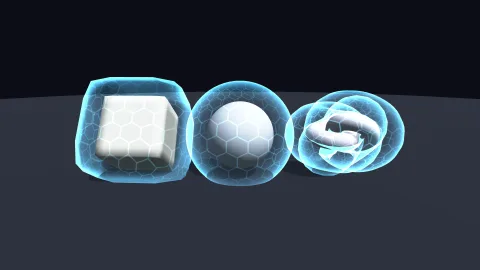
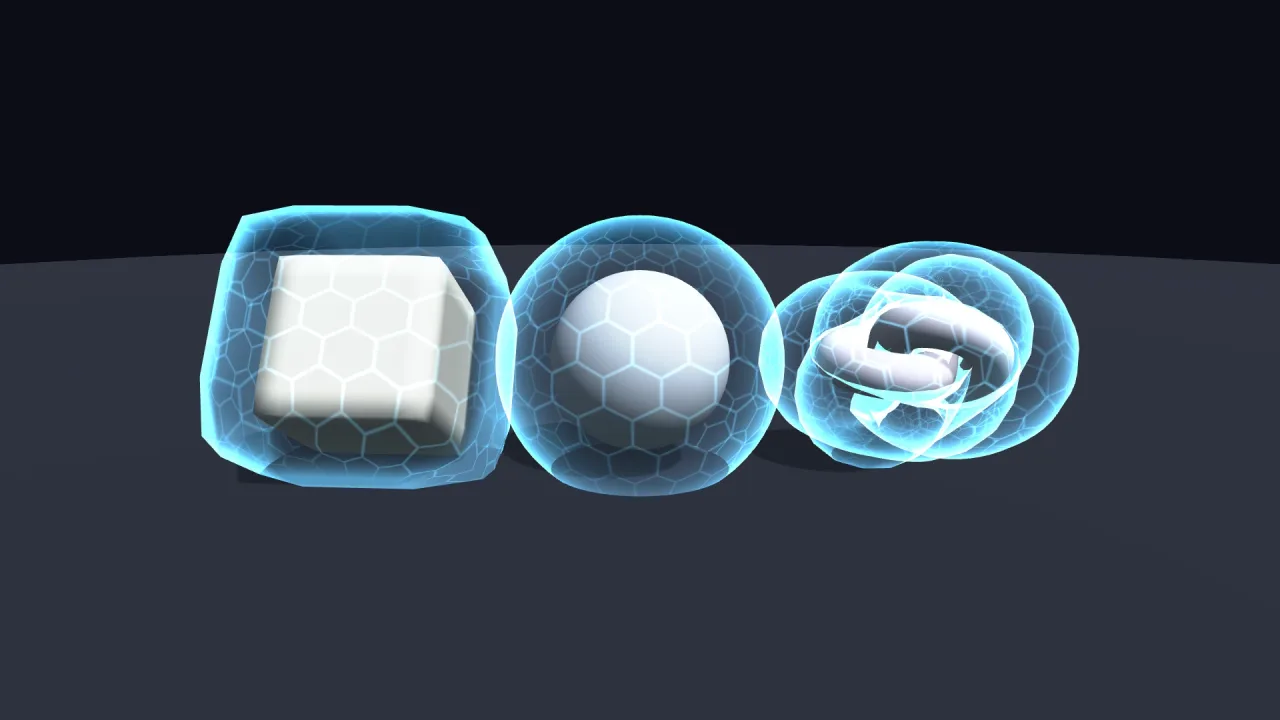
interface MeshShaderShellA SHELL: the mesh drawn again around itself, pushed out along its smoothed normals and added on top, for flames,
glows and force fields that stand off the surface. The snippet runs again there with shell above 0.
push: number— How far out the outermost layer sits, as a fraction of the object's size on each axis (0.25 is a quarter). 0 < push ≤ 1.layers?: number— How many layers, 1 to 8, evenly spaced out topush; layer i of n hasshell= i / n. Default 1. Each is weighted 1 / n, so the sum keeps its brightness whatever the count.
MeshShaderTweenOptions
interface MeshShaderTweenOptionsHow long a tween, show or hide takes and along which curve.
duration?: number— Seconds of sim time; default 0.5. 0 is at once. Throws when negative or not finite.ease?: MeshShaderEase— The curve; default'easeInOutQuad'. An unknown name throws.
MeshShaderValues
interface MeshShaderValuesParams and colours to set together: handle.set({ params: { heat: 2 }, colors: { flame: '#4af' } }).
params?: Record<string, number>— Params by name.colors?: Record<string, string>— Colours by name, as CSS colours.
SnippetTranslator
type SnippetTranslator = (code: string, scope: Record<string, string>, helpers: Record<string, { args: string[]; ret: string }>) => stringThe translator a check runs, as render-webgl2's wgslSnippetToGLSL: it throws naming what it cannot translate.