
The pack
honeycomb
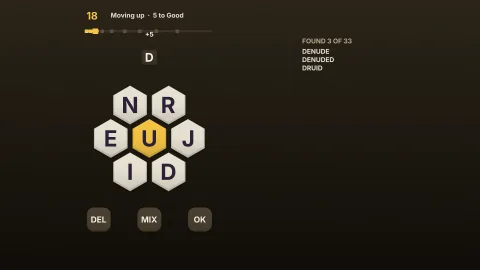
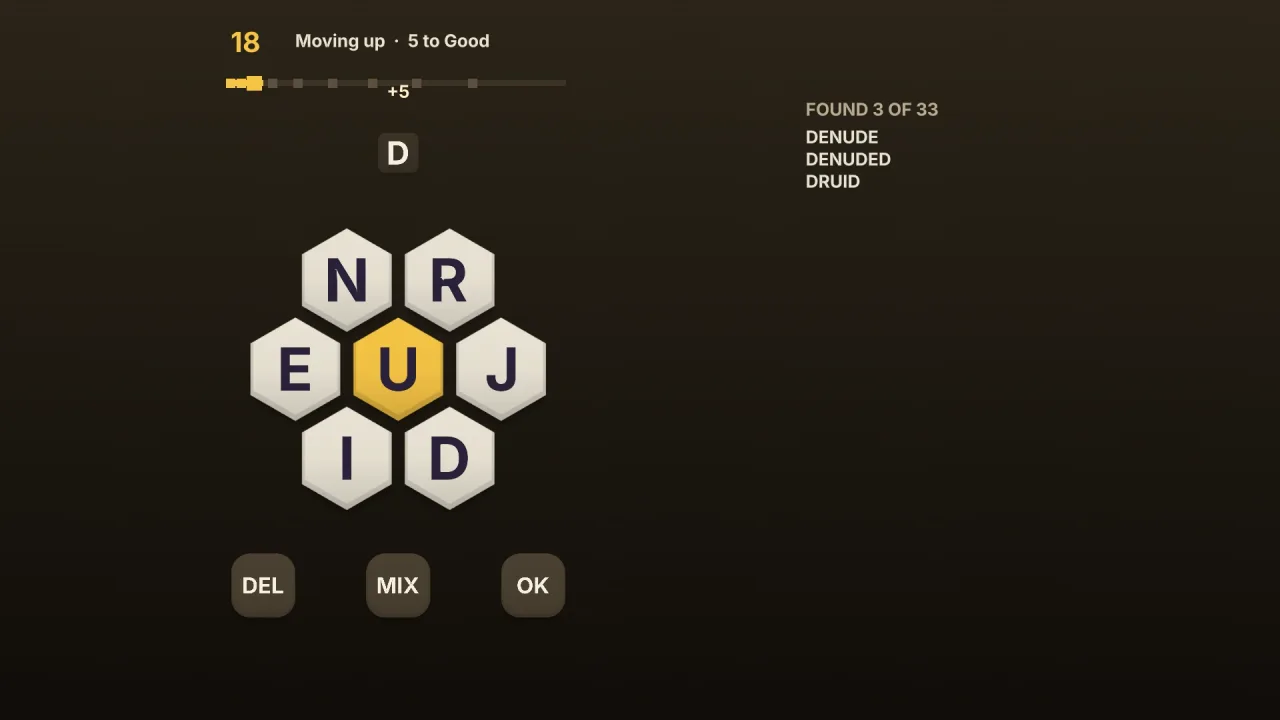
function honeycomb(): Pack<{ honeycomb: HoneycombApi }>The honeycomb pack: honeycomb word hunt rules over the english-words lists. Pure logic, so it runs headless.
Helpers
createHoneycomb
function createHoneycomb(options: HoneycombOptions): HoneycombMake a puzzle. Throws a RangeError for options out of range: a letter count below 2 or above 26, set letters that repeat or a centre not among them, a set puzzle with no answers, or no generated puzzle within the answer range.
HONEYCOMB_RANKS
const HONEYCOMB_RANKS: ReadonlyArray<HoneycombRank>The default ranks, from nothing to most of the points.
honeycombScore
function honeycombScore(word: string, pangram: boolean, scoring: HoneycombScoring = 'classic', minLength = 4): numberPoints for one word: 'classic' gives a word of minLength letters (or fewer) 1 point and a longer word a point a
letter, and a pangram 7 more. Throws a RangeError when a scoring function returns a negative or non-finite number.
Types
Honeycomb
interface HoneycombA honeycomb word hunt. Make one with createHoneycomb.
observation(): HoneycombView— The puzzle as it stands.check(word: string): { readonly ok: true; readonly points: number; readonly pangram: boolean } | Refusal— Would this word count now? Its points and whether it is a pangram, or the refusal. Changes nothing.submit(word: string): { readonly ok: true; readonly result: HoneycombResult } | Refusal— Submit a word. Refused when it is too short, uses letters not on the board, misses the centre, is not in the word list or was found already.shuffle(): void— Put the ring's letters in a new order (the centre stays).end(): void— End the puzzle: the missed answers are shown.undo(): boolean— Take back the last move.hints(): HoneycombHints— Counts of the answers not yet found.answers(): ReadonlyArray<string>— Every answer, alphabetically, for a solution screen or a test.snapshot(): HistorySave<HoneycombMove>— The puzzle as a save: the seed and the moves. Restore it into a puzzle made with the same options.restore(save: HistorySave<HoneycombMove> | string): void— Replace this puzzle's moves with a save. Throws, changing nothing, when it does not replay.
HoneycombApi
type HoneycombApi = typeof rulesgame.honeycomb: every function and type this pack carries, as one namespace.
HoneycombHints
interface HoneycombHintsCounts of the answers not yet found, to point a player without giving words away.
readonly byStart: Readonly<Record<string, Readonly<Record<number, number>>>>— By first letter, then by length:{ a: { 4: 2, 6: 1 } }.readonly byPair: Readonly<Record<string, number>>— By their first two letters:{ ap: 3 }.readonly left: number— Answers not found.readonly pangramsLeft: number— Pangrams not found.
HoneycombMove
type HoneycombMove = | { readonly kind: 'word'; readonly word: string } | { readonly kind: 'shuffle' } | { readonly kind: 'end' }A move: a word, a shuffle of the ring, or the end of the puzzle.
HoneycombOptions
interface HoneycombOptionsHow a puzzle is made. Only seed is required.
seed: number— Picks the letters, the centre and the ring's order, as an unsigned 32-bit integer.letters?: number | string— The board's letters: a number of distinct letters to generate (default 7, a centre and six round it), or the letters themselves for a set puzzle ('pangrmc'), each once.centre?: string— A set puzzle's centre letter; default the first ofletters. Ignored for a generated puzzle.requireCentre?: boolean— Must every word use the centre letter? Default true.minLength?: number— Shortest word, in letters. Default 4.words?: WordList— The words that count. Default the English lexicon.exclude?: string— Letters a generated board never has ('s'keeps plurals out). Default none.minAnswers?: number— Fewest answers a generated puzzle may have. Default 20.maxAnswers?: number— Most answers a generated puzzle may have. Default 80.attempts?: number— Letter sets tried before giving up. Default 80.scoring?: HoneycombScoring— Points per word. Default'classic'.ranks?: ReadonlyArray<HoneycombRank>— The ranks, by share of the maximum score. DefaultHONEYCOMB_RANKS.
HoneycombRank
interface HoneycombRankA rank: its name and the share of the puzzle's points that reaches it, 0..1.
readonly name: string— What a player is called at this rank.readonly at: number— The share of the maximum score that reaches it, 0..1.
HoneycombRankView
interface HoneycombRankViewWhere a score stands among the ranks.
readonly name: string— The rank's name;''below the first rank.readonly index: number— Its place in the rank list, from 0; -1 below the first.readonly next: { readonly name: string; readonly points: number } | null— The points that reach the next rank, and its name; null at the top.
HoneycombResult
interface HoneycombResult extends HoneycombWordWhat an accepted word did.
readonly rankUp: boolean— Did it take the player to a new rank?readonly complete: boolean— Is every answer now found?
HoneycombScoring
type HoneycombScoring = 'classic' | ((word: string, pangram: boolean) => number)Points for a word: 'classic' (a word of the shortest length 1 point, longer words a point a letter, a pangram 7 more) or your own function.
HoneycombView
interface HoneycombViewThe puzzle as it stands. Never lists an unfound answer until the puzzle is over.
readonly phase: 'playing' | 'over'—'playing', or'over'onceendis called or every answer is found.readonly centre: string— The centre letter.readonly outer: ReadonlyArray<string>— The ring's letters, in their current order.readonly letters: string— Every letter on the board, alphabetically.readonly requireCentre: boolean— Must every word use the centre letter?readonly minLength: number— Shortest word, in letters.readonly found: ReadonlyArray<HoneycombWord>— Words found, in the order found.readonly score: number— Points scored.readonly maxScore: number— Points in the whole puzzle.readonly rank: HoneycombRankView— The rank now.readonly ranks: ReadonlyArray<{ readonly name: string; readonly points: number }>— Every rank with the points that reach it.readonly pangrams: { readonly found: number; readonly total: number }— Pangrams found and in all.readonly answers: number— Answers in all.readonly byLength: ReadonlyArray<{ readonly length: number; readonly total: number; readonly found: number }>— For each word length in the puzzle, how many answers and how many found.readonly missed: ReadonlyArray<string>— Once the puzzle is over, every answer not found, alphabetically; empty while playing.
HoneycombWord
interface HoneycombWordA word found.
readonly word: string— The word, lower case.readonly points: number— Points it scored.readonly pangram: boolean— Does it use every letter on the board?