Color Filter
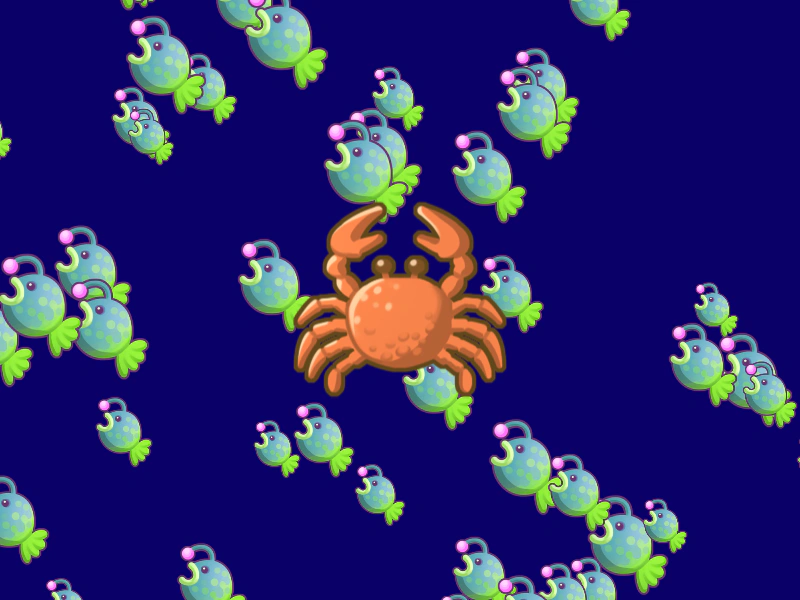
Demonstrates how to enable and apply a hue-rotation color filter to individual sprites using custom filter controllers.

800 × 600
// #module

import FilterHueRotate from './assets/rendernodes/FilterHueRotate.js';

export default class Example extends Phaser.Scene
{
    constructor ()
    {
        super();
    }

    preload ()
    {
        this.load.setBaseURL('https://cdn.phaserfiles.com/v410');
        this.load.setPath('assets/tests/pipeline');

        this.load.image('fish', 'fish.png');
        this.load.image('crab', 'crab.png');
        this.load.image('flower', 'flower.png');
    }

    create ()
    {
        this.add.sprite(200, 300, 'fish').enableFilters().filters.internal.add(new FilterHueRotate.Controller(this.cameras.main));

        this.add.sprite(400, 300, 'flower').enableFilters().filters.internal.add(new FilterHueRotate.Controller(this.cameras.main));

        this.add.sprite(650, 300, 'crab').enableFilters().filters.internal.add(new FilterHueRotate.Controller(this.cameras.main));
    }
}

const config = {
    scale: { mode: Phaser.Scale.FIT },
    type: Phaser.WEBGL,
    width: 800,
    height: 600,
    backgroundColor: '#0a0067',
    parent: 'game-container',
    scene: Example,
    renderNodes: { 'FilterHueRotate': FilterHueRotate.Filter }
};

let game = new Phaser.Game(config);
More in Renderer14 examples
 Container Post-Processing FilterThis example demonstrates how to enable and apply custom post-processing filters to a Container and all of its nested children.
 Custom Batch SizeDemonstrates how to define a custom batch size in the Game configuration to control the number of quads processed by the WebGL renderer in a single draw call.
 Custom FilterDemonstrates how to create and apply a custom GLSL fragment shader filter to a Game Object, using a Filter Controller to manage uniforms like time and speed.
 Custom Grayscale Shader via Batch HandlerApply a custom shader effect to individual game objects by assigning a specific Batch Handler and updating its shader uniforms in real-time.